Quicken / Mac - Deleting Old Cloud Datasets
not sure if this is the right place but I'll try anyway.
so doing some quicken housekeeping - and I have some very old datasets in quicken / cloud. it's possible some were created with quicken windows a long time ago.
I just did a mobile / cloud reset - which deleted a bunch of recent but unused files which is great.
I still have files like: Data, QdataBKP, Quicken-DEFAULT
I know they're not hurting anything - but is there a way to remove them?
thanks in advance!
Answers
-
Hello @MarcSnyder,
Thanks for posting—you’re in the right place. 🙂
To make sure we’re looking at the same thing, could you please share a screenshot of where you’re seeing these datasets listed?
If needed, please refer to this Community FAQ for instructions on how to attach a screenshot. Alternatively, you can also drag and drop screenshots to your response if you are not given the option to add attachments.
Once we can see what you’re seeing, we can advise on the best next steps.
Thank you!
-Quicken Anja
Make sure to sign up for the email digest to see a round up of your top posts.0 -
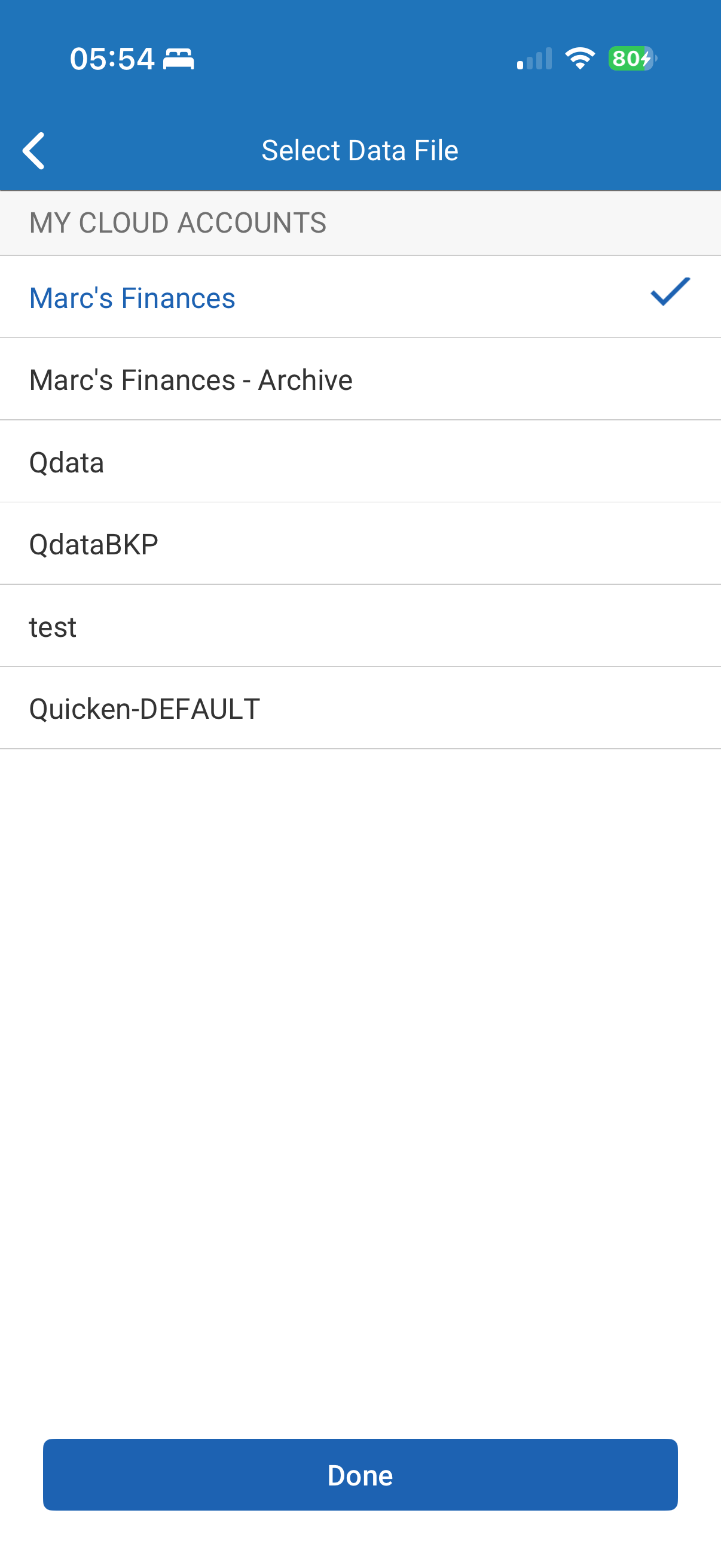
yes, sure - here you go.
Marc's Finances and Marc's Finances - Archive are both valid / new. they were created after I did the cloud reset.
the Qdata, QdataBKP, test, and Quicken-DEFAULT are all very old - and remained after I did the reset.
0 -
Marc,
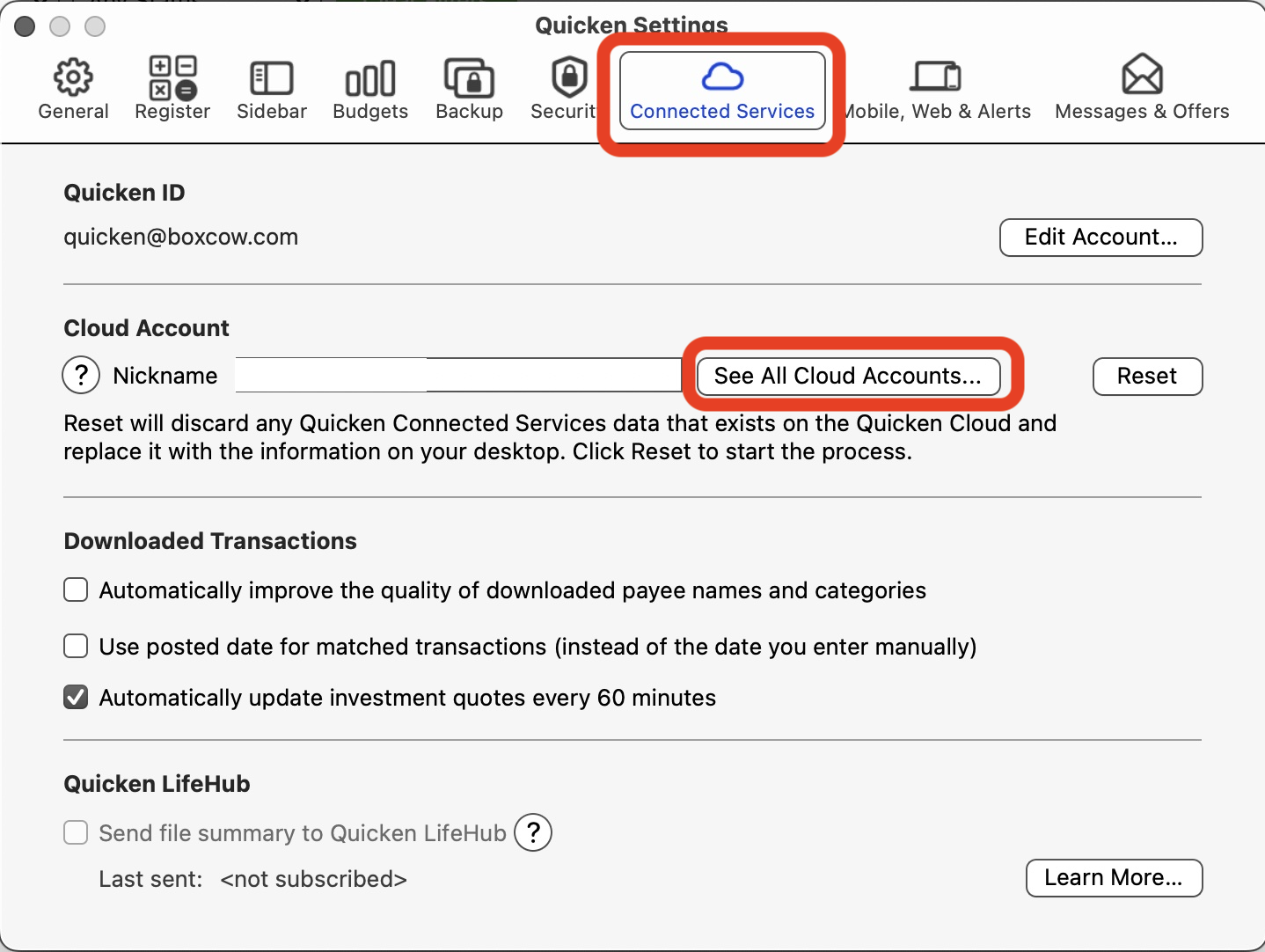
You can delete the cloud accounts from within Quicken. Click menu Quicken > Settings, then select the Connected Services tab and click the See All Cloud Accounts button:
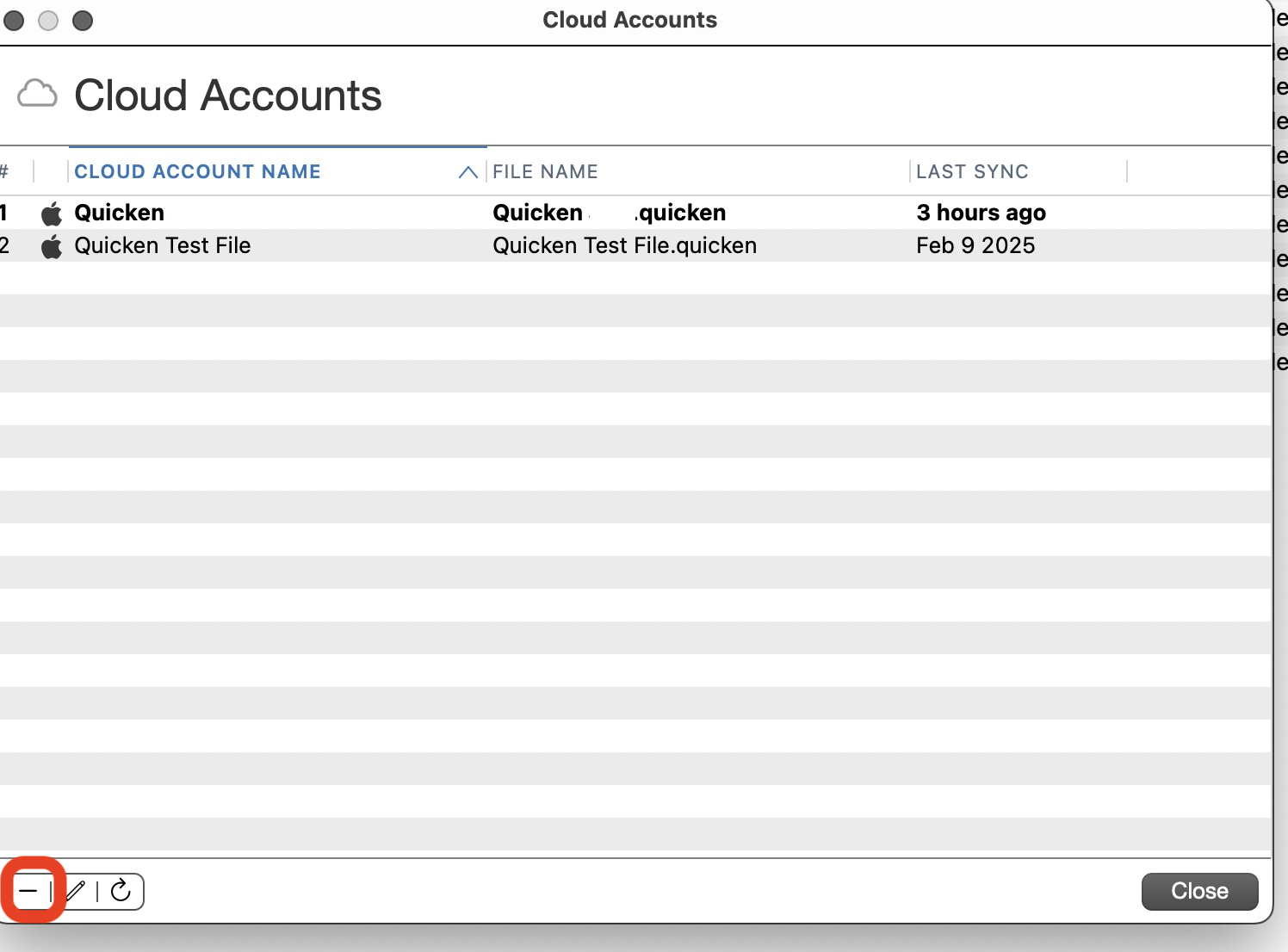
On the next screen, select the cloud account you want to delete and click the Minus (-) button bottom left:
Quicken Mac Subscription; Quicken Mac user since the early 90s0 -
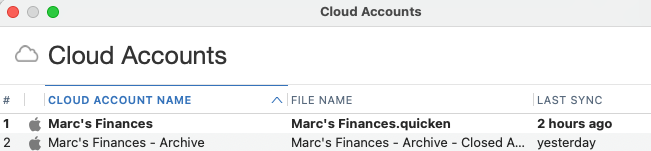
yep, got that - here's the output from that:
the rest of those files that I mentioned don't show up.
0 -
If you are not seeing the cloud accounts in QMac, where are you seeing them?
Quicken Mac Subscription; Quicken Mac user since the early 90s0 -
the first screenshot with all the accounts is from your quicken iOS app.
0 -
Yes, it wasn't clear from your original post that you were talking about the iOS companion app, rather than the desktop Quicken Classic Mac program. Since you're not seeing those cloud accounts in Quicken Mac, they are not associated with Quicken Mac data files. Did you previously use Quicken Windows? They use a different format or identifier, and aren't visible from within Quicken Mac. Or did you create any new cloud accounts directly in the iOS app?
I don't use the iOS app, but I don't think you can delete cloud accounts from within the app. I think you'd need to contact Quicken Support, who should have the tools needed to go in and delete the ones you won't want.
(P.S. When you replied above about "your Quicken iOS app", I wanted to make sure you understood that this is a community forum, and that I and @RickO, who you were replying to, are fellow Quicken users, not representatives of the company. People in the community can help each other with many questions and problems, but for an issue like this, you need to actually contact Quicken Support. (They have phone support 12 hours a day on weekdays; click the Support link at the top of the page, and scroll down to see how to call them.)
Quicken Mac Subscription • Quicken user since 19930 -
first of all - thanks very much for responding to my post(s)!
i was aware you guys were community members - but i had figured (maybe incorrectly) that quicken support staff might also read / respond to these posts.
i did use quicken / windows awhile back - and determined these files might be "orphaned" from my quicken / windows days.
unfortunately there is no way to delete the files from within the iOS app.
i'll give quicken support a shout directly and see if they can help delete them.
thanks all!
0 -
@MarcSnyder There are Quicken moderators on this site, like Anja who replied to your first post. They don't address every question, but they are able to help with some issues. So they can provide some support, but they are not the same team as Quicken Support/Customer Care (who are only available via phone or chat and do not read or interact on this forum).
Quicken Mac Subscription • Quicken user since 19930
Categories
- All Categories
- 41 Product Ideas
- 36 Announcements
- 224 Alerts, Online Banking & Known Product Issues
- 21 Product Alerts
- 497 Welcome to the Community!
- 676 Before you Buy
- 1.3K Product Ideas
- 54.3K Quicken Classic for Windows
- 16.5K Quicken Classic for Mac
- 1K Quicken Mobile
- 814 Quicken on the Web
- 115 Quicken LifeHub