This discussion was created from comments split from:
PNC Direct Connect with Quicken Still not working December 22
.
Mac Tahoe 26.1. Quicken for Mac ver. 8.4.1. Direct Connect with PNC has not connected since December 25. I have disconnected and reconnected online banking with PNC support. (NOTE: When doing this you need to have your original PIN number sent by PNC bank. Fortunately I had that available for over 8 years.) Nothing has worked. I believe this is a problem conflict between PNC and Quicken. When will this issue be resolved?
PS. I apologize if I am in the wrong forum since I am using Mac operating system. If I need to post in another forum please let me know.
Hello @Hi1076,
Thank you for letting us know you're still seeing this issue. To troubleshoot this problem, please follow these steps from our article on missing transactions/transactions not downloading:
Be sure to follow these steps in order:
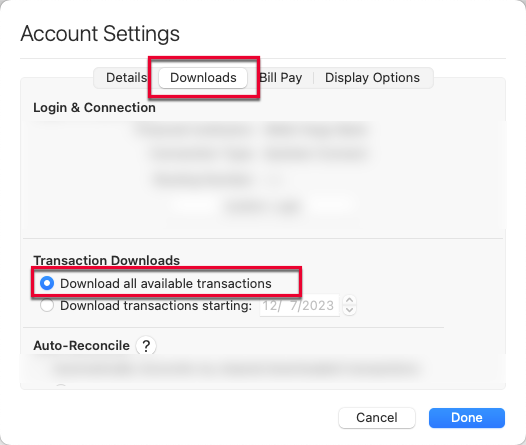
1. In the affected account, click the Settings icon in the bottom right corner of the screen. Go to the Downloads tab and, under Transaction Downloads, confirm Download all available transactions is enabled.
2. Refresh your online account information by clicking on the Update Icon, located on the upper left-hand side of Quicken. Follow any on-screen instructions to complete the account update.
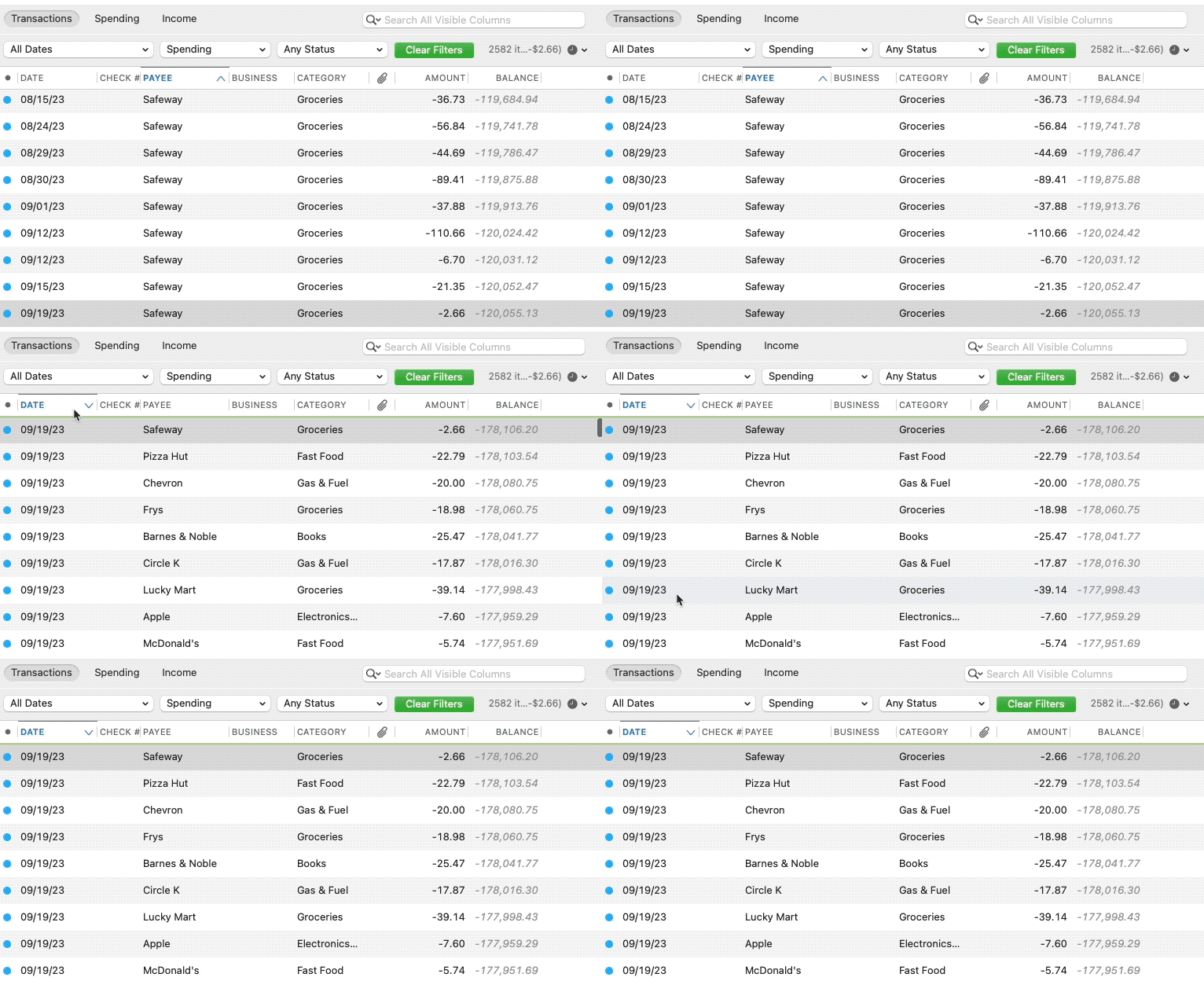
3. Confirm that the Sort Order in your account is by Date; just click the top of the Date column in your account register. It's possible the transactions are in your register, but not where you thought they'd be.
4. Click the Clear Filters button to the right of the account register’s filter dropdowns. This will confirm that there is no filtering in your account register.
5. Click Columns in the bottom right of the register, then check the Statement Payee box. This will allow you to search for the downloaded Payee name to confirm that a transaction was not renamed unexpectedly.
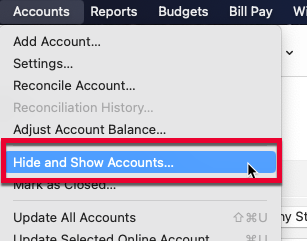
6. Go to Accounts > Hide and Show Accounts…. You can confirm if missing transactions have been downloaded into a hidden account by unchecking the Hide In Lists box next to the account that is marked as hidden.
If the issue persists, then I recommend that you contact Quicken Support directly, as they have access to tools we can't access on the Community and they're able to escalate the issue as needed. The Quicken Support phone number can be found through this link here. Phone support is available from 5:00 am PT to 5:00 pm PT, Monday through Friday.
I hope this helps!
I haven't seen a response from you. Do you still require assistance?
Thank you!
Yes, my apologies. I spoke at length with your great support team. An numerous conversations with PNC. It resides with PNC at this moment.
Thank you for the follow-up,
I'm glad to hear PNC's Support is working on the issue.
Please let us know how it goes!