Can't add/activate Tower Federal Credit Union Accounts on Quicken Desktop for Mac
I have not been able to add Tower accounts to quicken for about a month now. It says my user and password are incorrect but I can guarantee they are because I've done this over a 100 times now. Here is what the error looks like and error json output. Please help because this has not been resolved and I've submitted these errors to quicken multiple times.
Comments
-
Hello @toddcreasy,
Thanks for reaching out!
After reviewing your connections internally, I can see that you are receiving an FDP-103 error. These errors occur when your financial institution tells Quicken that your login credentials are incorrect or there are outdated login credentials stored in Quicken for Mac and/or the Keychain app.
First, you will need to deactivate all the accounts with the affected financial institution:
- Open Quicken.
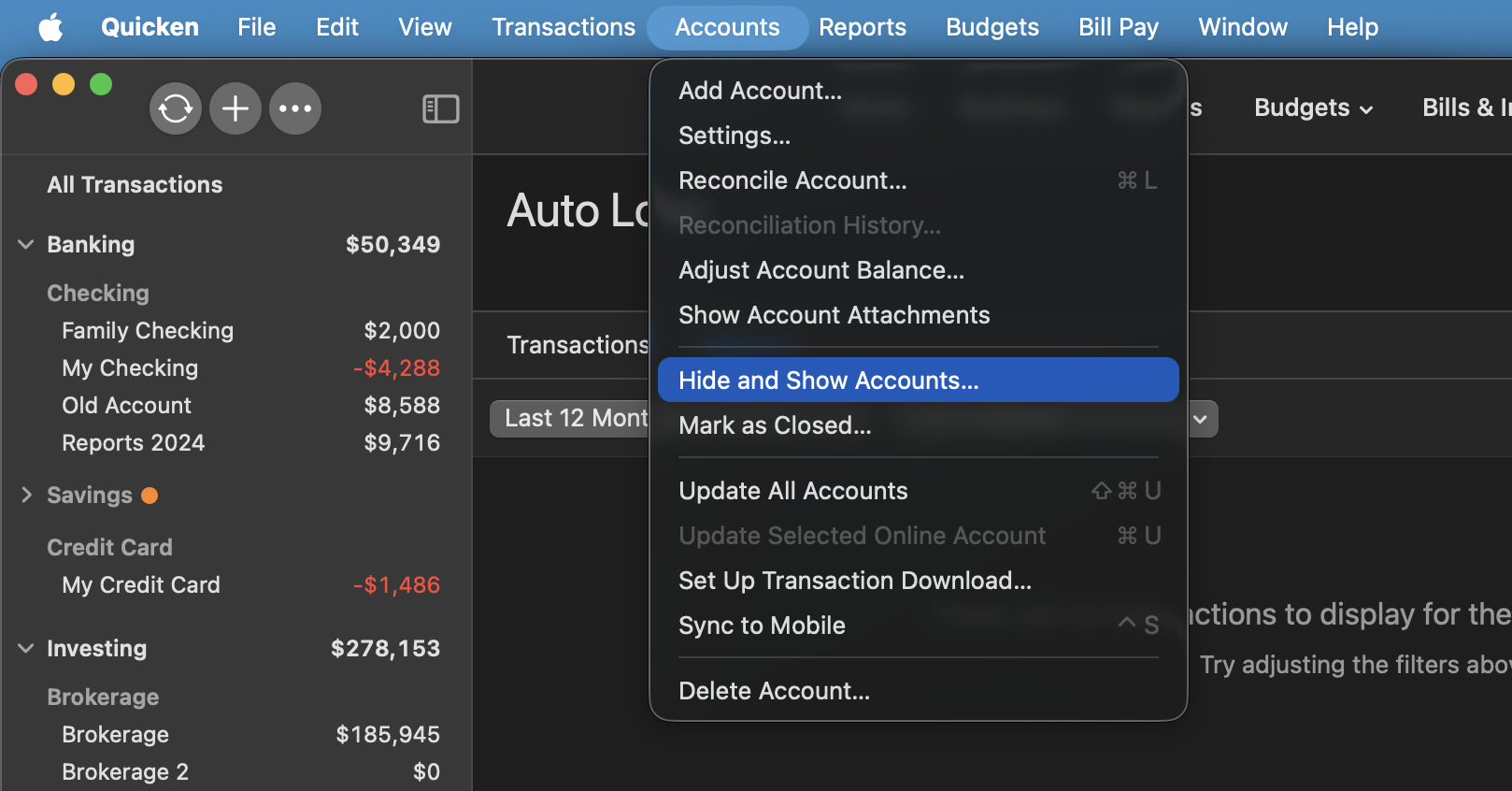
- Go to the Accounts menu and choose Hide and Show Accounts.
- Uncheck any accounts with this specific financial institution (FI) that are hidden in Lists.
- When complete, click on the account name for your account(s) in the Accounts toolbar in Quicken.
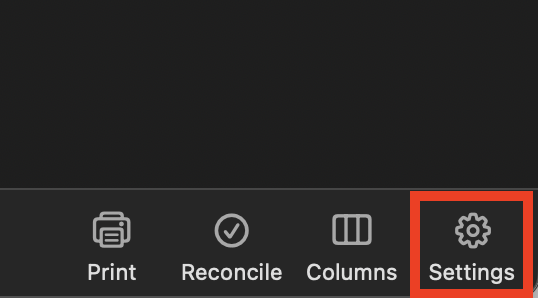
- Click the Settings icon in the bottom right corner of the screen.
- Select the Downloads tab.
- Click on Disconnect Account.
- Click Done. Do this on each account with this FI.
- Quit Quicken.
Second, delete Quicken passwords from the Keychain:
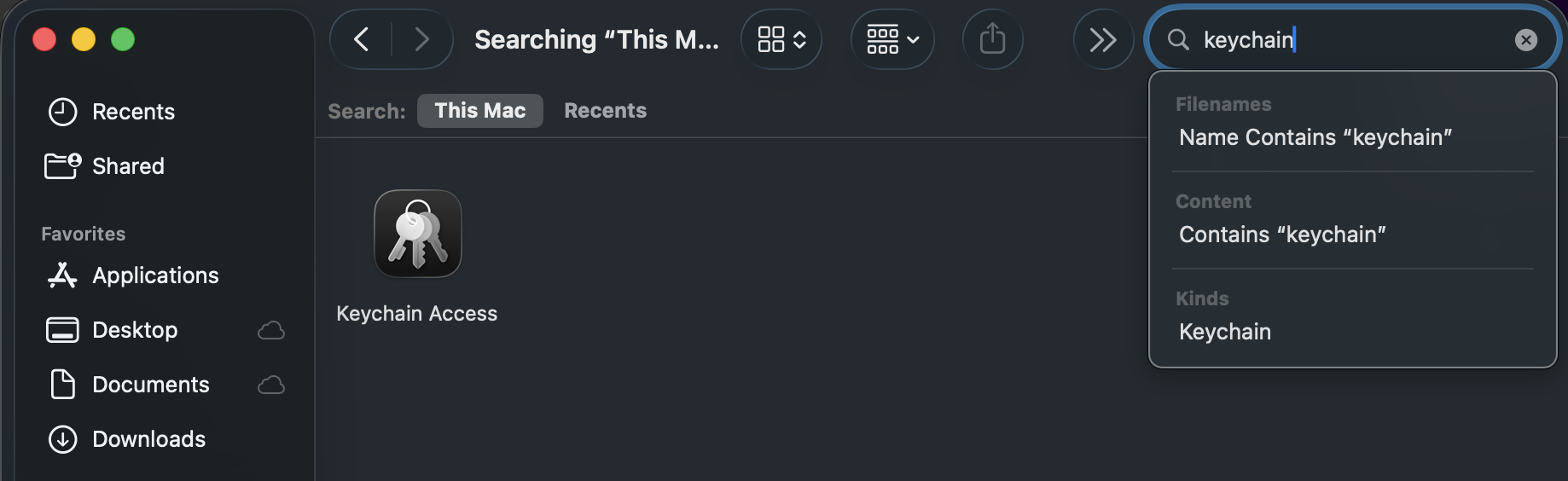
- Open Finder and type "Keychain Access" into the Search bar in the upper-right corner.
- Double-click the Keychain Access icon in the Finder window.
- If prompted to open the Passwords app, select Open Keychain Access instead.
- On the left panel in the Keychain app, set the Keychains to login and the Category to Passwords.
- Find and delete any entries that show Quicken or Quicken Connect and this FI name.
- Quit the Passwords app and open Quicken.
Third, re-add the accounts:
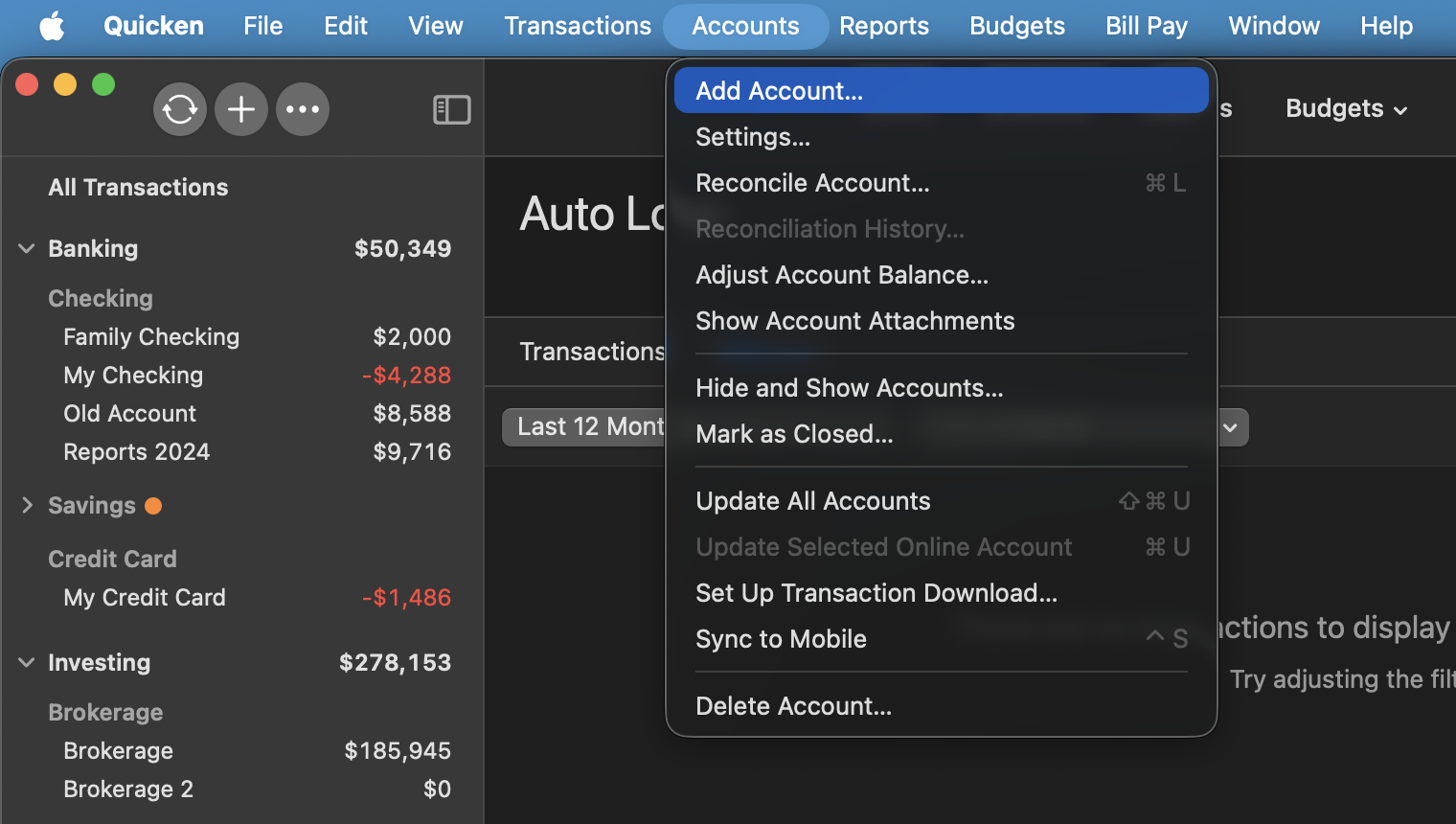
- Go to Accounts > Add Account.
- Type the name of the financial institution and make the appropriate selection.
- Enter your login credentials and click Continue.
- When Quicken has returned all accounts discovered for this FI, very carefully LINK each of the found accounts to the appropriate account you already have set up in Quicken.
If the steps above do not resolve the issue, please contact Quicken Support directly for further assistance.
Thank you!
-Quicken Anja
Make sure to sign up for the email digest to see a round up of your top posts.0 -
Yeah, we've already done that. I've been cutoff after your hours "expire". It was awesome having the chat just disconnect because it reached your hours limit when I was in a conversation. thanks for nothing. This seems like something that can be figured out without me anyway. Again,, thanks for nothing.
0 -
Hello @toddcreasy,
Thank you for your patience. I wanted to let you know that I’ve pulled your support interaction and forwarded it to the proper channels for further review. Disconnecting a live chat due to hours closing is not standard protocol, and agents are expected to see a conversation through to completion.
Additionally, I’ve sent you a DM, so please check your inbox for a message from me.
Thank you!
-Quicken Anja
Make sure to sign up for the email digest to see a round up of your top posts.0
Categories
- All Categories
- 48 Product Ideas
- 35 Announcements
- 221 Alerts, Online Banking & Known Product Issues
- 18 Product Alerts
- 503 Welcome to the Community!
- 673 Before you Buy
- 1.4K Product Ideas
- 54.8K Quicken Classic for Windows
- 16.6K Quicken Classic for Mac
- 1K Quicken Mobile
- 824 Quicken on the Web
- 120 Quicken LifeHub