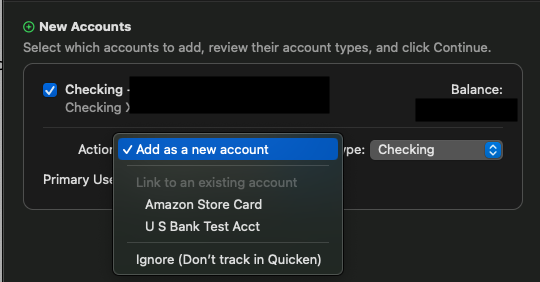
It appears TRS has started multi-factor authorization to log into the accounts from an authenticator app. Not sure if this is the cause for the transactions to not be able to download. Any fix in sight?
Hello @jeharden,
Thank you for letting us know you're encountering this issue. To help troubleshoot, I checked our internal tools, and can see a FDP-106 (Account Mismatch) error when you're trying to connect with Teachers Retirement System of Georgia. Is that what you're seeing on your end as well?
If that is what you're seeing, then please backup your Quicken file and follow these steps from our article on FDP-106 errors:
Step 1: Deactivate all the account(s) associated with that Financial Institution
Step 2: Reactivate and link the account(s)
NOTE: This process will download 90 to 200 days of transactions, depending on your bank. If you find duplicate transactions in your account(s), you can delete these transactions from the account register.
If that is not the error you're seeing on your end, then please provide more detail what is happening and what error message/code you see (if any).
Please let me know how it goes!
I have not been able to update our Teachers Retirement System of Georgia account for over a month. I have been receiving a Care Code: FDP-106.
Details: ACCOUNT_MISMATCH Account not found. No accounts returned - case 106.
I have disconnected the account. Deleted the Uid/PWD entry in my Keychain and pretty much have done everything listed above and I still get a Care Code: FDP-106.
You are correct https://trsga.org did institure Two Factor Authentication. That may be the fly in the oinment but its not working. Does anyone know what is going on with this institution? Or if there is a new fix out?
Thanks
Tom
Hello @TQue,
Thank you for letting us know you're also seeing this issue. Since you followed the troubleshooting steps and the issue is still not resolved, I recommend contacting Quicken Support directly for further assistance, as they have tools we can't access on the Community and can escalate the issue as needed. The Quicken Support phone number can be found through this link here. Phone support is available from 5:00 am PT to 5:00 pm PT, Monday through Friday.
I apologize that I could not be of more assistance!