When i did an update, I received a cc-800 error for all accounts. I had gone to a backup of yesterdays file due to an issue with a couple of transaction in one account. The error occurred in all of the facilities i am connecting to.
My account list shows i have connections to all accounts but i get the CC-800 error fo all of them.
Hello @Mike_L,
Thanks for reaching out!
A CC-800 error can occur after restoring a backup file. Even though the accounts still appear connected in the Account List, the online connection information often needs to be re-established.
This typically happens if an account was deactivated or deleted at some point and then a backup was restored.
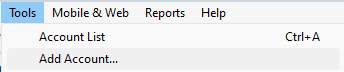
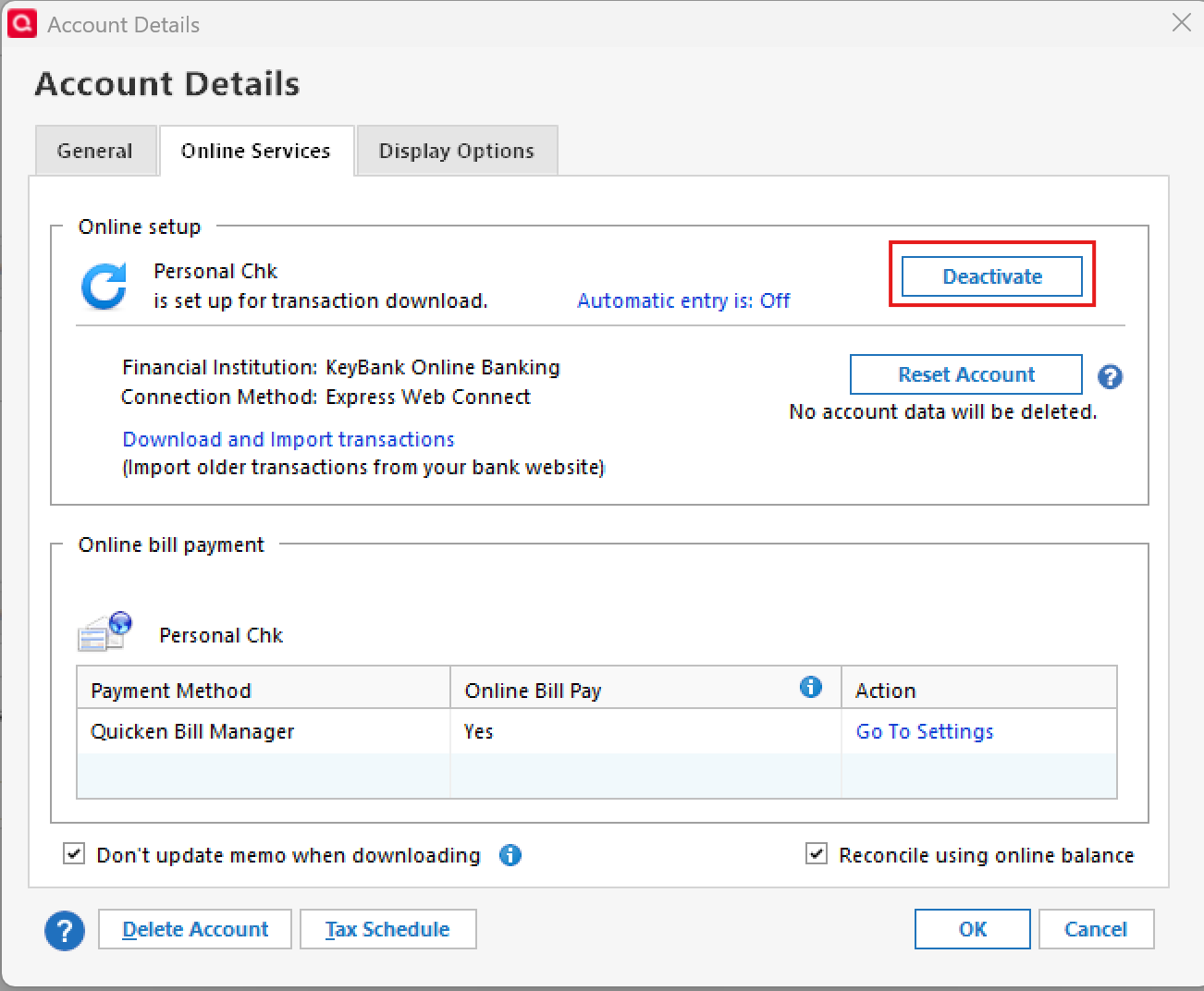
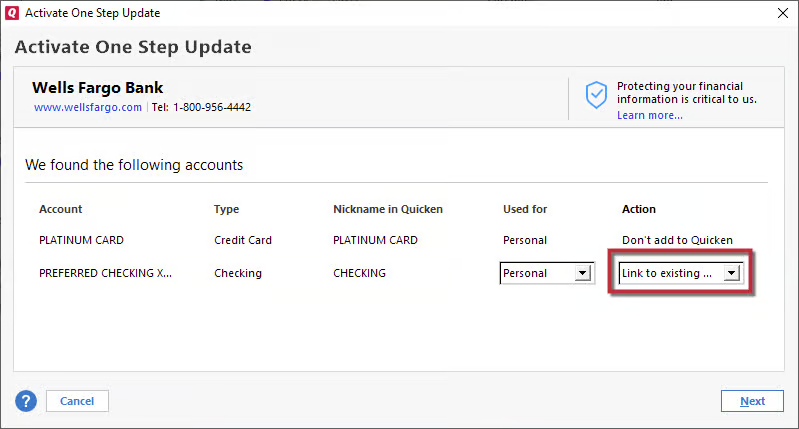
To resolve this, please follow the steps below which can also be found in this support article:
Step 1: Deactivate the affected accounts
Step 2: Reactivate the accounts
This process should restore the online connections and clear the CC-800 errors.
If the issue continues after completing these steps, please reach out to Quicken Support for further assistance.
Let us know how it goes!
Your instructions worked great with one minor exception. You might add that when folks get to the bank page they could select the tiny link for advanced settings to select the type of download they need. I forgot that part.
My one exception is that I have a number of checking and savings account in one facility. I also have a credit card at that facility. I deactivated all the accounts and when I added the accounts back in, I selected express web connect. After completing, I checked the account list In the account list the credit card says ‘no (activate downloads). All others work fine as far as I can tell now. I did a successful one step update. The credit card did not seem to have been accessed. An option to update now is not available in the transaction register drop down.
I tried selecting the activate downloads selection in the accounts list, but was provided the option to add or link all the accounts at that facility.
In the past, I have always had to use Web Connect to manually download the transactions for my credit card but can not find how to set that up again.
I think I may have isolated my latest problem. Although all accounts are identified with 1st advantage FCU including the credit card, I think the credit card is supposed to be associated with 1st Advantage FCU CC. I have tried to get that association but have come up empty. I intend to call 1st Advantage tomorrow to see if they can help. They probably have this as a common issue.
Again Thanks. Your help was a lifesaver. The credit card is my least used account so I can probably keep it updated manually until i get the downloads again.
1st Advantage was unable to help. I think the credit card needs to be added to 1st Advantage FCU CC, the other accounts to 1st Advantage FCU. All but the credit card works. I need the credit card to work Web Connect. The other accounts are Express Connect. I think the issue is with 1st Advantage
Just got off phone with Quicken Support. They said it was a 1st Advantage FCU issue and I should recontact 1st Adv.
While I agree with Quicken, I feel like i am in a do loop.
Thank you for your help.
I'll let you know if I get it resolved. I am discouraged only because i know there is an easy solution that i used when i set it up. I just can't remember what it was.😑
@Mike_L You’re very welcome—I’m glad to hear the main issue with the CC-800 errors has been resolved!
Regarding the remaining issue with your 1st Advantage FCU credit card: I see you mentioned contacting Quicken Support, but I’m not finding a ticket for that interaction. Were you given a ticket number for that call so I can review it?
In the meantime, I took a look internally at your account and am seeing a FDP-103 (CC-503) error for this connection. That error typically occurs with Express Web Connect accounts, but from your description, it sounds like you normally use Web Connect (this method usually refers to downloading a QFX file from the bank's website, and then importing it into Quicken) for this credit card. Is Web Connect the preferred method for you? Check back and let me know so I can best advise on next steps.
Thank you!
they did not give me a ticket number. they just tried to help and finally said it was a 1st ADV problem.
I think I have finally resolved it. The account list said the account was not connected. After trying, unsuccessfully, everything i could think of, I decided to try to go to 1st adv web site and download the transactions from the account. They downloaded. I then clicked on the downloaded file and the quicken icon on the task bar started blinking as I had hoped. When the icon stopped flashing, i clicked on it and it provided a dialog box asking if i wanted to link the downloaded file to the credit card account I have in quicken. I selected the link option and it worked. I can now use the update now option for the account in quicken and go to the 1st ADV accounts to download. (I presume this is Web Connect (or at least it is how I think Web Connect works).
Bottom line is, I am back to where I was 2 weeks ago and am a happy camper.
Thanks you guys sooo much. I couldn't have gotten here without you. I am not sure you folks realize how much help and comfort you provide to us.
Mike
I forgot to mention that after the manual download, the account list shows I am connected.
@Mike_L That’s excellent news—thank you for taking the time to come back and share the solution, and I’m really glad to hear you’re back up and running.
If anything changes or you run into trouble again, don’t hesitate to reach back out.
Thanks for the kind words—we’re happy to help!
Hope you will see this.
Yesterday, i had to do another restore from backup because i couldn't figure out how my bank and current balance, following an update, were significantly different. I probably made a mistake and deleted a couple of transactions.
Bottom line is that after the restore, i did a one step update. All accounts came out with error 800 again. I had to go through what I went through last week to deactivate and add all accounts and try to figure out how to get the credit card back on web connect. It took about three hours. ( If I was younger, I could have probably recovered in about 30 minutes - memory being an issue.)
Is there something i can do to make backup and restore work without getting the errors?
Oh, after the restore and update, the balances did match again, confirming to me, that i must have messed up a transaction(s).
Thanks for helping
Back to date / time not updating.
When i tried a web connect later, yesterday afternoon, it seemed to go through the process with the quicken icon flashing when the update imported. When it finished, i entered quicken and was still in the credit card register. I assumed the download worked, only to find the account list had rot recorded the new date / time. Unfortunately, the bank did not have new transactions to download. But the process seemed to be working.
I assume the update worked like yesterday and the date update was the only issue.
As this account has been at the center of most of my problems, I have been switching many of my charges to credit cards at other facilities.
I cant really be sure it is working until I have a new transaction. This could be a couple of days. I will do another web connect then check the status. I will then try the fix you suggested again and wait for another transaction to arrive and check again. When that occurs, I'll let you know and confirm the status.
Thank you for the help
It consistently only updates the downloaded field in the accounts list, only when there are new transactions in the download import. Remember, I'm using Web Connect for the Credit card.
I assume this is normal, as everything else is working great.
Thanks for the help
[Edited Readability]