Updating Cost basis in Quicken for Mac 8.4.2
One of my Chase investment accounts was setup for Detailed Transaction tracking. The account is managed my Chase so there are a lot of transactions. Unfortunately, after 7 years the balance online and the balance in my Investment Portfolio keeps getting further apart.
Over the years I've made comparison to the online Portfolio to assure share counts were the same, but after another period of time the value discrepancy just keeps expanding.
As a result, I decided to disconnect that account from Chase and re-add to Quicken but NOT with detailed transactions. This has been great to keep the value consistent between Quicken and Chase, but without transaction tracking my Cost Basis for this account is based ONLY on transactions from the last 3 months. Most of the investments do NOT have any cost basis because their shares were acquired prior to that 3 month cutoff.
I have looked at a number of different views for each security in the hope that one of them would allow me to update the Cost Basis, but so far no view has offered me that option.
Since the transaction tab is unavailable in this setup, I cannot even add any transactions that would allow me to generate a Cost Basis.
It's more important to me for the value of this Account be accurate so I am not going back to a detailed connection. However, it's really strange to see that my Gain/Loss percentage is over 2000%.
Anybody have a suggestion?
Answers
-
Hello @jxwinks,
Thank you for sharing a detailed account of your experience.
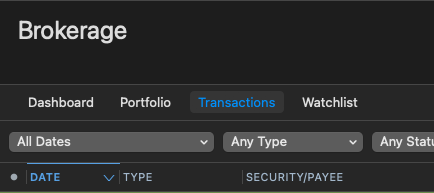
If you prefer simple tracking, you can view the transactions tab. You would hold down the Option key and click on the Transactions tab. This will display the transactions until you navigate away.
If you would like to troubleshoot the issues you are seeing with Detailed tracking, could you provide screenshots of what you see in Quicken versus what you see on the bank's website? If needed, please refer to this Community FAQ for instructions on how to attach a screenshot. Alternatively, you can also drag and drop screenshots to your response if you are not given the option to add attachments.
Looking forward to your response!
Quicken Alyssa
Make sure to sign up for the email digest to see a round up of your top posts.
0 -
Thank you Quicken Alyssa,
Good to know that I can still look at the Transactions tab via the Option key, however, that worries me with respect to what Quicken is tracking vs what Chase is reporting.
The issue lies with how this Chase Investment (IRA) tracks its 'cash' within the account. They purchase shares of Blackrock Liquidity Fed Funds (QBPNZ) but the transaction comes in with Security 123443210.
When I check the Portfolio on the Chase website, the shares all match, but the cash amount never does. After awhile that difference adds up to thousands of dollars. I've tried changing the Security in Quicken so QBPNZ replaces 123443210 but I still end up with a difference eventually.
I was actually hoping that Simple Tracking would only be capturing Portfolio values from Chase each time it syncs, but I now understand why I get a badge on that Account even though I am only Simple. If all the transactions are still being transmitted, I will eventually end up in a discrepancy again.
I don't believe sharing screenshots will help given this issue.
Let me monitor the Simple tracking for another month or 2 to see if adjustments are being made behind the scenes (e.g., Add/Remove share transactions) to keep my displayed balance in-sync with what Chase has. If that is the case, then I'll be fine with Simple Tracking.
0
Categories
- All Categories
- 52 Product Ideas
- 35 Announcements
- 239 Alerts, Online Banking & Known Product Issues
- 20 Product Alerts
- 509 Welcome to the Community!
- 677 Before you Buy
- 1.4K Product Ideas
- 55.1K Quicken Classic for Windows
- 16.7K Quicken Classic for Mac
- 1K Quicken Mobile
- 828 Quicken on the Web
- 121 Quicken LifeHub