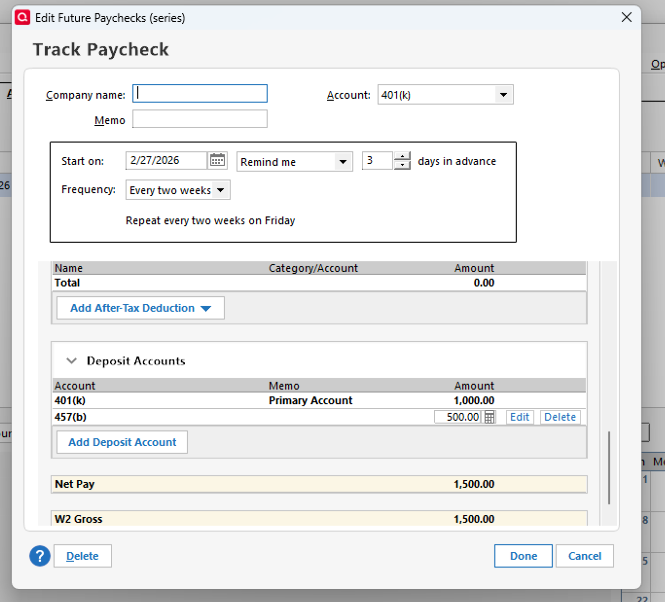
I have two investment accounts on my paycheck, 401(k) and 457(b). However, the paycheck entry only has an option for one. Is there a workaround to enter the second one?
Thanks!
Hi @Robert Armani,
Thank you for sharing your question with us — we’re happy to help!
Yes, there is a way to add a second deposit account to your paycheck entry. You can do this by editing the reminder itself. Here’s how:
Once saved, the paycheck will correctly allocate funds into both accounts going forward.
If you have any other questions or run into anything else, feel free to let us know — we’re here to help!
Thanks, Laura. This wouldn't let me add another "Pre-tax deduction"(401k, 457b, etc). Since there's already one in the paystub, it wouldn't let me add an additional one.
BTW, each account has its own Employer Match too.
You’re right, unfortunately Quicken doesn’t currently offer a way to split a single paycheck so that it automatically sends contributions to two different investment accounts, like a 401(k) and a 457(b). The paycheck setup can only point to one investment account at a time.
A simple workaround is to create two separate paycheck reminders: one for the 401(k) and another for the 457(b). That way, each contribution can be tracked correctly in its own account.
However, if you’d like to request this feature for the future, you can create an Idea post. Other users can vote on it, and our Product and Development teams regularly review these posts when considering new features and improvements.
Please let me know if you have more questions, I'll be happy to help!
Thanks Laura, I found a workaround, and it works fine.
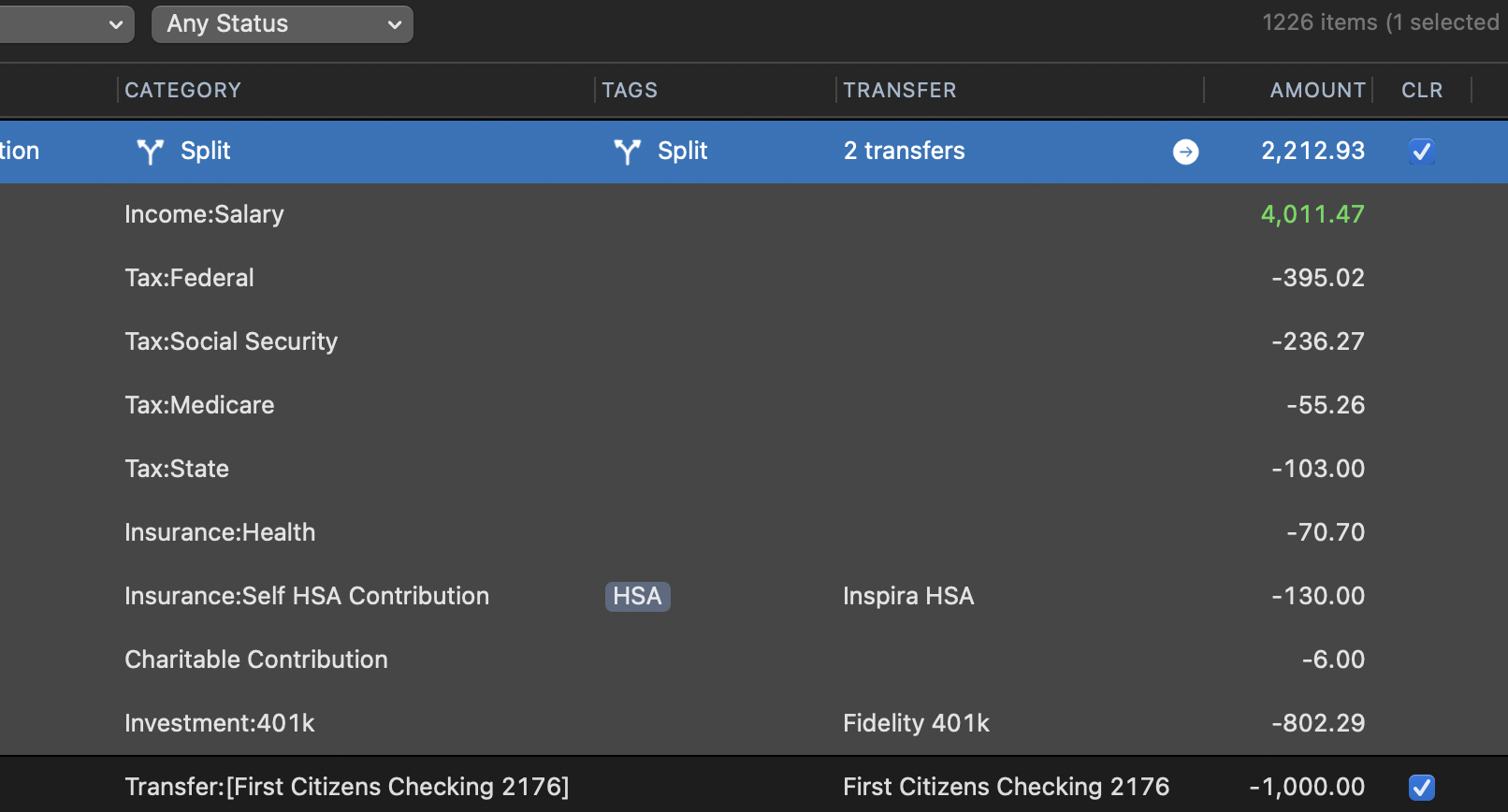
Or, just manually create a split transaction yourself and skip the (gimmicky) Paycheck Wizard. Creating a split is all it is doing behind the scenes.
Yes, I am speaking from the Mac side, but the Win side is equivalent here: Create a scheduled reminder Split transx for your pay with the Parent line being your Net Pay. Then, have a child line for your Gross pay, and additional child lines of the split for each deduction/transfer out to your various investment accounts.
You can order in the same way as your paycheck for simple entry-I find this easier than using the Paycheck feature.
Here is an example; QWin would be similar:
That’s great to hear! I’m glad you were able to find a workaround that suits your needs.
If you have any other questions or need further assistance, feel free to reach out.