Schwab missing transactions

neilh20
neilh20 Quicken Windows Subscription Member ✭✭

I'm using Windows Quicken Classic R65.29 Build 27.165.29 - keeping uptodate when offered an update.

I enabled downloads from Schwab using "update transactions" starting 2024/oct/29 with new updated secure methods that Schwab stands behind.

The purpose to be able to keep a longer history of dividends than Schwab currently keeps. I can't recall downloading any transactions before this date.

I have transactions that now date back to 2023-05-28, and going forward to 2026/Feb

When looking for some essential data this week, I find that there is missing transactions between 5/16 and 8/13. Visually eyeballing the register there is a least one transaction in each month going back to 2023-05-28,

I've tried a number "update transactions" but there is still this missing set of transactions.

Generally, I use QFX for downloading where I can, as its much more traceable - however in this case it can only be through "Update Transactions". Using some black box algorithm behind the scenes.

Just wondering any suggestions as to what might have happened, and how to repair the hole(audit)

Many thanks

Comments

  • Quicken Anja
    Quicken Anja Moderator mod

    Hello @neilh20,
    Thank you for reporting this issue. Missing transactions can happen for a few different reasons. Below are some things to check, which you can also review in more detail in this support article.

    First, for a one-time occurrence:

    1. Sort order or filters: Make sure your account register is sorted by Date (click the top of the Date column) and click Reset at the top of the register to clear any filters.
    2. Pending transactions: Check your Charles Schwab website—transactions that are still pending may not download until they clear.
    3. Download window: Some banks only allow downloads for the last 90–200 days.
    4. Matching or renamed transactions: Sometimes downloaded transactions match incorrectly to existing entries and don’t appear as new.
    5. Deleted or moved transactions: If a transaction was deleted or moved to another account, it will not download again automatically.

    If this happens frequently:

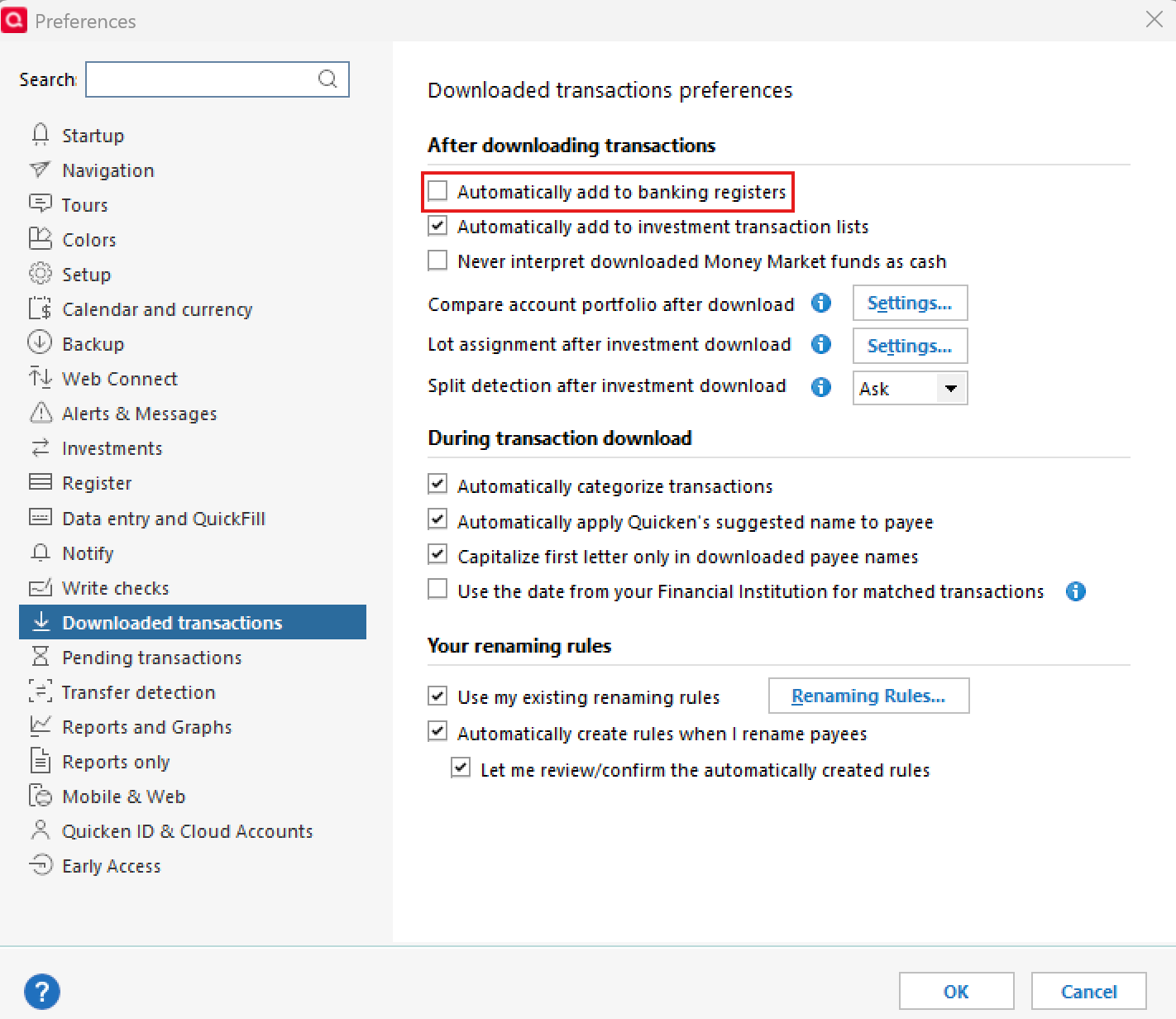
    1. Go to Edit > Preferences > Downloaded Transactions and ensure Automatically add to banking registers is unchecked. image.png
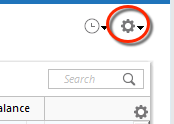
    2. Use the Actions Gear Icon in the register and select Update Now to refresh online account information. image.png
    3. Check that the Sort Order is by Date and click Reset to remove filters.
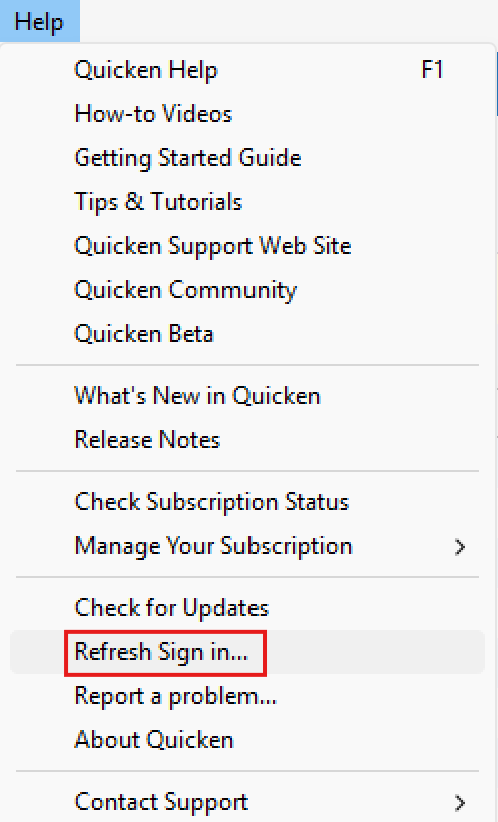
    4. Refresh your login session via Help > Refresh Sign In, then try One Step Update again. image.png
    5. Verify that downloaded transactions aren’t hidden by checking Tools > Account List > Show Hidden Accounts.

    If none of these steps resolves the issue, please reach out to Quicken Support for further assistance.

    Thank you!

    -Quicken Anja
    Make sure to sign up for the email digest to see a round up of your top posts.