After a recent update, "One Step Update" now asks for me to authorize Fidelity to authorize access every time I do an update. I go thru the process and not only do I not get accurate information it adds a duplicate account.
Hello @RyanJeff,
Thank you for letting us know you're encountering this issue. Based on your description, it sounds like you still have at least one Fidelity account that is still trying to connect using Direct Connect, and once you authorize it, the account is getting added as new instead of linked to the existing account.
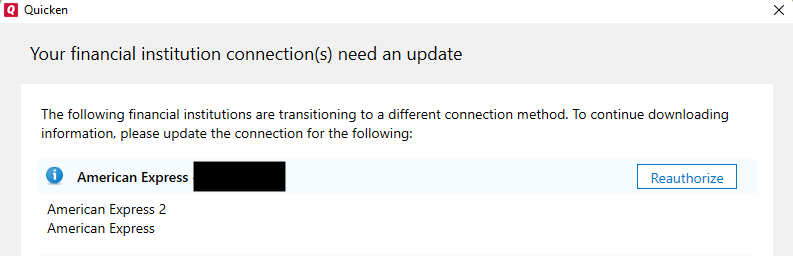
To correct the issue, first, backup your Quicken file. Deactivate the problem account(s). If you're not certain which account(s) that is, the reauthorization prompt in Quicken should show you.
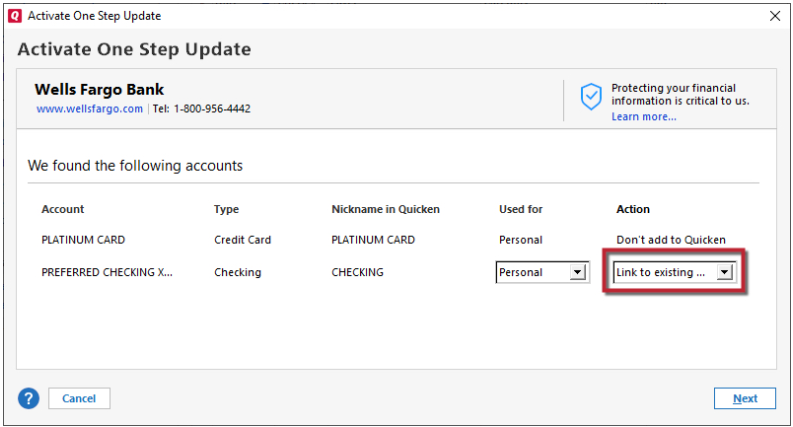
Once the problem account(s) is deactivated, navigate to Tools>Add Account and follow the prompts. Once you get to the Add/Link screen, carefully link each account to the correct nickname in Quicken.
Once the account(s) is reconnected, there is a chance of 30-60 days worth of duplicate transactions, due to the change in connection type. If you see duplicate transactions, backup your file, then delete the duplicates.
Please let me know how it goes!
We haven't heard back from you in a while. Do you still need assistance?
Check back and let us know! Thank you.
Hello again,
Checking in once more before this thread is closed. Let us know if you still need assistance.
Thank you!
Due to the lack of response, I went ahead and closed this post.
If you still require assistance, please feel free to start a new post.