Correcting entries from 2022 paycheck corruption issue

ranman14
ranman14 Member ✭✭✭

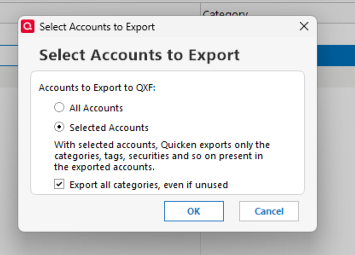
I just recently discovered the paycheck corruption issue where Quicken replaced prior paycheck entries with incorrect info. The last backup that I can find prior to that defect is from May 2020. Is there a way for me to export only paycheck entries from that backup and import it into my current version to avoid hours (days) of manual entry? I see that I can specify which accounts I want to export, but nothing on the transaction level. The QIF export is in a readable format, so maybe I could open that in Notepad and delete the non-paycheck entries, then resave. I assume that I would probably need to delete the affected paycheck entries in my current version before trying to import the backed-up versions to replace them. I have about 13yrs paychecks to update, so 300+ entries.


Tagged:

Answers

  • Quicken Laura
    Quicken Laura Quicken Windows Subscription Moderator mod

    Hi @ranman14,

    Thank you for reaching out and explaining what you’re trying to accomplish. I’m happy to help clarify.

    Yes, what you described is possible. If you open the file in Notepad (or another plain text editor) and delete the specific transactions you don’t want, you can then import the edited file. Quicken will only bring in the transactions that remain in the file.

    Alternatively, you can:

    1. Create a new account in your current file.
    2. Import the full transaction file into that new account.
    3. Move only the paycheck (or desired) transactions into your existing account.
    4. Once everything is in the correct place, delete the temporary account.

    Both methods will work; the second option is often safer since it avoids directly editing the original import file.

    I hope this helps! Let me know if you’d like step-by-step guidance for either approach.

    Quicken Laura

    Make sure to sign up for the email digest to see a round up of your top posts.

  • ranman14
    ranman14 Member ✭✭✭

    Thanks Laura!

    That 2nd option definitely looks a little easier.

    One question I have is about flex account deductions from my paycheck. They currently show as deductions from my paycheck in the split transaction window, and then will show up as deposits in the various flex accounts. However, when I import the transaction file, any flex spending deductions are not listed. I do see them listed in the QIF file when I open it in Notepad (attached), so is there anything special that I need to do to process them?

    Thanks, Randy