visual indication for new transactions after update

I use both Quicken Mac desktop and Quicken Windows desktop to track the same accounts while I'm transitioning from Windows to Mac.
When I update accounts on Quicken Windows, accounts with new transactions are flagged in the account sidebar, and when I go to an updated account, I can accept the updates or do other things. On Quicken Mac, after an update, accounts with new transactions are flagged in the sidebar, but when I go to an account, I can't tell which transactions are new, they're just shown as cleared, like all other cleared transactions. It would be very helpful if Quicken Mac desktop would somehow show which transactions are new when going to an account after an update.
Is there any existing visual indication that I may not be displaying? If not, would be be possible to somehow indicate new transactions and have a way to accept them or otherwise clear the new state?
Comments
-
Hello @xgrep,
Thank you for reaching out! In Quicken for Mac, account registers have a column to the far left that shows a blue dot for new (unreviewed) transactions.
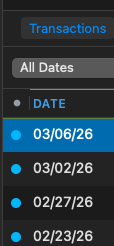
You can click on the dot to mark the transaction (or all downloaded transactions) reviewed.
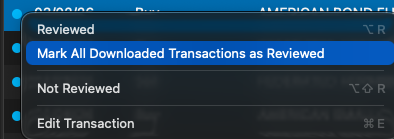
If you do that, it will provide a visual indicator of which transactions are new, since they would be the only ones with the blue dot.
I hope this helps!
Quicken Kristina
Make sure to sign up for the email digest to see a round up of your top posts.
0 -
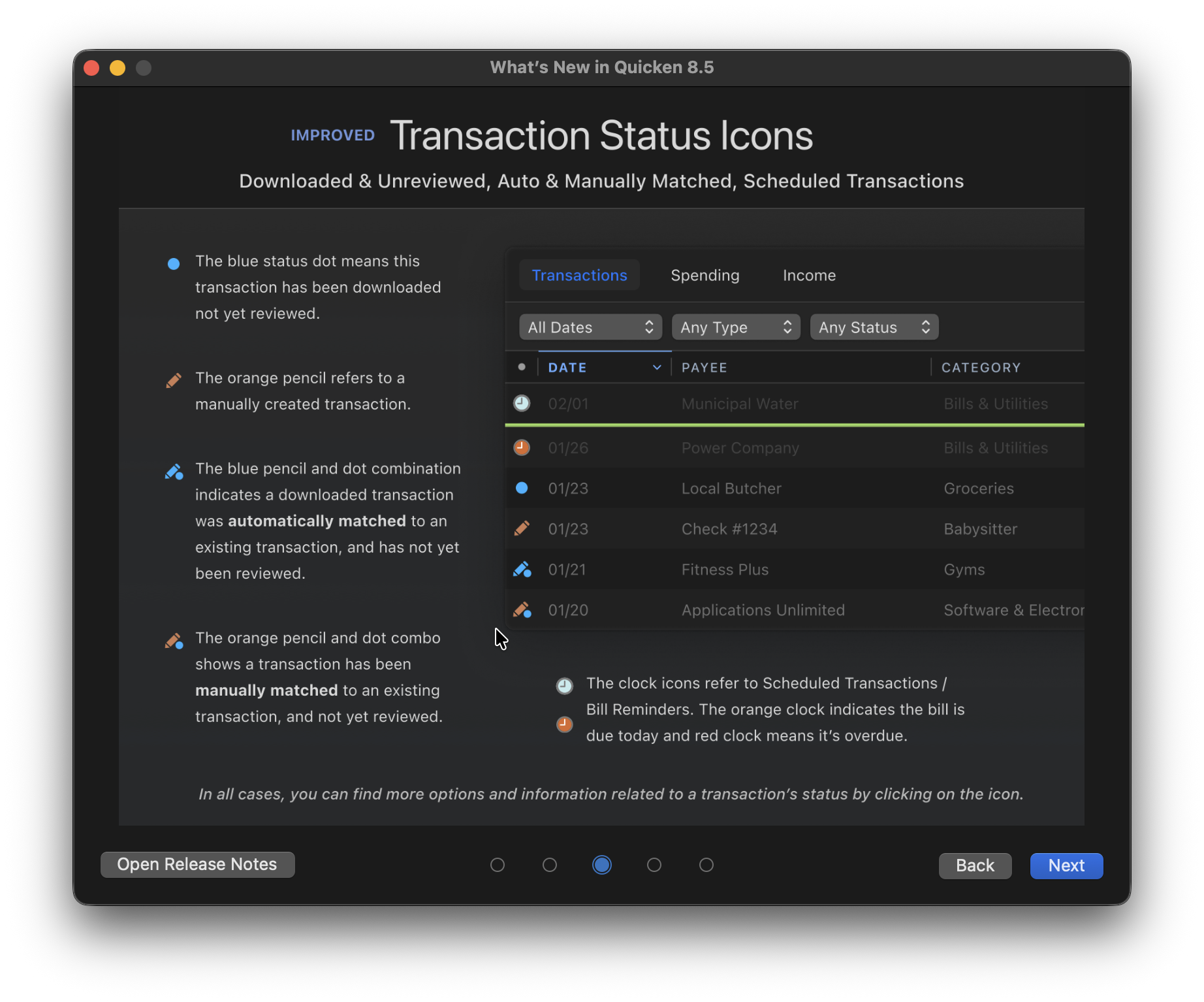
The column that Quicken Kristina is referring to is the Status column; as you can see from the picture in her post it doesn't have the word "Status" at the top but a simple dot. If you don't see that column in your register you can click the Columns button in the lower right corner of the register to enable it.
There are several other icons that may appear in the Status column. They recently made some changes in this area, this explains the current options:
 1
1

Categories
- All Categories
- 16 Product Ideas
- 34 Announcements
- 248 Alerts, Online Banking & Known Product Issues
- 20 Product Alerts
- 517 Welcome to the Community!
- 682 Before you Buy
- 1.5K Product Ideas
- 55.6K Quicken Classic for Windows
- 16.8K Quicken Classic for Mac
- 1K Quicken Mobile
- 834 Quicken on the Web
- 126 Quicken LifeHub