Action Buttons not working

SLEngelbert
SLEngelbert Quicken Windows Subscription Member

One of my many account registers suddenly fails to display the icons for Save, More Actions, and Split. These symbols resemble a file folder, a gear icon, and an angle, and appear in all of my Banking Accounts except this one. I am at a loss on how to restore them and their functionality. I have tried the recommended solution: "Gear icon (register columns) check action buttons." It is still not there. My other accounts have it, but I can't for the life of me get this to work on another account


Answers

  • Quicken Carlos
    Quicken Carlos Quicken Mac Subscription Moderator mod

    Hi @SLEngelbert,

    Thanks for reaching out to the Quicken Community and for letting us know the steps you’ve already tried.

    Before we proceed with additional troubleshooting, I’d like to ask a few questions:

    1. Is your file being backed up or synced by any third-party services such as Carbonite, OneDrive, or Backblaze?
    2. Have you tried restoring a backup from a date prior to when the issue started?
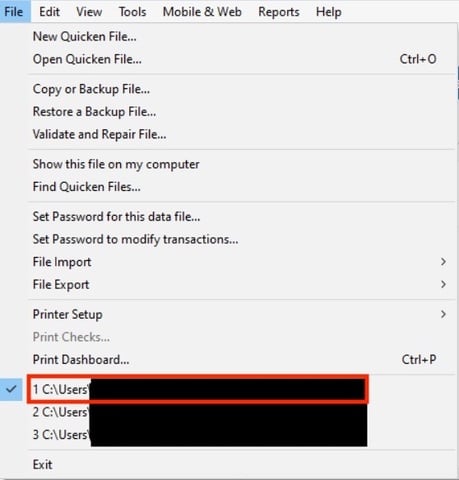
    3. Where is your Quicken data file located? To check, please open Quicken and go to File. At the bottom of the menu (above the Exit button), the file with the check mark next to it is the one currently open. Please share the full file path shown there.
    File location.jpg

    I look forward to your reply!

    Quicken Carlos

    Make sure to sign up for the email digest to see a round up of your top posts.

  • UKR
    UKR Quicken Windows Subscription SuperUser ✭✭✭✭✭

    Sometimes a picture is worth a thousand words …
    Can you please capture images of the account register view with the problem as well as an image of a "working register view", sensitive information blacked out as necessary to protect your privacy and attach the image(s) here?
    How do I post a screenshot in the community from a mac

    How do I post a screenshot in the community from windows

    Please save images to files of file type PNG or JPG only.