Cannot link Chase VISA credit cards
Comments
-
I'm not sure. I haven't had time to do as you suggested. It a busy time. Maybe Friday.
0 -
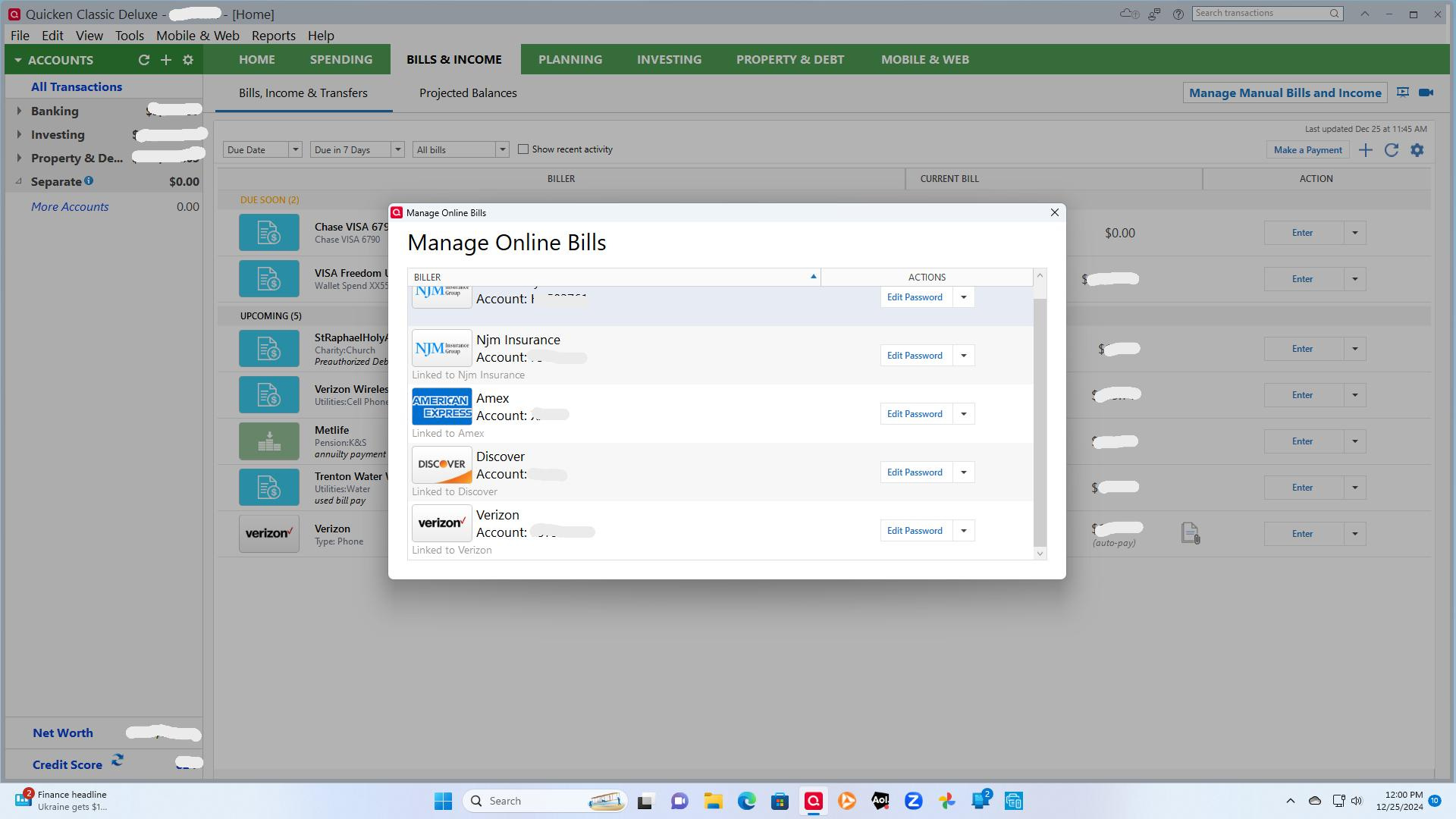
Opened Quicken this morning with all online billers connected and showing. Did the on-step -update and the Visa online billers disappeared. Did the file validation and the system corrected some errors, most old. Did a second validate and the data was clean. Did the super validate and all data is clean. Opened the Manage Online Billers screen below, and as you can see, all of the Visa billers, Chase and PNC, are gone. NJM, Amex, Discover and Verizon are intact. I don't believe the problem is in my data. To me, it looks like a definite refresh problem with Chase and PNC Visas.
 0
0 -
Somehow my return comments to you ended up on page 2. Let me know if you cannot find it, and I will resend.
1 -
Yes. See the second page. [Edited - Readability]
Thanks.
0 -
Thank you for your replies,
This doesn't seem to be a widespread issue, since so far, I'm not seeing anyone else reporting the issue. That's why we suspect it may be a file-specific problem. If possible, please try restoring a backup from before this issue started, and test to see if the issue is resolved in that newly restored backup.
Thank you!
Quicken Kristina
Make sure to sign up for the email digest to see a round up of your top posts.
0 -
Tried to restore from a July backup which resulted in numerous double entries, some not reconciled. There were too many problems, so I reverted to the primary file. I can live with it. What are your thoughts on constructing a new file? If I add accounts that exist in the old file, will they be present in both?
Thanks for hanging in.
0 -
Thank you for your reply,
Yes, you can add the accounts to a new Quicken file and have them be present in both files.
Please note that if these are connected accounts, the financial institution controls how much transaction history is available for download, so the accounts in the new file are likely to have less transaction history than the accounts in the old.
I hope this helps!
Quicken Kristina
Make sure to sign up for the email digest to see a round up of your top posts.
0 -
This is still a problem, and it seems to be Chase-specific. I have the same exact same screens showing for me as OP, but I simply have a connected credit card account and am updating my balance. Every "Try to fix" basically has me login to Chase, where I can see (just like OP) that my credit card account is already enabled for Quicken, but when I come back, Quicken (just like OP) complains that there are no new accounts to add. If I disconnect my credit card account and reconnect, the same exact issue occurs.
0

