One step update with EdFinancial Services not working

I have been able to download transactions for my daughter's student loan accounts with EdFinancial Services for the past 2 years. It stopped working. In Account Info, Quicken tells me that One Step update is not available for these accounts. When I try to add the accounts, Quicken states that it sees two accounts we have with EdFinancial, but it can't add them to Quicken.
Question: has EdFinancial or Quicken stopped supporting downloads from EdFinancial? Or do I have a connection issue?
Answers
-
Hello @BTisdale,
We appreciate you bringing this issue to our attention.
When looking at your account, I can see you're receiving an internal FDP-103(CC-503) error. Please review this support article for more information on this error.
Additionally, could you please provide the following details?
- Where is your Quicken data file stored? Is it on your local hard drive (C: Drive) or a cloud-based/external drive (e.g.: OneDrive, DropBox, USB, etc.)?
- Are you using a VPN while updating your accounts? If so, does disabling it make any difference?
- Do you have any antivirus or malware protection software running that may be interfering with Quicken? If so, have you tried temporarily disabling it to see if the issue persists?
- When did this issue first start occurring?
- Which of the two instances listed in our financial institution list did you attempt to connect with? Did you try both (see below)?
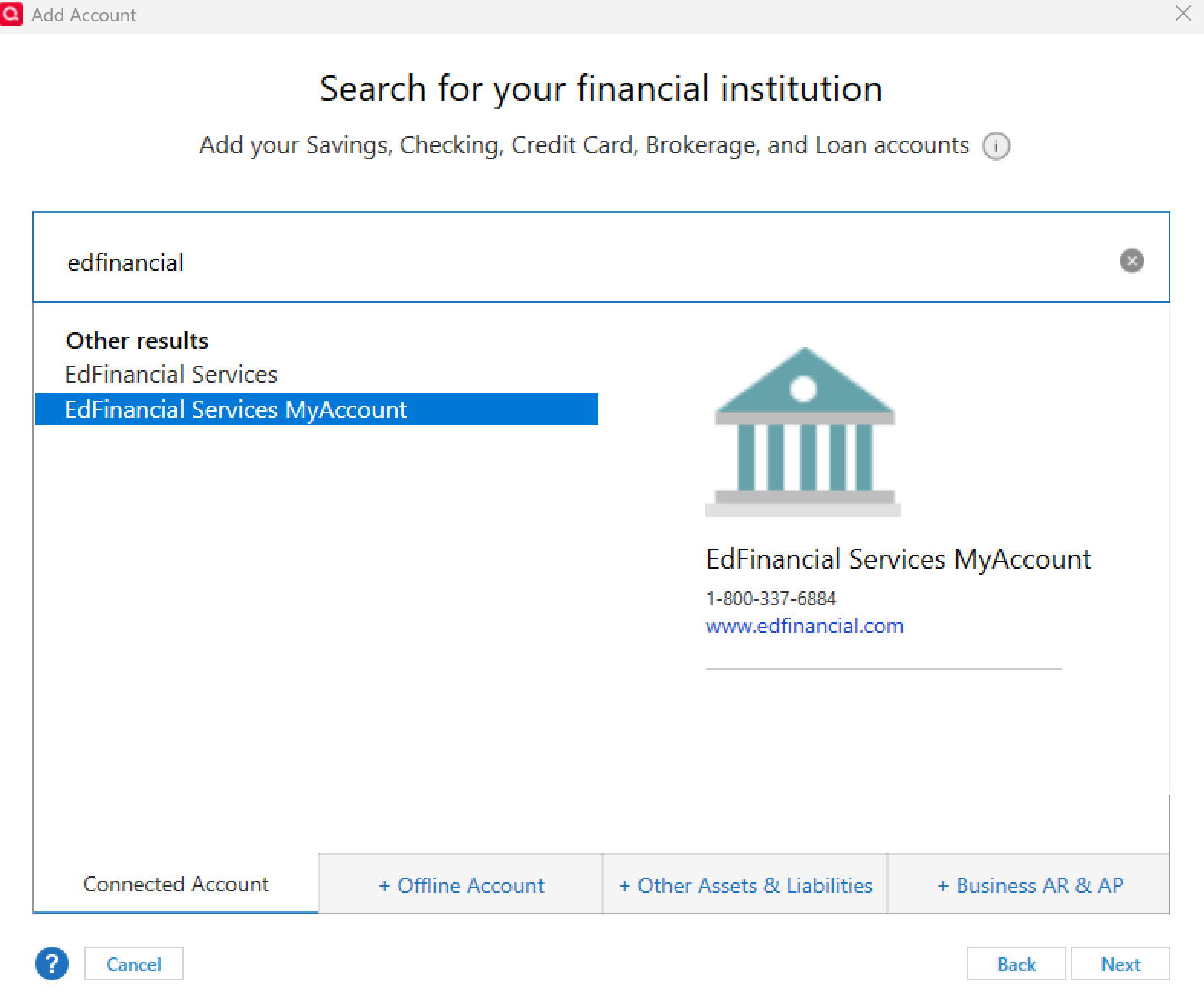
Also, since you mentioned the account in question is a loan account, please note: once a loan account has been deactivated, it cannot be reactivated. Instead, it will need to be added again as a new account.
Check back and let us know! Thank you.
-Quicken Anja
Make sure to sign up for the email digest to see a round up of your top posts.0 -
I think I discovered the problem. I have two accounts with EdFinancial Services, one for each of two children with college loans. For some reason, in an effort to solve the problem, when I deleted one child's accounts, and then tried to re-add them, Quicken told me that it couldn't do that and showed the names of two of the other child's accounts - it was cross-referencing accounts. So, I deleted all of the accounts with EdFinancial, and added both children's accounts back to One Step Update. It is now working. Thanks.
0 -
Thanks for the update! I’m glad to hear you were able to get it figured out and resolved.
-Quicken Anja
Make sure to sign up for the email digest to see a round up of your top posts.0
