Franklin Templeton Investment download failure

A few weeks ago or so, Quicken broadcast an announcement about some changes with Franklin Templeton (may have been specific to people with FT accounts) with downloads after, I believe 5/27/25.
I cannot find any record of this announcement, any related updates or what action users are supposed to take to resolve the download problem anywhere on the community.
I called support and wound speaking with people in India, who had no idea what I was referring to and also could not find any record of this announcement!
I was hoping this issue would have been resolved by now but it has not been since my last attempted transaction download resulted in an OL-297-A error (Quicken is unable to establish an Internet connection), even though at the same time, Quicken was able to connect to 3 other accounts. So the problem isn't anything to do with the internet.
Does anyone here have any further info?
Answers
-
Hello @joecomm,
Thanks for reaching out!
I have sent you a direct message, please navigate to the inbox in the top right-hand corner of the Community page and check your inbox.

Thank you!
-Quicken Anja
Make sure to sign up for the email digest to see a round up of your top posts.0 -
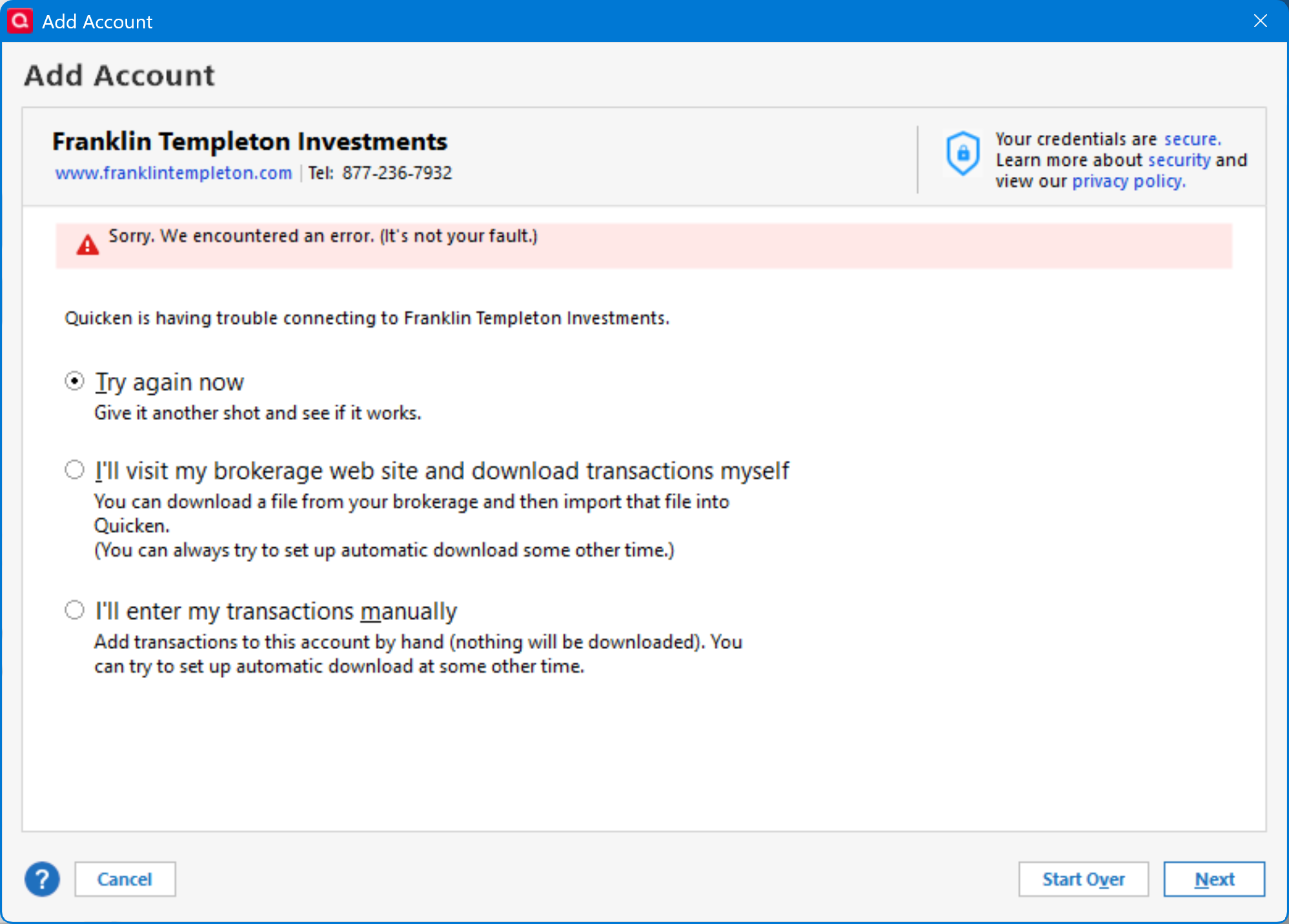
I am having this same problem…I have reset the Franklin Templeton account in Quicken and I sign in with correct User Id and password…it then asks for the One time code, I enter that and I get message that says . "Sorry, we encountered and error {It's not your fault}
I have been trying to get this to work for 3 days, and FT says it must be a Quicken issue and to call them….
All my other investment accounts are working properly and this one does connect to Franklin Templeton but will not link after the One Time code is posted. Just sends me the message.
Any help available would be appreciated, Keith J Kohrs
0 -
I still have this problem and would expect some help as well
0 -
I saw another post saying this issue was resolved, but like others on this post stated, it most definitely IS NOT RESOLVED!
STILL BROKE!
P.S. I even tried both text and authenticator app for PIN generation and input but neither resolved issue.
 0
0 -
I'm having the same problem also. A few weeks ago Franklin Templeton made some changes to their website. The URL to sign in for account access changed. Quicken is still trying to connect to the old franklintempleton.com address. The new URL is franklintempleton.olaccess2.com. I'm pretty sure this is the problem.
0 -
Hello All,
Thanks for bringing this to our attention!
Since Franklin Templeton appears to have recently updated their sign-in URL, this is very likely the root cause of the issue you’re all experiencing. When a financial institution changes its URL, they need to submit a request to our service providers in order to have that information updated in Quicken.
For more on this process, please refer to the section titled “How can I fix an incorrect Homepage URL?” in this support article.
Thank you!
-Quicken Anja
Make sure to sign up for the email digest to see a round up of your top posts.0 -
I'm in the same boat here with a lot of Quicken account users with Franklin Templeton accounts. I haven't been able to relink to my FT account since May. I've repeatedly tried and get the same "It's not your fault error, etc."? Is this problem going to be resolved or is FT limiting access to Quicken for some reason(s) (security, etc.)?
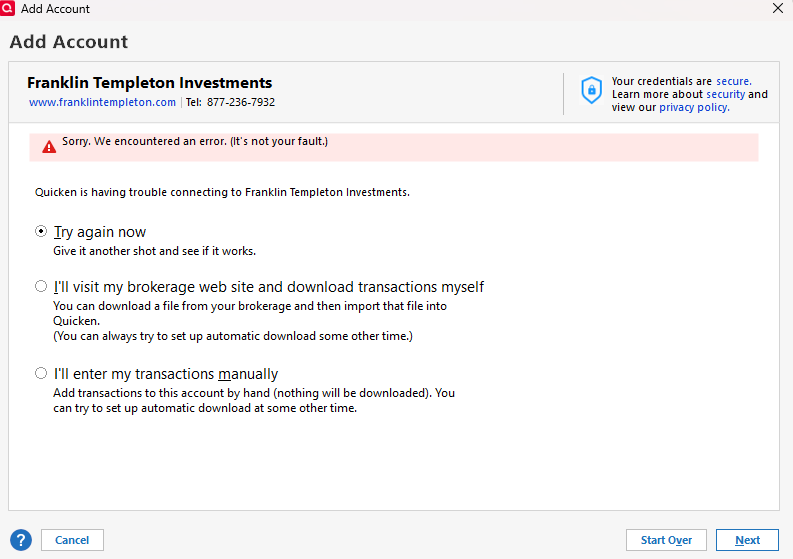
I've seen elsewhere where it says the FT only allows downloading of transactions from their website? So what is the answer.
0 -
Hello All,
After doing some further research—Franklin Templeton has made the decision to discontinue automatic downloads with Quicken. They now only support 2-step downloads using .QFX files moving forward.
Unfortunately, this change is on the financial institution’s side, so there’s nothing Quicken can do to restore automatic downloads. If you’d like to see that functionality return, you’ll need to reach out to Franklin Templeton directly.
Hope this helps clarify things for those still running into issues, and we apologize for any inconvenience! Thank you.
-Quicken Anja
Make sure to sign up for the email digest to see a round up of your top posts.1 -
Quicken Anja - can you share how to complete the 2-step downloads using .QFX?
0 -
August 14, 2025 Something strange happened with the .QFX download. When I originally went to Franklin Templeton and logged in, 2FA then the Download Recent Transactions link, downloaded the file BUT renamed it 2025-07.qfx when I imported this file to Quicken it failed for OL-221A. I went back and downloaded it again and accepted the name FT put on the file "accounthistory.qfx", it imported OK.
0 -
Hello @rhillig & @Tip.N.Ring,
@rhillig Please see this Help Article, which explains what QFX files are and provides step-by-step instructions for completing the 2-step download—from downloading the file from your financial institution to importing it into Quicken.
Additionally, if the account is currently set up for the former automatic download method, you’ll need to deactivate it first before attempting the 2-step process. Instructions for deactivating an account are included in this support article.
Hope this helps!
@Tip.N.Ring Thanks for the update and for sharing what worked! Glad to hear you were able to successfully import the file.
-Quicken Anja
Make sure to sign up for the email digest to see a round up of your top posts.0 -
I just tried to connect to my FT account after waiting patiently for them to complete their changeover. I couldn't connect (FDP-155 error), so I came here.
I realize this isn't Quicken's fault, @Quicken Anja , but for us users, this is probably the most regressive action a financial institution can take. It's more than a little annoying to have to actively download transactions. The good news is that the extra steps give me time to reconsider where to invest my money.
0 -
One more thing...
I ran into this morning. When I clicked download from "Recent Transactions"
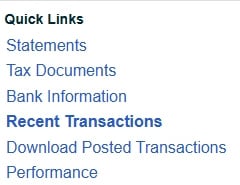
which would load the QIF, QFX, CSV selection spinner. I would select QFX and download the file accepting the name it would assign (accounthistory.qfx) and it would fail.
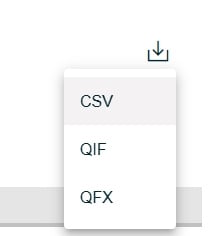
But, if I selected "Download Posted Transactions"
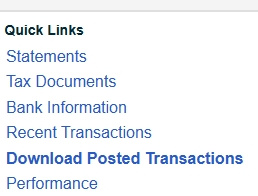
And select QFX and accept the name it gave
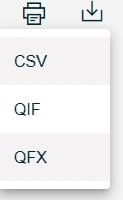
Quicken would accept that format.
Perhaps there is some type of difference between the two files but I thought I'd put the workaround, and let the Quicken coders hash out the difference. (Hint, the Download Posted Transactions works, please don't break that one!)
1 -
Tip, I believe you have solved this. [Removed - Disruptive] Thank you,
0 -
Well I appreciate the complement. Thank you sir.
0 -
Thanks for the update! Glad to hear the issue has been resolved for you.
-Quicken Anja
Make sure to sign up for the email digest to see a round up of your top posts.0 -
I wrote an email to FT expressing my annoyance that they took automatic downloads away, seemingly for them to never return. Here is their reply:
"We’re working on adding the download feature through the Quicken app. We estimate availability in mid-December 2025. We appreciate your patience."
I'm not sure if this means they're restoring the previous functionality, or they're providing something altogether different, but within Quicken instead of downloading through their website.
Stay tuned, I guess.
1 -
Good to know you got a response to your email, my email to FT apparently went into a black hole.
Good to know they aren't ignoring the download support!
0 -
downloaded recent transactions from Franklin Templeton as a QFX
but when importing into Quicken for Mac I get:
Quicken is unable to update this account because Web Connect support for your financial institution has been either temporarily, or permanently discontinued [CC-885].
I do not mind downloading directly but pretty annoying when it does not work
Please Advise
1 -
Same thing here for 2 days now. Hopefully it clears up soon.
1 -
Ditto! error message CC-885 same as Momster122 reports above. Is this a Quicken Mac or a FT issue? Funny how this erupts just as FT pays out DIV & CG
0 -
@Quicken Anja Web connect QFX downloads still not importing into FT today. Any info for us?
0


