Fidelity Investments downloads

I am unable to download transactions from Fidelity only. I get a message that Quicken is unable to establish an internet connection. Did Quicken make a systems change since I had no issue 6 days ago. Is anyone else having this issue ?
Comments
-
Hello @Gary,
Thanks for reaching out!
It sounds like you may be receiving an OL-297 (or OL-295/OL-296) error. These errors typically occur when your computer is unable to establish an internet connection with Quicken. Please note, these errors do not mean the computer has lost internet connection, simply that Quicken cannot establish an internet connection. Also, you may be able to sign in to your bank's website successfully, but still receive the error in Quicken due to Quicken being unable to establish an internet connection.
Below are some troubleshooting steps that you can attempt to resolve this issue. You can find these instructions and more information in this Support Article. It is always recommended to save a backup before proceeding with any troubleshooting steps.
- Click the Start button and select the Control Panel.
- Windows 10: The Control Panel is located in the Windows System folder in the Start menu.
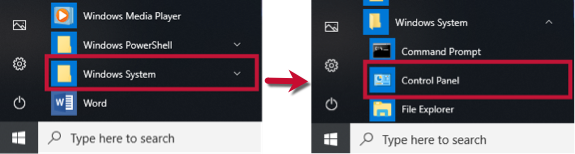
- Windows 11: Go to the Start menu and select All apps.
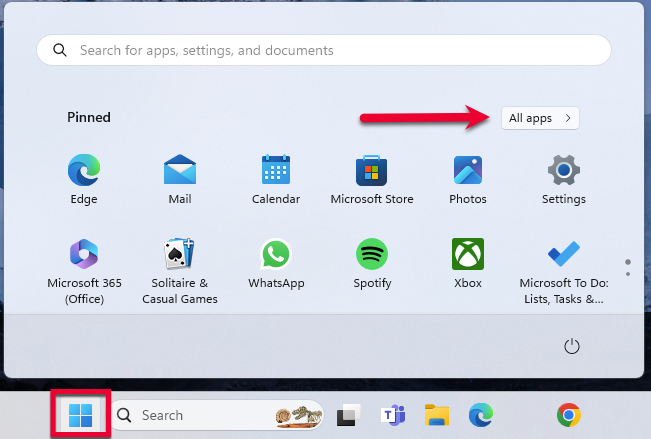
Then, go to Windows Tools and select Control Panel.
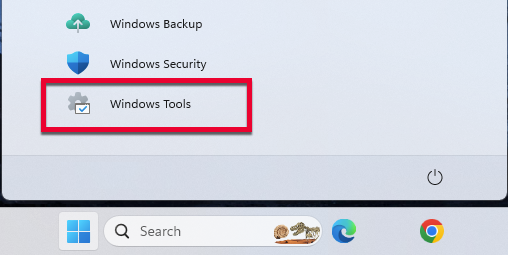
- Select Network and Internet, then Internet Options.
- Go to the Advanced tab.
- Scroll down to the Security Section.
- Verify TLS 1.2 is checked.
- If it is not, check it.
- If it is already checked, continue to the If the issue persists section below.
- Click Apply then OK.
- Try your update in Quicken again.
If the issue persists
If updating the Advanced settings does not resolve the error, follow the additional steps below.
If you get this error with some (not all) of your banks
If only one bank is showing this error, it's likely a temporary issue; if this is the case, wait until the next business day and then try to update again.
In the meantime, make sure the settings are correct for accepting cookies.
- Click the Start button and select the Control Panel.
- Windows 10: The Control Panel is located in the Windows System folder in the Start menu.
- Windows 11: Go to the Start menu and select All apps.
Then, go to Windows Tools and select Control Panel.
- Select Network and Internet...
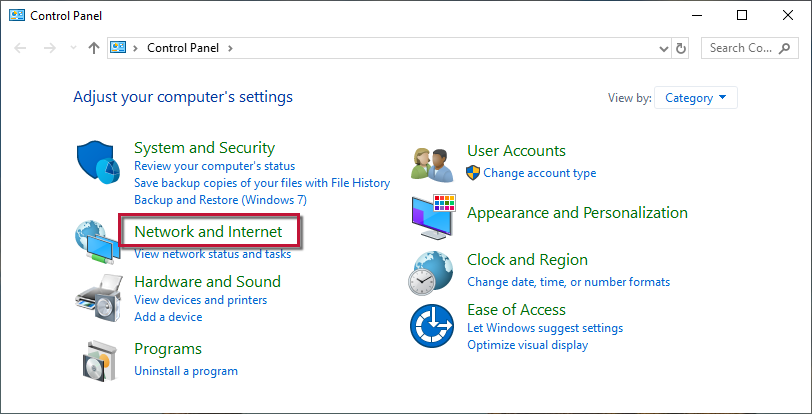
...then Internet Options.
- Select the Privacy tab.
- Click on the Advanced button.
- If available, check the Override automatic cookie handling option.
- Confirm that First-party and Third-party Cookies are both set to Accept.
- Press OK, then Apply and OK again.
- Close Internet Options and try updating Quicken again.
I hope this helps!
-Quicken Jasmine
Make sure to sign up for the email digest to see a round-up of your top posts.
0
