Merrill Lync One Step Update Error

I'm using Quicken Premier, version R63.21, build 27.1.63.21 on a Windows 11 laptop. When I do a One Step Update, all my accounts update with new transactions, except for Merrill Lynch. I receive an error message on One Step Update Progress but not on the One Step Update Summary (see attached screenshots). My Merrill Lynch accounts are set up to connect to Merrill Lynch Investments using Direct Connect. I spoke with Merrill Lynch and they cannot help because there is no error number. I deactivated and reactivated Online Services on all my Merrill Lynch accounts and that did not help. Does anybody have a solution that does not involve downloading activity from Merrill Lynch's website (that method does not update security prices) but will allow Quicken to connect to Merrill Lynch?
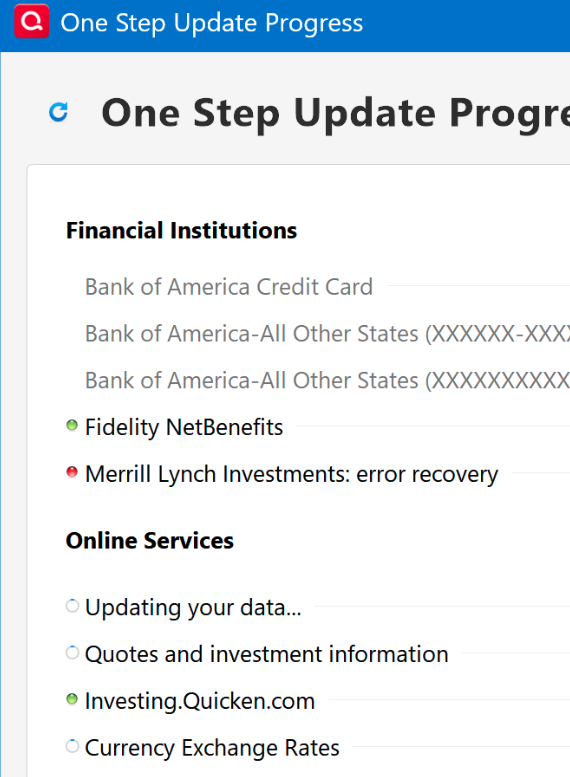
[Removed Personal Information]
Answers
-
Hello @ssmith4154,
Thank you for letting us know you're seeing this issue. To help troubleshoot, please provide more information. When did you first notice this issue? The screenshot of your One Step Update Summary screen does not show any updated financial institutions. How long has it been displaying that way? Are there any financial institutions that show up on the list, or does it show only the Services Updated section?
You mentioned that you've tried deactivating and reconnecting the Merrill Lynch accounts. When you did that, did you try adding them as new accounts? If you haven't, please backup your Quicken file, deactivate the problem accounts, then reconnect them by navigating to Tools>Add Account and following the prompts, making sure to add the accounts as new instead of linking to the existing.
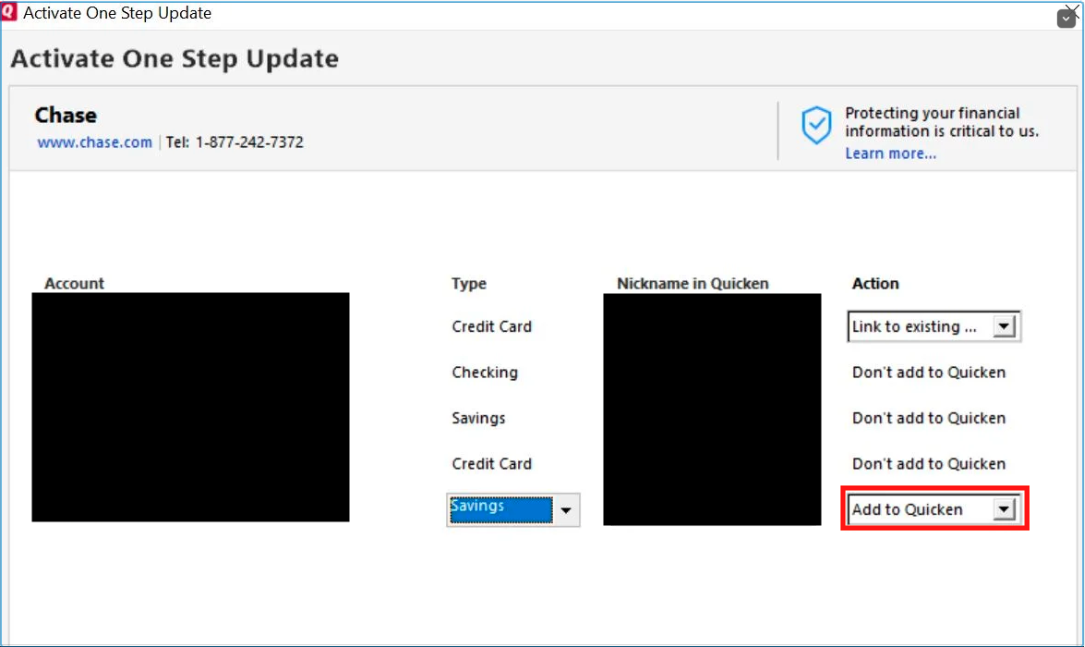
One the accounts are added as new, test to see if the issue persists.
Please let me know how it goes!
Quicken Kristina
Make sure to sign up for the email digest to see a round up of your top posts.
0 -
Same issue. Had to update connection with ML in July and do not have any new transactions downloaded since 7/17/25. The One Step Update shows ML and then "complete" but does not download new transactions. I can see in my ML activity on their website. Quicken will not let me deactivate saying there are downloaded transactions to process but none are visible on my Quicken screen.
0 -
Hello @jaf25x,
Thank you for letting us know you're seeing the same issue. The error you are seeing when you try to deactivate the problem account indicates that you are being impacted by this known issue:
To troubleshoot the issue, please try validating and/or super validating your data file. However, I do recommend that you first save a backup file prior to performing these steps.
Validate:- File
- Validate and Repair File...
- Validate File
- Click OK
- Close the Data Log
- Close Quicken (leave it closed for at least 5 secs)
- Reopen Quicken and see if the issue persists.
If the issue persists, proceed to Super Validate. If the issue is resolved after performing validation, then please disregard the instructions to Super Validate.
Super Validate:- File
- Hold CTRL + Shift and click Validate and Repair File...
- Super Validate File
- Click OK
- Close the Data Log
- Close Quicken (leave it closed for at least 5 secs)
- Reopen Quicken and see if the issue persists.
Please let me know how it goes!
(Ticket #11658611)
Quicken Kristina
Make sure to sign up for the email digest to see a round up of your top posts.
0

