Incomplete account syncing

I use Quicken for Mac, version 8.2.1. For several months, three of my seven JP Morgan Chase investment accounts are not showing the correct balance. I tried deleting those accounts and adding them back, but no success. I tried deleting all JPMC accounts and adding them back but still the same problem. Since four of the accounts are correct, I don't think it is a problem on JPMC's end. Suggestions?
Answers
-
I apologize in advance if when you said you "deleted those accounts" means you already did this step, however… if you edit the account, there is a tab for Online Services. You can either "Deactivate" the account, or "Reset Account." Try deactivating the account and setting it up again for online services (or is this what you meant when you deleted the account?)
0 -
Hello @Mirage1959,
We appreciate you reaching out!
I took a look at your account and don’t see any internal errors occurring on our end. I also wanted to circle back to what @Mom Scalf asked—when you say you “deleted” the accounts, do you mean you completely removed them from your Quicken file and re-added them, or did you just disconnect and reconnect them for downloads?
Just to note, Mom Scalf’s steps are for the Windows version of Quicken. On Mac, the equivalent would be to open the account, click the settings gear icon in the top-right (above the graph)—
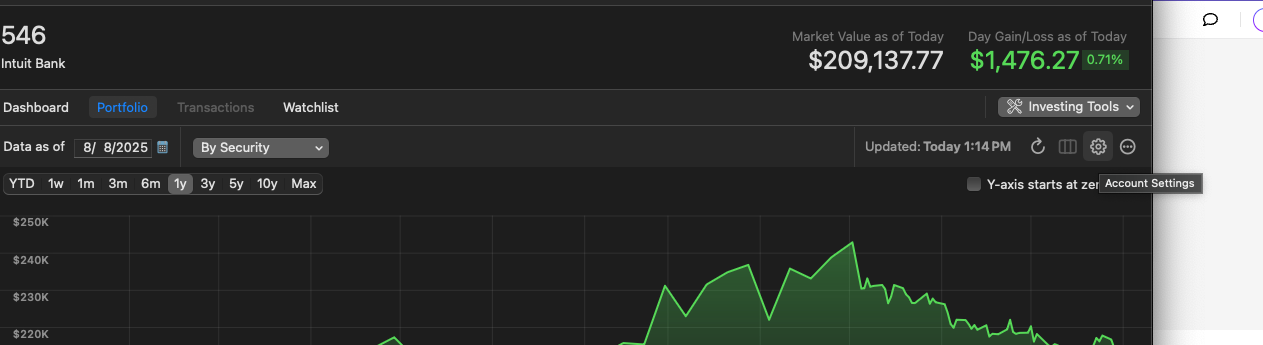
—then go to the Downloads tab and click Disconnect account.
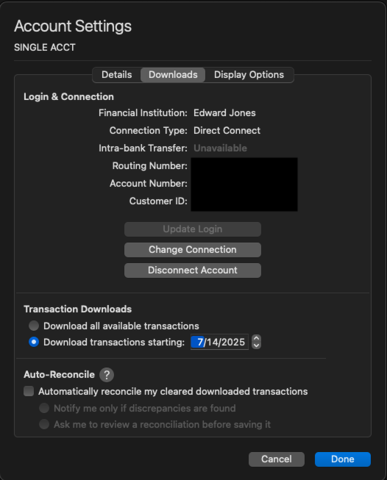
Another thing to check is for Placeholder Entries—these can sometimes cause the account balance to be off. Scroll to the bottom of the account register and look for any greyed-out-looking transactions; those are placeholders. If you find any, try deleting them: select the placeholder, then click Delete.
Before doing this or any other troubleshooting step, I recommend saving a backup of your file just in case.
Check back and let us know!
-Quicken Anja
Make sure to sign up for the email digest to see a round up of your top posts.0 -
Thank you for your response. I have completely removed the accounts and re-added them on several occasions but the problem continues. I have also disconnected and reconnected with no luck. Interestingly, I just tried disconnectd/reconnect again and the display showing the accounts to be added has the correct JPMC balances. But when Quicken finished syncing, the balances were not updated.
I am confused about Placeholder Entries. I have no idea where to find them.
0 -
Thank you for your reply,
If you have detailed tracking in your Quicken, then, in the Transactions tab, the placeholders will look similar to the sample image below.
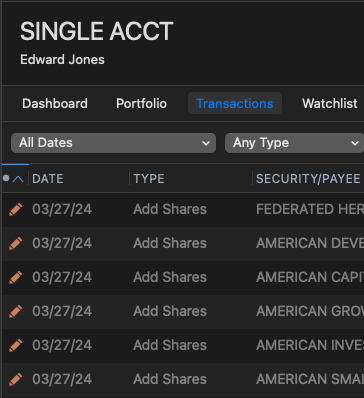
When you double click on a placeholder, you will get a screen similar to the image below.
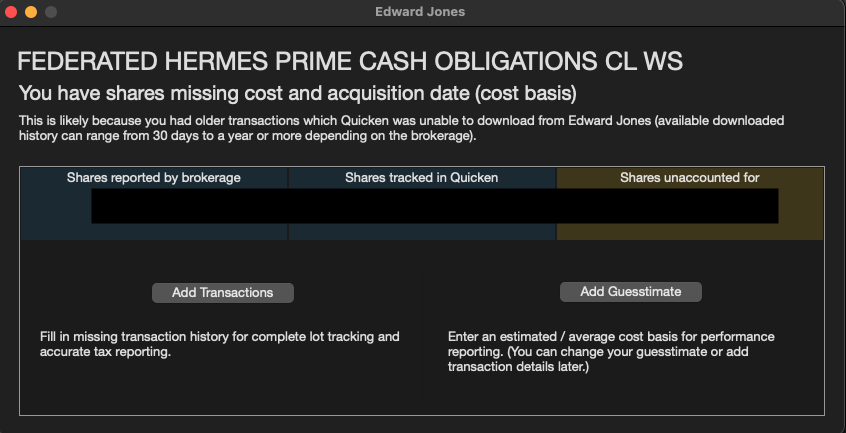
If you are using Simple tracking (Transactions tab will be greyed out), on the Dashboard tab, you can click on a security and select security detail.
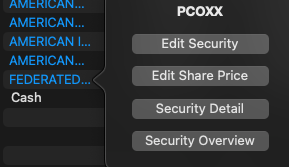
In the security detail window, there is a transaction history section. If there is a placeholder, you would be able to see it there, but will not have any option to edit it.
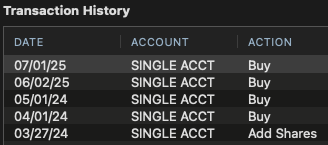
For more information on placeholders, please review this help article:
I hope this helps!
Quicken Kristina
Make sure to sign up for the email digest to see a round up of your top posts.
0

