Lost Bill and Income Reminders in Stay on top of Monthly Bills

Since the Merrill update, the Bill and Income Reminders in Stay on top of Monthly Bills isn't listing anything. Has anyone else had this problem and a way to correct it?
Comments
-
Hello @2000roadie,
Thank you for letting us know you're seeing this issue. To help troubleshoot, please provide more information. When did you first notice this issue? Are you still able to see your reminders in the Bills & Income tab of your Quicken file?
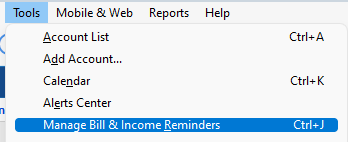
If you navigate to Tools>Manage Bill & Income Reminders, do you see your reminders there?
If you're willing, please provide a screenshot of what you're seeing. Make sure to redact any personal information. If needed, please refer to this Community FAQ for instructions on how to attach a screenshot. Alternatively, you can also drag and drop screenshots to your response if you are not given the option to add attachments.
I look forward to your reply!
Quicken Kristina
Make sure to sign up for the email digest to see a round up of your top posts.
0 -
The reminders are there but no information is listed. I have tried for 14 days, 30 days on up to 90 days on timeframe to display. Started when first attempting Merrill connection update. See screen shot.
 0
0 -
Thank you for your reply,
To clarify, you can see your reminders in other parts of your Quicken file, but in the Stay On Top of Monthly Bills section of your dashboard, none show up? If that is what is happening, then the issue is most likely a file-specific problem.
To start troubleshooting, I suggest that you try validating your data file. Please save a backup file prior to performing these steps.
Validate:
- File
- Validate and Repair File...
- Validate File
- Click OK
- Close the Data Log
- Close Quicken (leave it closed for at least 5 secs)
- Reopen Quicken and see if the issue persists.
Please let me know how it goes!
Quicken Kristina
Make sure to sign up for the email digest to see a round up of your top posts.
0 -
Going back to the Manage Bill & Income Reminders view, with the view sorted by Due Date, can you show us an image snapshot of the missing reminders, please? Point out which reminders you think should be showing but are not.
0 -
Kristina,
I validated the data file and it did not bring in the missing information information. Nothing changed.
0 -
Thank you for your reply,
If possible, please provide the information that @UKR requested. If needed, please refer to this Community FAQ for instructions on how to attach a screenshot. Alternatively, you can also drag and drop screenshots to your response if you are not given the option to add attachments.
Thank you!
Quicken Kristina
Make sure to sign up for the email digest to see a round up of your top posts.
0 -
Quicken Kristina
Make sure to sign up for the email digest to see a round up of your top posts.
0

