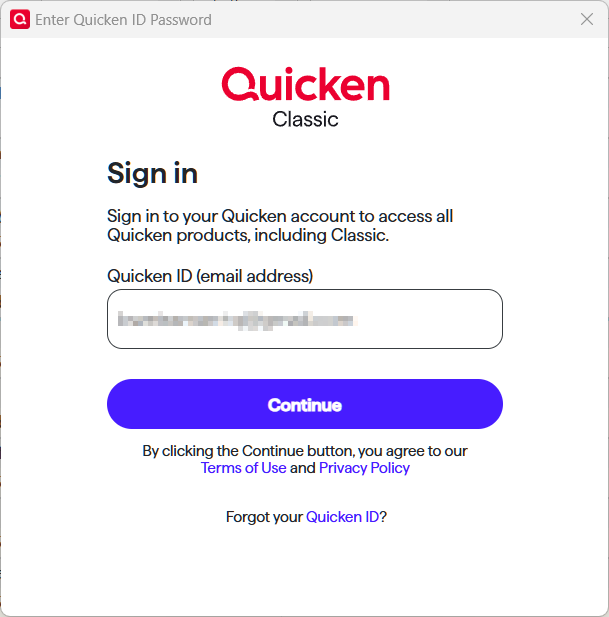
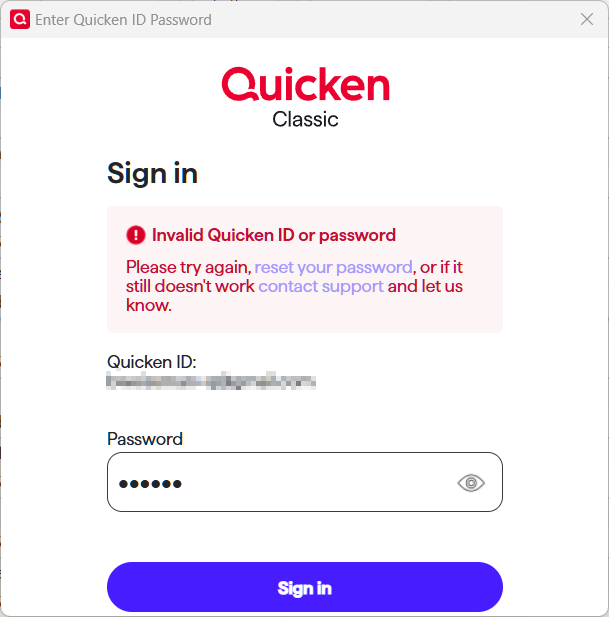
New password prompt as of today 8/11/25

I am seeing this pair of dialogs for the first time today, which was a surprise. Are these legitimate Quicken dialogs, or am I being hacked?
Quicken user since version 2 for DOS, as of 2025 using QWin Premier (US) on Win10 Pro & Win11 Pro on 2 PCs.
Comments
-
@Rocket J Squirrel they look legit to me. Every once in a while I get prompted to sign in with my Quicken ID.
I asked Copilot "what what triggers Quicken to prompt a user to sign in with their Quicken ID?" This is what it came back with -
***************************************************************************************************************
🔐 Common Triggers for Quicken ID Sign-In Prompt
- Credential Changes
If you've recently changed your Quicken ID email or password, Quicken will require re-authentication. - File Access on a Different System
Opening your Quicken data file on a different computer than usual can trigger a sign-in prompt to verify ownership. - Inactivity Period
If you haven’t signed in for more than 90 days, Quicken will prompt you to log in again. - Software Updates or Reinstallation
After updating Quicken or reinstalling the software, it may ask for your Quicken ID to re-register the product. - Corrupted or Missing Configuration Files
If certain local files (likeruntime.datorQUSER.INI) are corrupted or missing, Quicken may not retain your login state. - Cloud Sync or Mobile Access
Using features like Quicken Mobile or syncing with the cloud can require periodic re-authentication. - Subscription Verification
Quicken may prompt for sign-in to verify your subscription status, especially if there’s a lapse or renewal. - Multiple Quicken Files
Switching between different Quicken data files can sometimes trigger a login prompt, especially if one file hasn’t been accessed in a while.
If you're seeing the prompt every time you open Quicken, that’s not normal behavior. You might want to reset your Quicken ID settings via:
Edit > Preferences > Quicken ID & Cloud Accounts > Sign in as a different user
Then type "yes" and sign back in.***************************************************************************************************************
I guess that still doesn't explain why you got the "Invalid Quicken ID or password". Otherwise, I wouldn't be too concerned with being asked to sign in with your Quicken ID.
0 - Credential Changes
-
I'm getting the same prompts as you. Seems suspicious to me as well. Why can't quicken just send an email for prompting one to update a password? They should let us know what is going on.
0 -
Okay, I restarted my computer and opened quicken again. this time it prompted me to sign in as normal and the system is working fine.
0 -
Hi @Rocket J Squirrel & @carefulkt,
Based on the screenshots Rocket provided, the prompts do appear to be legitimate Quicken sign-in dialogs.
@carefulkt —it sounds like your issue with the prompt has resolved after restarting, which is good to hear.
Also, as @CaliQkn mentioned, there are several common, legitimate triggers for a Quicken ID sign-in prompt—thank you for providing an accurate list.
For both of you, can you share where and when you saw these prompts? For example, did they appear right when opening Quicken, during One Step Update, after a software update, or at another point in your workflow? This will help us better understand the trigger.
Thank you!
-Quicken Anja
Make sure to sign up for the email digest to see a round up of your top posts.0 -
I believe I saw in passing, but did not capture, a message detailing the requirements for the QID password (length, special characters, etc.) My long-time password which worked for years did not meet those requirements. So I think it changed out from under me requiring a compliant password.
Quicken user since version 2 for DOS, as of 2025 using QWin Premier (US) on Win10 Pro & Win11 Pro on 2 PCs.
0
![[Deleted User]](https://us.v-cdn.net/6031128/uploads/defaultavatar/nTYA6S0SVB4GN.jpg)
