OL-332-A with Edward Jones Accounts

I am getting an OL-332-A. I have tried all the suggested fixes. I can login in the the EJ website with no problems. I have changed my password etc. Nothing works. Come on Quicken!
Comments
-
I am also having this problem again.
0 -
Having this same issues since this weekend.
0 -
I am experiencing the same error.
It is reported that Edward Jones is blocking connections from Quicken, so we need to complain to EJ, not Quicken.
I complained and got this canned response which tells me that their right hand doesn't know what their left hand is doing since this is not new, it happened originally a week or so ago.
This email is confirmation that we have received the email that you submitted to our firm. We believe it is important to conduct a thorough, timely review of your concerns. We will review the correspondence and investigate and respond to your concerns, as appropriate, and as required by the Financial Industry Regulatory Authority (FINRA).
Thank you for bringing your concern to our attention. We appreciate this opportunity to enhance the service we provide to all of our clients."
-splasher using Q continuously since 1996
- Subscription Quicken - Win11 and QW2013 - Win11
-Questions? Check out the Quicken Windows FAQ list0 -
This problem is causing me a great deal of handwork.
0 -
Hello @Stephen S,
Thank you for letting us know you're seeing a problem with Edward Jones. To help troubleshoot, please provide more information. When I check our internal tools, it looks like you're connecting via Express Web Connect rather than Direct Connect, and I'm not able to see any error messages/codes. Are you seeing an OL-332 error, or are you getting a different error message/code? If you're not seeing any errors, then what is happening when you try to update your account?
I look forward to your response!
Quicken Kristina
Make sure to sign up for the email digest to see a round up of your top posts.
0 -
I highly suggest that you change to a Direct Connect connection with Edward Jones. I rarely have trouble, but blocking isn't a Quicken problem since it is the FI keeping users requests from being answered.
-splasher using Q continuously since 1996
- Subscription Quicken - Win11 and QW2013 - Win11
-Questions? Check out the Quicken Windows FAQ list0 -
OK. I have made progress, but only limited progress. Where
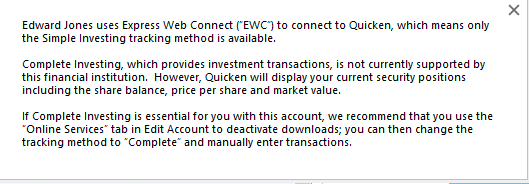
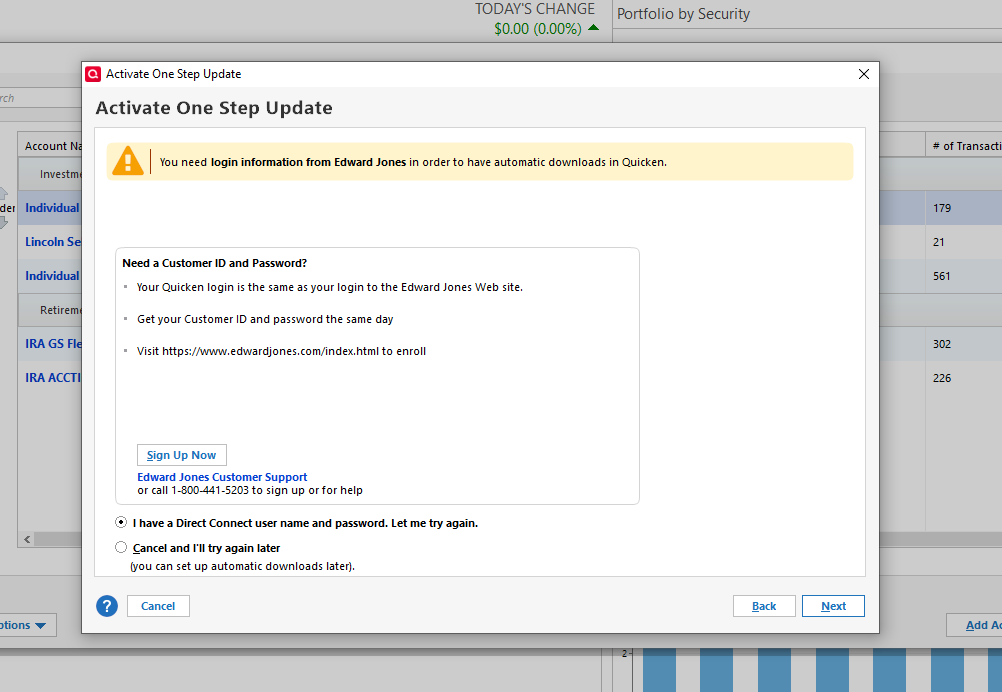
Before all this I used to be able to download transactions. Now I can't. Has Edward Jones changed its process?
0 -
Or so I thought yesterday. But today:
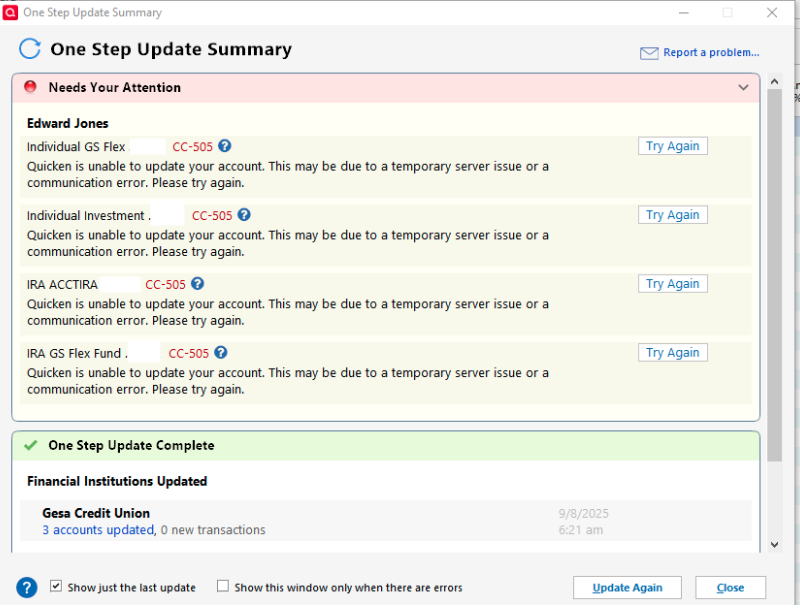
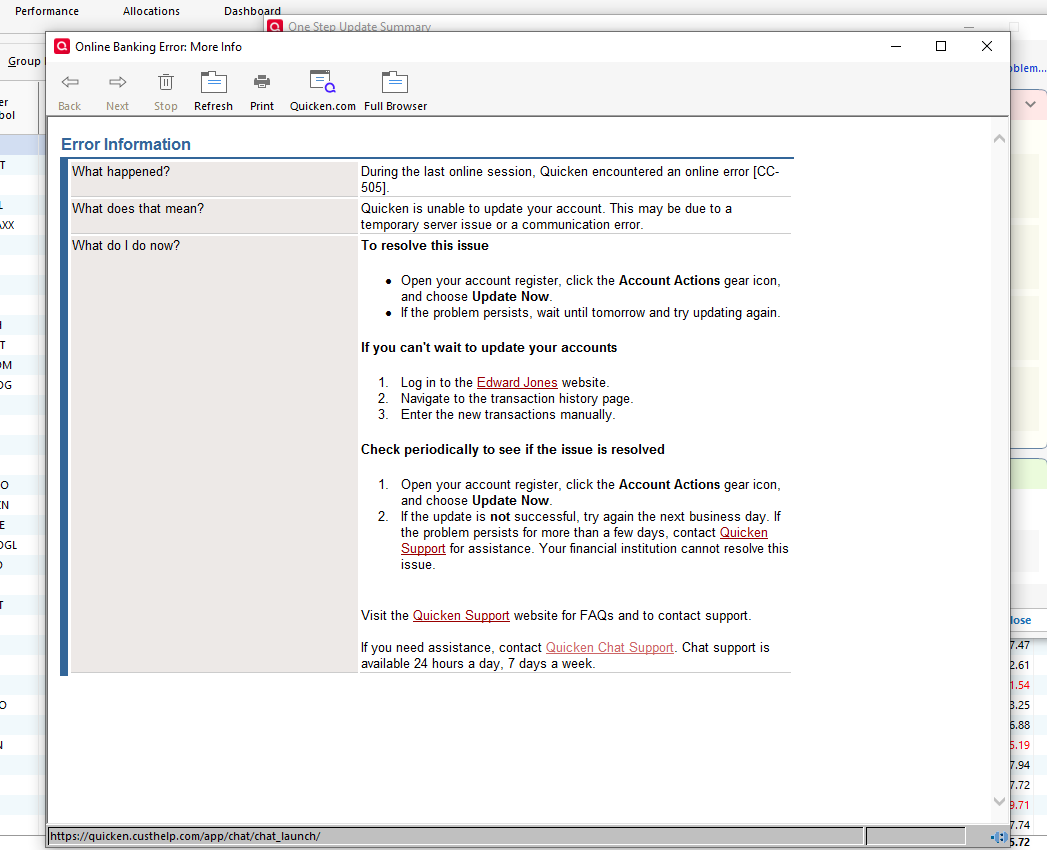
When I tried again, as suggested, I got this:
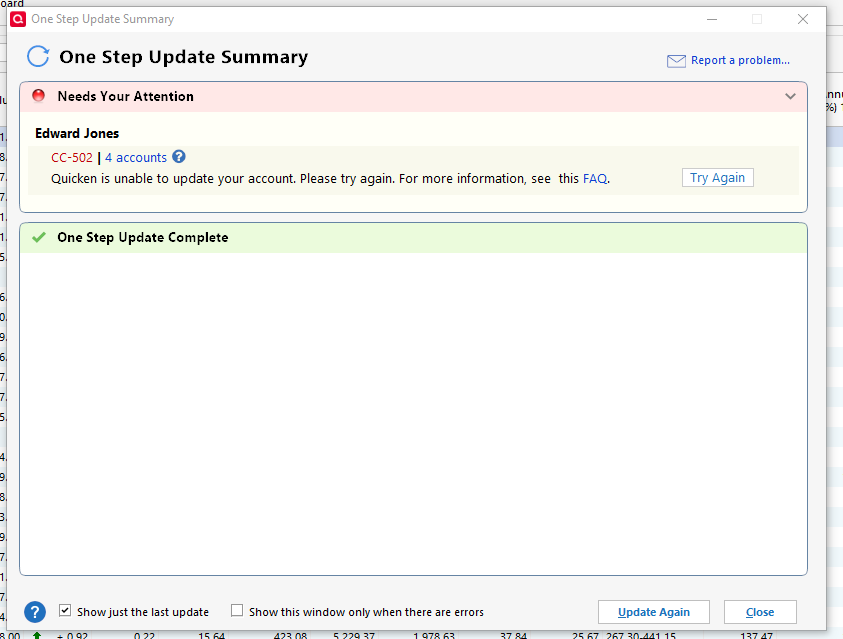
[Edited - Removed partial account numbers]
0 -
Hello @Stephen S,
Thank you for letting us know you're seeing this issue. There is currently a known issue with Edward Jones blocking traffic, so it is likely the error messages you're seeing are caused by that. Please see this Community Alert for more details:
Since these particular errors just started today, the first troubleshooting step is to wait 24 hours and try again.
Please let me know how it goes!
(Ticket #11868421)
Quicken Kristina
Make sure to sign up for the email digest to see a round up of your top posts.
0 -
Thank you Kristina. Though not posted here I started having OL-332-A errors in early August, thus eventually finding my way to this thread. I have, many times, "waited 24 hours," to no avail. You refer to Edward Jones blocking connections. I called EJ, 800-441-5203 being referred to "Cash Sales" for some strange reason, then to Client Relations then to "On Line Support," who could offer no more help than to say she heard something about Edward Jones having trouble with Quicken. This on August 19th. I am really no farther along in solving this problem. Prior to this everything had been going along smoothly with direct connect for several years and downloading transactions into my register. Now I can't even bring up my register.
Do I need to call Ed Jones again and get some sort of log-in other than the one that I use successfully on line?
Regards and thank you,
Steve
(very frustrated)0 -
Thank you for your reply,
Around the 18th of August is when the issue was quite widespread. The issue is resolved for most users. My own Edward Jones account is connected in Quicken using Direct Connect. I didn't need any special login credentials; I used the same credentials that I use when logging into my account directly through Edward Jones' website.
To test if it's something file-specific preventing you from being able to connect, please try making a backup of your Quicken file, deactivating the problem account, then navigate to Tools>Add Account, and see if you can add the account as a new account (using Direct Connect, so that you have the option to use complete tracking, which will let you view your register).
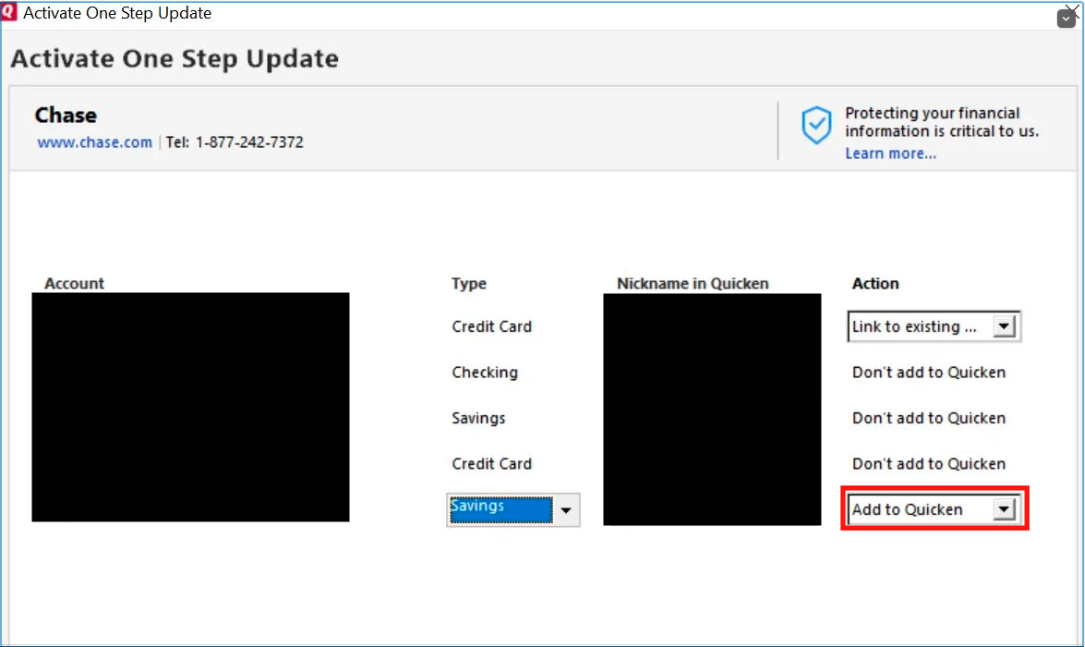
I hope this helps!
Quicken Kristina
Make sure to sign up for the email digest to see a round up of your top posts.
0 -
The one thing you do have to do for EJ is to approve Quicken to access their servers. I don't remember if that is done via the website or phone call to EJ support.
-splasher using Q continuously since 1996
- Subscription Quicken - Win11 and QW2013 - Win11
-Questions? Check out the Quicken Windows FAQ list0

