Barclay's | FDP-192 error, can't download transactions

Dear Quicken Team,
Barclay US (https://cards.barclaycardus.com/) recently implemented "SecurePass" which requires an email code to be sent an inputted for login (2FA). This is non-negotiable, i.e., cannot be de-activated. This results in the FDP-192 error when Quicken tries to sync data from the account. Is the team aware, and is there an ETA once this 2FA is enabled for use with Quicken?
Again, there is no way to deactivate 2FA on the Barclay's website. so please don't suggest deactivating 2FA on the Barclay's website and close the case.
Answers
-
I'm having the same issue as of this morning.
0 -
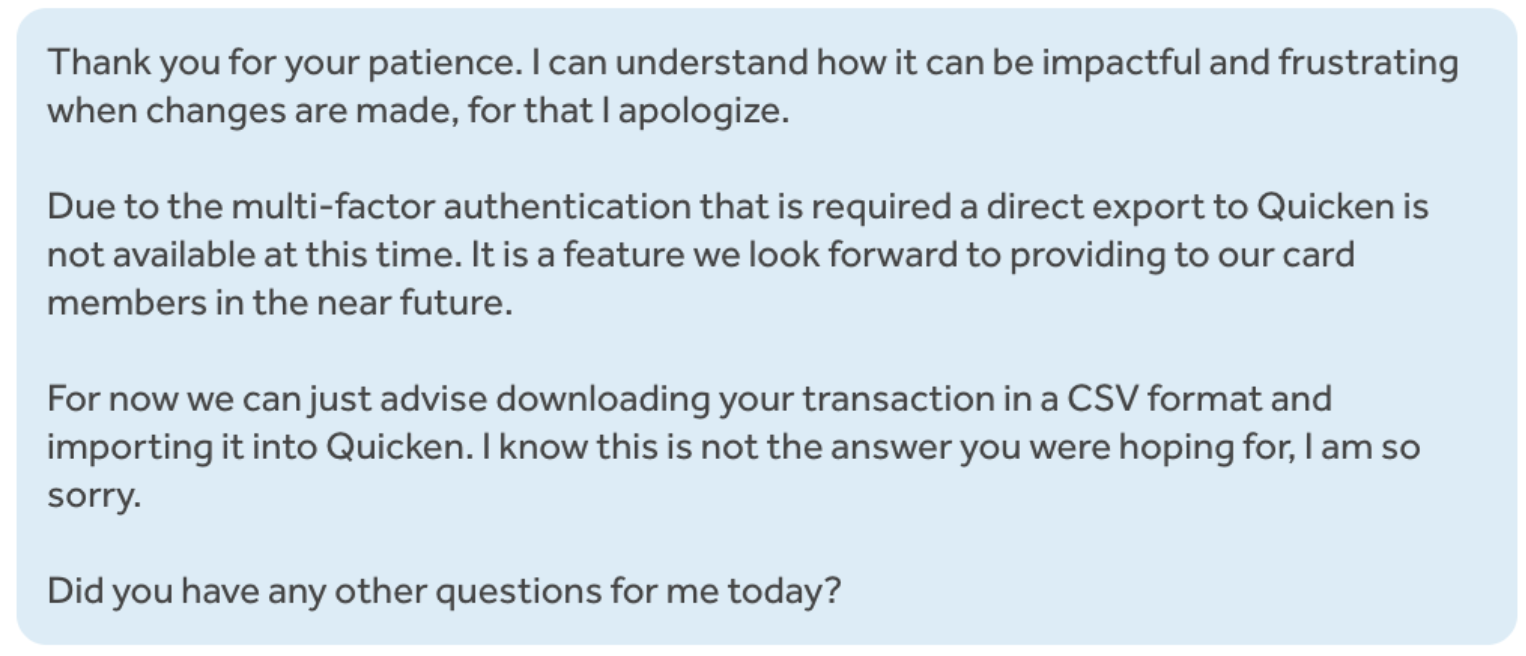
Same for me (on the Mac Classic version). I got into chat with a human this morning. This was the reply.
 0
0 -
Can Quicken improve their communications with bank/credit card providers, so that your users aren't the ones discovering these issues? That's a little frustrating and doesn't live up to your otherwise great standards.
1 -
Thank you for sharing this with other users!
We appreciate all your patience and support!
-Quicken Jasmine
Make sure to sign up for the email digest to see a round-up of your top posts.
1 -
I'm having this problem too. Quicken is getting less and less useful.
-1 -
Download failed this morning, but is working now.
Try disconnecting the account, close Quicken (to clean up the old connection), reopen and reconnect.
0 -
Working now. Had to disconnect and and reauthorize.
0 -
Hello @FSMoe,
Thank you for letting us know it's working now!
If anyone else is still seeing this issue, please follow these steps from our article on FDP-192 errors:
You may need to deactivate or change the secondary authentication method in use on their website before Quicken can update your account.
To do this:
- Log in to your bank's website and locate the setting that specifies the secondary authentication method in use for your account.
- Deactivate the secondary authentication method, or change it to something else, such as "security questions" (if available).
- Restart Quicken and try again.
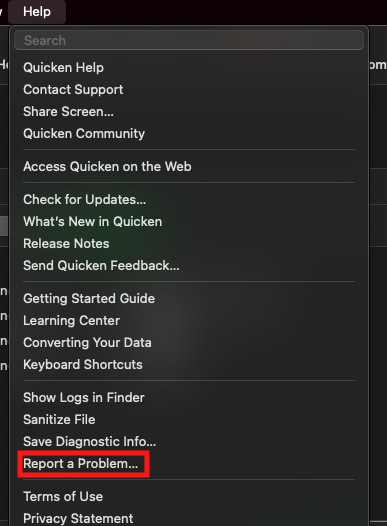
If the issue persists after following those steps, then please navigate to Help>Report a Problem and send a problem report with log files attached.
Please let me know how it goes!
(CBT-772)
Quicken Kristina
Make sure to sign up for the email digest to see a round up of your top posts.
0 -
Sorry that doesn't work because there's no way to change or disable the 2fa settings on barclaycardus web site. They now ask for 2fa via phone or email on every login, even if you use face-id in the app.
I sent in the report.
0 -
I didn't have to do anything, but it was working again for me this morning. Since many financial services do their system maintenance on Sundays, perhaps that was what caused yesterday's hiccup.
Your mileage may vary, of course.
0 -
Hello All,
For those who are still encountering this issue, we do now have a Community Alert. Please bookmark the alert to be notified of any updates, once available, and to know when the issue is resolved!
Thank you!
(Ticket #11908125/CTP-14166)
Quicken Kristina
Make sure to sign up for the email digest to see a round up of your top posts.
0 -
Was able to reconnect all 5 accounts this morning.
Tried using their app also, and there was no 2fa prompt this morning so I guess they turned it off for now.
0 -
Hello @dmkahn,
Thank you for sharing! I'm glad to hear you were able to reconnect your accounts.
If the issue returns or you need further assistance, please feel free to reach out!
Quicken Kristina
Make sure to sign up for the email digest to see a round up of your top posts.
0


