Incorrect Data used for Non-Qualified Stock Option Same-Day-Sale Win 10 Q R63.4

When entering a Stock Option exercise with a Same-Day-Sale, Quicken does not reflect the correct for the "exercise" and "bought" transactions. For those prices, it uses the "sold" price. This will provide incorrect data regarding ordinary income. found this issues posted years ago by someone using Q17 (https://community.quicken.com/discussion/7670906/quicken-2017-premier-incorrect-stock-option-exercise)
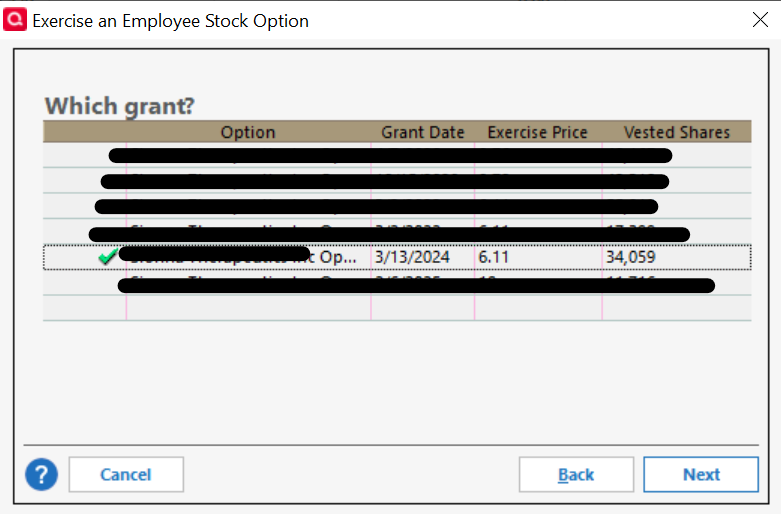
Grant Selection
Last stage of the Exercise Wizard having selected Non Qualified Stock Option and Same-Day-Sale transaction (regardless if the grant was entered as a ISO or NQ when created)
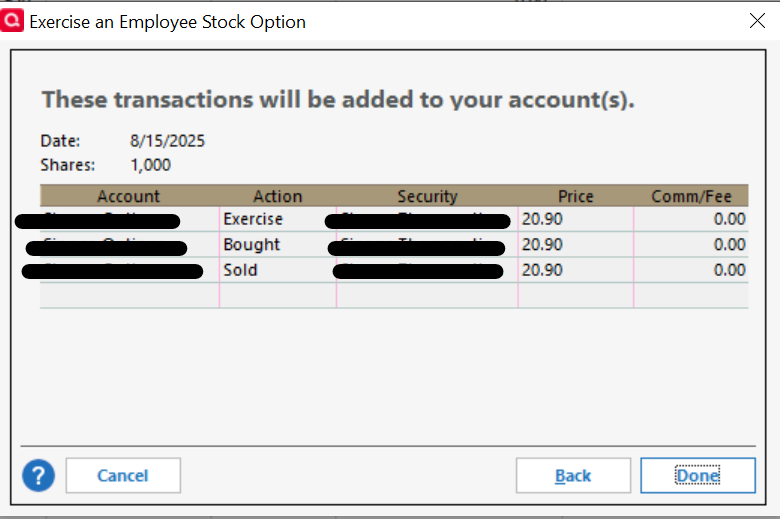
Creates these line items (I used slightly different prices when I was grabbing screen shots), which would imply that there is no ordinary income, nor CG)

Last stage of the Exercise Wizard having selected Qualified Stock Option and Same-Day-Sale transaction (regardless if the grant was entered as a ISO or NQ when created)
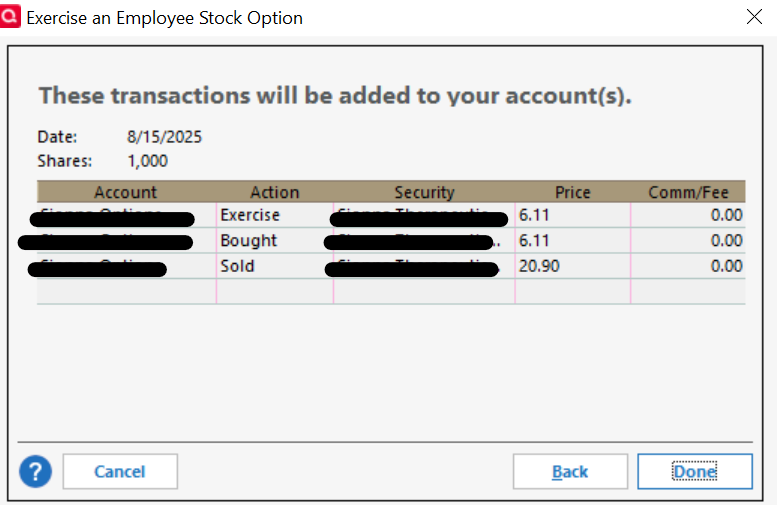
Creates these line items (I used slightly different prices when I was grabbing screen shots)

This would reflect the appropriate amount of ordinary income 20,897 (sale price) minus (6,110) exercise price.
I can't change the data in the wizard. However once the transaction lines were created, I manually edited the exercise and bought lines with the appropriate exercise price.
-Janet
Comments
-
Nice write up of the issue and solution. For anyone reading along, here is a clickable link to the referenced prior discussion.
Quicken user since Q1999. Currently using QW2017.
Questions? Check out the Quicken Windows FAQ list0 -
@mshiggins Thanks. I didn't think about the clickable aspect of the prior discussion. For future reference, how do I do that, as I don't see a hyperlink icon?
0 -
oops. I commented on the wrong post.
0 -
@jrm typically pressing Enter after pasting the link text makes it clickable. But there are some limitations for newer users to the community.
Quicken user since Q1999. Currently using QW2017.
Questions? Check out the Quicken Windows FAQ list0 -
Yeah, you have to build up some amount of points for it to work. And I have also noticed that sometimes this forum software doesn't always pick up all the URLs, so I got in the habit of using this button:
 0
0


Categories
- All Categories
- 6 Product Ideas
- 34 Announcements
- 250 Alerts, Online Banking & Known Product Issues
- 19 Product Alerts
- 265 Welcome to the Community!
- 301 Before you Buy
- 1.5K Product Ideas
- 55.8K Quicken Classic for Windows
- 16.9K Quicken Classic for Mac
- 1K Quicken Mobile
- 834 Quicken on the Web
- 129 Quicken LifeHub