My experience, issues and questions after update to R64.19

Starting a new topic so as not to confuse with others experiences so far in this update and the NEW Online Billers.
@Quicken Kristina going to ask for your help, but of course appreciate insight and help from any of the Quicken Team.
Long post to follow…
Comments
-
OK, took the risk, updated Quicken Windows to R64.19 and started to reconstruct Online Billers and Reminders.
Each acts somewhat differently. Some work. Some broken.
- First, Hulu, Adobe Creative Cloud and Sirius XM not yet supported. If there is a wish list, please add these to it. I am not surprised these are not yet supported. I hope they will be.
- Next, on bills that appear to work, when linking to existing reminders they pull the wrong dates and wrong payment account! Easy enough to fix, but unexpected. Be aware. One result of this is showing overdue bills that have been paid.
Now, here is where I need help.
- I pay all my bills (except for EFT bills) through my checking account. Until today, those Online Bill "payment button" said ENTER. Now they say Quick Pay. How do I pay those bills from my checking account? They are linked to reminders that specify the proper account now after fixing the reminders?
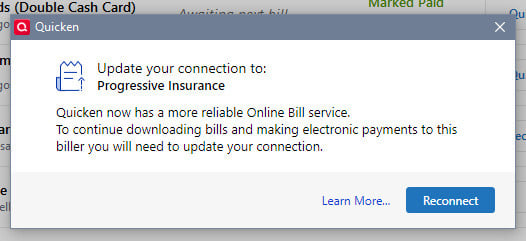
- Of the 7 Billers I have added back to Online Billers. three still say RECONNECT. I have tried to. In some cases multiple Times!!
When I try to reconnect Progressive, and go through the entire routine this happens:

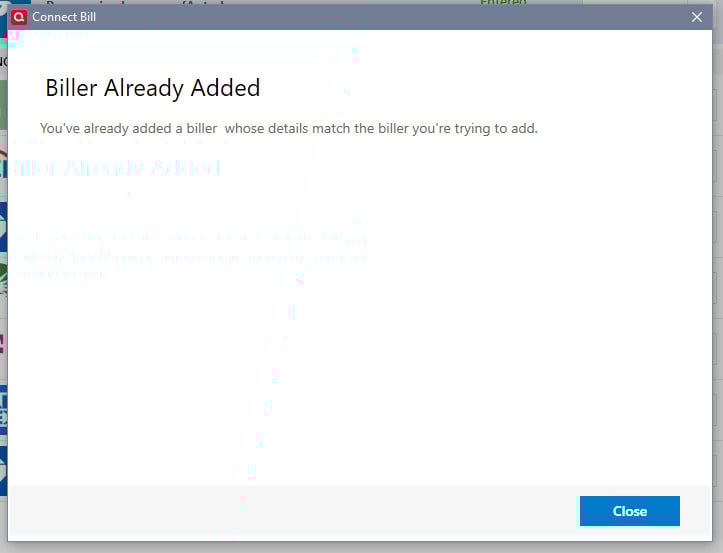
When I try to Reconnect Amex, this happens:
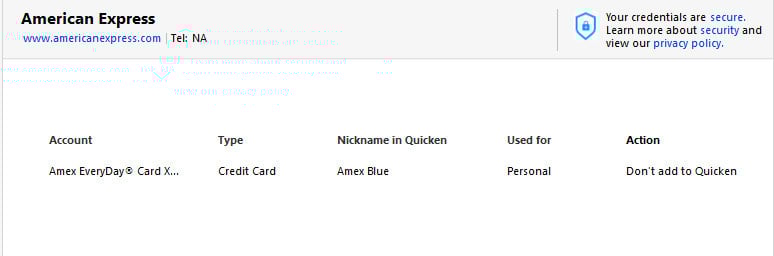
Fidelity is tricky as TWO Fidelity Billers pop up. BOTH allow me to reconnect my credit card. But these (and others) also say "do not add to Quicken" when the proper account is found. I think fix AMEX and I can fix Fidelity perhaps.
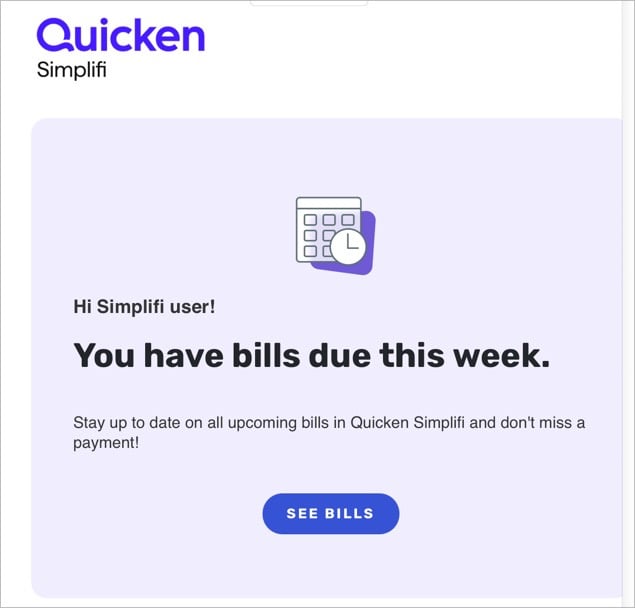
AND...I just got three of these emails after all this!!! What IS this and how do I stop it?
- Now, is it possible NOW with these changes that I can add Wells Visa as EWC+ without having to change Wells Checking away from DC? I have not tried this. I'd like to fix the 3 RECONNECTS, the ENTER and the SIMPLIFI before I go there. But would like to know.
Can you help please getting this straight? Or at least "straighter"?
Thanks.
~Bob
0 - First, Hulu, Adobe Creative Cloud and Sirius XM not yet supported. If there is a wish list, please add these to it. I am not surprised these are not yet supported. I hope they will be.
-
Just found a thread on the Simplifi email. Known issue. Anything I can do to stop it on my end?
0 -
BTW - Citi and Chase x2 found the accounts without reauthorizing OR reconnecting. I wonder if these are the cause of the Simplifi emails?
Also note, accounts that are "likely" now connected properly to the new Biller Service are what I consider proper size. Accounts that show RECONNECT are stretched about twice their size.
Enough for tonight…
0 -
Isn't there an "Unsubscribe" link at the bottom of the emails?
-splasher using Q continuously since 1996
- Subscription Quicken - Win11 and QW2013 - Win11
-Questions? Check out the Quicken Windows FAQ list0 -
I looked and did not see one. Did you?
0 -
This is what is at the bottom:
Preference Center | Privacy
This email was sent to default by Quicken Simplifi consistent with your email preferences.I do not have a Simplifi account and cannot change anything in the Preference Center consequently. Sent to "default"??
0 -
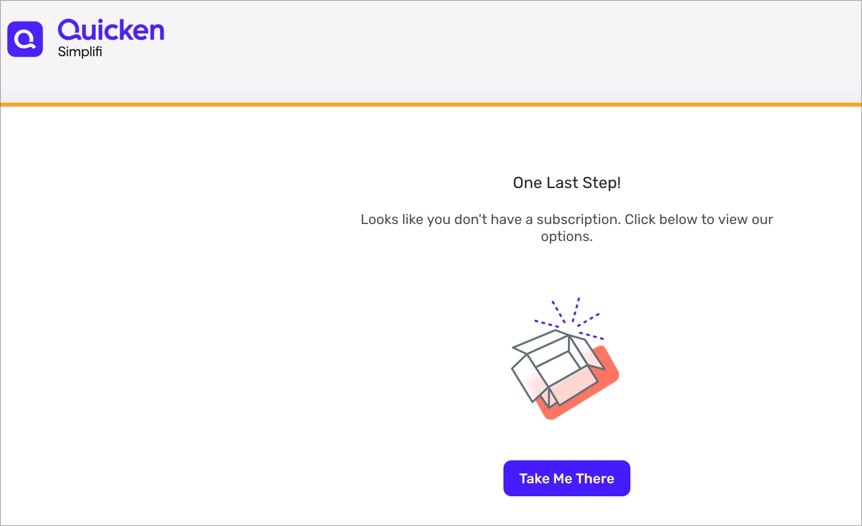
OK, I'm going to try to get back to the more important issues off Reconnecting, etc.
0 -
I didn't get one of these emails. Every other email I get from Q marketing has an "unsubscribe", so it is a surprise that yours did not.
Best of luck on your reconnecting, it can be challenging sometimes. Personally, I do Web Connect downloads from the FI websites and never have the issues that you are experiencing. It isn't for everyone, but it is how I skin the cat and beat the problems.
-splasher using Q continuously since 1996
- Subscription Quicken - Win11 and QW2013 - Win11
-Questions? Check out the Quicken Windows FAQ list0 -
See this post:
[Edit - Enabled Link]
-splasher using Q continuously since 1996
- Subscription Quicken - Win11 and QW2013 - Win11
-Questions? Check out the Quicken Windows FAQ list0 -
@splasher These are all brand new issues brought about by the NEW online billers provider. Others have similar. Not to be confused with any previous online biller issues with the old provider.
The instructions do not work as described.
4 of 9 billers appear to be OK.
1 seems to be pending, but also changes the reminder to odd dates as far ahead as 2030 and is the likely cause of the simplifi email (at the moment)
Two billers will not reconnect no matter what I try including deleting and readding the biller.
Looking forward to replies and help from the Quicken team.
0 -
I did and already mentioned that above. But thanks.
NOTE: I do NOT have a Simplifi account
Mobile and Web are turned off
These seem to be caused by reconnecting bills that create (or modify) reminders incorrectly. But regardless, are truly off the wall they think I have anything to do with Simplifi.
0 -
So, just to circle back since there has been some diversion, I need help with the two types of broken reconnects: The Progressive which seems to be pending and shown above and the Amex and Fidelity which have the RED indication of requesting reconnects that will not reconnect. Again as shown above.
Looking forward to the @Quicken staff replying later today.
0 -
0
-
I have noticed an issue that I haven't seen reported. When I do a One Step Update, the Update Bills step fails:
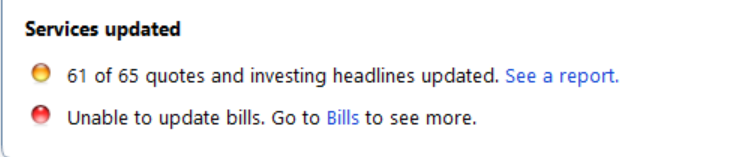
When I go to Bills & Income and run a manual update, it completes normally
I'm running R64.19, Build 27.1.64.19.
0 -
For me, on my test before I reverted to prior version of Quicken:
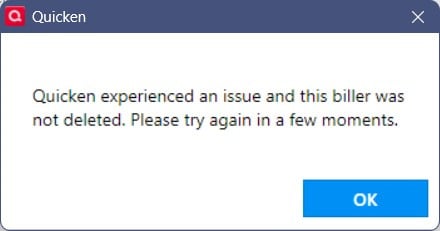
I managed to get most prior credit card bills setup BUT it left several old original bills and they wouldn't delete so I gave up trying on my real datafiles.
 0
0 -
pretty sure I tried that but will again
0 -
I just tried again several times on my simplest datafile: Unsuccessful.
I still can't get the old billers deleted no matter what I try. Even deleting them completely in the old Quicken version and then updating Quicken didn't work. The billers re-appeared and could not be deleted. In addition, If I go to manage billers and try to delete biller there, it actually multiplies the biller to many other copies instead of deleting.
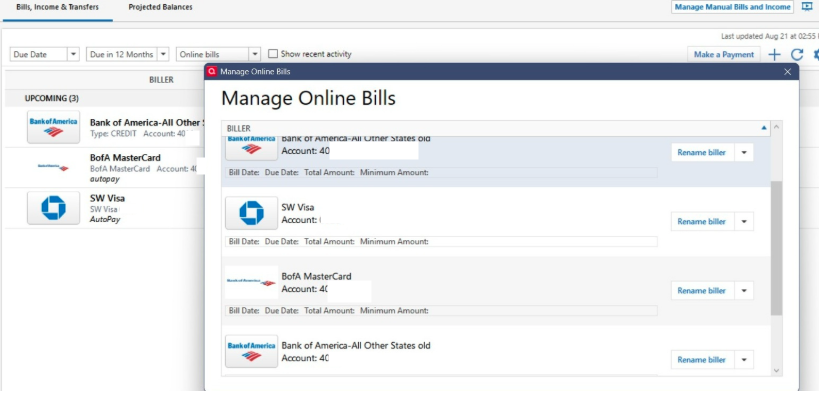
[Edit - Obscured partial account numbers]
0 -
OK. I have my billers. All "appear" to be working except 1 Pending (Progressive Insurance) and two not yet supported (Adobe and Hulu).
Wanna know the trick? Of course you do.
You MUST delete the existing reminders and recreate a new one after connecting the biller. This drove me nuts. This should be in the instructions. So its not just deleting the biller and adding as new, but the REMINDER as well. So:
- Unlink the biller
- Delete the biller
- delete the reminder
- Add biller as new
- Create new reminder
I also now have the ENTER but on the drop down. I MUCH rather have it as the button default.
@Quicken Kristina this really leaves me with only two questions:
- As mentioned above, now with this new process can I keep Wells Fargo Checking as DC and have Wells Fargo CC as EWC+? IK have not tried this. Would be great if so. And..
- Where best to request support of billers like Adobe Creative Cloud and Hulu?
Oh…and I hope to never see another Simplifi email :)
[Edit - Readability]
0 -
Hello @Bob.,
Thank you for providing your feedback on R64.19.
You mentioned that you now see a QuickPay button instead of the usual enter button. When I tested in my Quicken, I see the same thing, but that QuickPay button is a dropdown that provides other options, including the option to enter the transaction.
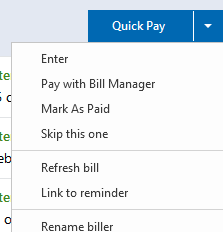
Are you seeing those other options?
To address your two questions, the documentation currently available to us does not specify. I asked our teams for more information about Wells Fargo (checking via DC and the rest via EWC+) and if there will be a process to request additional billers be supported, but being as it is the weekend, I probably will not hear back until Monday, at the earliest.
Sorry I don't have better answers yet!
Hello @Carl Davidson
Thank you for letting us know you're seeing this issue. I attempted to replicate the issue, but when I run One Step Update, the it claims that bills updated successfully.
Did this issue start immediately after you upgraded to R64.19? Does it happen every time you run One Step Update? If you haven't already done so, please try restarting your computer and test to see if the issue persists.
I look forward to your response!
Hello @miklk,
Thank you for letting us know you're encountering an issue with duplicate billers. I was able to partially replicate the issue (I had a biller duplicate, but it deleted without issue). I forwarded the issue to the proper channels for further investigation and resolution. Thank you for already sending logs and a sanitized file. The ticket for this issue is CTP-14239.
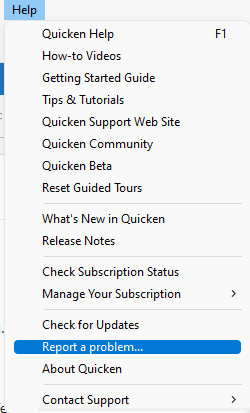
If anyone else is encountering this issue with duplicate billers appearing and refusing to delete, please let us know and navigate to Help>Report a Problem to send us a problem report with log files attached.
Thank you!
Quicken Kristina
Make sure to sign up for the email digest to see a round up of your top posts.
1 -
I did mention the ENTER above: "I also now have the ENTER but on the drop down. I MUCH rather have it as the button default."
Appreciate any feedback to come re: Wells and Requests. I hope deleting reminders helps others who struggle with getting billers reconnected.
Thanks!
1 -
Update: I do believe though will not go back and verify, that when a Reconnected Biller tries to link to a previous reminder, there is no ENTER on the drop down. Which would actually make sense. Further, I believe that that incorrect linking at least partially drives the Simplifi email.
FWIW
0 -
Re: the following:
https://community.quicken.com/discussion/comment/20506032#Comment_20506032
Thank you for letting us know you're seeing this issue. I attempted to replicate the issue, but when I run One Step Update, the it claims that bills updated successfully.
Did this issue start immediately after you upgraded to R64.19? Does it happen every time you run One Step Update? If you haven't already done so, please try restarting your computer and test to see if the issue persists.
The problem began immediately after upgrading to R64.19, and occurs every time. Before that, One Step Updates updated Bills smoothly.
I'm going to try @Bob.'s formula above:
You
MUSTdelete the existing reminders and recreate a new one after connecting the biller. This drove me nuts. This should be in the instructions. So its not just deleting the biller and adding as new, but the REMINDER as well. So:Unlink the biller
Delete the biller
Delete the reminder
Add biller as new
Create new reminder
Wish me luck!
0 -
@Carl Davidson Looking forward to hearing your results. Good luck!
Just found a corner case where it would not work as the FI is connected through DC so Adding a New Bill will not find anything that can be added. A known issue from before this upgrade.
But all my other billers worked as I described above.
0 -
Thank you for your replies,
The word I got back from our teams for your 2nd question is that there will not be a process to request support for additional billers. Our service provider is working to increase the number of billers they support, but we're not able to influence which billers they prioritize or add.
Sorry I don't have better news!
Quicken Kristina
Make sure to sign up for the email digest to see a round up of your top posts.
0 -
Me too :)
0 -
Here's another bug in 64.19
Got to add an online biller. You'll see a search box and suggested popular results.
Type in something not there, like Adobe
It will say no results for Adobe and the suggested popular results are gone.
Delete Adobe and even type in something that Is supported like Discover. No results for Discover. Or anything else supported.
You can ONLY search successfully from the initial search box above the popular suggestions. The search box on subsequent dialogs will fail regardless of the search term.
0 -
Well, believe it or not, the above bug is working as expected this morning. Go figure.
BUT, here's a new one. @Quicken Kristina might interest you and the team.
As mentioned perhaps previously. Progressive insurance is the only pending and perhaps with issues biller I have been able to add. Today, yellow triangle and when clicked get this cryptic message:
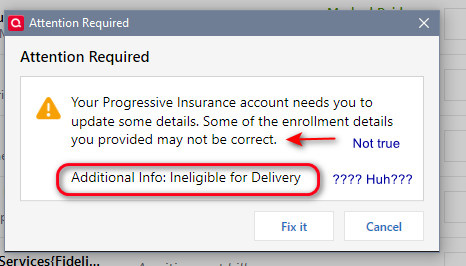
- Details are perfect
- What does ineligible mean?
OK, I click "Fix It" and now have this:

What to do?
0 -
Thank you for the follow-up @Bob.,
It can take up to 3 days for a biller in pending status to connect. What I recommend is leaving one of the Progressive Insurance ones alone to give it a chance to connect. For the duplicate, please try to delete it. If it won't let you delete it, or if it duplicates again, please let us know.
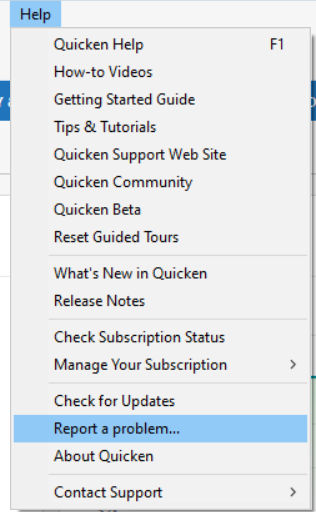
For that unusual error message, I reported the issue to the proper channels for further investigation and resolution. Please navigate to Help>Report a Problem and send a problem report with log files attached.
If this issue happened before you sent logs yesterday, please let me know and I'll use the logs you already sent.
Thank you!
(CBT-786)
Quicken Kristina
Make sure to sign up for the email digest to see a round up of your top posts.
0 -
Deleting one deletes both @Quicken Kristina I readded one back.
This message happened afterwards. I deleted the screen shot so if you care to copy from here and append the logs would be helpful. I would love to know what the message is trying to say.
1 -
Thank you for your reply,
Thank you for providing that information on what happened when you deleted the duplicate biller. I included that unusual behavior in the ticket about the unusual error message.
Thank you!
Quicken Kristina
Make sure to sign up for the email digest to see a round up of your top posts.
0



