Baird connect - account not recognized, reactivation crashes

I am receiving an error message that my account number is not recognized via Quicken direct connect. I can log in to Baird on their website. I deactivated on Quicken then set up. It won't set up, just crashes.
Comments
-
Hello @dennispowers3439,
Thanks for sharing the details about your issue. To help troubleshoot, could you clarify a few things?
- Does the crash happen immediately after entering your account info, or at another step?
- Have you tried rebooting Quicken or your computer before reactivating?
- Are you receiving any error codes or messages besides the “account number not recognized” prompt?
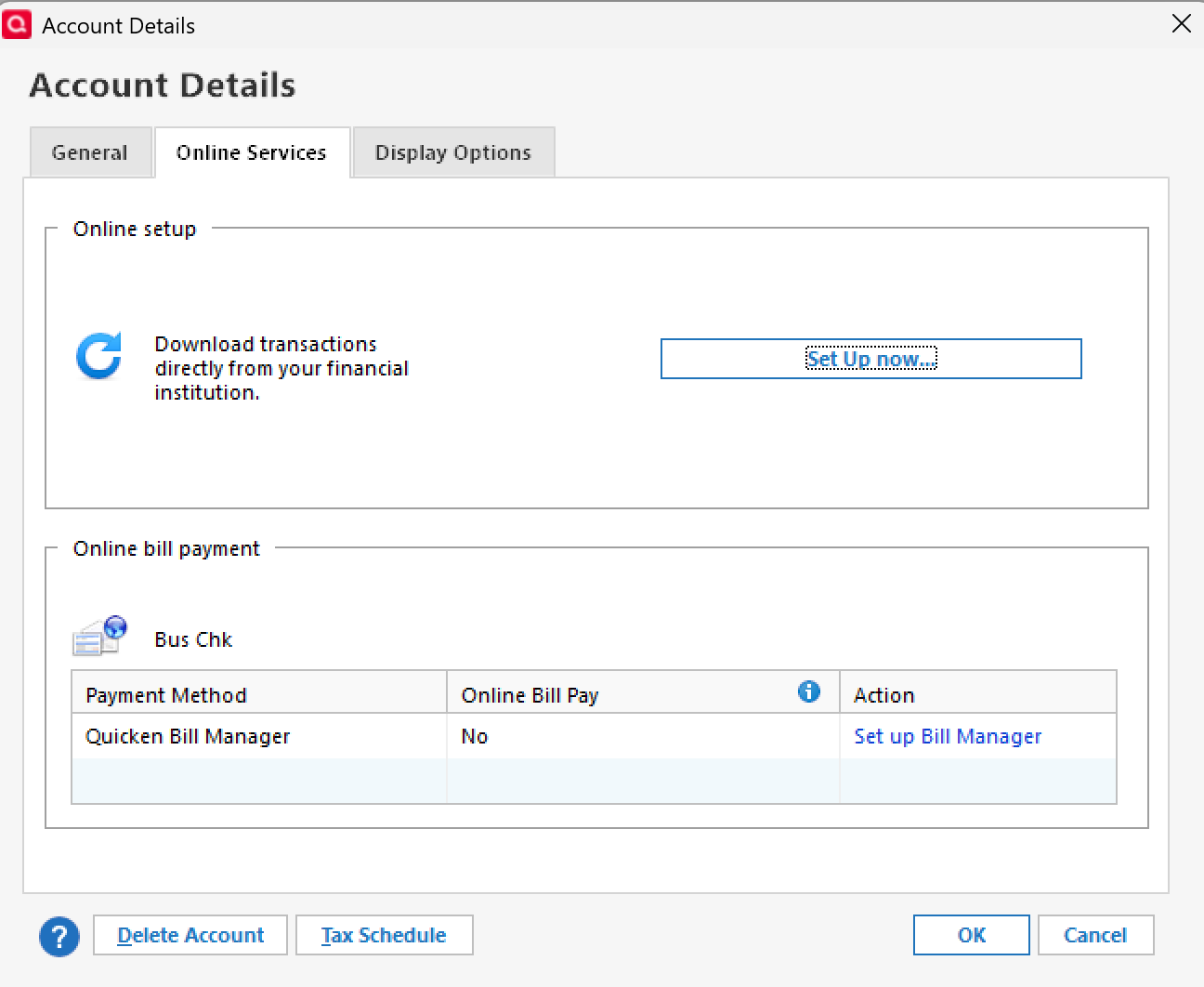
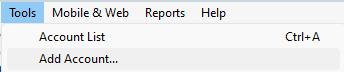
If so, could you please provide a screenshot of what you are seeing? If needed, please refer to this Community FAQ for instructions on how to attach a screenshot. Alternatively, you can also drag and drop screenshots to your response if you are not given the option to add attachments. - When attempting to reconnect, are you doing so via Set up Now in the Online Services tab, or via Tools Add Account?
- Set up Now:
- Tools > Add Account:
- Set up Now:
Any additional info will help us narrow down the cause.
Thank you!
-Quicken Anja
Make sure to sign up for the email digest to see a round up of your top posts.0 -
I am having the same or a similar issue. I too can log into Baird online and have confirmed that all of my account numbers still match what is in Quicken. The Quicken error message that I am getting does not have an error number, but just says "Needs Your Attention". The error message text reads "Your financial institution does not recognize the account Baird…" and then lists all of my account numbers. Is this a known issue?
0 -
Same here. Tried deactivating Baird accounts, and when trying to add (both via
Set up Nowin theOnline Servicestab, or viaTools Add Account) it will get to the baird user ID/password/ save to vault page, then it just fails. No message, it just dumps me back to quicken0 -
Hello All,
Thank you for taking the time to report this issue.
We will be forwarding this issue to the proper channels to have this further investigated. However, we request that you please navigate to Help > Report a problem within your Quicken program and submit a problem report with log files and screenshots attached in order to contribute to the investigation.
It would also aid the investigation to include a sanitized file when submitting the problem report. A sanitized file is a data file that removes personally identifiable information so you can comfortably share this file with the Quicken team.
While you will not receive a response through this submission, these reports will help our teams in further investigating the issue. The more problem reports we receive, the better.
We apologize for any inconvenience in the meantime! Thank you.
(CBT-788)-Quicken Anja
Make sure to sign up for the email digest to see a round up of your top posts.0 -
To add on to my comment, I was having the same issue as Amo1 was describing, and in an attempt to fix I deactivated online access. I then ran into the problems I described
0 -
This seems to have resolved for me today
0 -
@jftobolski Thanks for the update! Glad to hear it’s working for you now.
—
Can others in the thread confirm whether this issue is resolved on your end as well, or if you’re still experiencing it?
Thank you!
-Quicken Anja
Make sure to sign up for the email digest to see a round up of your top posts.0 -
It resolved for me as well. Thank you for the follow up, @Quicken Anja.
0 -
@Amo1 Thanks for confirming! Glad to hear it's resolved now.
-Quicken Anja
Make sure to sign up for the email digest to see a round up of your top posts.0
