Fidelity Duplicate Accounts

After I migrated to the new Fidelity connection system, all of my Fidelty accounts are duplicate - four pension/401k accounts in NetBenefits and my brokerage account is duplicated as well. Note that each of the NetBenefits accounts include a number of mutual funds.
While I have seen posts about fixes for various Fidelity issues, I have not seen a post on this particular one.
I tried to use the Virtual Assistant, but the directions it gave me did not make any sense.
Answers
-
Hi @CLG,
Thanks for sharing these details. Just to clarify—when you migrated to the new Fidelity connection, did Quicken create new accounts for each of your Fidelity accounts that are now showing as duplicates? And are your original accounts showing as not connected when you go to Tools > Account List (this will show Not Available in the Transaction Download column)?
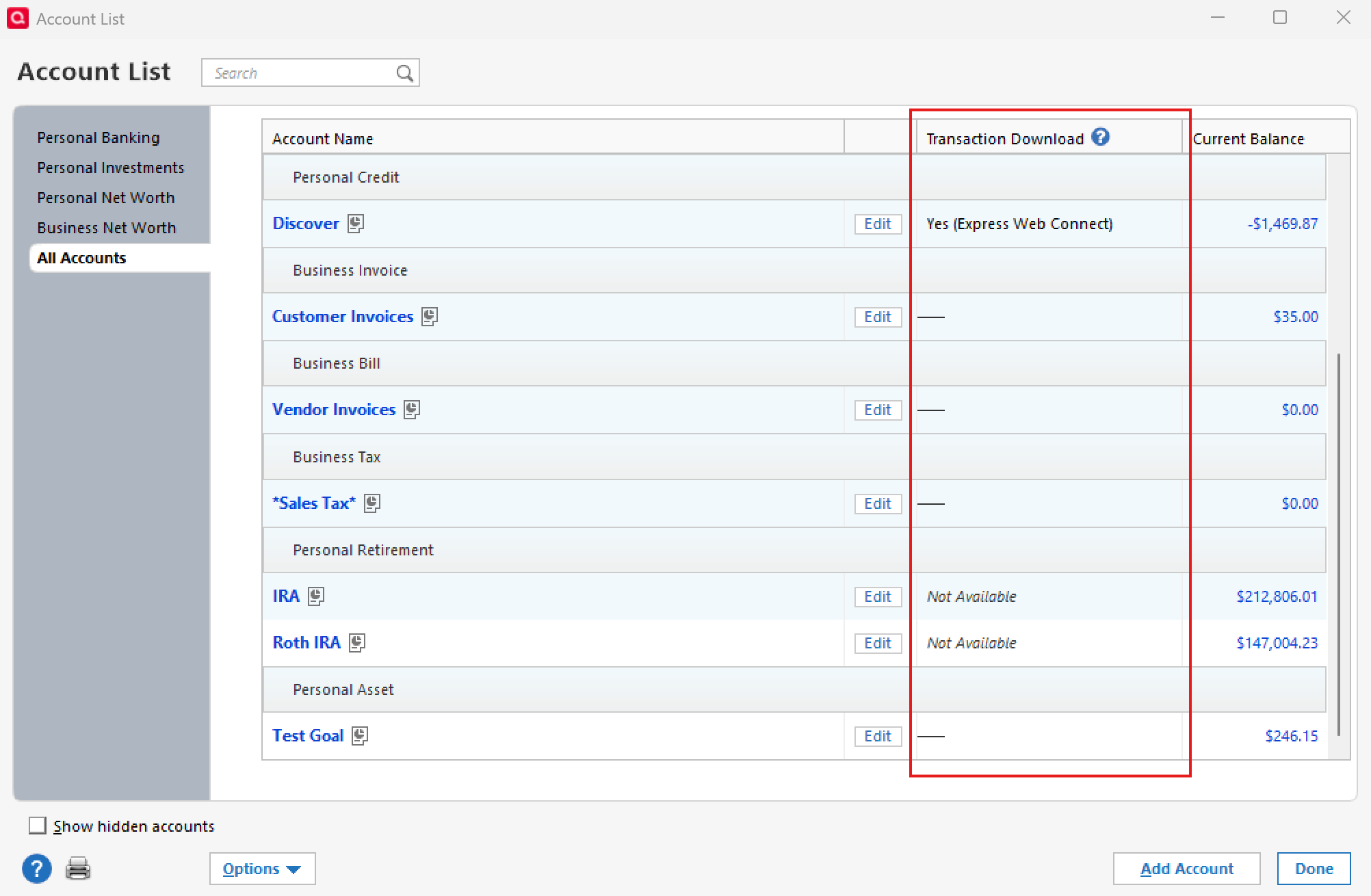
This will help me understand exactly what’s happening so we can suggest the best next steps.
Thank you!
-Quicken Anja
Make sure to sign up for the email digest to see a round up of your top posts.0 -
They are all connected - some by Express Web Connect and some by Direct Connect. At this point I do not know which are originals and which are duplicates. They show slightly different balances.
0 -
Thanks for clarifying. Since both sets are connected, here are a few ways to tell the “original” accounts from the new duplicates:
- Transaction history: Originals will have all your past activity. Duplicates typically only show downloads starting from the migration.
- Opening balance: Duplicates often have a single placeholder “Opening Balance” or a lump sum instead of your full history.
- Connection type (Tools > Account List): The originals will usually still show the connection method you had before the migration (e.g., Direct Connect). Duplicates tend to show the new connection method.
- Based on this, your original accounts are most likely the ones still showing as Direct Connect.
- Balances: Duplicates can look slightly off if they’re missing past transactions. The originals should match what you were tracking before.
Once you’ve identified the duplicates, I recommend first making a backup of your file. Then:
- Deactivate and delete the duplicates.
- Deactivate the originals as well.
- Reactivate the originals using the new Fidelity connection, and link them to the existing accounts in Quicken.
You can follow the step-by-step instructions in this support article for deactivating and reactivating accounts.
Hope this helps!
-Quicken Anja
Make sure to sign up for the email digest to see a round up of your top posts.0
