All Accounts selected

Trying to add ONE account but the selection box has ALL accounts checked. I have to deselect them ONE AT A TIME to only get the ONE account I want to add…I have roughly 60 accounts that are selected…
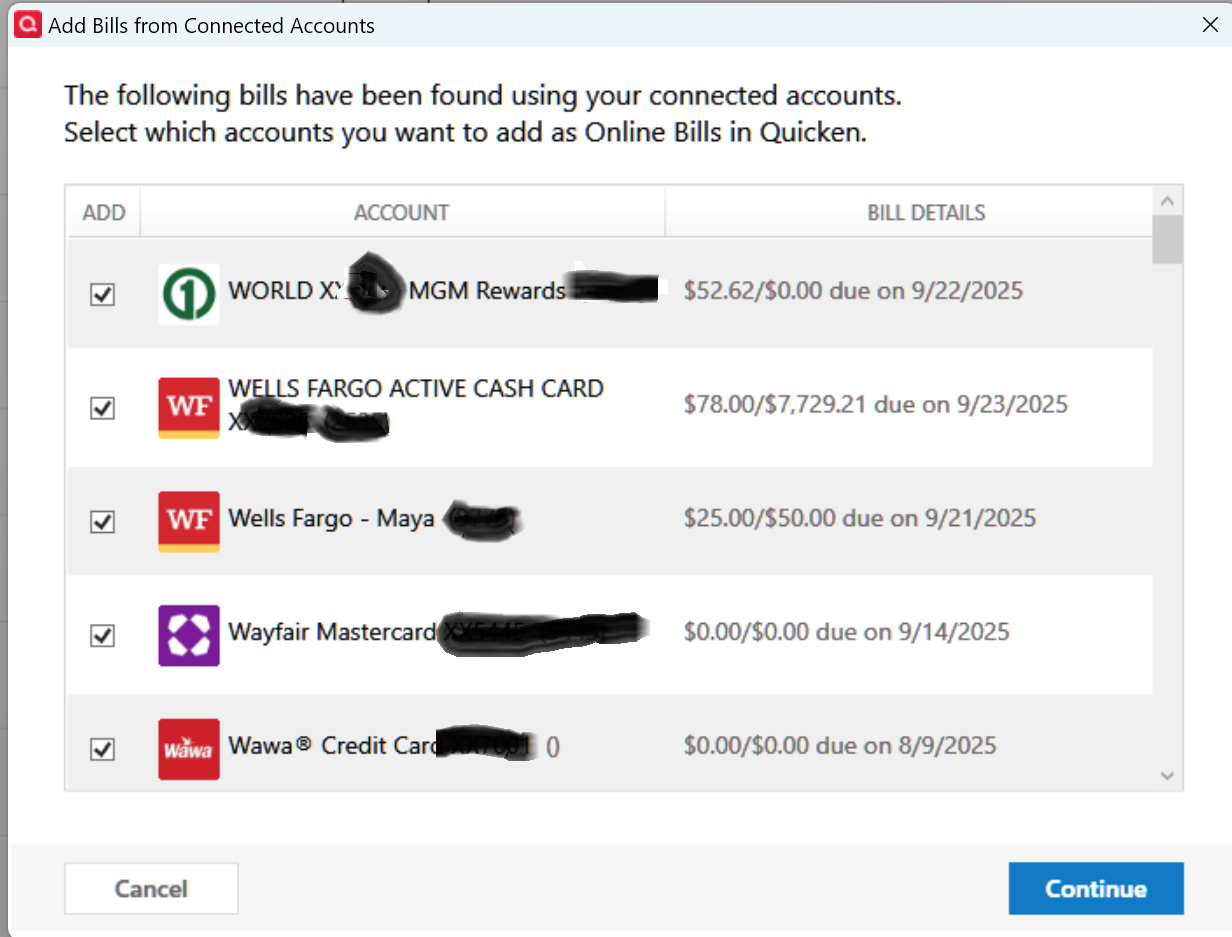
Quicken Classic - R66.28, Windows 11 PRO current on updates
My data file is NOT being synced nor backed up.
Comments
-
Hello @Greg Brown,
Thanks for reaching out!
If any of the accounts showing in your list are not meant to be Online Billers (only manual bill reminders), I suggest first trying Review and Repair Online Billers. Be sure to save a backup of your data file before doing this, just in case.
To do this:
- Go to the Bills & Income tab.
- Click the gear icon in the top-right corner.
- Select Review and Repair > Review and Repair Online Billers from the dropdown.
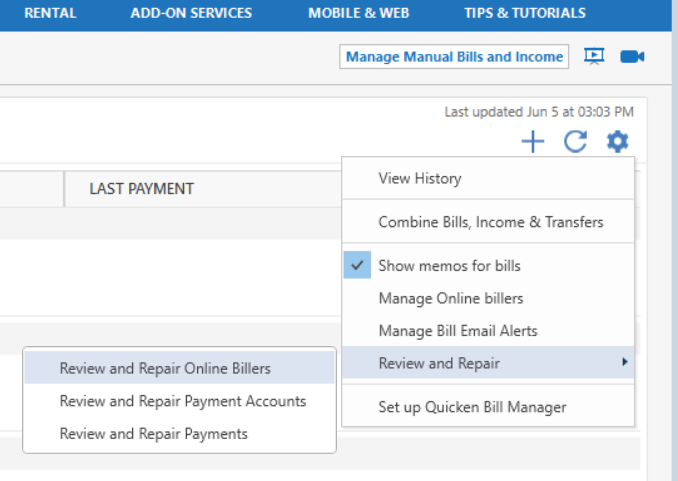
- Try adding the accounts again.
However, if all the accounts are Online Billers, unfortunately, there isn’t currently an option to “deselect all” when adding accounts, so you’ll need to deselect them individually. I understand how frustrating this can be, especially with a large number of accounts.
To request this as a future feature, you can create an Idea Post in the Quicken Community. Other users can vote on it, and our Development and Product teams regularly review these posts when planning improvements or new features.
Hope this helps!
-Quicken Anja
Make sure to sign up for the email digest to see a round up of your top posts.0
