Tax Planner: Withholdings Doesn't Allow Me to Select Scheduled Option

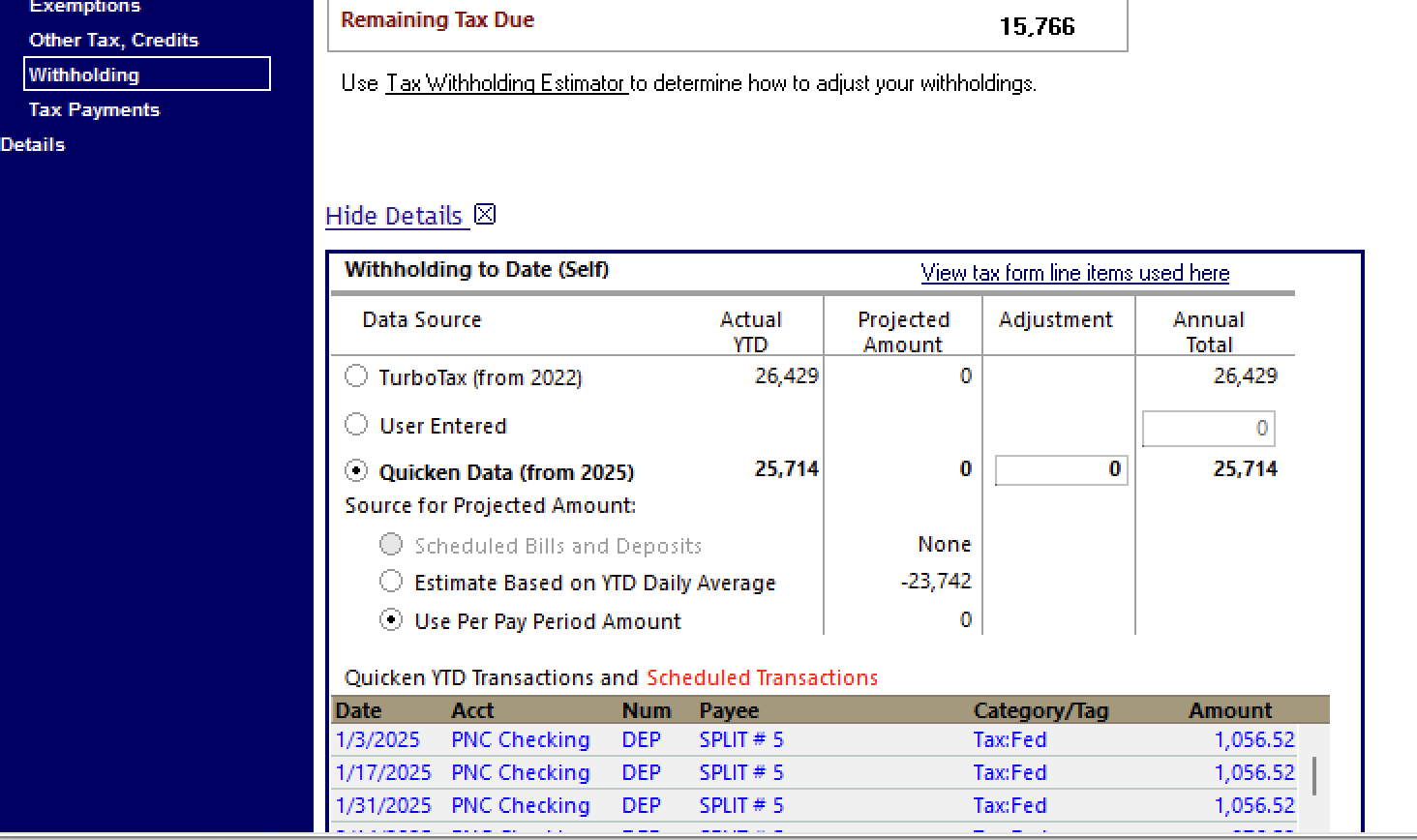
Under the Tax Planner: Withholdings, I am unable to select the Scheduled Bills & Deposits option, it is greyed out. I am on Quicken Windows Classic, v64.25. I have tried rolling back to previous versions but it doesn't fix the issue.
Anyone have an idea how to fix this issue and I have reported the problem?
Thanks, Jim
Best Answer
-
I ended up deleting the current Paycheck and recreated it, seems to be working now. So weird.
Thanks
0
Answers
-
The Planner is saying that you do not have any future scheduled transactions with Categories that use the tax line item(s) covered by this section.
Click on "View tax form line items used here" to see the Categories that apply.
If you scroll down in the list of transactions at the bottom, the scheduled transactions will be in red.
QWin Premier subscription0 -
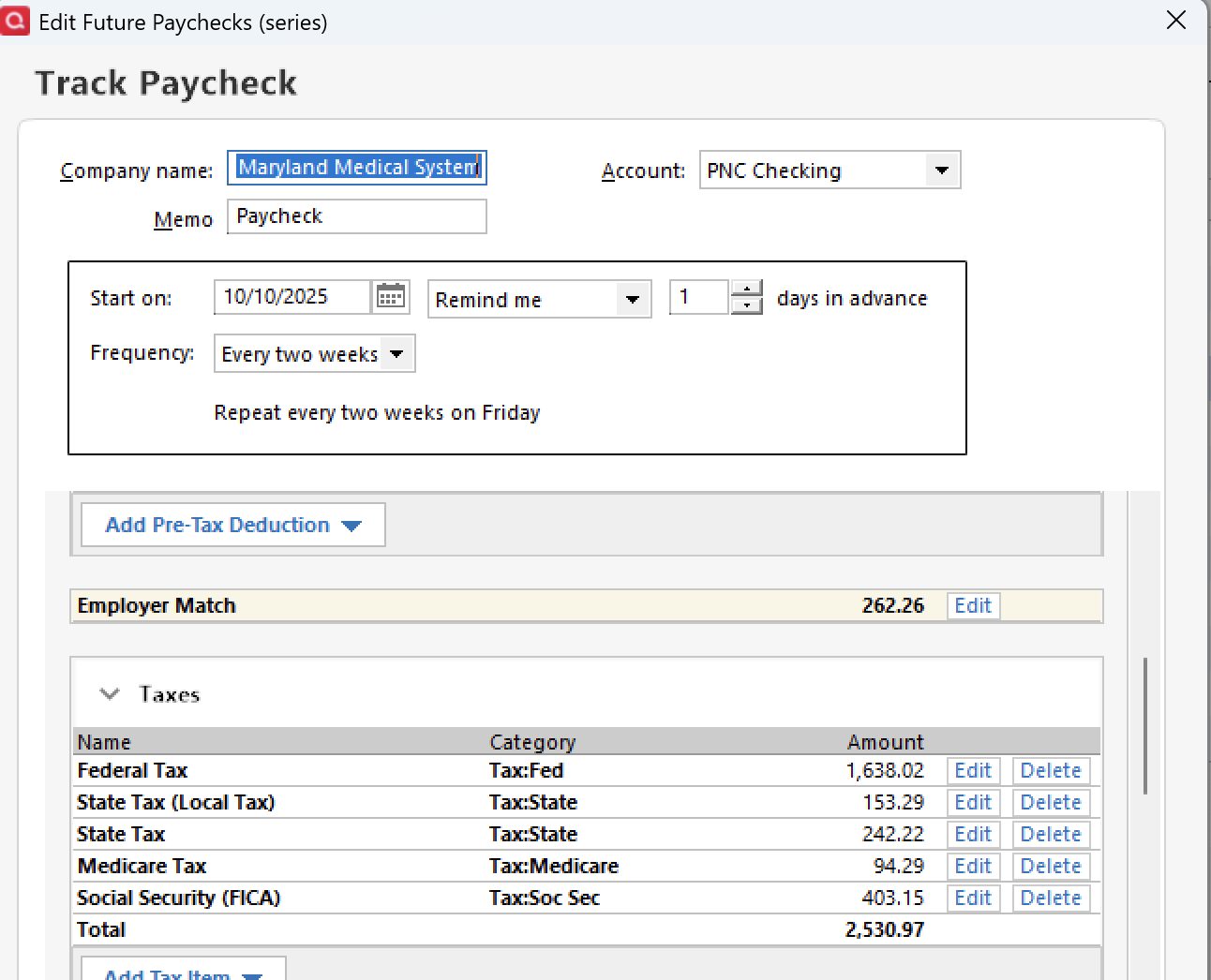
It isn't showing any future withholdings even though I have a scheduled paycheck
 0
0 -
I ended up deleting the current Paycheck and recreated it, seems to be working now. So weird.
Thanks
0 -
Sometimes Reminders can get corrupted and the only fix, as you found it, is to delete it and then recreate it.
The same thing sometimes happens with Saved Reports.
Quicken Classic Premier (US) Subscription: R66.23 on Windows 11 Home
0


Categories
- All Categories
- 3 Product Ideas
- 34 Announcements
- 249 Alerts, Online Banking & Known Product Issues
- 19 Product Alerts
- 266 Welcome to the Community!
- 42 Before you Buy
- 1.5K Product Ideas
- 55.8K Quicken Classic for Windows
- 16.9K Quicken Classic for Mac
- 1K Quicken Mobile
- 834 Quicken on the Web
- 84 Quicken LifeHub