zzz-Fidelity Updates
Comments
-
Is the 25th the correct current cutover deadline?
EDIT: Confirmed this via postings re-read.
Thanks
0 -
I was just prompted to reauthorize my Fidelity connection and migrated me to Fidelity Connect+. TOTAL BUNGLE. None of the issues have been fixed. Imported my 401(k) as Brokerage instead of Retirement (wasn't even an option), didn't have an accurate list of accounts to link to, just blasted in a new account with no history. I'm on the latest patch.
0 -
DC no longer works for me. Pushes me to re-authorize and it starts the bungled Connect+ migration.
0 -
Quicken is telling us that no one is being forced to reauthorize to EWC+, yet. That will not occur until 9/25.
When you got the prompt to reauthorize, did you click on the "Remind me later" link or the "Remind me tomorrow" button at the bottom of that prompt? That should have closed the reauthorize prompt and allowed you to continue with your DC connection.
Quicken Classic Premier (US) Subscription: R66.23 on Windows 11 Home
2 -
That is the current published deadline but let's hope they push it out till they at least have the current list of known issues resolved.
Quicken Classic Premier (US): R66.28 on Windows 11 Pro
0 -
It may help to post concerns to Fidelity on their Reddit website as well:
https://www.reddit.com/r/fidelityinvestments/comments/1nidbsu/new_quicken_update_same_complaint/
Maybe if Fidelity sees enough postings they will work with Quicken to resolve the issues faster.
Deluxe R66.23, Windows 11 Pro
0 -
@Quicken Kristina @bmbass @vnolin11
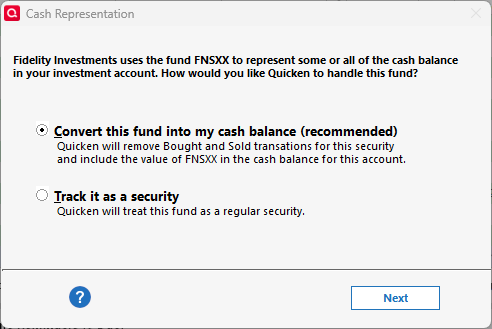
Okay, so now I'm even more confused. I did a one step update this morning and was presented with this option. This is for one of the accounts that wasn't offering me the cash representation button I mentioned yesterday. I am at R64.25 on a Windows 11 computer. Nothing has changed other than doing the one step update. I have not been presented with this option for the other account having the same problem.
Update: I may have been presented with this option because I changed the core cash fund in this account last week. I didn't think of that originally because it's been 4 or 5 days since I made that change and I one step update every day. It may be that it took several days for the change to propagate???
 1
1 -
FWIW, I did the whole "make a copy and reconnect everything" today. I'll keep both files functioning and (hopefully) abandon the DC file after the switch is mandatory.
Things went okay for me. Lots of duplicate transactions but that's expected (IIUC) given that any resetting of a connection can cause that. All the dupes were pretty straightforward to delete. Quicken didn't match them I assume because they're already reconciled (though it did match a few, so ?)
We have a couple of non-qualified accounts and several qualified accounts. They all linked up okay. Appears that fractional shares is working okay for me. We use tbills on autoroll and all those transactions and valuations look okay.
We don't do options.
What didn't go quite so well was reconnecting everything else:
- Connecting to Citi has entirely failed. I need to look up the other threads on this. I've seen other messages about removing auth at Citi and reauthing and I wonder if that means Citi only allows one Quicken connection at a time. (I haven't seen that with out FIs).
- Vanguard kept connecting as simple when I did the setup from the account settings. I had to disconnect, manually set to complete and then use add account and it seemed okay.
- The "use as cash" setting doesn't work for me. It's suggesting only FDLXX which we have in the account but is not a core position. I just disabled it. I've never used "use as cash" anyway.
I am worried about how all the quarter-end dividends are going to fall out and would add my voice (of reason?) asking to have any mandatory conversion be delayed until sometime in October.
1 -
Did you see I posted a second method later here that didn't require making a copy and disconnecting everything? I still think that at this point you're better off waiting for the EWC+ issues you be fixed, but if you must revert, the second method in this thread is better.
Barry Graham
Quicken H&B Subscription1 -
I'm sure I saw it but with 26 pages of replies, I may have missed the significance. Link?
FWIW, I'm not willing to do anything at this point that would endanger my original, primary file. And given I'm not too confident there won't be outstanding issues at any mandatory conversion time, I want to get a read on whether any are likely to impact me. I like having a copy that I can throw away with no risk of loss (which I've already done a couple of times …)
0 -
It is not true the cutover is not until the 25th. I cannot connect to zzzFideltity DC. I am forced to either migrate or cancel.
0 -
OK, if I go into the zzz account and update transactions from the dropdown, and only update that account DC works. But if I "Update All" it starts the migration sequence. So I don't know if that qualifies as "not forced to update" when the default behavior of the system is to migrate!
1 -
I am so confused.....I have done nothing.,..no downloads,..no zzzz account setup, nothing since this started.
If I perform a download now (as like a pre-migration update), will it work the old way or force an unprompted migration?
Or just wait until the forced cutover...
0 -
Right now, it will prompt you to migrate to the new connection method, but you can avoid doing that that by pressing the Remind Me Later button in the lower right. After doing that, it will work as it always has. But, we are told that we will FORCED to migrate as of Sept 25th.
2 -
When you got the reauthorization prompt, did you make sure to click on "Remind me later" or "Remind me the next time" (which one you get depends on which version of Quicken you are running? Here's a picture of what it looks like with R64.25:
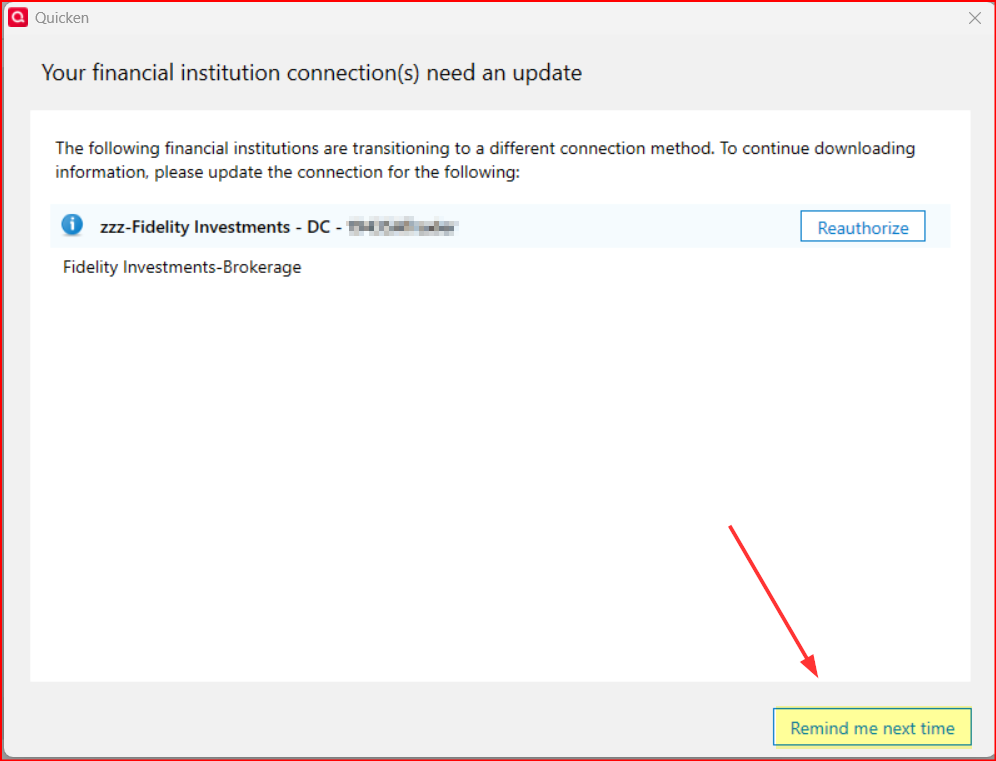
If you did not click on those they you would have been taken through the reauthorization process. But if you click on those the reauthorization popup will close and DC will run normally.
Or are you saying that "Remind me later" or "Remind me tomorrow" are not working?
EDIT (9/16/2025): Made a little correction in italics and added a picture of the EWC+ reauthorization prompt.
Quicken Classic Premier (US) Subscription: R66.23 on Windows 11 Home
0 -
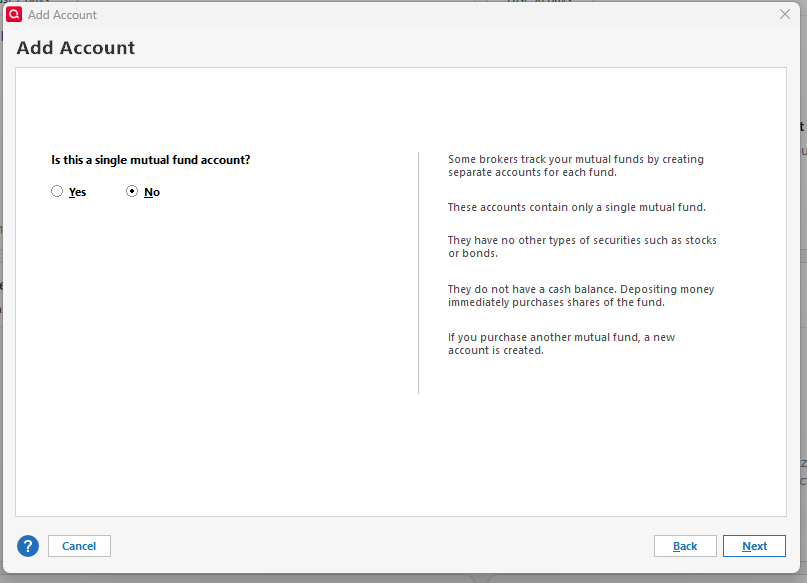
Maybe someone can help me. Long time user and EWC+ simply does not work at all for me. All my accounts work properly using DC connection method. I created a new blank file to test importing my six Fidelity accounts before updating my main file with 25 years of history. I went through the authorization process and got to the screen to add accounts.
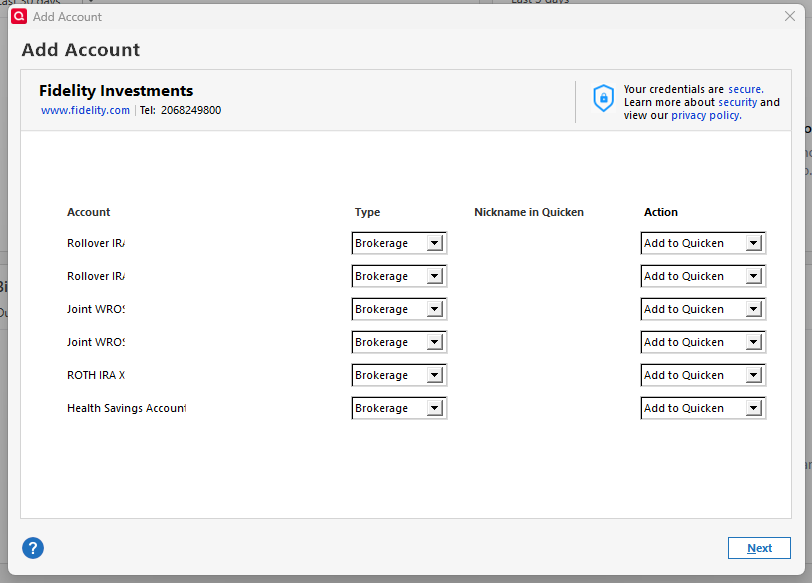
I selected Simple Investing
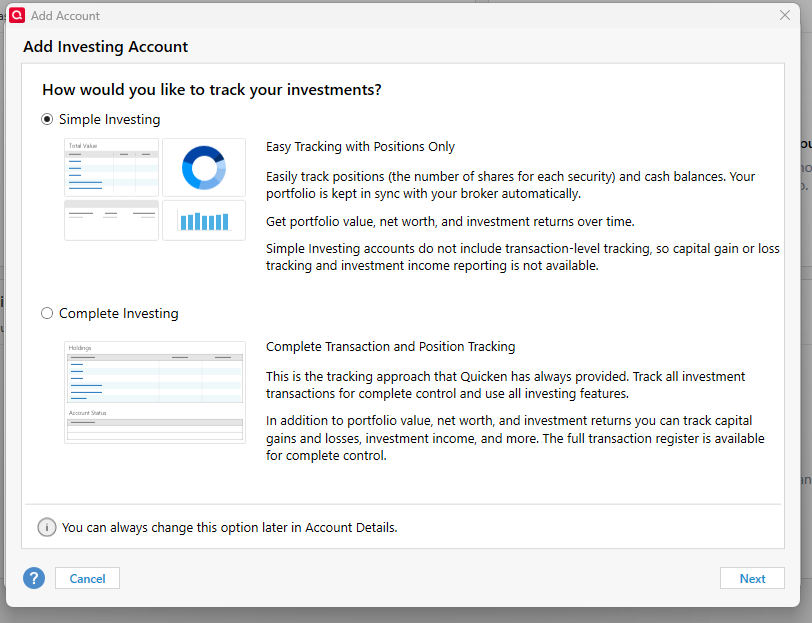
I'm presented with a screen with no information about which mutual fund it's referencing. This seem like a bug. This screen will repeat for each ghostly mutual fund (cash sweep?) in each account. I have tried answering both yes and no to these six blank screens.
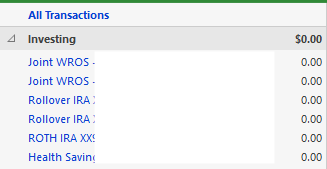
After all the accounts are added to Quicken, they all show $0 balance. What is going on????
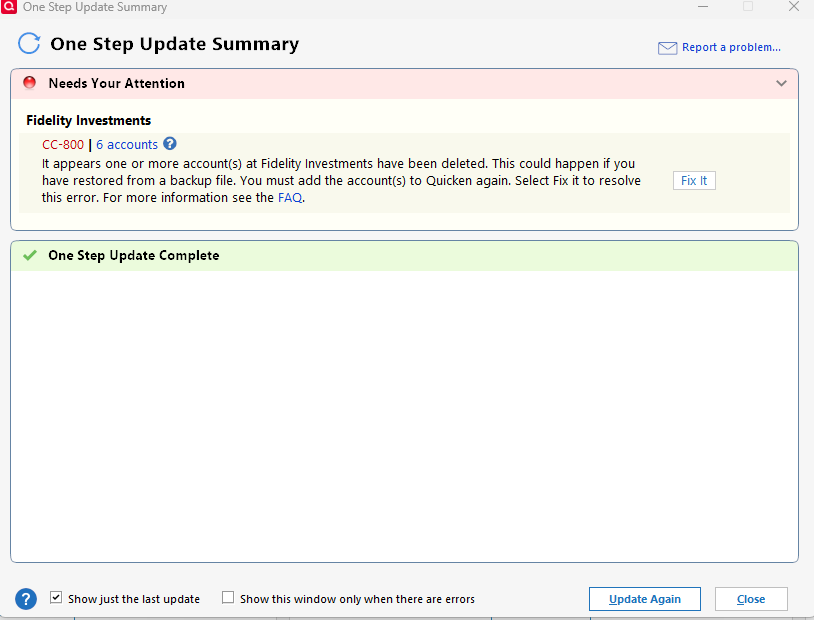
If I then do a One Step Update, I get a CC-800 indicating that my 6 accounts may have been deleted (they weren't). Clicking "Fix It" simply reauthorizes and sends me into an eternal loop.
I'm really frustrated at this point. Maybe someone could try this with their own accounts on a blank file?
1 -
From the Fidelity agreement popup when changing connection from DC to EWC+:
"Fidelity AccessSM User AgreementLast Updated: October 02, 2024
Categories of Data That May Be Shared
Representative Data Elements Shared
3. Account Holdings
Information about each of the investments and other holdings in your account, such as the type of security (for Fidelity Charitable accounts, the name of the investment pools in which the funds are invested), the number of shares/units of the security/investment, market value, and your cash account balance.
Contrary to what is stated, account cash balance is not being shared.
Deluxe R66.23, Windows 11 Pro
0 -
I tested the migration just now. Other than a bunch of duplicate transactions that had to be deleted, everything was in order, even with the HSA account that has a linked checking account.
After processing all downloaded transactions I noticed a red "downloaded transactions" flag in a couple of the accounts, which I was able to clear but doing a download in each of those accounts and deleting the duplicate transactions that got downloaded.
For two of the three accounts, the cash balances were shown correctly after receiving the "Cash representation" dialog. The only exception, which others seem to have observed, is that in the account that uses SPAXX a mutual fund for cash, no cash representation button was presented, so Quicken needs to fix that issue. Otherwise everything seems to be working properly now for me with EWC+, with my IRA account, my HSA account, and my son's Fidelity Youth account (which is the account has the cash balance issue with SPAXX).
Barry Graham
Quicken H&B Subscription1 -
@BarryGraham Thanks for the info. Couple of quick questions:
1 -Are you saying the dups are identified by red flags? In that case, I assume you can sort by the flag field and then delete all transactions with flags?
2 - We the dups dated the same as the originals? How far back did they go?
Thanks again
0 -
@mrzookie sorry for the confusion. By "red flag" I mean the little red flag in the list of accounts that shows that there are transactions ready to review, like this

To see which were duplicates, I had to look at the transaction date and amount. The dups were the same as the originals, and went back to the beginning of August. I also noticed there were some new transactions that were incorrect transactions that were then fixed. Both the error and the fix were shown in the list of the downloaded transactions. These were not downloaded by Quicken when I was using DC, but they were downloaded when using EWC+. I confirmed that these actually happened by looking online at the activity log where I could see several Fidelity errors that were fixed.
Barry Graham
Quicken H&B Subscription0 -
The only true cash balance in Fidelity investment accounts is when cash is held in a Bank Sweep account. I have noticed in 1 of my investment accounts that is set up with Sweeps as the Core Account, instead of a MMF, Fidelity is downloading it as Cash.
Core Account MMFs are not really Cash even though many of us would like the value of those MMFs to be reported as Cash.
In the past, Fidelity's Quicken FAQs ( ) used to say that Fidelity downloads the Core Account value (whether MMF or Sweep) and the account's Cash Balance. But now it says that Fidelity downloads only the FDIC core cash position (i.e., Bank Sweeps) as the account's Cash Balance.
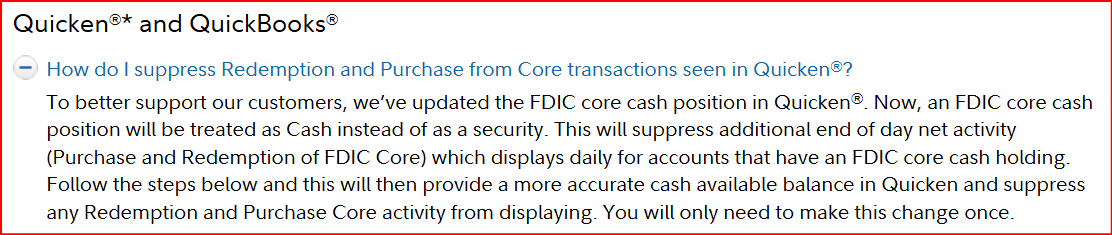
I'm wondering (pure speculation) if this is contributing to the issue we are seeing wrt MMF Core Accounts with Fidelity's EWC+ because it is a change that seems to correlate with the launch of Fidelity's EWC+ connection and only with EWC+ (an not DC) connected accounts.
Quicken Classic Premier (US) Subscription: R66.23 on Windows 11 Home
0 -
Is there some trick to get the Cash Representation dialogue. I have never received that for any of the accounts.
Deluxe R66.23, Windows 11 Pro
0 -
@Boatnmaniac Can you interpret that Suppress Redemption Quote for us…
0 -
@leishirsute unfortunately not. If the mutual funds are showing correctly as cash, you can go to the second tab of account details and see this button at the bottom right.
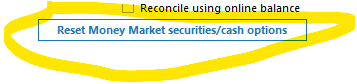
However for those accounts where the funds are not recognized as cash, this button doesn't exist. This is something that needs to be fixed on the backend, not something we can fix. If you don't want to get errors showing that the share balance is incorrect, you can temporarily add a "add share" transaction and "remove cash" transaction, but I wouldn't do that since I am sure this issue will be fixed soon for all the cash funds.
Barry Graham
Quicken H&B Subscription1 -
@Boatnmaniac That's an interesting theory. My accounts which are working properly are using FDIC core cash positions and the one that isn't using an FDIC core cash position is not working properly. Hopefully there is a workaround that can be implemented soon to address this, if your theory is correct.
Barry Graham
Quicken H&B Subscription1 -
I made a transfer between two fidelity accounts. It was recorded as a buy and a sell rather than add and remove.
0 -
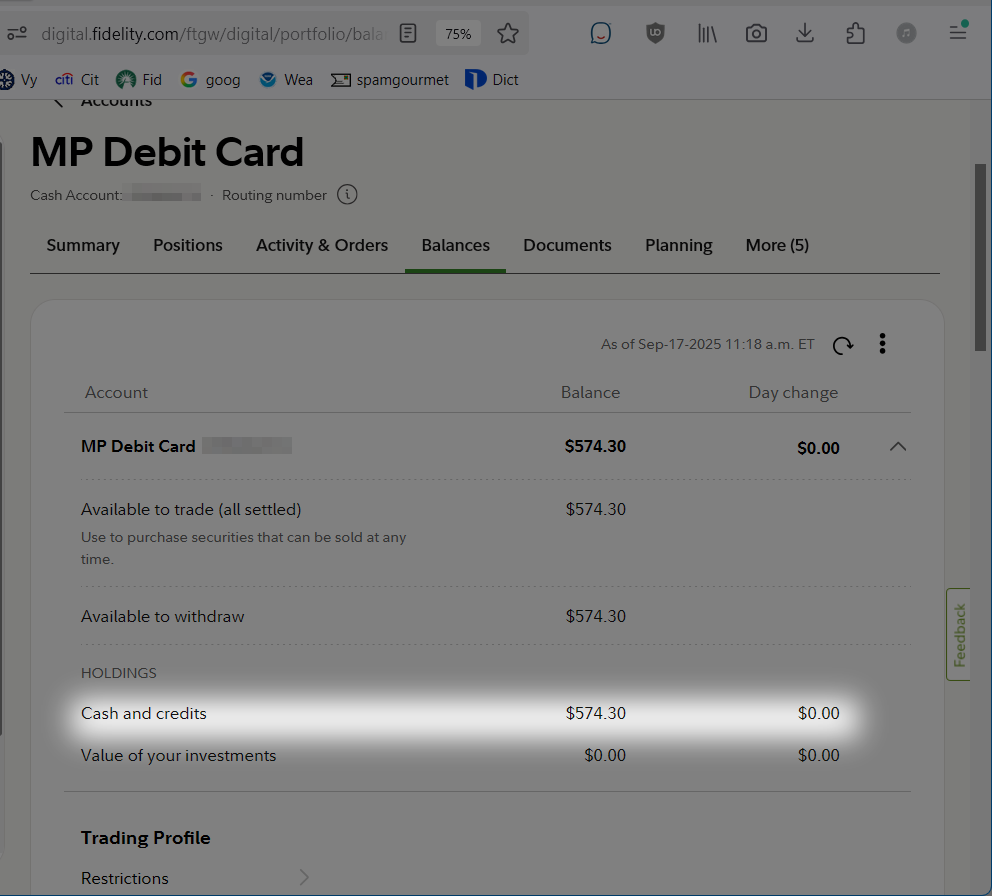
I interpret that boxed selection as the method FDIC cash will be treated, not how core MMF's will be treated.
If you look at Balances for accounts in Fidelity website, Fidelity considers Core MMF's values to be cash balance.
For example, the available cash balance stated for this account is entirely in an MMF.
Deluxe R66.23, Windows 11 Pro
0 -
I'm still on Direct Connect, but wanted to add that in my IRA account, my core fund is FIDELITY GOVERNMENT CASH RESERVES (FDRXX). Quicken treats this a cash and I have the "Reset Money Market securities/cash options" box in the account details tab. What is interesting is this only started after I gave up on EWC+ and reverted to a backup file saved before I mistakenly agreed to move to EWC+ in late July. Restoring to this backup switched all my Fidelity accounts to the "ZZZ-Fidelity-DC" connection and for my IRA it asked me whether I wanted to treat the money market account as cash. This was new for me. All my other Fidelity accounts use SPAXX as core account (as FDRXX is only available on IRAs) and there is no option to treat it as cash.
I'm still delaying conversion to EWC+ as long as possible in the hopes that it will minimize risk. Starting yesterday, I get prompted to convert to EWC+ every time and I say "remind me tomorrow".
Quicken Premier Windows R64.25
0 -
I am seeing the same thing as you, my cash held as MMF is showing as cash balance on Fidelity.com. If you click on the cash button, it shows this

I got excited when I saw the "Change Core Position" button - I thought that maybe I could change it to a sweep, but, sadly, this is all I see
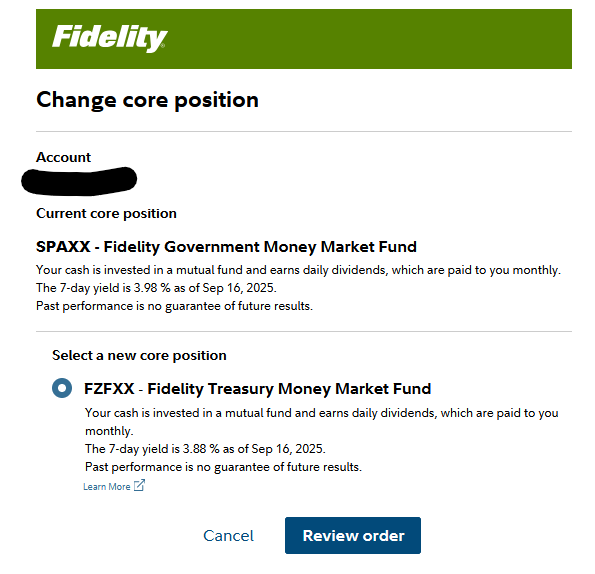
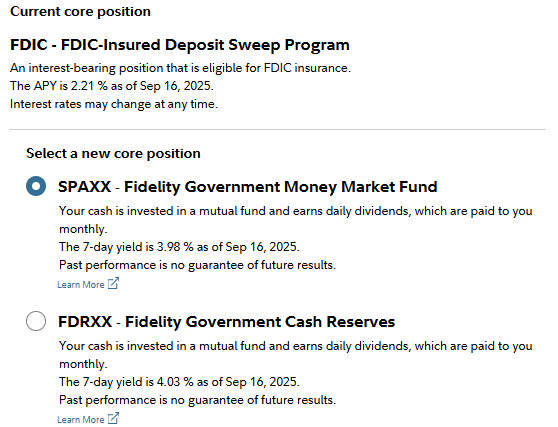
I also noticed that in the accounts that are using bank sweeps, I could change the core positions to MMF, and, looking at the historic performance, I might be better off I did, although that would probably stop the cash balances from being treated correctly if I were to switch to EWC+ with my non-test file. I actually did just change sweep to MMF and I will let you know if this affects the way that Quicken handles my cash balances, once the change is made after hours today, and Quicken sees the changes (probably Friday or Monday).
 Barry Graham
Quicken H&B Subscription0 -
I interpret that boxed selection as the method FDIC cash will be treated, not how core MMF's will be treated.
Yes, that is what it says now. But the point I was trying to make is that it used to include all Core Account sources, both MMF and FDIC Sweeps so something has changed. Not sure when that wording change happened but I'm pretty sure it was changed sometime earlier this year.
If you look at Balances for accounts in Fidelity website, Fidelity considers Core MMF's values to be cash balance.
If you have only 1 MMF in the account and if that serves as the Core Account then it would appear that Fidelity is only reporting the Core Account MMF there.
But if you have more than 1 MMF in the account you will see that Fidelity will show the cumulative value of all the MMFs in that account as Cash on that Balances tab. And Fidelity will automatically do Sell orders, first from the Core Account MMF until it is depleted followed by Sells of other non-Core Account MMFs, when there is a cash need to buy another security, for distributions and for other account expenses
Quicken Classic Premier (US) Subscription: R66.23 on Windows 11 Home
1