Windows Quicken Classic - Hanging/OSU Freezing/CC-501 Errors
Comments
-
Me too….Been like this for two days. Tried the possible "fix" posted by boatnmaniac to do a manual patch install and file restore. No Luck!
15 minutes and still waiting for OSU to complete! UGH!
0 -
Same problem this morning. Just hanging. There was a Quicken software update in my one step update window which I did not apply yet. Does the update fix the issue?
0 -
Bank of America failed for me too, with CC-501.
My version of Quicken for Windows is 2 versions back, so this isn't a symptom of the newest version.
But on retry - BofA succeeded.
All my other cards are working, too.
Puts me in a tough spot - I'm not going to convert Fidelity from DC to EWC+ without first upgrading Quicken version. But if the latest version of Quicken has broken most credit cards - then I'm not going to upgrade Quicken either! Not until the CC-501 reports settle down.
0 -
OK. After installing R64.30 it worked fine. Maybe an announcement is needed?
0 -
Updates usually take about a minute or so, but today are taking 5 minutes. I tried restarting the PC and only running Quicken by itself. Even with the time, 3 of my FI's didn't connect. What's up and can I go back to the previous Release?
Thanks…Mr Zipp
0 -
Mine started yesterday before the update, so I don't think it's necessarily tied to today's (9/25) update. Something is definitely happening with Quicken's central systems, and with over 24 hours now of being unable to use OTA and no service/status alerts from Quicken.
0 -
Version R64.30 Build 27.1.64.30 Windows 11 Home
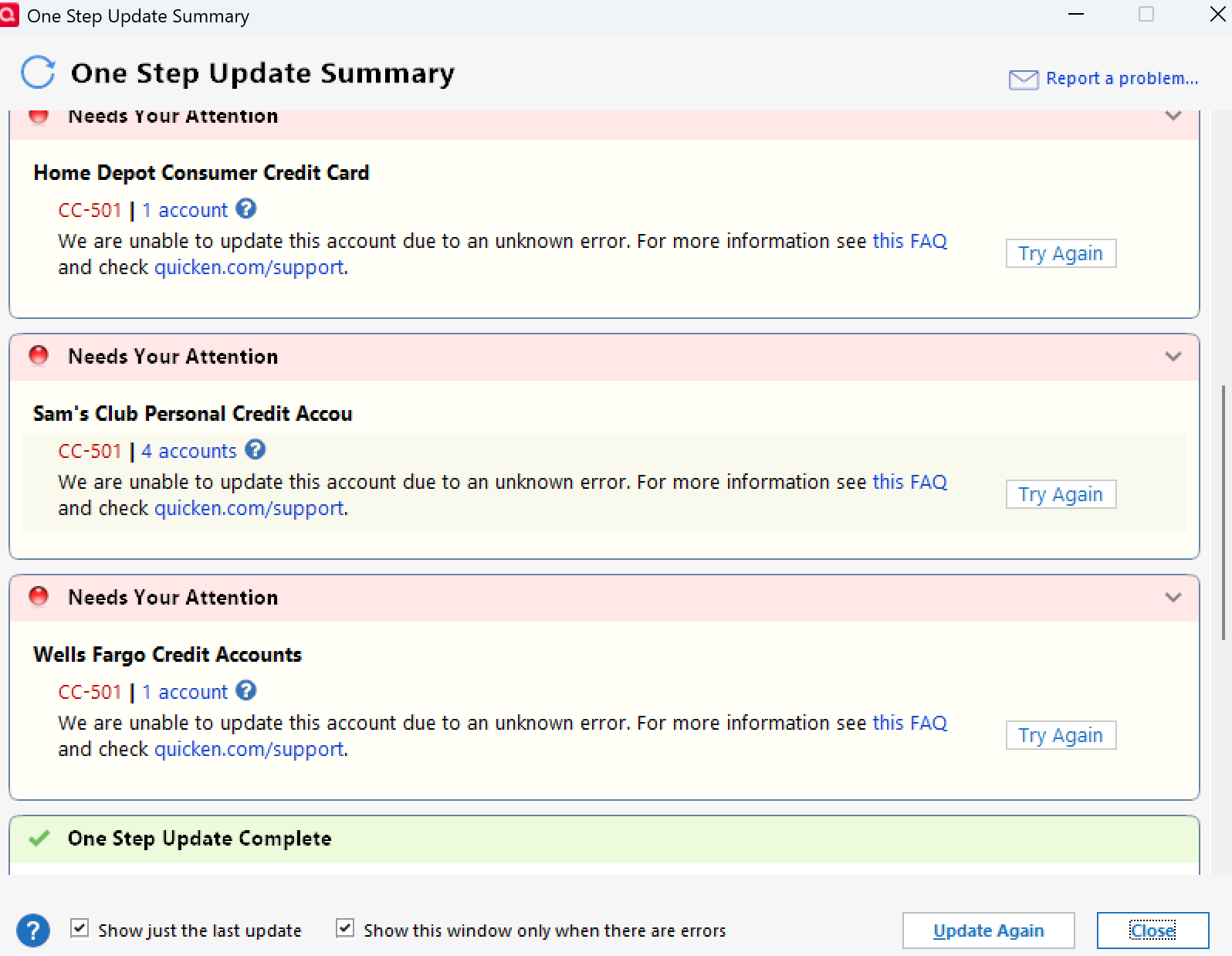
It started yesterday and continued today after the update.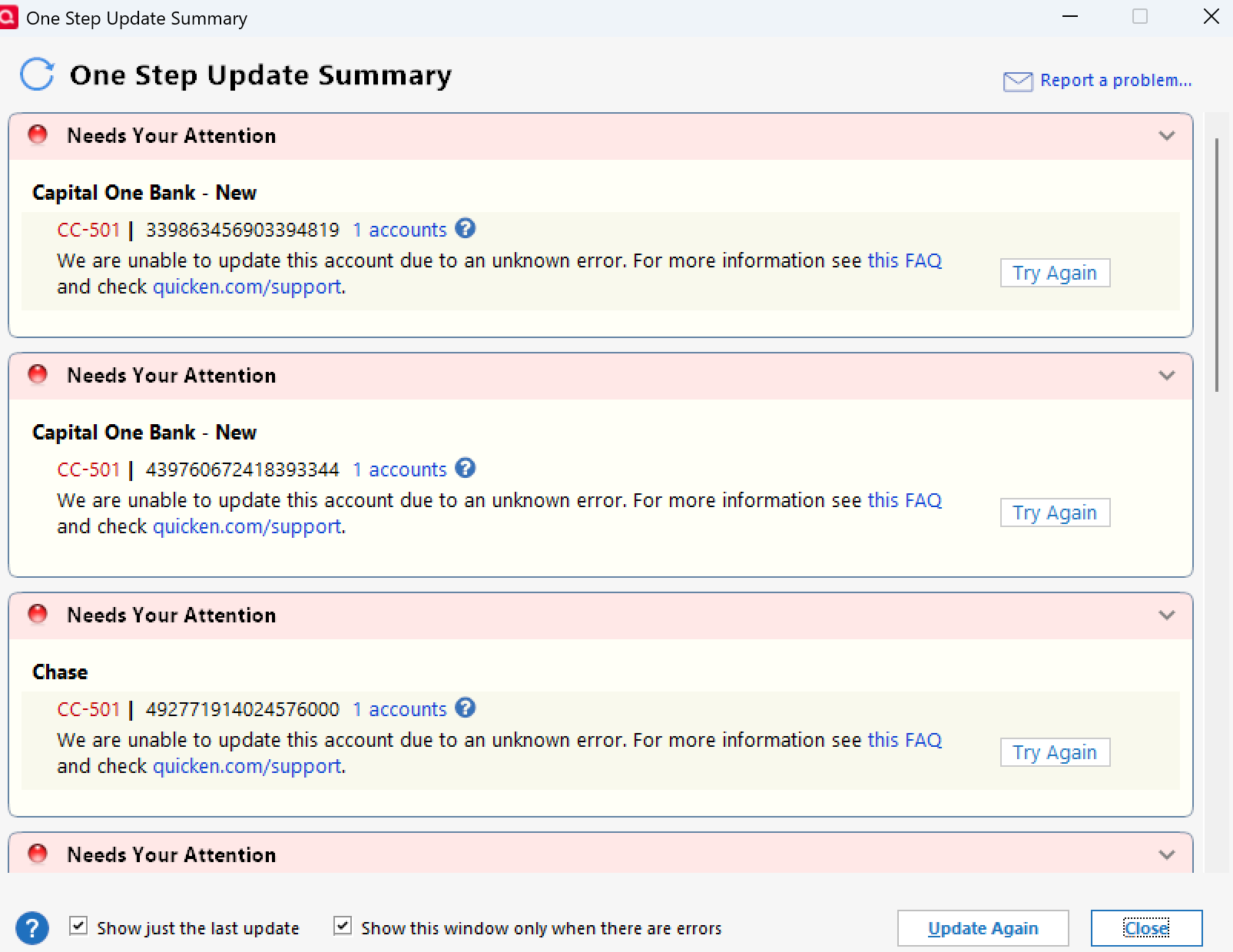
 0
0 -
6:05 AM, OSU failing with CC-501 - Fidelity, Elan Financial Services, American Express. Yesterday, it was Chase.
6:43 AM, Noticed, now just Fidelity, Elan Financial Services throw CC-501 BUT it seems like transactions were posted OK in Quicken. American Express now working without CC-501.
11:36 AM, OSU working fine at this time. Also, updated to R64.30, no issues so far.
 Windows 11 Home / Quicken Premier Subscription - Quicken user since the last century0
 -
While my update completed…all accounts showed action needed and the balances were changed to an incorrect amount. This started for me yesterday and had to use a restore copy to get correct numbers back into the accounts…this is beyond aggravating and it seems to be a constant issue every 2 to 3 months…
0 -
Curious if these steps would help.
"Likewise, OSU hangs as of 9/25/2025 at 8:20AM EST. Have to kill task with Task Manager.
Restarted Quicken, did Validate, everything fine.
So, I downloaded each account EXCEPT Fidelity, individually without OSU, and all accounts downloaded successfully.
Then I backed up the file, restarted, and tried to update Fidelity individually.
It updated successfully. So it seems something is broken with OSU.
Next I restarted Quicken and tried an OSU again. It worked without errors for all accounts.
Maybe the issue was fixed while I was attempting to analyze it or maybe the steps I used corrected the issue for me.
I don't know."
Deluxe R66.23, Windows 11 Pro
0 -
Mine hanged yesterday then worked late in the day and now it hangs again!
0 -
Same thing happened yesterday. Took over 10 minutes to run OSU and all accounts failed. It cleared up a few hours later. Yesterday I struggled getting everything reconnected (had to do it several times). This time I'll wait.
0 -
Hello All,
Thanks for taking the time to report that this issue has returned.
We’ve notified the proper channels, and our teams are investigating so we can get this resolved as quickly as possible. Please refer to this Community Alert for updates.
We appreciate your patience, and apologize for the inconvenience in the meantime!
-Quicken Anja
Make sure to sign up for the email digest to see a round up of your top posts.1 -
When I opened Q this morning it automatically updated to R64.30. OSU takes FOREVER during which time it is using a bunch of CPU cycles so seems to be doing something. Finally it completes and while some of my accounts (mostly CCs) successfully update both Fidelity and my CU (Members 1st CU) show CC-501 errors. Updating Fidelity and the CU separately clears the problem. Subsequent OSUs run without error in the typical/normal amount of time. A simple warning of what to expect and instructions on how to clear the problem(s) from Quicken support could have avoided all the angst.
Quicken Classic Premier (US): R66.28 on Windows 11 Pro
0 -
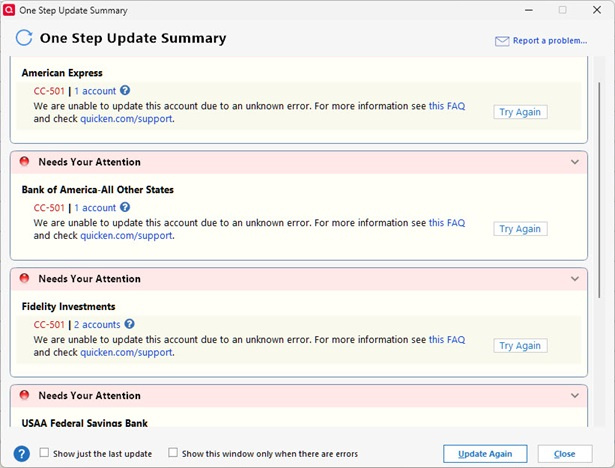
So OSU finally completed. All accounts failed. All CC-501 errors.
 0
0 -
Click on close then click on each account then the gear icon and select Update Transactions and it should complete and clear the problems. At that point OSU should work again as normal. At least that worked for me. Note that for some (like Fidelity) you only need to click on one of the accounts and it will update for all of them.
Quicken Classic Premier (US): R66.28 on Windows 11 Pro
0 -
Thanks for the suggestion. I'm going to let it ride and see if it clears up later today. I did upgrade to 64.30 right before running OSU. Don't think it's related though.
0 -
<sarcasm>
Ah, the joys and benefits of EWC+ where every Account in your file goes through a single aggregator such that if that aggregator (aggravator?) has a problem pretty much every Account in your file is affected.
</sarcasm>0 -
Yes, mine update to R64.30 before I did the initial OSU as well.
Quicken Classic Premier (US): R66.28 on Windows 11 Pro
0 -
Barclaycard, Cap One Card, Fidelity, Hanscom FCU and Citi failed after long hang. But Bank of America and Discover Sav completed. Go figure?
0 -
thanks for all the great input. Eventually I updated and synced but after using task mgr to get out of Q n restart computer multiple times.
Could it be our version of windows 11
0 -
.Tried again this morning, September 25, and OSU still hanging for me. Then tried again just now and it is working!
0 -
For what it's worth Quicken one step update worked fine for me this morning unlike yesterday. Well, fine is relative because I still receive a message about citibank that's been happening for several weeks. But I never have updated to the latest release. I am on Version R63.21 Build 27.1.63.21.
0 -
Hello All,
The connection is showing signs of improvement and should begin stabilizing, though we are continuing to monitor it. Please continue to refer to the Community Alert for updates.
Thank you!
-Quicken Anja
Make sure to sign up for the email digest to see a round up of your top posts.0 -
Still not working this morning. Ugh!
0 -
Just tried separately for Barclaycard, Cap One card and Fidelity and all failed with Cc-501. But Hanscom and Citi LL Bean Card now completed! Du?
0 -
Talked to support and they said they are clueless about when it will be fixed. My thoughts: This is not you, you have done nothing wrong, and there is really nothing you can do to fix it. This is all Quicken and you are at the mercy of its engineers to fix it.
It is unhelpful when Quicken Anja, above, yesterday stated that it looked like the situation was stabilizing. Software is not a human being, who is in critical condition in a hospital, who is responding to treatment. Software does not stabilize. If it is broken, it will remain fully broken until it is fixed. When she said stabilize, it suggested that as volume of OSU requests went down with customers giving up (perhaps a clue?), OSU failures declined and people over time were able to eventually succeed. But they never fixed the problem and, this morning, as people updated their accounts, the failure of the Quicken engineers became abundantly clear. They fixed nothing. They are clueless.
Software that is working does not magically, suddenly break. If the software is working end to end, only a change somewhere in the long chain of software causes the failure. Updates to your Quicken software on your computer could be the problem. Updates to their backroom software could be the problem. Updates to security software could be the problem. Updates at service providers could be the problem. Etc., etc, etc. Failures like these are reflective a corporate change control problem. The process of how they design, test, and implement changes is inadequate and is failing repeatedly. And the corporate executives in charge of this process should be held accountable. There is no doubt that an audit of Quicken's IT department would expose massive failures and/or inadequacies in their change control process that would potentially result in firings or demotions.
In short, they not only need to figure this out, but they also need to figure this out long-term, and make appropriate management changes.
2 -
Still not working. Only some accounts work
0 -
I was able to successfully update all my credit card and brokerage accounts using the one account at a time method. I had updated my Windows Quicken Premier to R64.30 prior to attempting account updates.
Chase, Citi, and Discover cards all updated without errors.
I then updated the Fidelity Visa card account and that went fine.
Updating the Fidelity Visa account started simultaneous updates of two Fidelity brokerage accounts that had been coverted to EWC+ last Saturday. Both brokerage accounts updated correctly.
Comparing the holdings and values of my Windows Quicken Fidelity broakerage accounts with Fidelity's online information everything is in agreement — well, there is some small discrepancy with what I think is probably due to CD pricing issues.
The R64.30 update did resolve a problem with Quicken erroneously saying one of the brokerage account cash balances was not in agreement with what Fidelity was reporting, although the amounts were actually the same.
So, I think my Quicken accounts are in pretty good shape.
Of course, not sure what caused what or what tomorrow will bring.
0 -
Freezing again this morning. None of the bank accounts will update
0