apostrophe in payee name on mobile is lost on sync to Windows desktop

If I enter a credit card transaction on mobile (iOS, Quicken app 7.8.0) using a new payee name with an apostrophe, the apostrophe is not present on Quicken Windows Deluxe (R64.30) after a sync. For example, I enter a transaction on mobile with a new payee of, say, "Tom's Inn", when this syncs to the desktop, the payee becomes "Toms Inn" on the desktop. This credit card account is not connected for syncing with a bank; the only sync is between mobile and the desktop. This is not a new issue, as I've noticed it for more than a year.
Comments
-
Hello @Q97,
Thank you for taking the time to visit the Community to report this issue, though we apologize that you are experiencing this.
I was able to replicate the issue and forwarded it to the proper channels to be further investigated. In the meantime, we request that you please navigate to Help > Report a problem and submit a problem report with log files attached and (if you are willing) a sanitized copy of your data file in order to contribute to the investigation.
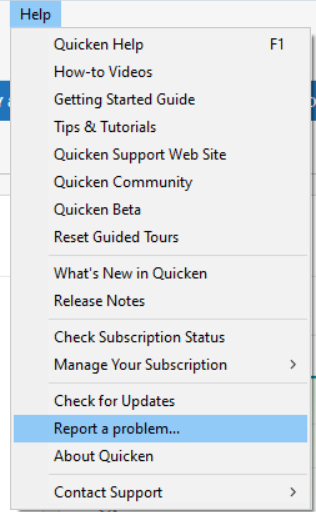
While you will not receive a response through this submission, these reports will help our teams in further investigating the issue. The more problem reports we receive, the better.
We apologize for any inconvenience!
Thank you.
(CBT-879)
Quicken Kristina
Make sure to sign up for the email digest to see a round up of your top posts.
0
