Anomalous Behavior of Spending by Category Report

Upon creating a fresh Report from the menu … Reports > Spending > Spending by Category, with the following customizations: Custom (1/1/2010) to Date, Column: Year, Accounts: All, including Hidden and Separate, All Categories-Payees-Tags, Advanced: Transfers - Exclude All, Subcategories - Show All … I observe the following anomalies:
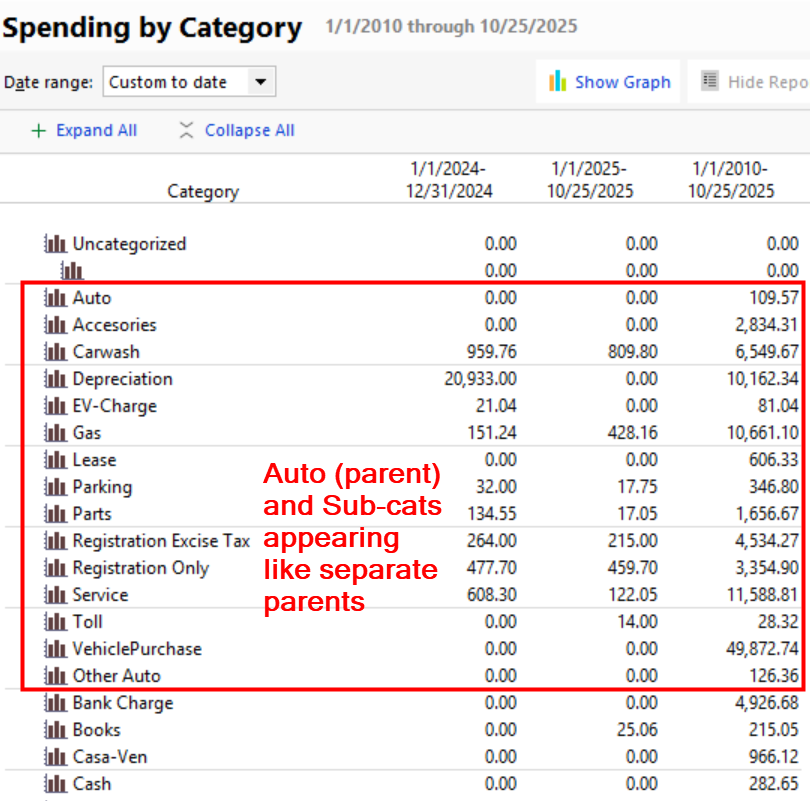
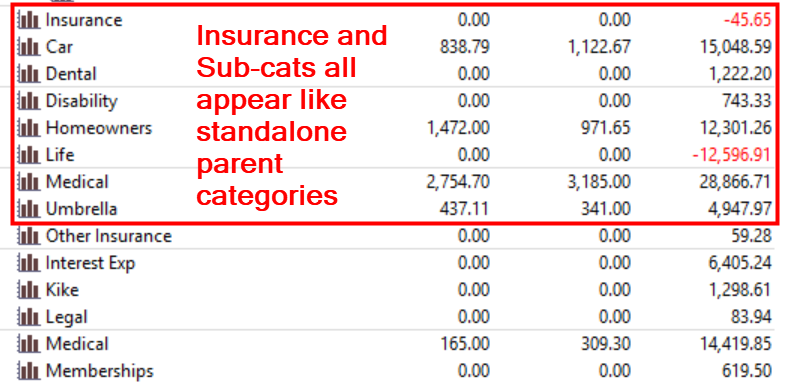
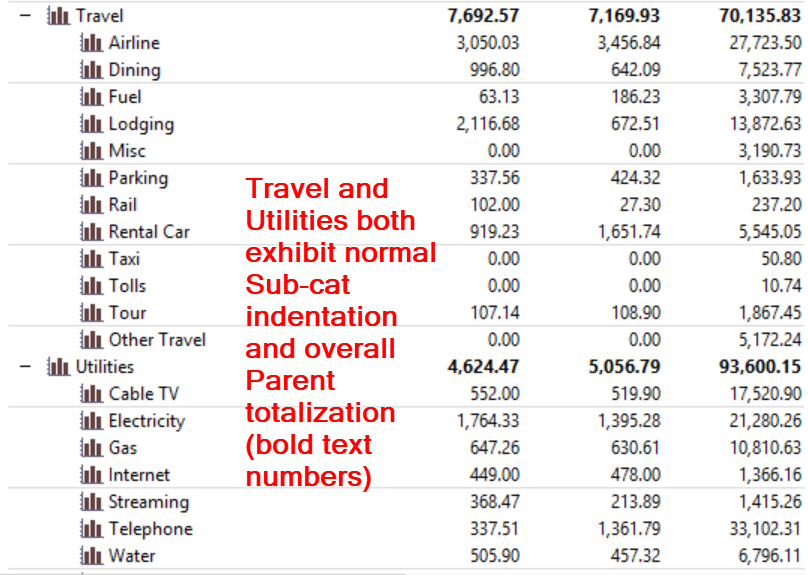
Some Categories with subcategories show up listed with all subcategories appearing as if they are main categories (no indentation, and no "parent" totalization), while others appear normally, as expected, with the Sub-cats indented, and bolded totalization of numbers at the parent level. There does not appear to be any pattern as to which exhibit this anomalous behavior, and which appear normal and as expected.
Example Screenshots
This is not a new issue, just one of several issues I've observed when accessing various report types. Since it shows up in a freshly created Report using the Reports menu, we can't blame a corrupted or outdated Saved report.
@Pablomiller using Quicken Windows Classic - Business & Personal - Version R64.35
Comments
-
Hello @pablomiller,
Thank you for sharing this detailed account of what you are experiencing.
I have some quick questions to help determine the next best steps.
- Where is your data file located?
- Is your file being synced/backed up by any third-party services like Carbonite, Dropbox, or OneDrive?
- When you go to Tools>Category List, are the categories displayed correctly there?
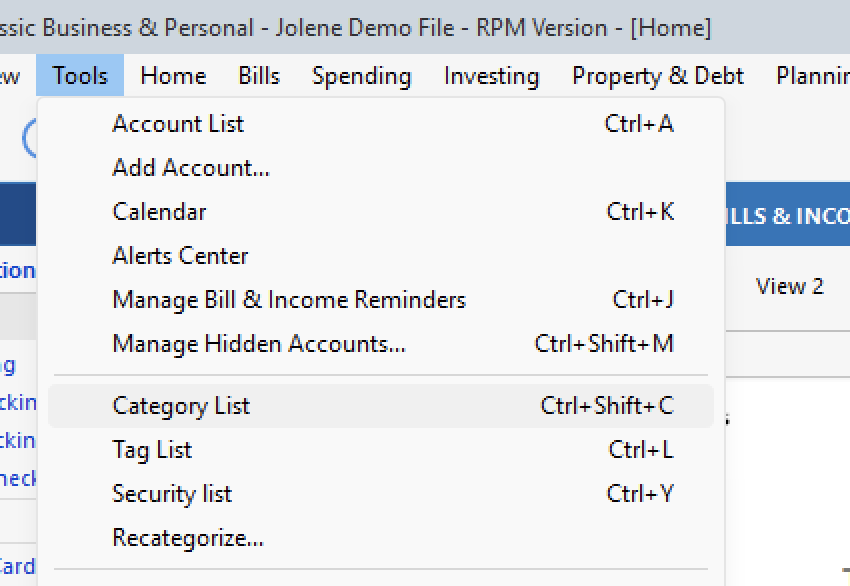
- Can you provide a screenshot of your category list?
Looking forward to your response.
Quicken Alyssa
Make sure to sign up for the email digest to see a round up of your top posts.
0 -
@Quicken Alyssa , thank you for the follow-up and opportunity to provide additional information
Data File Location - My working data file is located only on my hard drive, in a location that is not synced to OneDrive or any 3rd party Cloud location, with a backup set to a folder in that same offline location every time I exit Quicken. As a failsafe in the event of a hardware failure, I do a weekly backup to OneDrive from within Quicken. I learned a while ago that keeping the working Data File in a location that is synced to OneDrive was a recipe for recurring misery.
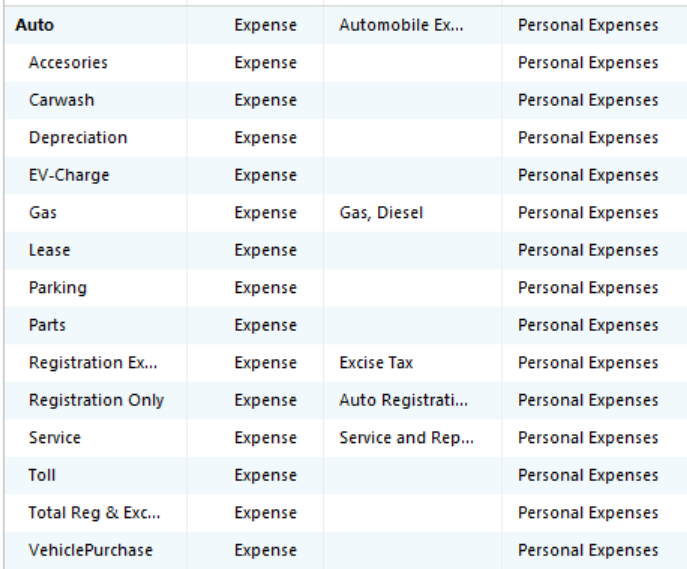
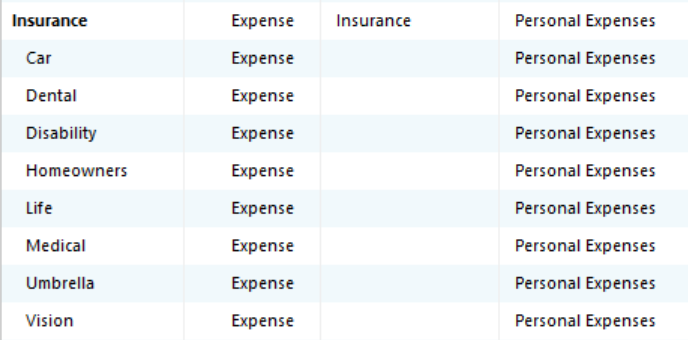
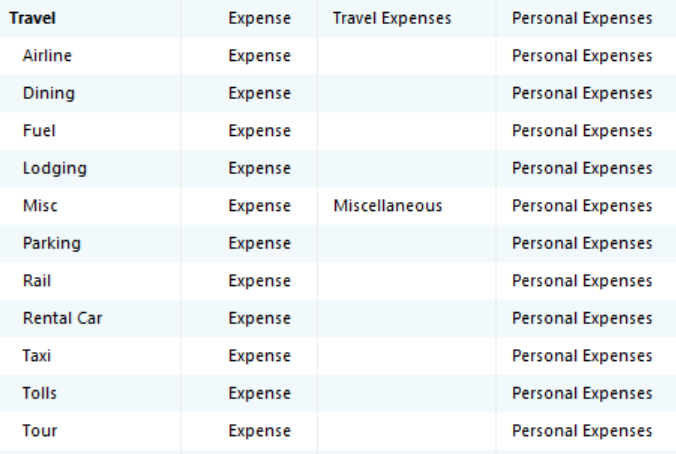
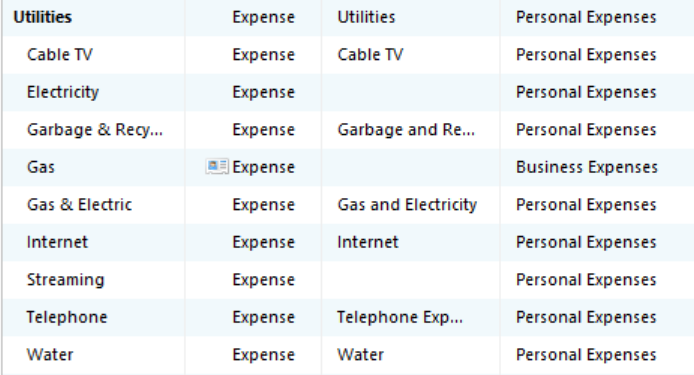
Category List - Perusing through the Category List, all seems normal: Parent Categories appear in Bold, Sub-Categories are indented, and not Bold … see nothing unusual or different among the Cat/Sub-Cat groups that are acting badly.
Screenshots - I will send screenshots of the groups that match those I sent above.
From the two categories where there were ANOMALIES in the Report display
From the two categories where there the Report display was NORMAL
The entire Category List is too big to show up on one screenshot. I could send the entire Category List as a CSV file, if desired. Some of the categories I see are unfamiliar, that I don't recall creating, but there are no transactions tied to them anyway.
0 -
I see this issue as well for at least one of my Categories that have Subcategories.
This is definitely a weird problem. For me it only occurs with certain date ranges. As in @pablomiller's example, I set the Column to Year.
For the problem Category, Custom to date starting with 6/21/2012 or later does not exhibit the problem.
Custom to date starting 6/20/2012 or earlier shows the problem.
There is a transaction in the problem Category for 6/20/2012. It is a Withdraw from an investing account charged to the main Category rather than a subcategory. If I edit the transaction to charge it to a subcategory of the problem Category instead, the problem starts to occur at an earlier date with a similar transaction.
For other Categories with subcategories and transactions charged to the main category, the report has an automatically generated "Other xxxx" subcategory
So the issue in the report is related to Categories that have Subcategories where there are transactions in an investing account that are charged to the main Category.
As a further check on this observation, if I exclude investing accounts from the report, there are no "unindented" subcategories.
QWin Premier subscription1 -
@Jim_Harman I think what you are saying most recently here must agree with the screenshot @pablomiller included in his OP. That is, he shows a total for the Auto category and a total for the Other Auto category. Similarly for the Insurance one total for Insurance and a second total for Other Insurance (just outside his red outline. I am a little baffled why the two aren't the same but I'll concede it to some bug-related discrepancy.
I think you are saying, if one does not assign the parent (top-level) category to any transactions, all the subcategories show correctly indented and the parent is correctly summed.
Yet still with his original screenshots, his Travel expenses grouping includes an "Other Travel" that, I thought, would be expenses summed from the parent Travel category.
Am I missing something here?
0 -
The main issue in this discussion is that in the Spending by Category report shown in the first screenshot, the Auto and Insurance Categories have subcats, but the subcats are not indented the way they are for Travel and Utilities.
What I found is that the incorrect formatting and subtotaling happens when the Category with subcats has transaction(s) in an investing account that are assigned to the main Category. If the transactions for the main Category are in a Banking or Credit Card account, the formatting and subtotaling are OK.
QWin Premier subscription1 -
Building on what @Jim_Harman said, I was able to isolate a few transactions that fit the description of the "problem" case, involving transactions from an "Investing" account (in this case, Debit card purchases from a Brokerage account) with Categories assigned to the main (parent) Category, in some cases as part of a Split category. I was able to resolve and clear up the Auto and Insurance category / subcategory display and subtotaling anomalies with the editing of a few transactions. Another set with MANY more transactions to work through is Tax, and all the subcategories below it. That will take me some time, as they are spread across many years.
For what it's worth, from a >30 year customer, a critical Requirement for me is that Quicken Reporting should work correctly regardless of what type of Account the spending is coming from, or whether the categorization is at the subcategory level or the main (parent) category level. I can obviously spend from all of my Bank, Credit Card, Personal Cash, or other so-called "Banking" accounts. However, a growing portion of my spending is coming from one of my Brokerage accounts, and it is also the destination for any income I receive. I can do everything I need to do with this Brokerage account, except use Zelle, and the interest on Cash, at least in the current environment is superior. I think I am just now observing these kinds of problems because: 1) Some of my categories have evolved from initially being simple, main-only categories into more subdivided specific sub-categories, 2) Older transactions (prior to the existence of evolved subcategories) were obviously assigned to the main, since it was all that existed … and this is now causing this anomalous behavior in the Report software, 3) I am making a more concerted effort to access a deeper understanding of my spending, cashflow, and investment performance.
@Quicken Alyssa, or anyone else, your thoughts ? Is there a "Requirements" document for the Reports section of the software that suggests something contrary or unsupportive of the Requirement I expressed above ? Also, in one of the other recent discussions around Report issues, it was suggested or inferred that the use of the parent category for a transaction, when sub-categories existed below it was somehow illegitimate. Where is that written ? IMO, Category Lists should be free to evolve, from parent-only to parent+subcats, and that evolution should not render all previous transactions assigned to the parent as illegitimate, breaking the software, and forcing the user to recategorize past transactions to fix the situation. The software should be robust to such Category List evolution.
0 -
This issue may be related to another recently reported issue, here:
I don't think it is written anywhere that you should not use the parent Category when there are subcats, but over the years people have noticed that strange things sometimes happen when you do.
I rearranged my Tax Categories a few years ago and found it to be reasonably painless, using Tools > Recategorize. Be sure to have a backup from before you start making bulk changes, just in case.
QWin Premier subscription0 -
Update - I was able to isolate all the causes of the Tax category issues, and they were all due to Foreign tax transactions (paid out, or W/H) being swept into the parent Tax category. I'd tended to just accept the proposed category from Quicken, not knowing the consequences to the Report process. I will concede that it is better accounting practice to have all transactions within a defined subcategory. I have also now taken the extra steps (many) to eliminate all transactions that result in the dreaded "Other parent" subcategories in certain groups where that was being created by the existence of transactions assigned to the Parent. It's all cleaned up … for now.
1 -
Thanks for that cleanup suggestion @Jim_Harman. It would have saved me some time over the method I used, but in the grand scheme, it was tolerable, and it was enlightening to examine more closely where the problems were. I ended up expanding my Date Range to Earliest to Date.
0


