(***HELP MODS***) Account connection issue (another random error that just popped out of no where)

(I came in to edit some typos)
I just posted another thread (https://community.quicken.com/discussion/comment/20518604#Comment_20518604) about random errors popping out in Quicken that I have no explanation for. Here is another and I cannot seem to fix it.
When I made that post 2 days ago, all my account did not sync (Chase, Amex, Wells fargo) for no apparent reason to me when I did the OSU when opening Q for the first time that morning. I ended up resetting every account, which fixed Amex and Wells. But not Chase (I have 7 accounts with Chase).
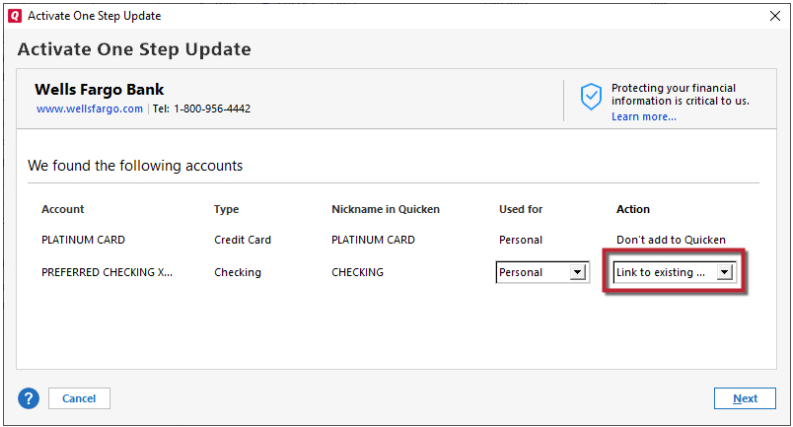
In an attempt to fix Chase, I right clicked on the Chase checking account and selected reset account, thinking that this will fix all my chase accounts because I remember from past experience that once inside the pop-up Chase website it usually let me re-authorize all accounts, which did happen as shown here.
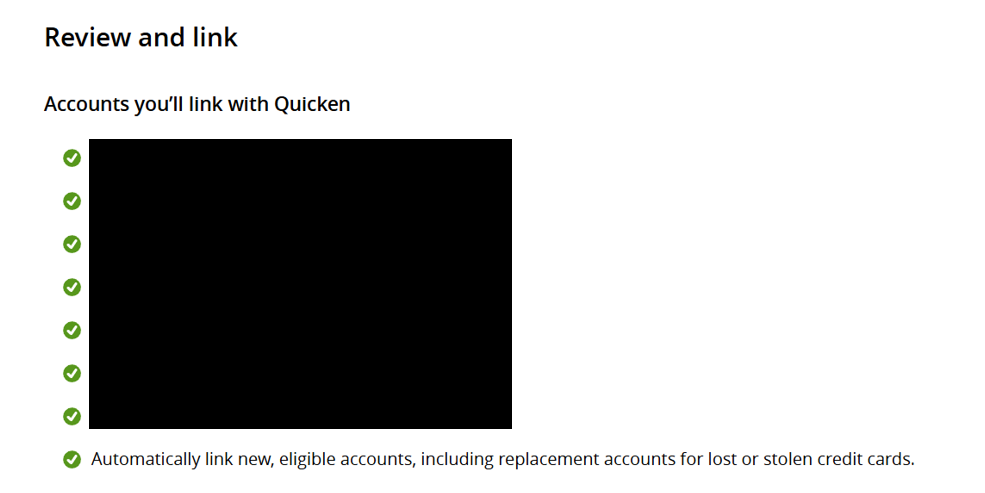
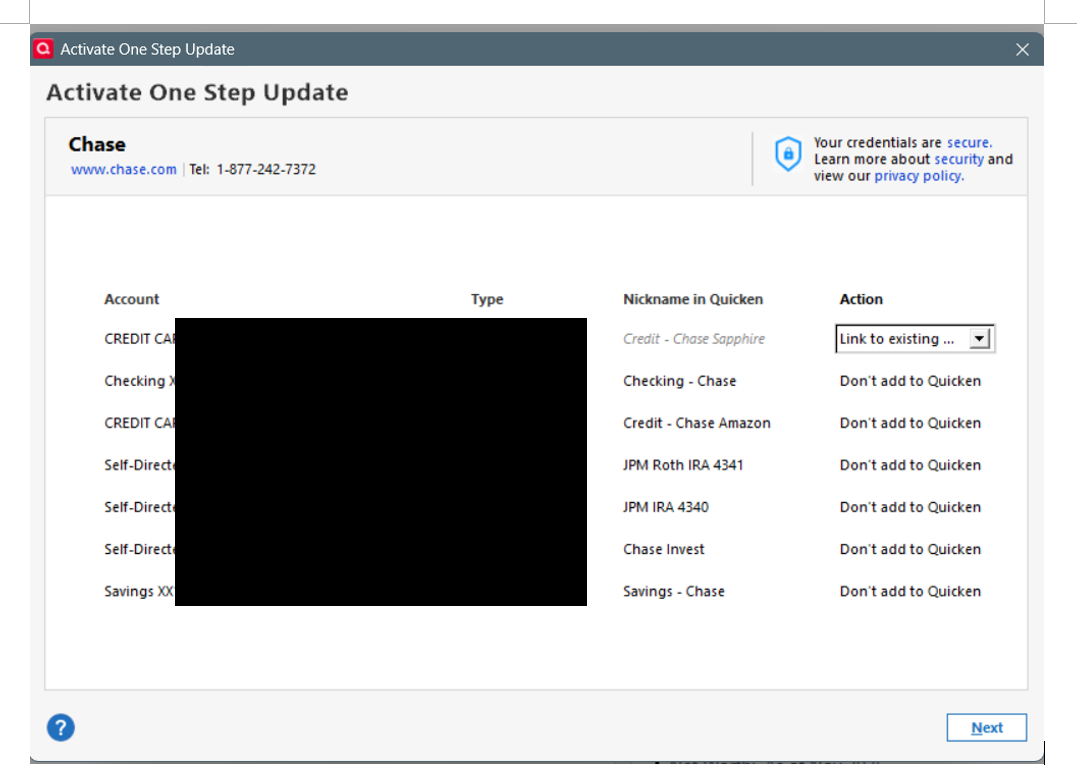
However, once the process went back to Q, it only let me relink the Checking account, the rest of the 6 accounts gives me "Don't Add to Quicken" as the only option.
After that, when I do a all account update, it will show that the checking account is updated, but the rest of the 6 accounts still need to be fixed.
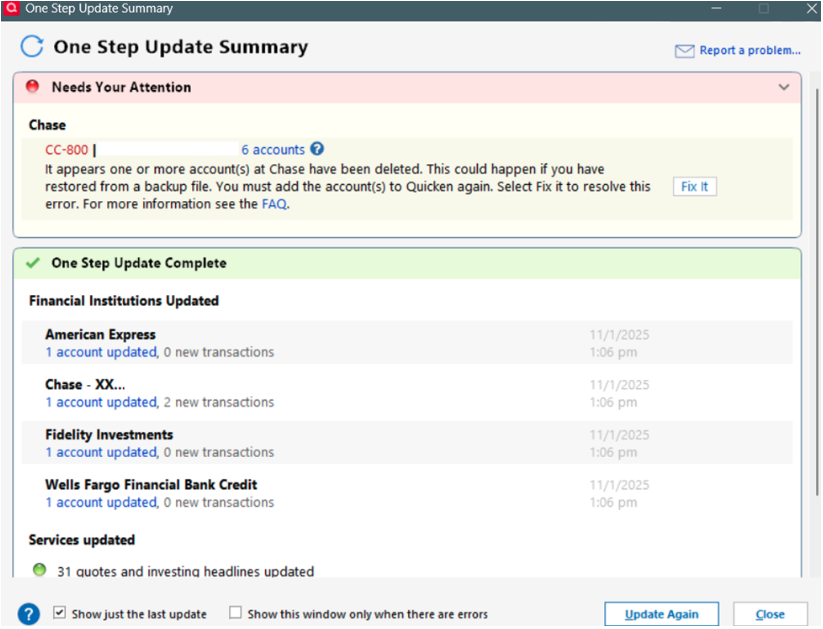
So I thought I would have to do that for EACH of the remaining 6 accounts. Then I tried that for one of my credit cards. and it went the same: chase website showed that I was authorizing all my accounts to be linked, but in Q ONLY that one credit card let me link.
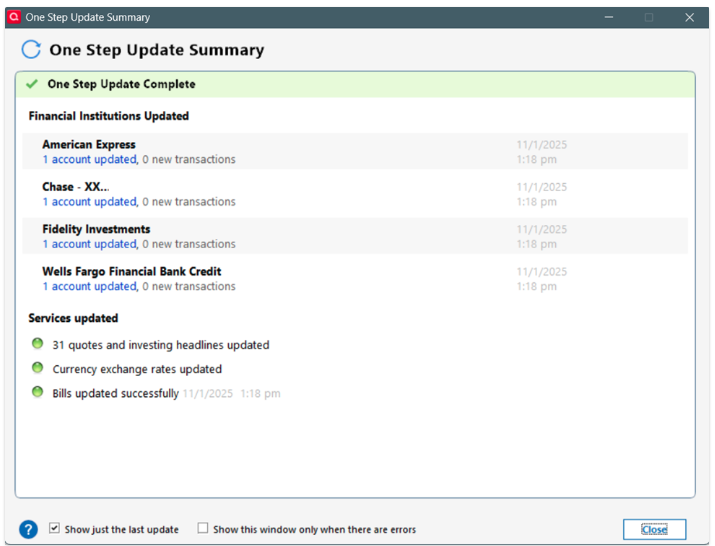
However, after that, when I tried update all accounts again, still only the checking account is updated. the other 6 including the credit card I had supposedly fixed, did not update.
I tried reverting back to a 1 month old back-up, same thing. Do I need to completely remove all my chase accounts and readd them? will that affect my history??
MORE IMPORTANTLY, why are these errors happening? I didn't do anything and everything just breaks???
[Edited - Removed partial account numbers]
Comments
-
Hello @Adience,
Thank you for reaching out. Resetting the account reset only that one account. The Don't add to Quicken for the other six accounts was because Quicken saw those as already connected. To take care of the other 6 accounts, backup your Quicken file, deactivate the problem accounts, then navigate to Tools>Add Account and follow the prompts, making sure to carefully link them to the correct nickname on the Add/Link screen.
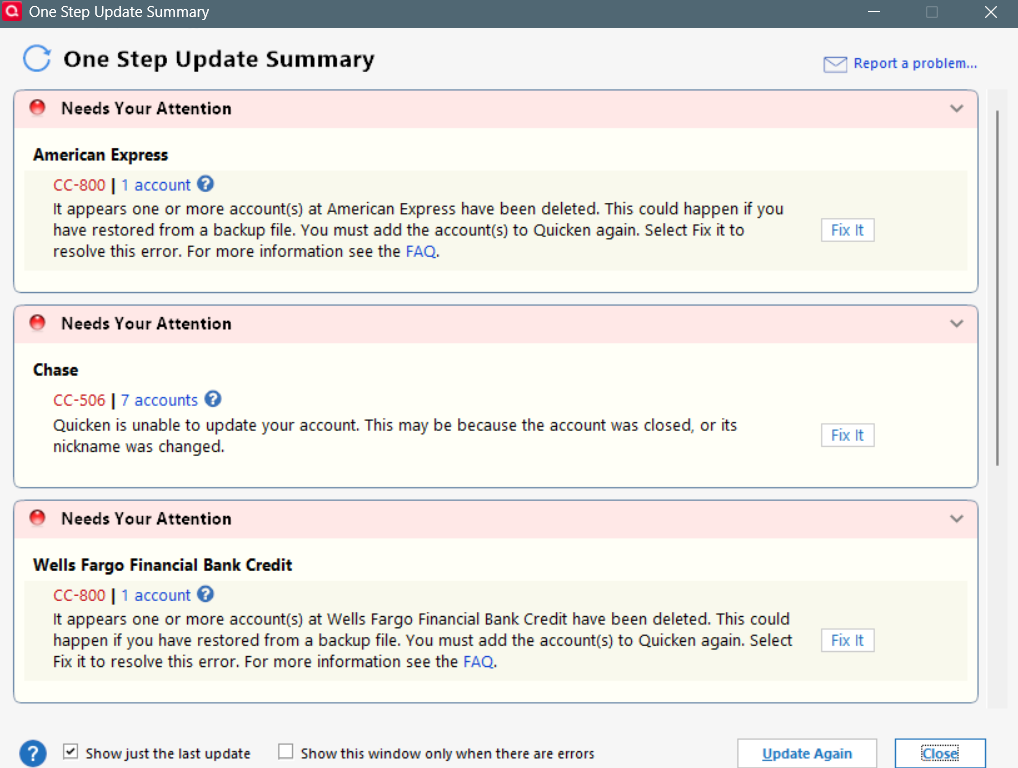
Were you initially seeing a CC-800 error with those accounts, or did that happen only after you restored the backup?
I look forward to your response!
Quicken Kristina
Make sure to sign up for the email digest to see a round up of your top posts.
0 -
Hi @Quicken Kristina , thanks for your reply.
I am not lying here, as of last night before I made that post, all my accounts sync'ed except the 6 Chase accounts in question. I just saw your post, opened Quicken, did a OSU, this is what showed up after. I honestly have no more energy to try to fix this program…
 0
0 -
Thank you for your reply,
That is quite frustrating, having so many issues pop up like that.
When I check our internal tools, it looks like you did deactivate and re-add accounts. Did that correct the issues, or are you still seeing error messages?
Thank you!
Quicken Kristina
Make sure to sign up for the email digest to see a round up of your top posts.
0 -
hi @Quicken Kristina, yes, after resetting each individual account one by one, it's working now.
This is not the first or 10th times I've had to mysterious reset connection my accounts.. I just wish random errors like this not happen so often…..
thanks for the follow-up as always.
0 -
Thank you for your reply,
I'm glad to hear everything is working now.
About how often do you get these issues? It is normal for financial institutions to periodically need you to reauthorize accounts (the timeframe varies, depending on the financial institution). If this is happening more frequently than every 90 days, then it's possible another factor is causing it.
Thank you!
Quicken Kristina
Make sure to sign up for the email digest to see a round up of your top posts.
0
