How do I change the rental amount due for a unit when the rent changes?

I am using Quicken Classic Business and Personal, ver R64.35, build 27.1.64.35. I don't see a place to just change the rental amount that is now due because of a rent increase and a new lease. Do need to create a new rental account for the same tenant ? Or, can I just change the rental amount now do ? If so , how do I change it?
Answers
-
Hello @anthonyj26,
Thanks for reaching out!
To change the rental amount and make any other modifications for a tenant, please follow the instructions below:
- Click the Rental Property tab.
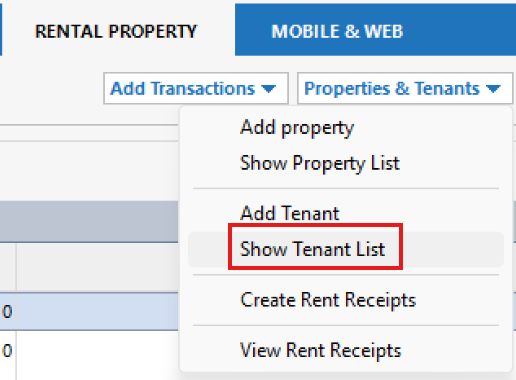
- Click the Properties & Tenants button and choose Show Tenant List.
- Select the tenant whose information you want to edit, then click Edit.
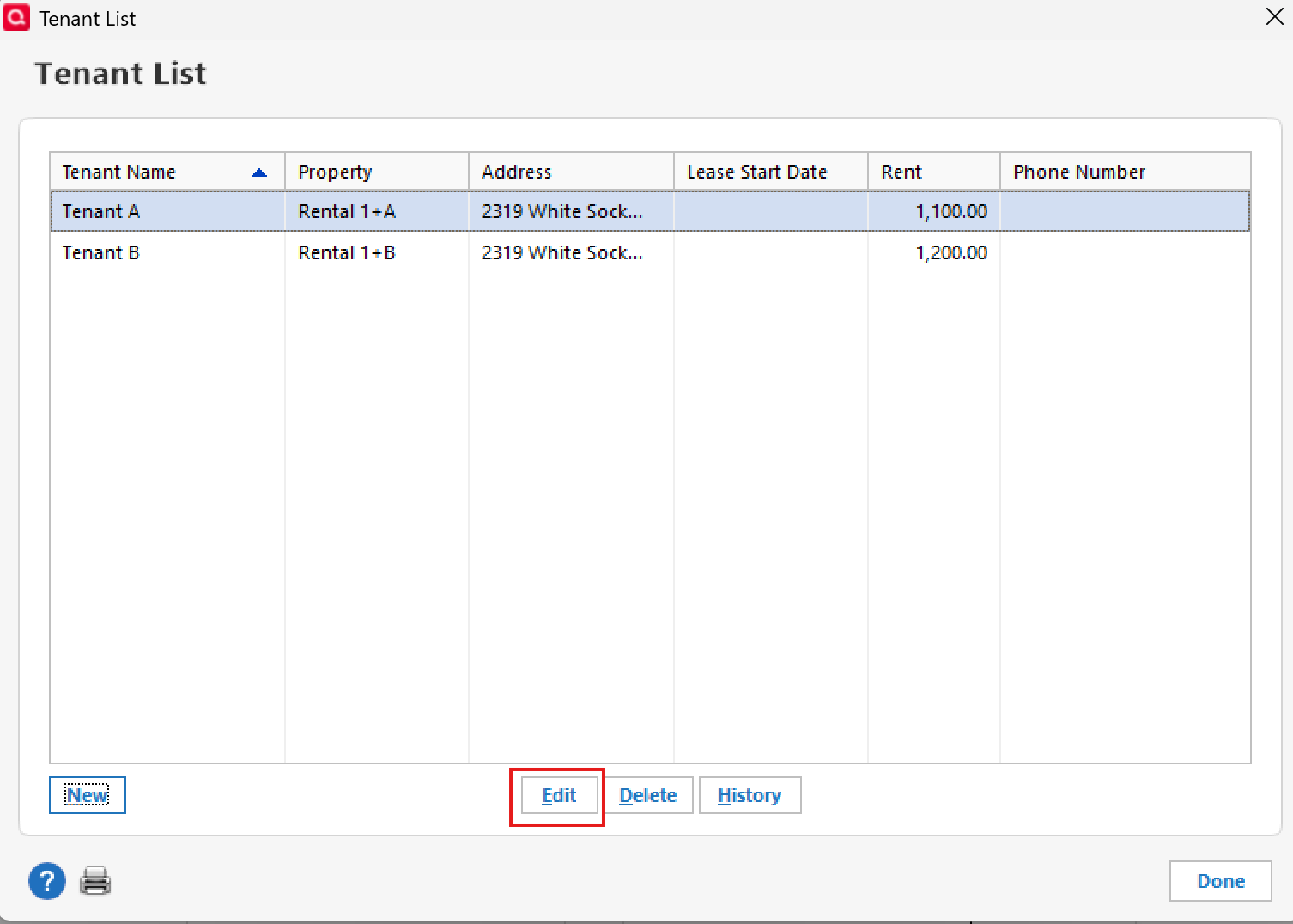
- From there, make any changes necessary and click OK to save.

You can also find more information about managing tenants through this link here.
Hope this helps!
-Quicken Anja
Make sure to sign up for the email digest to see a round up of your top posts.0 -
Hello again,
We haven't heard back from you in a while. Do you still need assistance?
Thank you!
-Quicken Anja
Make sure to sign up for the email digest to see a round up of your top posts.0 -
Hello again,
Due to the lack of response, I went ahead and closed this post.
If you still require assistance, please feel free to start a new post.
Thank you!
-Quicken Anja
Make sure to sign up for the email digest to see a round up of your top posts.0
