Fidelity Investments - Dividend transactions for Foreign Stocks are not being automatically recorded
Comments
-
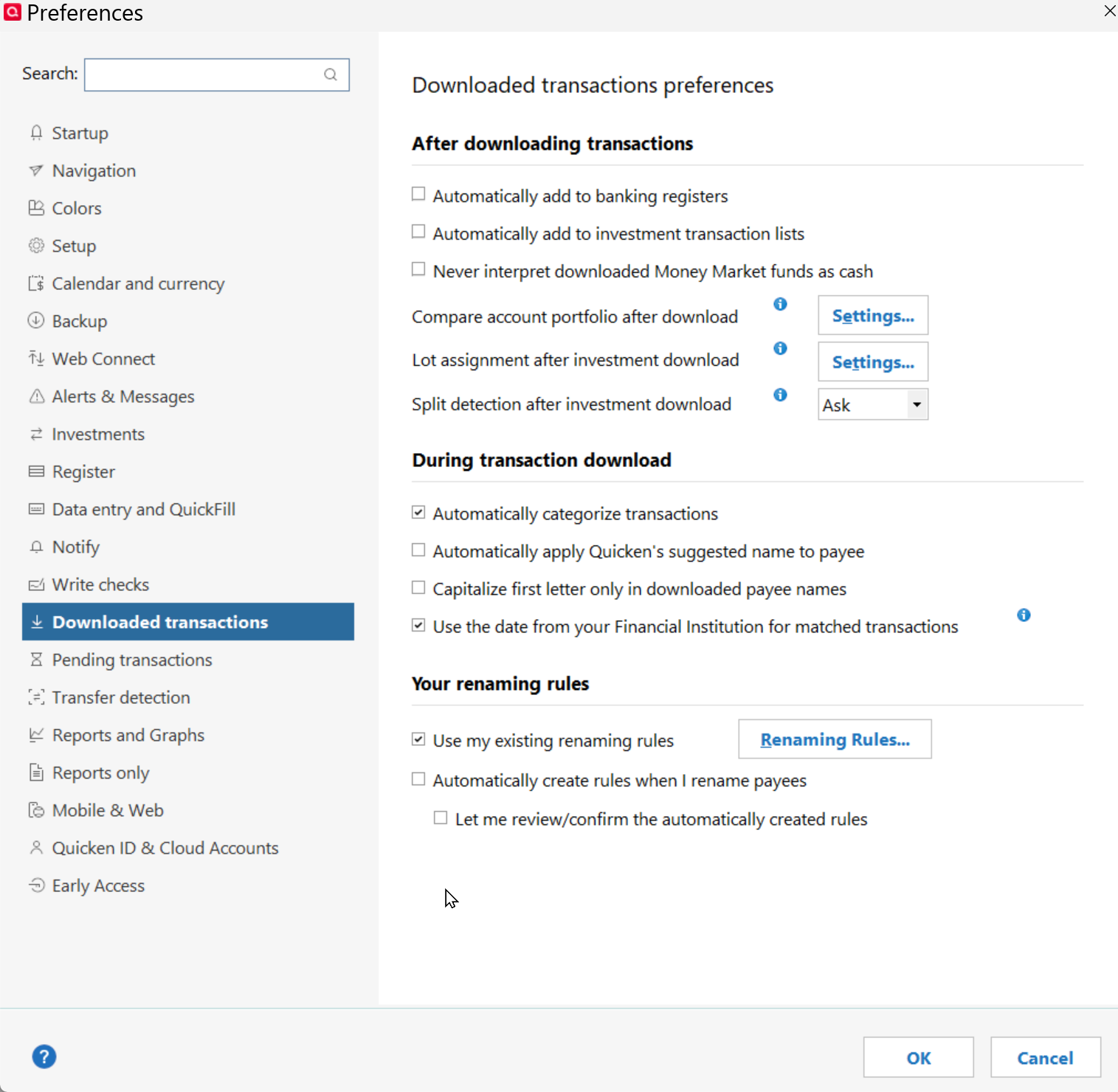
a) I don't believe Renaming rules apply to any investment accounts.
b) I prefer my Foreign Tax Paid transactions to be MiscExp transactions that cite the applicable security, and my chosen expense category. I have always had to make those types of edits. It is a case where I don't expect the sending brokerage or Quicken to anticipate my needs. I expect to manage such details.
0 -
I somewhat agree with having these fees applied to their corresponding stock as MiscExp, but that requires manual effort. I have always strived to reduce that as much as possible.
You may be right, but I assumed a Payee is a Payee, plus in Preferences there is a check box to Use Renaming Rules, so maybe I made wrong assumption.
 "No Matter Where You Go, There You Are"Windows 11 Pro, Quicken SubscriptionIntel Core i7-12700, 32GB Ram0
 -
Just to confirm what @q_lurker said. Renaming rules do not apply to investment accounts. And there is a very good reason for that, there isn't any "payee" to rename with investment accounts (renaming rules work on payee names).
Typically (dependent on the transaction type) what Quicken is showing in the "description" is just a mix of information like the number of shares and the price. Another possible field is the memo, but there isn't any place in Quicken that renames it. There is an option in non-investment accounts for ignoring it when downloading transactions, but that it about it.
As for what a given transaction should be recorded as like is it a Dividend or such there is a field in the download data that the financial institution puts in that tells Quicken exactly what to use. You would have to convince the financial institution to change it.
0 -
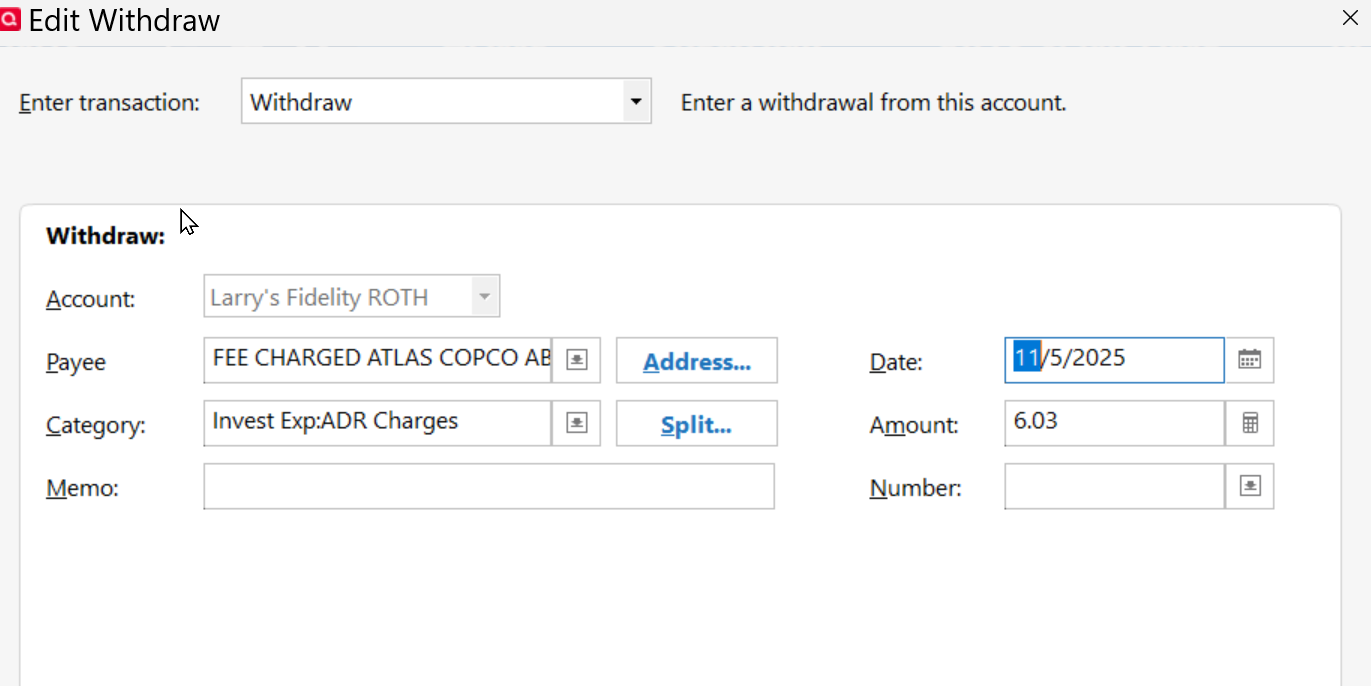
Oh? Well from the edit of a posted investment transaction it shows a Payee? I didn't put that Payee there. I DID however update the Category field from "blank" to the ADR_Charges.
So you can see why I assumed a Payee is a Payee?
Not trying to start an argument [Edited - Language], just trying to learn, get smarter and figure out how I can automate these Foreign Fees to get an assigned category I can track and report on. I do believe Memorized Payee does work.
Chris_QPW user has responded to this post with some helpful info, but hoping to get some clarification from Quicken.
Some Users state, Renaming Rules don't apply to Investments?
Same question concerning Memorized Payee entries?
Per conversation with Bree I am tagging you too.
@Quicken Kristina Can someone from Quicken verify this please.
 "No Matter Where You Go, There You Are"Windows 11 Pro, Quicken SubscriptionIntel Core i7-12700, 32GB Ram0
 -
OK, well you are right, but this is actually a special case (one that Quicken Windows doesn't take into account for renaming rules). There are what might be considered "regular non-investment transactions" like Withdraw in an investment account and as such these actually have a payee. But that really just points to the difficulty of attempting any feature for this. This kind of thing comes up when people pull up a transaction report and note that some transactions don't have a category.
With a non-investment account, you have a fixed set of fields. With investment accounts it isn't like that. If you get a buy transaction it uses certain fields (and no category, no payee). If you get a dividend transaction it has an automatically generated category. If you have a transaction that is a Withdraw of other cash transaction it does have a payee and a category.
So, all these inconsistencies have led to what they support right now, but for sure you can post an Idea for people to vote on to change this.
I don't use any linked checking accounts, but maybe the renaming rules work there (I doubt it, but being a virtual checking account, it might apply).
EDIT: I thought I would mention that investment transactions don't have the same kinds of options for editing like there is in a non-investment account. No support for showing "Downloaded" fields, and they would also need a "revert payee name" on the context menu. Something to mention if you submit an idea on this.
0 -
@Quicken Bree my edited post we discussed today.
"No Matter Where You Go, There You Are"Windows 11 Pro, Quicken SubscriptionIntel Core i7-12700, 32GB Ram0 -
Hello @Movie Nut,
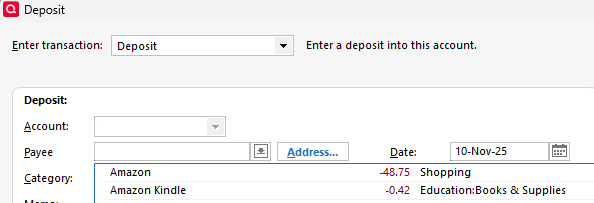
To answer your question about Memorized Payees, as @Chris_QPW stated, you can use memorized payees for some transactions that look to Quicken like normal, non-investment transactions, such as a Deposit or Withdrawal transaction.
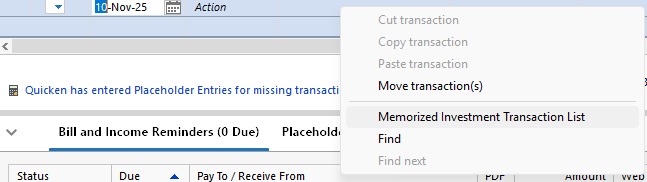
For regular investment transactions, there is a Memorized Investment Transaction List.
For renaming rules, our documentation doesn't specifically say that renaming rules don't work for investment accounts. Our documentation specifies that renaming rules won't apply to manual accounts, online billers, and transactions from the mobile or web apps that are not downloaded from financial institutions. Please see the Help Article for more information:
Since renaming rules work on the Payee, I would expect that only transactions in investment accounts that have a payee download could potentially be renamed.
I hope this helps!
Quicken Kristina
Make sure to sign up for the email digest to see a round up of your top posts.
0 -
Thanks. How do I get an item on the Memorized Investment Transaction List.
I hope the Renaming Payee list and Memorized Payee list will apply to these investment withdrawals, so I can categorize them appropriately.
"No Matter Where You Go, There You Are"Windows 11 Pro, Quicken SubscriptionIntel Core i7-12700, 32GB Ram0 -
Thank you for your reply,
To memorize an investment transaction, follow these steps from our article about working with memorized investment transactions:
- In the investment account's transaction list, select the transaction you want to memorize.
- Right-click and choose Memorize investment transaction.
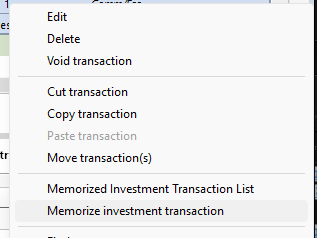
- Click OK to confirm the memorization.
- If the transaction has been memorized before, click Replace to overwrite the previous one, or click Add to create an additional one.
Thank you!
Quicken Kristina
Make sure to sign up for the email digest to see a round up of your top posts.
0 -
I could be wrong but I believe the purpose of the memorized transactions are for scheduling repeating transaction entry. You will notice these aren’t memorized payees. Memorized Payees are for adding information to a downloaded transaction, this isn’t what memorized transactions do.
0



Categories
- All Categories
- 6 Product Ideas
- 34 Announcements
- 250 Alerts, Online Banking & Known Product Issues
- 19 Product Alerts
- 265 Welcome to the Community!
- 301 Before you Buy
- 1.5K Product Ideas
- 55.8K Quicken Classic for Windows
- 16.9K Quicken Classic for Mac
- 1K Quicken Mobile
- 834 Quicken on the Web
- 129 Quicken LifeHub