Redwood Credit Union requires authentication every few days

Hi, I recently setup a Redwood Credit Union Checking/Savings account to track in Quicken Classic for Mac. It works well, but every 2-3 days, prompts me to authenticate again. Is there any way to make the authentication stick?
Comments
-
Hello @Louis Block,
Thanks for reaching out!
When the re-authentication occurs, could you please share a screenshot of the exact prompt/message that appears in Quicken? If needed, please refer to this Community FAQ for instructions on how to attach a screenshot. Alternatively, you can also drag and drop screenshots to your response if you are not given the option to add attachments.
Thank you!
-Quicken Anja
Make sure to sign up for the email digest to see a round up of your top posts.0 -
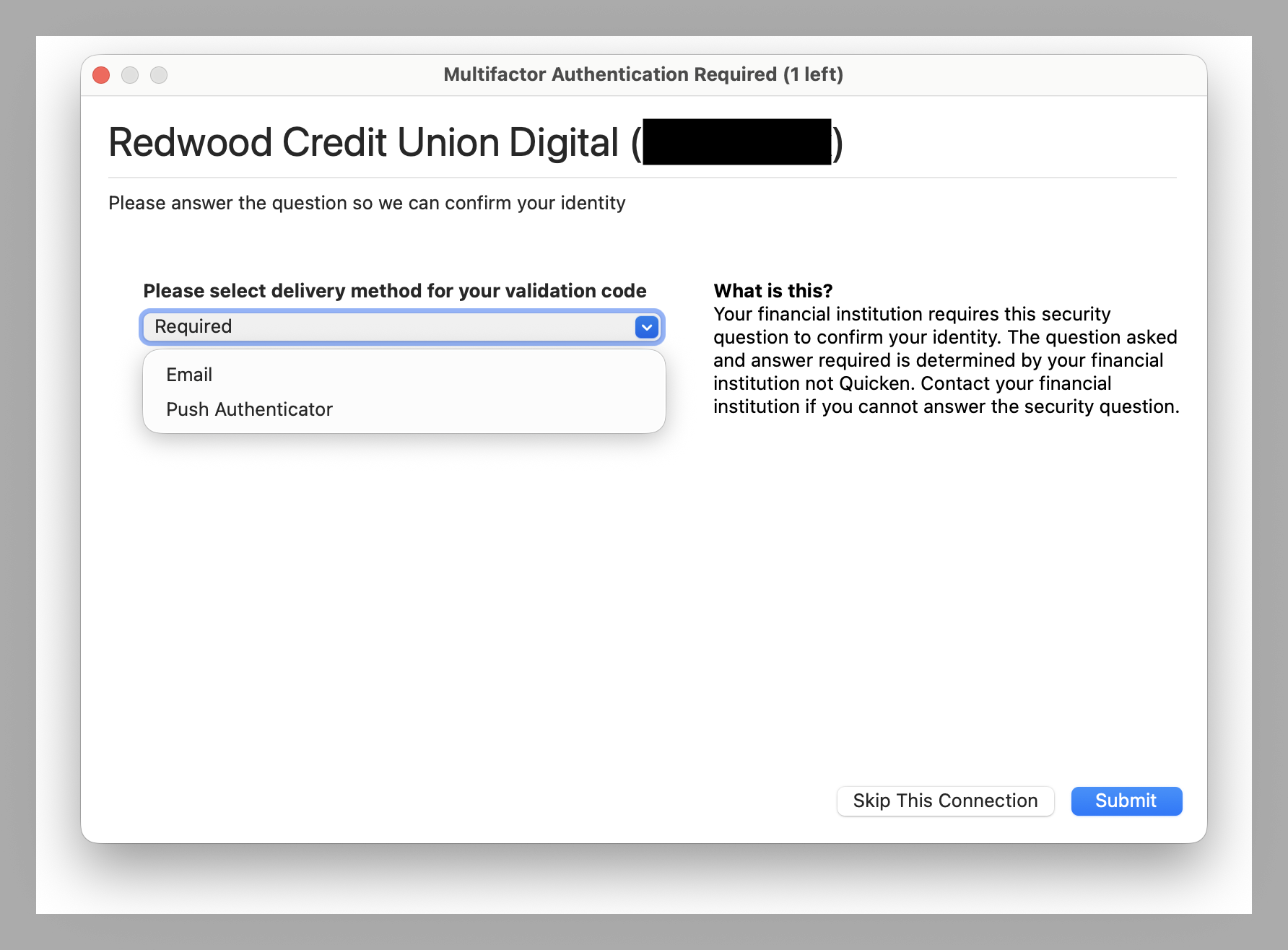
prompt received this evening:
 0
0 -
@Louis Block Thank you for sharing the screenshot.
MFA prompts and their frequency are generally determined by the financial institution, so Quicken can’t override how often they occur. That said, if you think the re-authentication is happening more often than it should, you could try deactivating and reactivating the affected accounts, or signing out and back into your Quicken data file. This can refresh the registration token for your online connected services and sometimes helps correct excessive prompt frequency. Be sure to save a backup of your data file before performing any troulbeshooting (just in case).
Please see the instructions below to refresh the registration token:
- Navigate to the Quicken dropdown menu
- Sign Out...

- Sign back in using your Quicken ID (email) and password
- Follow the prompts to be taken back to your data file after signing in
Let us know how it goes!
-Quicken Anja
Make sure to sign up for the email digest to see a round up of your top posts.0 -
I've tried deactivating and reactivating the account, and signing out and back in to my Quicken data. The account is still prompting me for a code every other day. I've even turned off TFA on the account from their site.
0 -
Thanks for giving those steps a try and for following up.
Since the re-authentication is still happening even after deactivating/reactivating, signing out/in, and adjusting settings on the bank’s website, the next best step would be to contact Quicken Support directly. They can review your log files and take a closer look at what’s causing the repeated MFA prompts, and escalate it if needed.
Thank you!
-Quicken Anja
Make sure to sign up for the email digest to see a round up of your top posts.0 -
How is your computer connected to the Internet? For example,
- Ethernet cable to home router
- WiFi wireless to home router
- WiFi to coffee shop router
- WiFi to coffee shop router using VPN
- other
Some bank setups think of a computer connecting with a changing IP address as a suspicious event, thus asking for reauthorization …
0 -
Ethernet cable to home router. The IP address isn't changing that often, if at all…
0

