Elevations Credit Union CC-501 errors

Hello - I started seeing these yesterday with One Step Update. I tried to reset my checking account and it just spins for a while and eventually gives me another CC-501 error ("Oops. We're having a problem"). Is this a known issue?
Answers
-
Hello @DerekT,
Thank you for sharing your experience.
We do have a Known Issue for CC-501 with some banks; however, Elevations Credit Union isn't known to be one of those.
Are your other financial institutions updating without errors?
Let's try signing out and signing back in.
- Navigate to Edit
- Preferences...
- Quicken ID & Cloud accounts
- Click Sign in as a different user (or it might say Sign in using a different Quicken ID)

- Follow the prompts to Sign Out

- Sign back in using your Quicken ID (email) and password
Once you are back in, check to see if you can run a One Step Update without receiving the CC_501.
Let me know how it goes.
Quicken Alyssa
Make sure to sign up for the email digest to see a round up of your top posts.
0 -
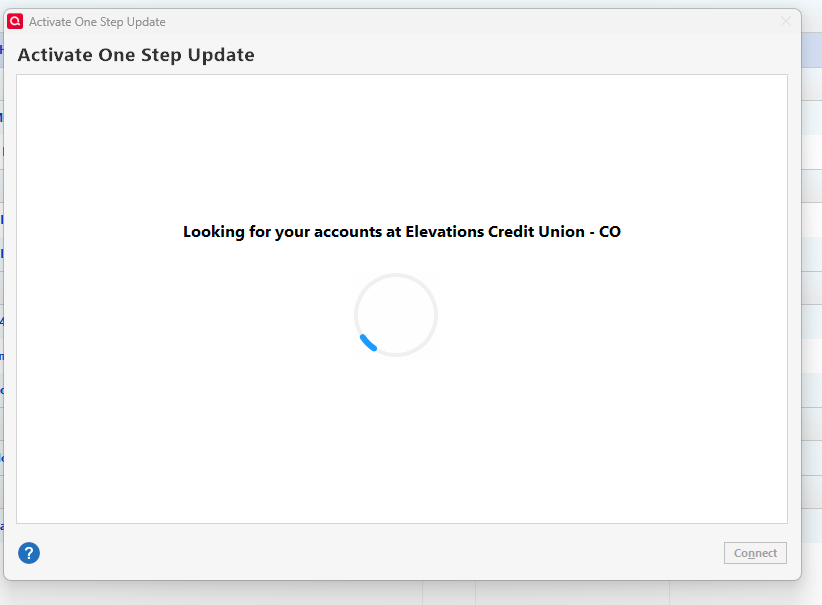
i am also having issues, only mine never gets to any errors, I tried the LOG OUT option and then went to ADD ACCOUNT, and now all it does it sit at the LOOKING FOR YOUR ACCOUNTS AT ELEVATIONS CREDIT UNION and never goes any further, i have to end task with task manager.
i might add that it started this week
-1 -
I tried signing out and signing back in, but that didn't help. I tried to reconnect my checking account, but it just sits at "Looking for your accounts at Elevations Credit Union - CO" and after several minutes, I had to end with the task manager as MGB says above
 -1
-1 -
I did an account reset with Elevations, and it timed out with CC-501.
Then you have to add the account again.
That doesn't work either.
Report a Problem doesn't work!!!!
0 -
I just chatted with an agent at Elevations and he said that they are aware of an issue as several people have reported it. They are looking into it also.
1 -
Hello All,
Thank you for adding to this discussion.
Are you saying you are unable to go to Help>Report a problem>Send to Quicken? What happens when you try?
@DerekT, Thank you for trying the suggested steps and then contacting the financial institution and letting us know that they are aware of the issue.
@MGB, Thank you for trying the suggested steps and providing those additional details.
Can I have you all review this Support Article for CC-501? If you receive this error for more than 24 hours, please contact Quicken Support so the issue can be escalated from our end if necessary.
Thanks again.
Quicken Alyssa
Make sure to sign up for the email digest to see a round up of your top posts.
0 -
When you do a send to Report a Problem and it was in sending mode for over ten minutes. After five is when I update this website. After the ten minutes got a send complete. Never have seen Report a Problem take this long.
-1 -
Thank you for explaining what you were seeing on your end.
You are correct, reporting a problem should not take that long. There are some things that could cause slowness. VPN, internet speed, and computer slowness are just a few.
There are some things we can try.
- Rebooting your computer can sometimes help.
- If you are using a VPN/Antivirus/Firewall, try disabling it and seeing if that makes a difference.
- Check your internet speed.
- Where is your data file located?
- Is your file being synced/backed up by any third-party services like OneDrive, Dropbox, or Norton?
Let me know what you find.
Quicken Alyssa
Make sure to sign up for the email digest to see a round up of your top posts.
0 -
Here is my computer info:
Processor Intel(R) Core(TM) i7-9700K CPU @ 3 .60GHz (3.60 GHz)
Installed RAM 32.0 GB
System type 64-bit operating system, x64-based processorEdition Windows 11 Pro
Version 25H2
Installed on 9/14/2025
OS build 26200.7296
Experience Windows Feature Experience Pack 1000.26100.275.0
Desktop Network Speed: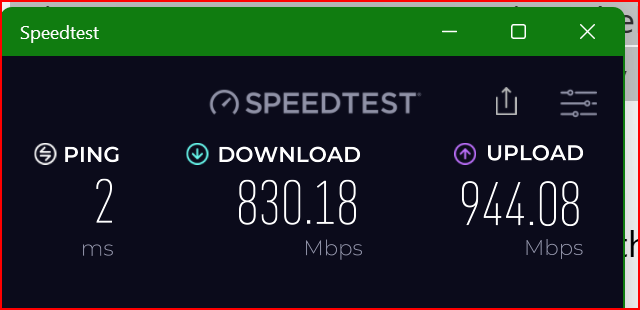
Data Drive: SSD
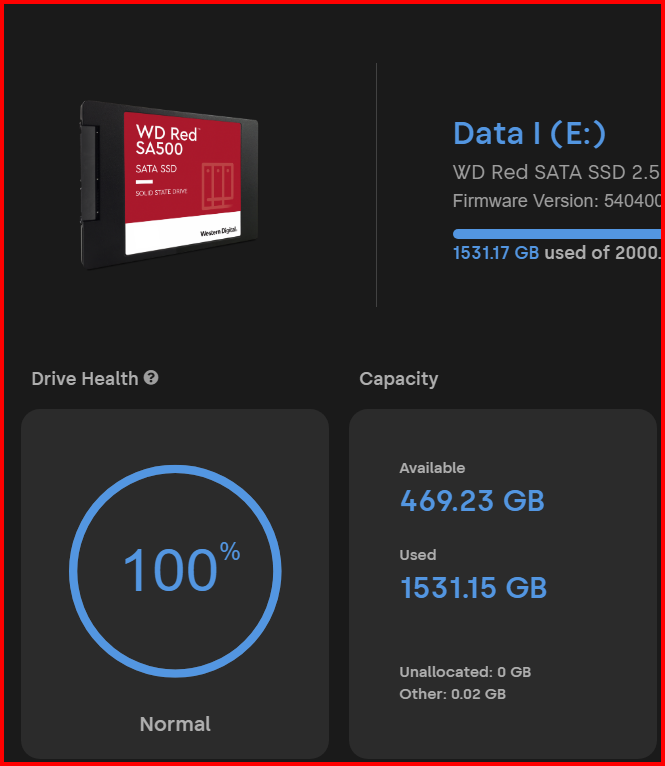
File is not being sync to any service like One Drive, Dropbox or Norton.
0 -
I tried again tonight and after at least 5 minutes, I get this error.
I am just trying to reconnect my checking account, but it appears that Quicken is unable to connect to the credit union at all.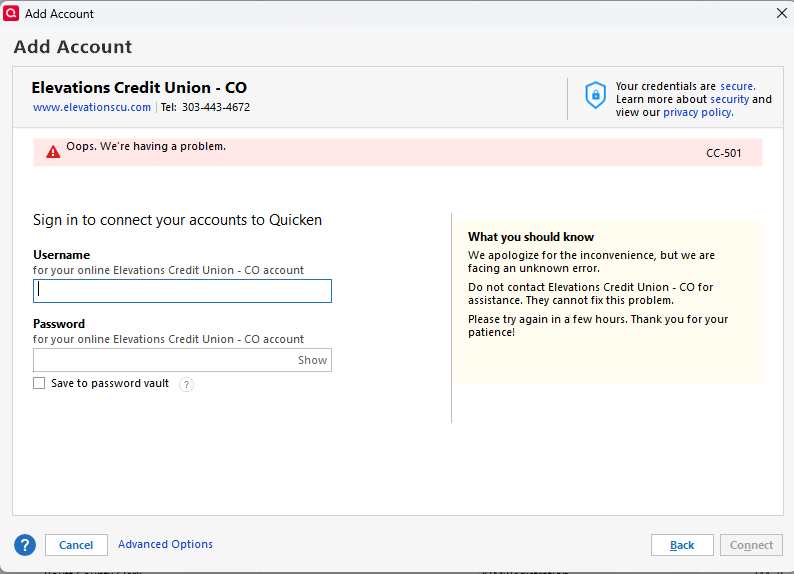 0
0 -
I am having the same issues. I'm not sure if it's related, but when signing on to the elevations online banking site, I am being prompted 3 or more time to "verify I'm human." This prompt is a cloudflare product so it makes me wonder if the cloudflare outage this week triggered the problem.
0 -
Same issue here. I have even tried creating a new Quicken file and adding an Elevations account. Can't even connect to Elevations from Quicken to see any of my accounts to add them. Has anybody mentioned that Elevations changed the name their checking accounts from "Free Checking (acc#)' to "Foothills Checking (acc#). Not sure if that has any bearing on the problem but thought I would mention it.
0 -
Same issues again Today, 11-20-2025
1 -
Same Here!!!
0 -
@Quicken Alyssa Is someone looking at this from the Quicken side?
0 -
Hello All,
Thank you for reporting this issue.
We will be forwarding this issue to the proper channels to have this further investigated. However, we request that you please navigate to Help > Report a problem > Send to Quicken within your Quicken program and submit a problem report with log files and screenshots attached in order to contribute to the investigation.

Please let us know once the report has been sent so we can add you to the ticket.
Thanks again.
[CTP-15325]
Quicken Alyssa
Make sure to sign up for the email digest to see a round up of your top posts.
0 -
Just did a Report a Problem
0 -
Quicken Alyssa
Make sure to sign up for the email digest to see a round up of your top posts.
0 -
@Quicken Alyssa I have also reported a problem.
0 -
Quicken Alyssa
Make sure to sign up for the email digest to see a round up of your top posts.
0 -
@Quicken Alyssa Can we get a link to the ticket so we can get informed of any updates?
0 -
Hello All,
There is now an Alert for this issue that you can bookmark to stay updated on progress/changes as they occur.
Thanks for asking!
Hope this helps!
Quicken Alyssa
Make sure to sign up for the email digest to see a round up of your top posts.
0 -
This has been down for a week now. I started having issues last Tuesday. I don't see any activity at all on the Alert link that you posted either. Is anyone even addressing this?
1 -
Also concerned that this has not been resolved, happening over a week,
1 -
The Same!!!
0 -
Hello All,
Thank you for adding to this discussion.
This issue is ongoing, and our teams are still investigating it. Currently, we do not have an ETA. Please continue to refer to the Alert.
Make sure to bookmark it to be notified of progress/changes as they occur.
Thank you!
Quicken Alyssa
Make sure to sign up for the email digest to see a round up of your top posts.
0 -
I'm having the same issue. This coincided with Elevations launching their new website, which I assume caused this issue. I'm guessing someone forgot to do interop testing with Quicken when they made their changes and this is the result of that issue. They (Elevations) also don't have an ETA but they have ack'd that this is an issue.
1 -
not sure what is taking so long but still not working on 12-1-2025
0 -
The Same!!!
0 -
[Removed-Rant]
0