Merrill Lynch changed connection types? How can I fix account?

I tried downloading transactions from the Merrill Benefits online site and could only find a CSV file export. I searched online and found a discussion that Bank of America (Merrill) will no longer support direct downloads into Quicken. (October 2025)
"Bank of America is not leaving Quicken; they’re migrating to Express Web Connect+ (EWC+). Web Connect (QFX downloads) and Direct Connect are being discontinued, but Express Web Connect+ is still supported."
I can not figure out how to redo the account so that it connects with Express Web Connect+. When I follow all of the online instructions to get to the online services tab for the specific account, I am not seeing buttons that others are suggeting I click. I'm assuming that this same process can also be used for switching from any type of connection to another.
"Deactivate your account for Express Web Connect
- Select the Tools menu and select Account List. The Account List window opens. (You can also access this from the Setup tab > Accounts.)
- Select the account for which you want to deactivate online services, and then click Edit Details at the top of the window. The Account Details window opens.
- Click the Online Services tab.
- Click Remove from One Step Update next to the service you want to disable.
- Click Yes to the message asking if you want to disable this service.
- Click OK to the confirmation message. The Account Details window is refreshed, and the service is listed as Available."
I don't seem to have the "Remove from One Step Update" button for this account.
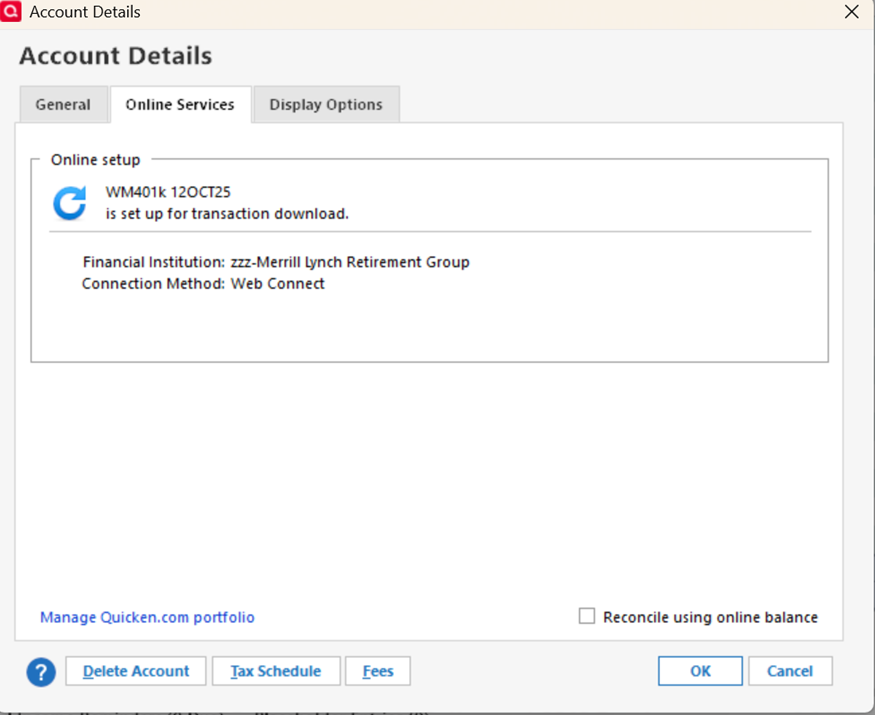
I am using Quicken Classic for Windows and have version R64.35. When I try to refresh the transactions (gear in corner of account screen>update transactions), the screen just blinks and no new transactions have been added.
Any ideas?
Best Answer
-
Hello @Nikster,
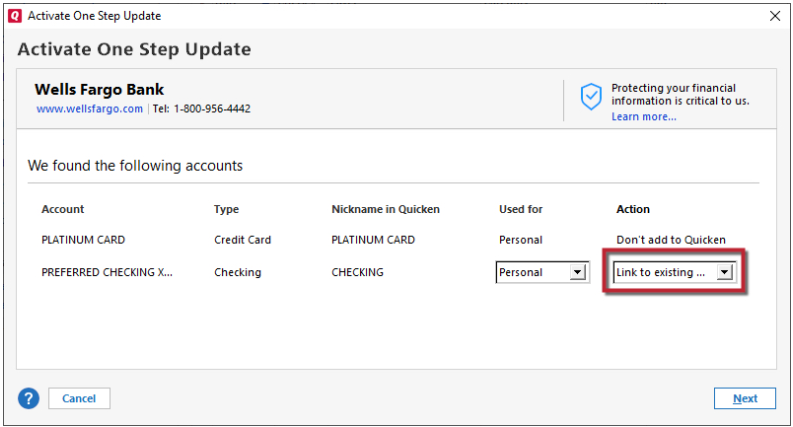
Thank you for reaching out! Since it's not giving you the option to deactivate the account, please backup your Quicken file, then navigate to Tools>Add Account. Search for the proper financial institution and follow the prompts. Once you get to the Add/Link screen, make sure to carefully link the account to the correct nickname in Quicken.
Please let me know how it goes!
Quicken Kristina
Make sure to sign up for the email digest to see a round up of your top posts.
1

Answers
-
Hello @Nikster,
Thank you for reaching out! Since it's not giving you the option to deactivate the account, please backup your Quicken file, then navigate to Tools>Add Account. Search for the proper financial institution and follow the prompts. Once you get to the Add/Link screen, make sure to carefully link the account to the correct nickname in Quicken.
Please let me know how it goes!
Quicken Kristina
Make sure to sign up for the email digest to see a round up of your top posts.
1 -
Thanks for the advice. Downloading went well, however, the existing account did not come up in the list of accounts that it could be linked to. Currently I have the original account and the newly created one. For the new one, I don't have a register view showing, only a four panel display (Total value, portfolio by security, Top movers & value over time). I then read the little blue circle comments that appear next to "simple investing" at the top of the screen and it looks like Merrill Lynch only supports the simple view, and if I want to see each transaction I have to do manual entries. I'm guessing that the new account couldn't link to the old one because of that.
0 -
Thank you for the follow-up,
It is possible, although the fact that the original account isn't showing up as an option to link at all would indicate that either the account type is coming in different enough that Quicken doesn't see it as eligible to link, or a possible file issue.
If you haven't already done so, please try navigating to Tools>Account List and clicking the Edit button next to the new account. Near the lower left of the General tab, you should see a Tracking Method section. If the option isn't greyed out, you may be able to switch to Complete tracking there.
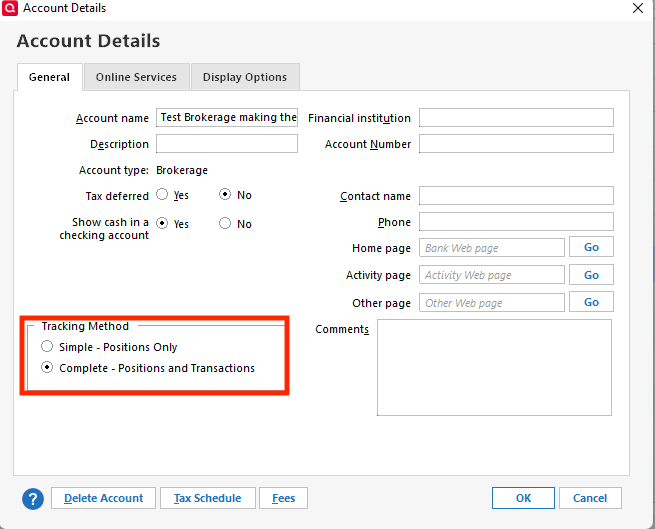
If you are able to switch to Complete, then that should allow you to view the transactions. If that is available, you would also be able to move any historical transactions you need from the old account to the new account. You can do this by making a backup of your file, then, in the old account, click the gear icon near the upper right and select Move Transactions.
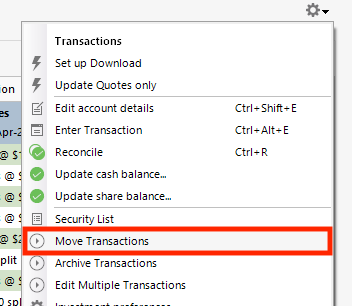
In the window that comes up, you can select the transactions to move and the account to move them to.
I hope this helps!
Quicken Kristina
Make sure to sign up for the email digest to see a round up of your top posts.
0 -
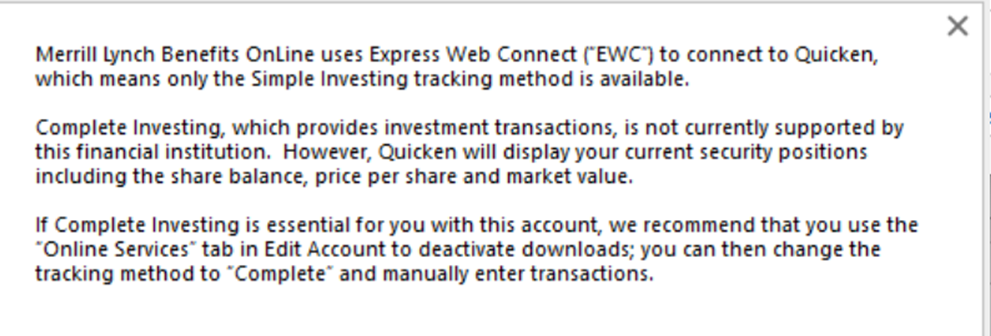
Alas, it is greyed out and I get the above message. Bummer. Thanks for your help though!
0