Citibank Not Downloading

Citibank transactions have not downloaded for a week, although there is no error message. The program reports a successful update. Is anyone else having this problem?
Best Answer
-
Hello @proflaw,
Thank you for reporting the difficulties you are seeing with Citibank.
After reviewing your account internally, I can see that you are receiving an FDP-350 error.
To resolve this, please do the following:
1. Save a Backup. Steps can be found in this article if needed.
2. Disconnect ALL Citibank accounts in Quicken. Here are the steps on how to do that.
3. Revoke Quickens Third-Party Access from the Citibank website.
4. Add accounts back into Quicken
Once back in Quicken, you will want to make sure you choose the "LINK to existing" option for any of the accounts that were already in Quicken.
Let us know if this resolves the issue you are having.
Quicken Alyssa
Make sure to sign up for the email digest to see a round up of your top posts.
1

Answers
-
There are problems with Citi. Typically this is what's been coming up:

In my case the transactions ARE downloading, but I still get that message.
Others have reported no transactions are downloading, so it seems to be a mixed bag.
0 -
Hello @proflaw,
Thank you for reporting the difficulties you are seeing with Citibank.
After reviewing your account internally, I can see that you are receiving an FDP-350 error.
To resolve this, please do the following:
1. Save a Backup. Steps can be found in this article if needed.
2. Disconnect ALL Citibank accounts in Quicken. Here are the steps on how to do that.
3. Revoke Quickens Third-Party Access from the Citibank website.
4. Add accounts back into Quicken
Once back in Quicken, you will want to make sure you choose the "LINK to existing" option for any of the accounts that were already in Quicken.
Let us know if this resolves the issue you are having.
Quicken Alyssa
Make sure to sign up for the email digest to see a round up of your top posts.
1 -
It solved the problem. Thanks.
1 -
Thank you for coming back to let us know that the suggested steps resolved the issue.
If you need help in the future, don't hesitate to reach out.
Thanks again!
Quicken Alyssa
Make sure to sign up for the email digest to see a round up of your top posts.
0 -
I followed the deactivate/delete/re-add and still no new transactions have been added.
0 -
Citi downloading of transactions have not worked for over a week. I have done everything listed above. Still get the same error message posted above. This has been an on or off problem for actually months. When it works able to download some transactions, but some are missing and must enter them manually.
0 -
Hello All,
Thank you for adding to this discussion. I apologize for the delayed response.
Are you still experiencing this issue?
Looking forward to your response!
Quicken Alyssa
Make sure to sign up for the email digest to see a round up of your top posts.
0 -
I’m having a similar issue with my Citibank credit card account.
I followed all of the recommended fix steps (backup → deactivate/disconnect → revoke access → add accounts → link). After doing that, Citibank updated successfully during One Step Update for a few days, but then the problem came back.
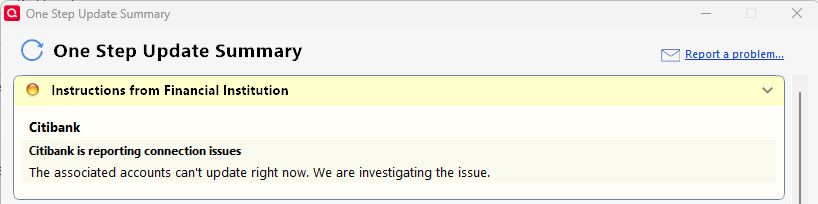
What’s unusual is that I get both an error and a success message in the same One Step Update. The error appears first (see screenshot showing “Citibank is reporting connection issues”), and directly below it Quicken also says the account updated successfully.
I then have to open the Citibank account register and manually update it to refresh. When I do that, there’s no error message at all. I have to use this method for every One Step Update to clear the error.
This is now happening every day.
Quicken version 27.1.65.29. Windows Home 11 25H2.
 0
0 -
Thank you for adding to this discussion!
Can I have you send over your log files so I can add you to an escalation ticket for the issue you are reporting?
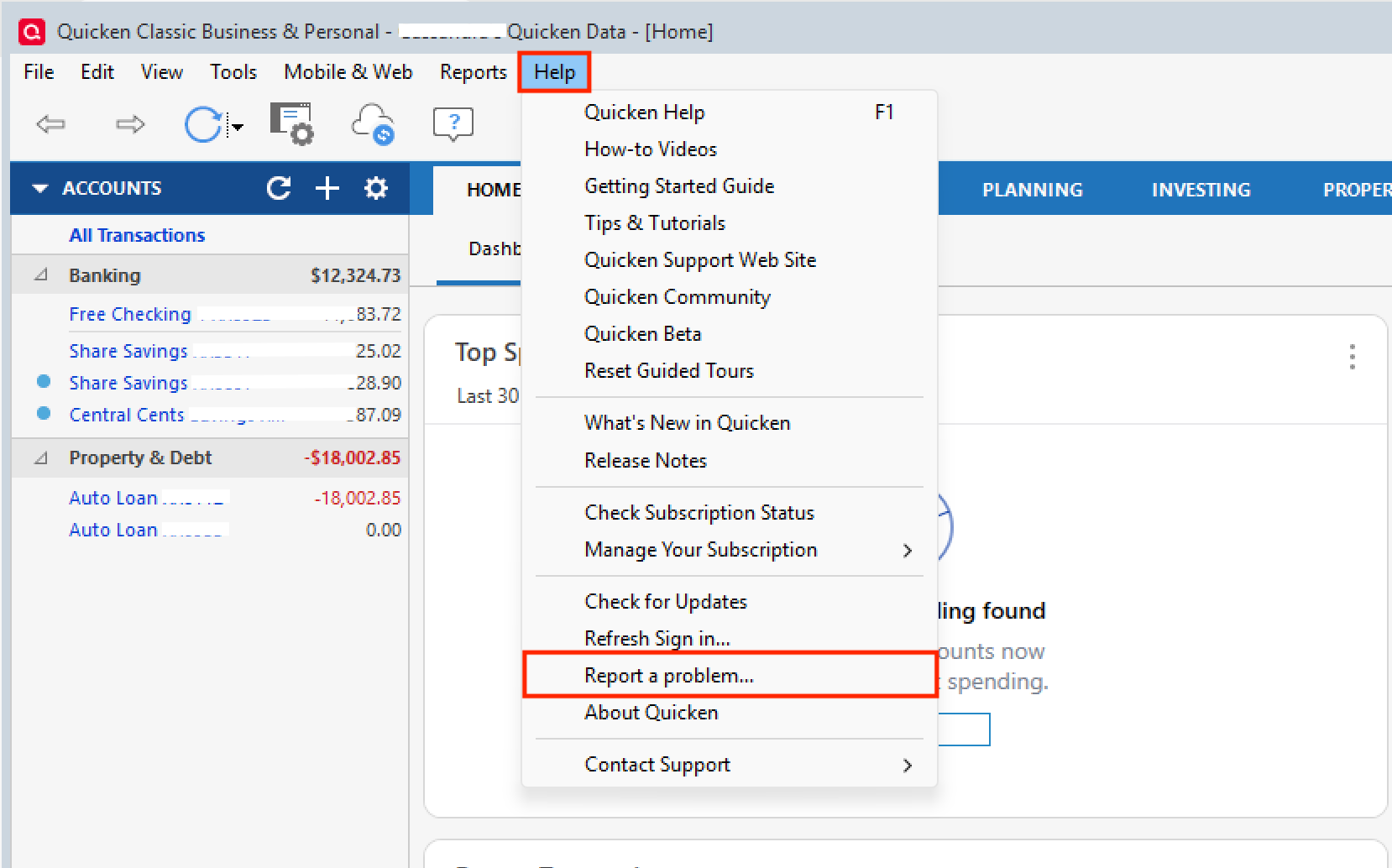
To do this, go to Help>Report a Problem>Send to Quicken from within the software.
Let me know if you do send them over so I can get them added.
Thank you!
[CTP-14158]
Quicken Alyssa
Make sure to sign up for the email digest to see a round up of your top posts.
0