Dashboard problem with Release R65.15

I recently updated to the latest version (R65.17) and I noticed that my main dashboard changed. I have a tab created from the Home tab that lets a set of budgets that I track thru the month. The main behavior difference was that the red/green 'thermometer' or progress bars disappeared in this version. I called support and after spending an hour on the phone and having to validate, super validate, restore the file, create a new file, the person came to the conclusion I started the call with which was that there was a bug introduced. Since I had just upgraded to R65.17 they had me reinstall R65.15 but the same problem happened (note these were days apart in release). I then went back to R64.30 (released 9/25/2025) and the dashboard reverted back to the correct version thus indicating that R65.15 is when this bug was introduced.
My biggest issue is that I can use the older version for a while but at some point I need to upgrade to pick up newer versions and not sure when I can do this. I know there are release notes with each version but I am sure not every bug fix is release noted and if not the only choice I have is to try to upgrade a version or 2 later, if it has not been fixed I can rollback again and try again later.
I started this thread in case someone else is having this same problem and wants to track or even report if this issue gets fixed.
Comments
-
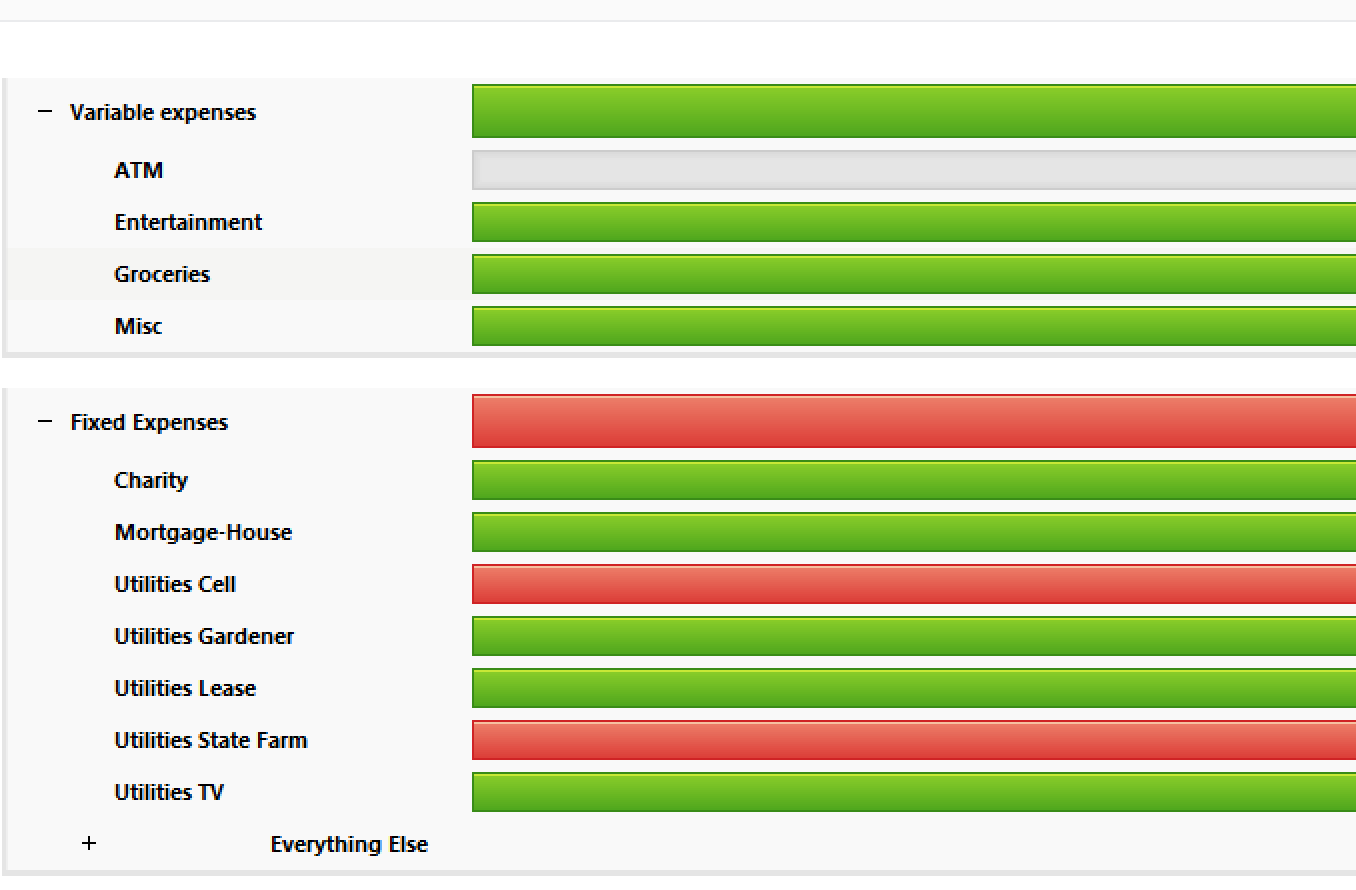
It is these red/green bars that disappear and just the budget status numbers show
0 -
@nosnum I see two other users posting about this same issue. One of the users, @RichardSchreyer, found a workaround.
Quicken user since Q1999. Currently using QW2017.
Questions? Check out the Quicken Windows FAQ list0 -
If the new version does not retain the green/red budget spent bars - they should reurn them in the next version update. The bars are useful tools in managing money and usage/month.
0 -
I searched first but did not find those other posts, my bad. They were created first so I'll follow those. I did see some inconsistent behaviors in trying to work around the issue so I am skeptical about the posted work around but will have a look! Thanks for the help!
1 -
I'm having the identical problem. Started with the last update and I've found going to the planning tab and toggling between 2025 and 2026 budget does bring back the bars for the current session…sometimes but not always, and they go away if you close and reopen the program.
bwb1
0 -
Hello All,
Thank you all for taking the time to report this issue. We understand how disruptive it is to lose the budget progress bars on the Home tab, especially when this functionality is something many of you rely on daily.
This behavior has been confirmed as a bug introduced in the recent update, and it is currently being actively worked on by our development team. The issue is being tracked internally, and a fix is in progress. At this time, however, we don’t have an ETA for when the fix will be released.
Once a fix is available, it will be included in a future update.
Thank you for your patience!
(CTP-15435)-Quicken Anja
Make sure to sign up for the email digest to see a round up of your top posts.1

