Error Opening Quicken Data File after Updating to 65.17

I downloaded and ran the manual patch update file for version 65.17.
QW27.1.65.17MPatch.exe
The update executed without error and it converted my Quicken data file and everything looks good with my data.
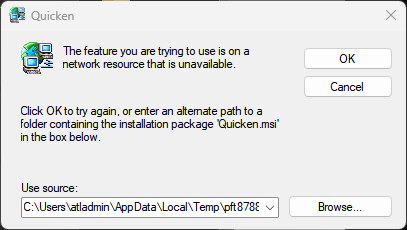
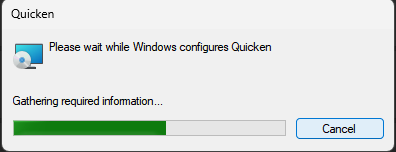
However, I have multiple Quicken data files (.QDF) and I used to be able to double click on a .QDF file and it would open up in Quicken. After installing the 65.17 update when I click on a .QDF file Quicken starts the process of trying installing itself and asks me to find the Quicken.msi file on my system.
So the only way to open my data file is to open Quicken from the Start menu. This automatically opens the last data file that I had used before and if I want to use a different data file I then have to open it from within Quicken.
Anyone know how I might be able to fix the issue with Quicken trying to reinstall itself when I double click on a .QDF file directly?
Answers
-
Double check, in Win, what the full file name, and extension, is. It sounds like you're inadvertently clicking on the install file rather than your data file.
Q user since February, 1990. DOS Version 4
Now running Quicken Windows Subscription, Business & Personal
Retired "Certified Information Systems Auditor" & Bank Audit VP1 -
I am double clicking on the .QDF file which is the data file.
0 -
Then, check your Windows file associations. Because, somehow, your QDF is associated with the Installer … and not the Q program.
OR, double-check the file properties, which I originally suggested.
Q user since February, 1990. DOS Version 4
Now running Quicken Windows Subscription, Business & Personal
Retired "Certified Information Systems Auditor" & Bank Audit VP0 -
I am clicking on accounts.QDF and it is associated with C:\Program Files (x86)\Quicken\qw.exe
But when it opens it attempts to configure Quicken and says "The feature you are trying to use is on a network resource that is unavailable." and it wants me to to find the Quicken.msi file.
I only have a Quicken.exe file from when I first installed the subscription version of Quicken back in 2020. I do have a Quicken.msi file from the 2018 version on CD but I don;t think I should go down that route.
0 -
@cjim there are known issues with version 65.17 causing the program to try to install itself. Here is one discussion with the workaround details:
Quicken user since Q1999. Currently using QW2017.
Questions? Check out the Quicken Windows FAQ list0 -
I am having the same issue after the latest up date. The fix needs to be addressed by Quicken through a quick patch update, ASAP. Don't presume users to be technically savy to go play in Windows plumbing and further break things, this time of their own accord that the Quicken Product team is not able to fix,.
0 -
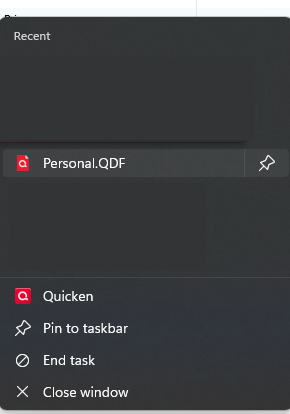
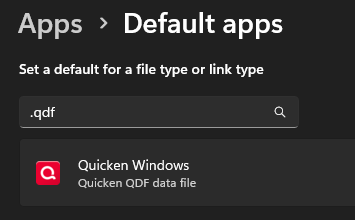
QDF file type is/was already associated to the Quicken Windows app
0 -
I have the same problem, clicking on the QDF file tries to reinstall Quicken and leads nowhere. I have checked the QDF file associations and it is correct. PLEASE assume your users know what they are writing you about—this is a very real problem for users who have multiple files. PLEASE fix this ASAP, thank you
0 -
I have the same problem and cannot download account data. Any suggestions?
0 -
Same issue here. Very Annoying!
0 -
I experienced this issue twice and the workaround for me was to reinstall. (some users had to uninstall first and reinstall)
I have two Quicken setups. On my primary one I experienced the .msi error when I launched Quicken. I chose to revert back to my old version to avoid further risk. On my test setup after the update, the .msi error came up only when I launched the Tax Planner. I reinstalled and the problem was resolved.
There are many daily reports of both of these two instances on this community.
- Q Win Deluxe user since 2010, US Subscription
- I don't use Cloud Sync, Mobile & Web, Bill Pay0 -
If Quicken is trying to install, that would be an indicator that the first attempt at updating failed. I would try reinstalling the Quicken program software. Restart your computer first to make sure that there's no RAM issues.
0 -
I checked and my update was successful to 65.17—that is when the problem started. This issue should be fixed by a proper Quicken update, not some workaround for users.
0 -
This was also happening on my wife's computer every time she would try to open our .QDF file. I confirmed opening Quicken from the Start Menu worked fine. All file associations were also correct. I uninstalled Quicken, deleted the Quicken folder from C:\Program Files (x86)\, downloaded the latest installation file from My Account page, then reinstalled Quicken. We no longer have the issue. Seems like a bug to me.
0 -
Oh No! Just upgraded to new release 69.29 and this bug is still not fixed! Is anybody at Quicken listening? This should be addressed in an update—not requiring users to figure out some workaround like making users go through steps like uninstalling and reinstalling Quicken.
1 -
Hello All,
Thank you for reporting the issues you are having with importing files into Quicken.
This is a Known Issue, and it has been escalated internally. The alert is specific to QFX files, but this definitely seems related. As stated in this thread, the workaround to resolve the issue is uninstalling and reinstalling the application.
The team handling this escalation has requested that we gather Event Viewer logs. For those of you who are willing to do this, you can follow the steps below.
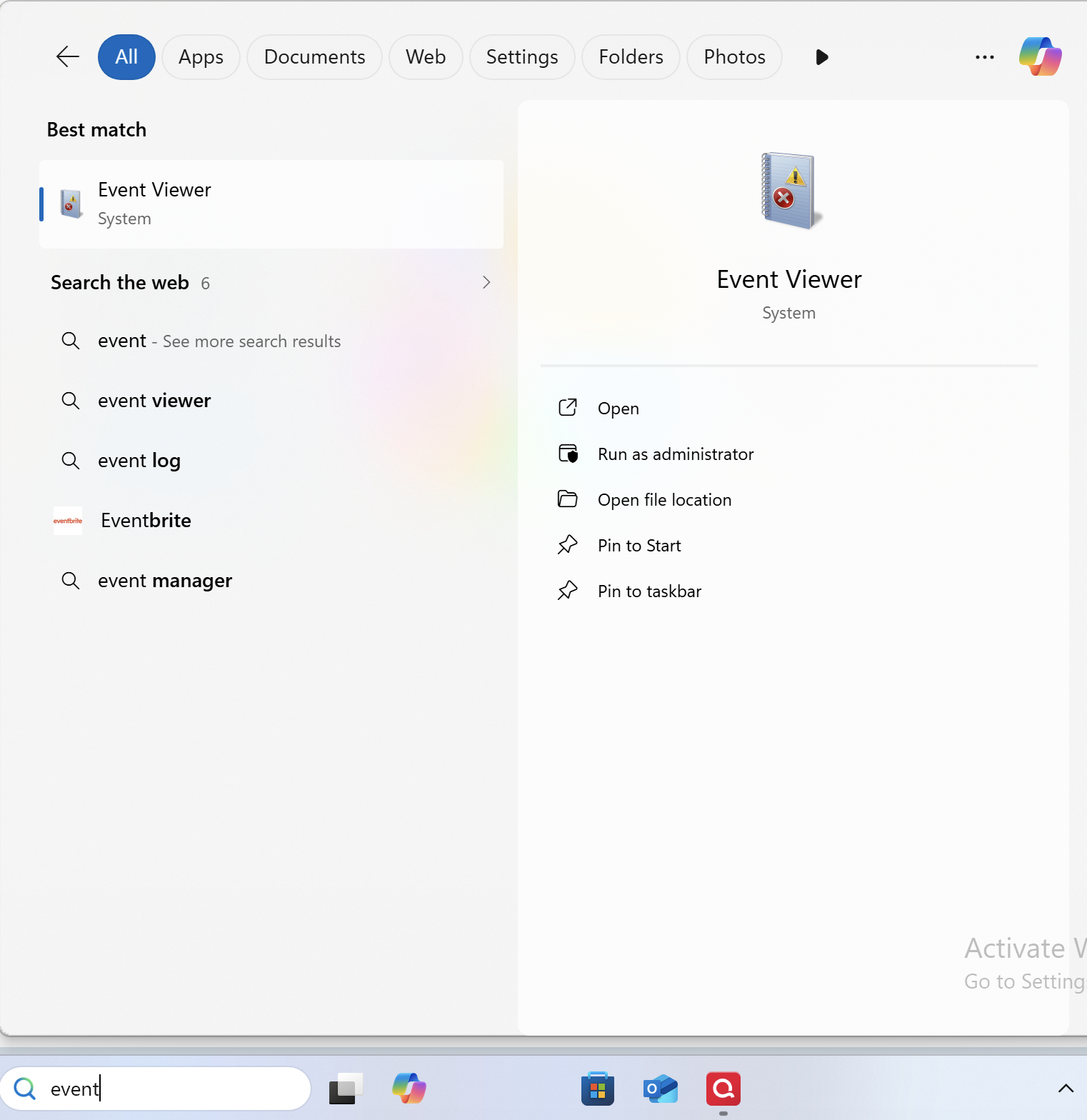
- Search for the application "Event Viewer" and open it.
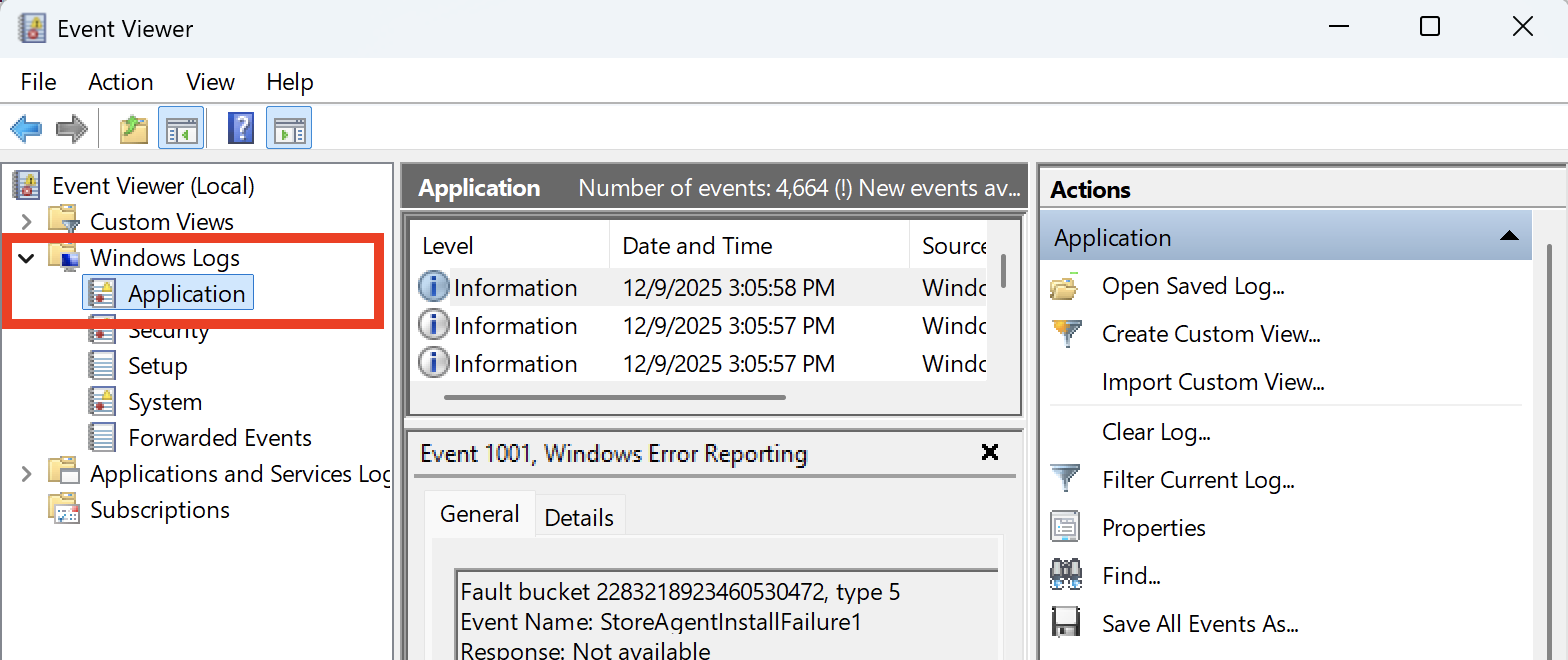
- Double-click on the "Windows Log" folder and select "Application."
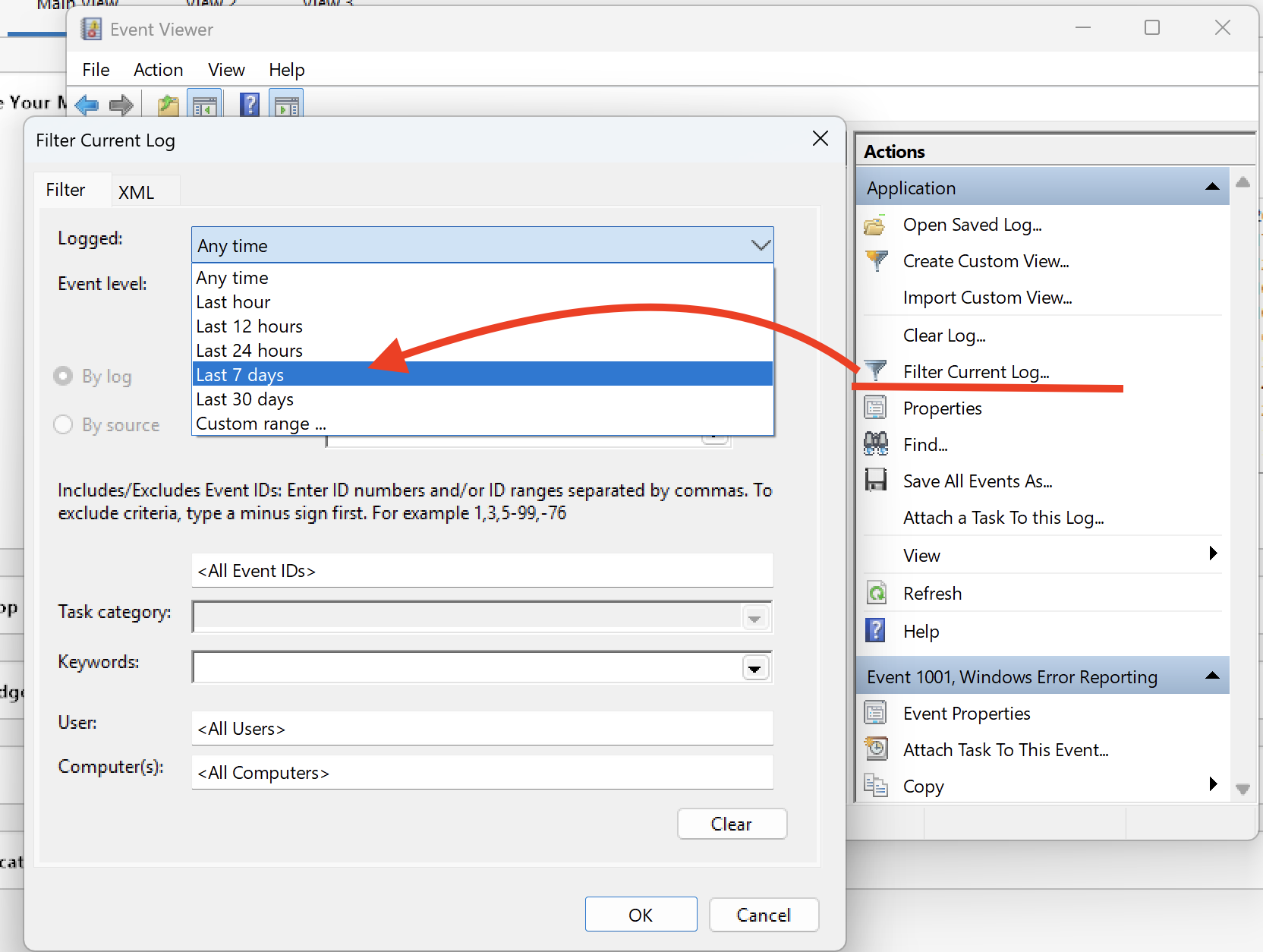
- On the right side, click on "Filter Current Log," and where it says "Logged," change the time range from "Anytime" to "Last 7 days."
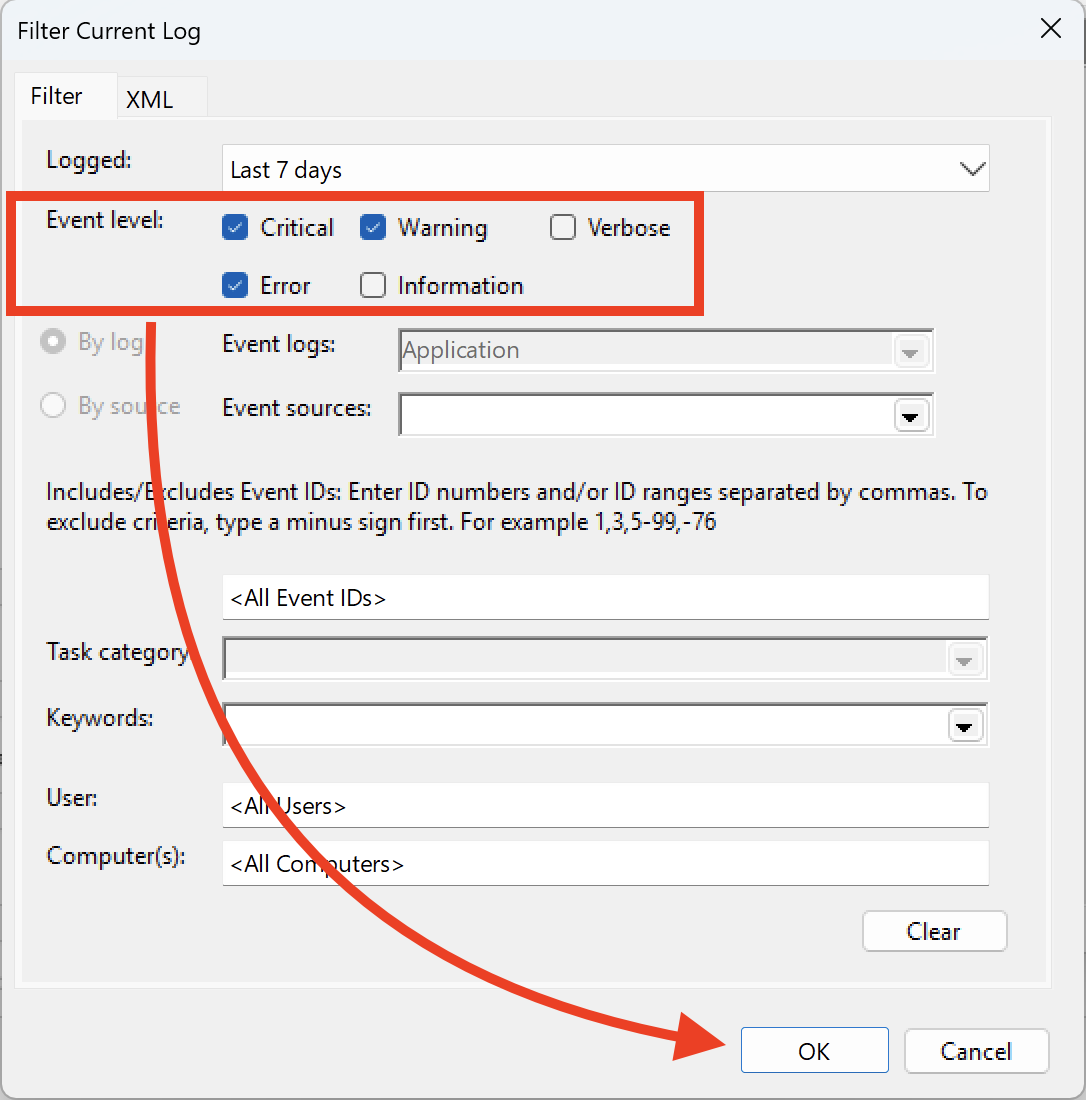
- Ensure that you select "Critical, Warning & Error," and then click OK.
- Next, click on "Save filtered log file as" and save it to the desktop.
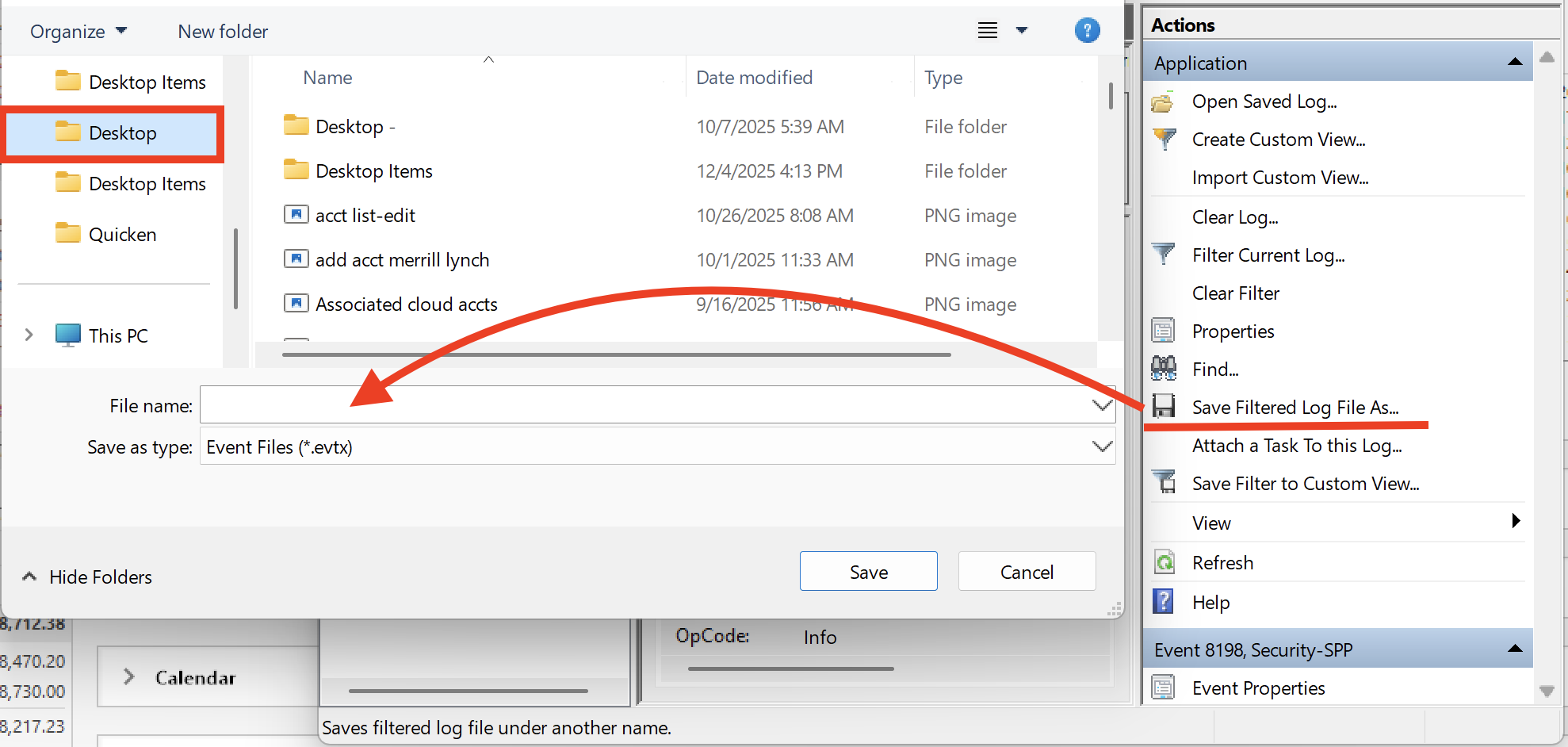
Let us know once you have gathered it, and we will provide guidance on how to send it over.
Sending over your log files will aid in this investigation as well. You can do that by going to Help>Report a problem>Send to Quicken, from within your Quicken software. Just let us know if you send them, so we can get it added to the escalation ticket.
Thank you!
[CTP-15434]
Quicken Alyssa
Make sure to sign up for the email digest to see a round up of your top posts.
0 - Search for the application "Event Viewer" and open it.
-
I had this problem today after running the QW27.1.65.29MPatch.exe mondo patch. I did both "Report a problem" and gathered the event log as described above.
Solved by downloading latest Quicken installer, uninstalled, reinstalled.
2 -
Thank you for chiming in to let us know what worked for you.
This could be helpful for other users experiencing the same or similar issues.
We appreciate your contribution!
Quicken Alyssa
Make sure to sign up for the email digest to see a round up of your top posts.
0





Categories
- All Categories
- 22 Product Ideas
- 34 Announcements
- 247 Alerts, Online Banking & Known Product Issues
- 19 Product Alerts
- 265 Welcome to the Community!
- 682 Before you Buy
- 1.5K Product Ideas
- 55.7K Quicken Classic for Windows
- 16.9K Quicken Classic for Mac
- 1K Quicken Mobile
- 834 Quicken on the Web
- 128 Quicken LifeHub