Bill Calendar not reliable since 11/2025 updates

After the November updates, the bill calendar is no longer accurate, the full calendar is accurate.
In this example, you see how the amount of the full calendar is correct but in the bill calendar it is wrong:
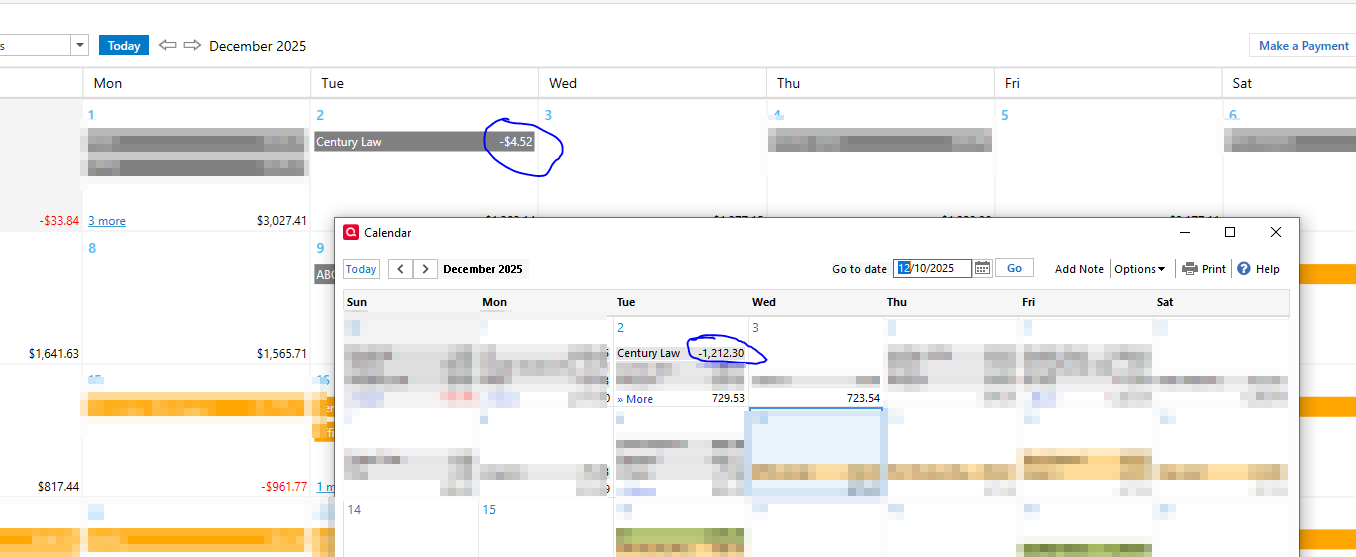
Here is the register showing the right amount and how the bill calendar matched it to some random transaction. In the bill calendar if I go to register, it takes me to the wrong transaction:

Here is another example but the bill shows paid on the wrong date for the wrong amount:
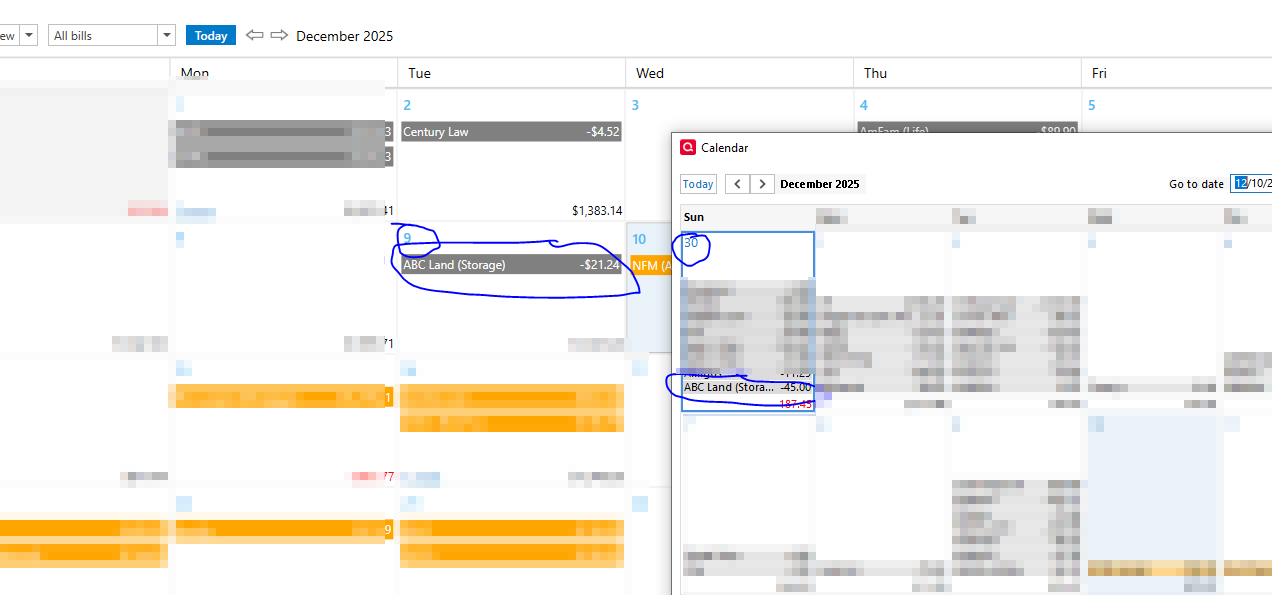
I have tried to repair, and do a deep repair no luck. This started happening immediately after the last update. Right now I use the full calendar because the bill calendar is completely unreliable.
Comments
-
Hello @ALambrecht,
Thank you for the detailed examples—the screenshots are very helpful, and I’m sorry for the trouble the Bill Calendar has been giving you since the last update.
To help narrow down what’s causing the behavior, could you please provide a bit more information:
- Where is your Quicken data file stored?
Is it on your local hard drive (C: drive), or on a cloud-synced/external location such as OneDrive, Dropbox, Google Drive, a NAS, or a USB drive? - What troubleshooting steps have you already tried?
You mentioned running both a standard and a deep file repair—are you referring to Validating and Super Validating? Have you also tried restoring a pre-update backup to see whether the Bill Calendar displays correctly there?- File > View/Restore Backups...
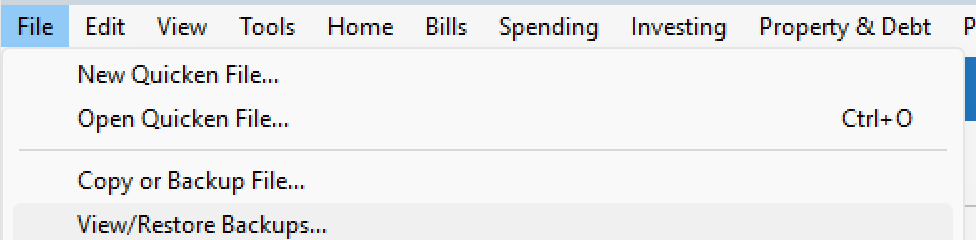
- File > View/Restore Backups...
Additionally, a few more questions that will help determine whether this is file-specific or a broader issue:
- Does this behavior occur with all bills, or only specific ones?
- Are the affected bills manual, online bills, or a mix?
- Are the incorrect links happening only for past/paid transactions, or also for upcoming scheduled ones?
Once we have a bit more detail, we can better determine next steps.
Thank you!
-Quicken Anja
Make sure to sign up for the email digest to see a round up of your top posts.0 - Where is your Quicken data file stored?
-
I have done both validations.
I am running on Windows 10 in Proxmox and the data file is on a NAS.
It seems to be random and there is nothing special about these bills, just the only two I have noticed so far.
All my bills are manual bills.
Once the bill is paid is when the link is incorrect because it is not in the register yet. Just some, not all.
I have not tried the backup restore, I may at a different time, I have too many new items logged and don't want to roll back.
0 -
@ALambrecht Thanks for the additional details you provided. Since you already tried validating the file, next I’d suggest creating a copy of your data file.
Creating a copy rebuilds Quicken’s internal lists and database tables, which can often resolve unusual behavior like this.
Create a copy of your data file
- Go to File > Copy or Backup File…
- Select Create a copy or template
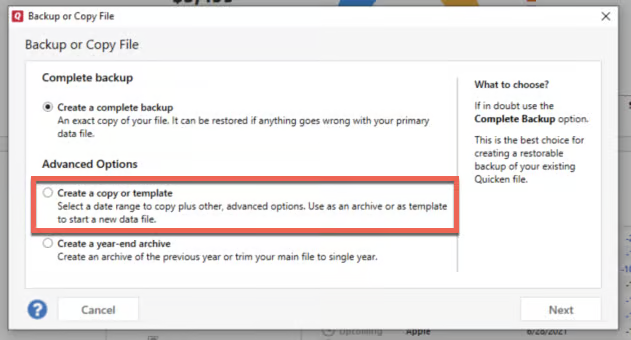
- When prompted for a date range, make sure the entire date range of your data file is selected if you don’t want to shrink the file
- Complete the process and open the copied file
If the copy is successful and things behave normally, you would then move forward using the copied file.
Important things to be aware of
- Creating a copy disconnects all online services in the new file
- You will need to sign back in with your Quicken ID
- All online accounts, billers, and Bill Manager services will need to be reconnected
- This happens because the copied file receives a new dataset ID
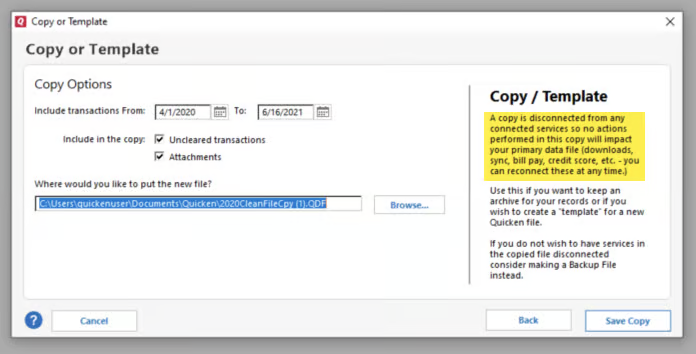
Once that is done, see if you're still seeing the same issue—if so, then you can switch back to your original data file.
Hope this helps!
-Quicken Anja
Make sure to sign up for the email digest to see a round up of your top posts.0 -
Hello again,
We haven't heard back from you in a while. Do you still need assistance?
Thank you!
-Quicken Anja
Make sure to sign up for the email digest to see a round up of your top posts.0 -
No thank you.
0 -
@ALambrecht Thanks for confirming—in that case, your post has been closed.
If you need further assistance, please feel free to start a new post.
Thank you!
-Quicken Anja
Make sure to sign up for the email digest to see a round up of your top posts.0
