Graphs & Reports - When will this years long issue finally be fixed?

I've used Quicken for over 25 years and it STILL will not retain the settings I choose in graphs and reports. No matter how many times I "customize" and "save", the settings do not retain.
Specifically under Categories. Periodically, my graphs and reports will revert to include asset and liability accounts which are not even related to an Income vs Expense report or graph. The Expenses graphs also include asset and liability accounts.
Does anyone on here have any insight as to what Intuit has to say about this? Will this ever be fixed? There are so few other options for personal finance software and I have no migration path to something else.
Will we forever not be able to rely on graphs and reports? Do accountants not review/QA this software?
Comments
-
Going back almost 30 years, I am not experiencing this issue and never have. Have you tried uninstalling and reinstalling the Quicken program software?
0 -
Saving the settings of a report does not change the default settings of ALL reports, just that saved version of the report.
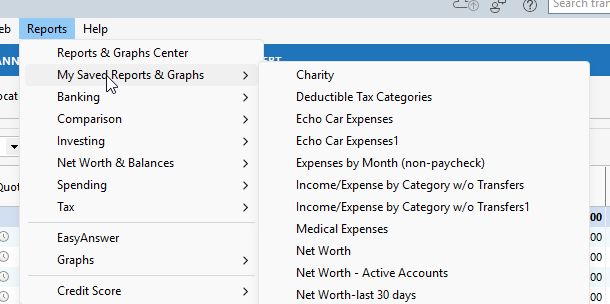
Are you selecting the saved report when you run it?
-splasher using Q continuously since 1996
- Subscription Quicken - Win11 and QW2013 - Win11
-Questions? Check out the Quicken Windows FAQ list1 -
Thanks to both of you for chiming in. If you've never experienced this issue then consider yourself lucky. I'm evidently not alone however. A simple AI search yields the following results which is a very accurate description of my issue. As previously mentioned, I've used Quicken for 25yrs+ so of course I've installed, reinstalled, migrated multiple times over the years as we all do for the typical reasons. Always on the latest version with the latest patches.
Of course I don't expect a single change to one report to carry over to all reports. Let's not grasp for straws here. The issue is exactly as I've described. It's a bug and either it'll get fixed or not.
"Quicken reports frequently fail to retain selected category settings, a persistent issue reported by users across multiple versions and platforms. The problem often manifests when modifying saved reports, where previously selected categories do not appear upon reopening the customization dialog, forcing users to recreate reports from scratch. This behavior is linked to bugs in the report customization interface, particularly involving the "Include only transactions with selected categories" option and the handling of hidden categories."
0 -
@ThirdHerd are the unwanted accounts ones you have added to Quicken since you saved the report? When saving a report, you have the option to lock it so that newly added accounts or Categories will no be included.
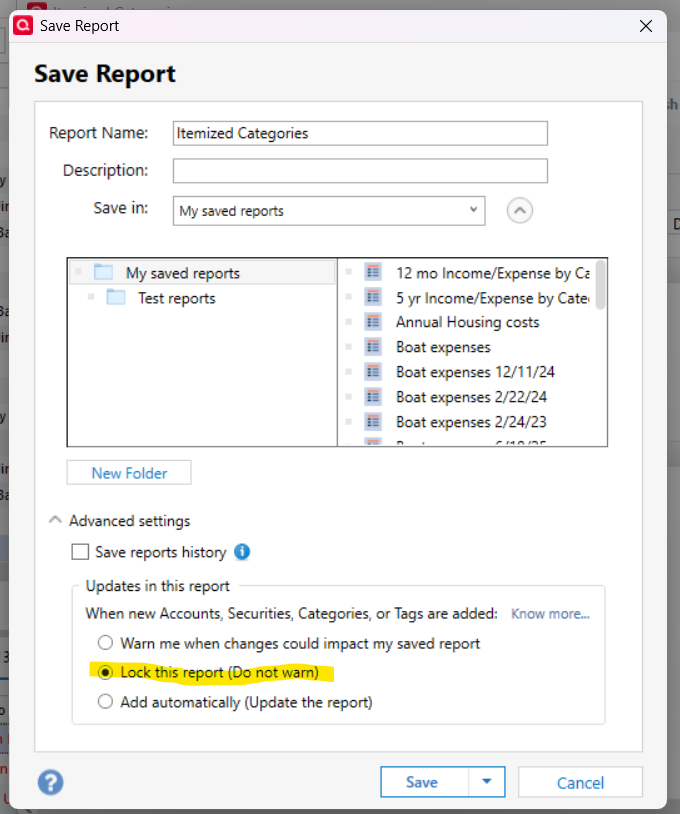
If that does not resolve your issue, try re-creating the report the way you want it and saving the new version.
QWin Premier subscription0


