Issue syncing with Quicken Servers (after updating to Q Mac 8.4)

After completing the update to my Quicken Mac today, when I attempted to update my accounts, all of my bank / investments updated properly, but I received an error saying there is an issue syncing with Quicken Servers.
Is this an issue with the new update? Or do I need to take an action?
Answers
-
Look forward to reading more reports before I update… Of course, they would release the update on a Friday… 🤨
Quicken user since 1990, MacBook Pro M2 Max on Tahoe 26.2 (and Win 11 under Parallels Desktop)
1 -
I'm not having any problems with syncing/downloading.
0 -
Yes, I'm getting same sync error after this morning's update.
2 -
Ditto
2 -
Been getting Sync Error ever since the newest update. says accounts upload: requests (43) don't match responses (42)
1 -
Hello All,
Thank you for taking the time to visit the Community to report this issue, though we apologize that you are experiencing this.
We have forwarded this issue to the proper channels to have this further investigated. In the meantime, we request that you please navigate to Help > Report a problem and submit a problem report with log files attached, a screenshot of the exact error message you are seeing, and (if you are willing) a sanitized copy of your data file in order to contribute to the investigation.
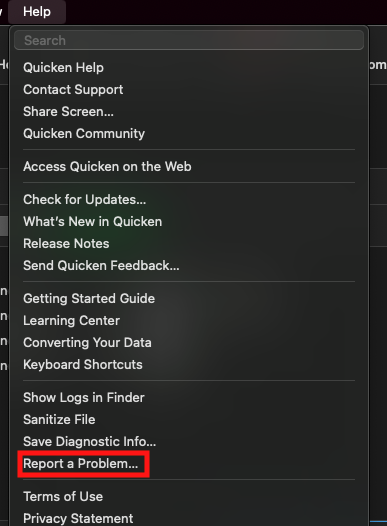
While you will not receive a response through this submission, these reports will help our teams in further investigating the issue. The more problem reports we receive, the better.
We apologize for any inconvenience!
Thank you.
(CBT-970)
Quicken Kristina
Make sure to sign up for the email digest to see a round up of your top posts.
1 -
Syncing had been working find for me all day with 8.4.0, but now I'm having a problem. As soon as I press the sync button an empty window pops up. I tried waiting it out for a couple minutes but nothing further happens until I press cancel and then the sync stops. So unlike @Mike J H syncing now appears completely broken for me.
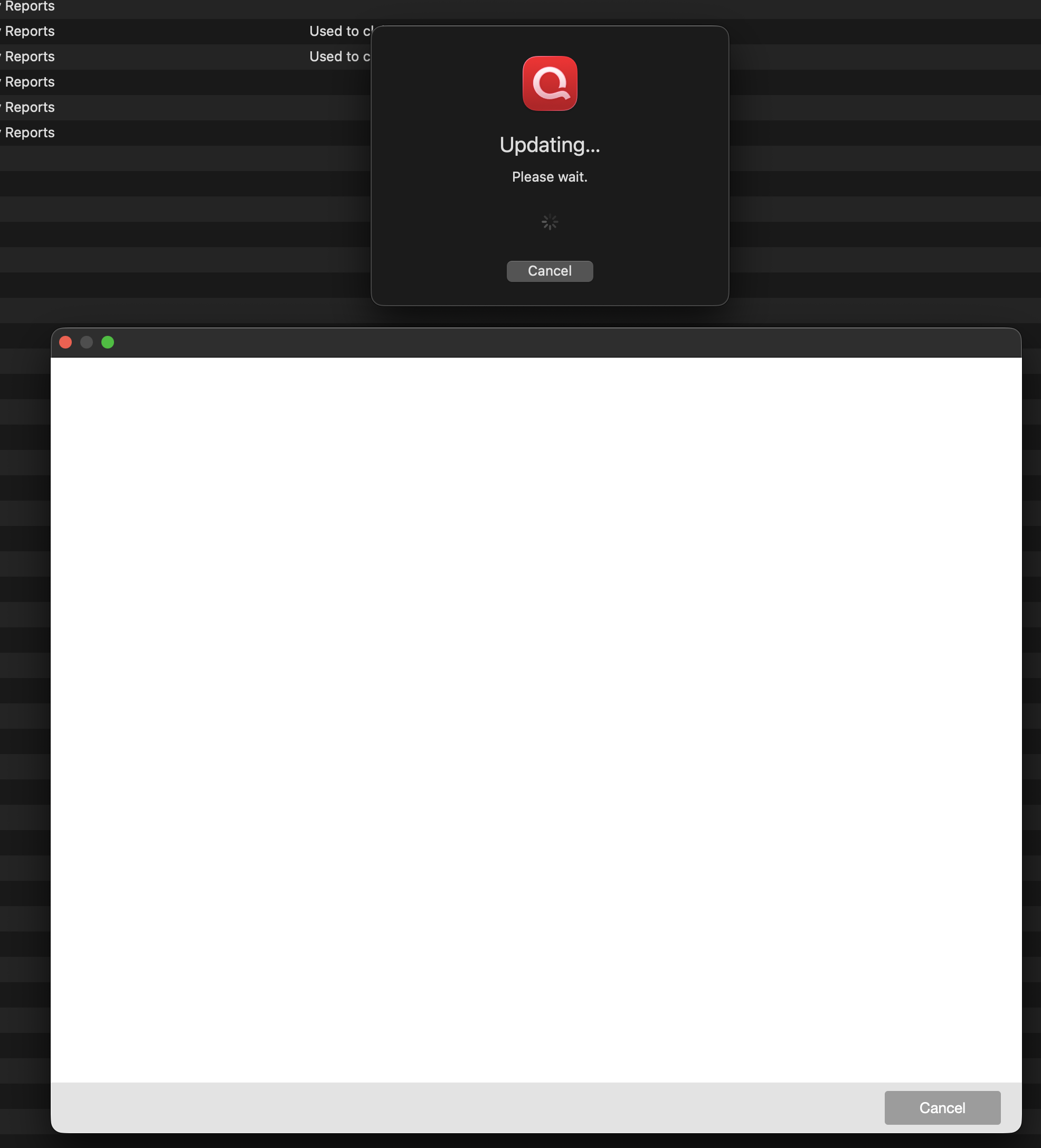
Edit: I tried to use Report A Problem to report this, but that didn't work either. Apparently the source of the problem is my VPN - when I turned that off both problems went away. I've been using this VPN (Mullvad) for years without issue, not sure why it suddenly is a problem now.
Edit 2: I switched the VPN to connect through a different portal and Quicken was OK with that one, so apparently it was something specific to the San Jose connection I was using.
2 -
I was getting the same Quicken servers message since updating to 8.4. I reset my cloud account today and that fixed it.
1 -
Somebody else said that in a separate thread and it worked. So this looks like this is the solution.
1 -
I am having the same problem with quicken classic for Mac
1 -
Same issue here after updating to 8.4.
1 -
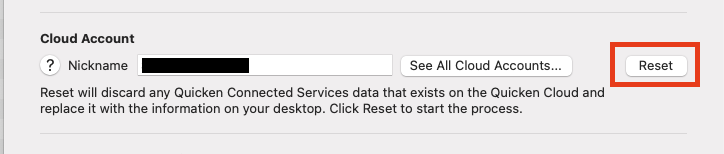
Reset your cloud account and see if that fixes it.
2 -
Same issue with version 8.4 Sync Error Warning, "Quicken encountered an error while communicating with our servers. Try again later." I tried later several times, and the error persists. I have made a report to Quicken tech support.
1 -
I reset the cloud account in Quicken settings, and so far the issue has been resolved.
Thanks for the tip.
2 -
Resetting the cloud account worked for me also, thanks.
1 -
I bit the bullet and updated just now. Seems to sync for me without resetting the cloud, but will know better over the next couple of days. A new/weird behavior was that I got a spinning beachball 2 or 3 times during the sync … have never had the beachball of death while running QMac before.
Quicken user since 1990, MacBook Pro M2 Max on Tahoe 26.2 (and Win 11 under Parallels Desktop)
0 -
Resetting the cloud may fix the spinning beachball. I haven’t experienced that.
1 -
Just another data point that this fixed the issue for me too. Thank you!
2 -
Thanks Dennis@1. Resetting the cloud account fixed the error message for me
1 -
Thank you for sharing,
I'm glad to hear that resetting the cloud has corrected the issue. Is anyone still encountering this problem after resetting the cloud?
Thank you!
Quicken Kristina
Make sure to sign up for the email digest to see a round up of your top posts.
0 -
I have not yet upgraded to 8.4, but I would ask that @Quicken Kristina make sure the devs understand that just becuase resetting the cloud account fixes something, it is still an issue they really need to solve in a 8.4.1. Right?
As a long-time developer and QA manager, resetting the cloud account might well be making the visible symptom go away, but that by no means indicates that whatever internal issue is causing the original error isn't still causing internal corruption or such that isn't yet visible. Someone broke something from 8.3.x to 8.4 that needs a real fix.
Thanks!
-Jay1 -
Hello @JayBugs,
Thank you for sharing your feedback. The information that a cloud reset corrects the issue gives our teams more information on the possible cause of the issue. It doesn't mean that they see the issue as resolved.
Thank you!
Quicken Kristina
Make sure to sign up for the email digest to see a round up of your top posts.
2 -
How do you reset cloud account?
0 -
@Steven Joyce In Quicken, go to Settings > Connected Services. You'll see the Quicken Cloud Reset button there.
Quicken Mac Subscription • Quicken user since 19930 -
Thank you
0




