Problem accessing cloud account from mobile app

This is a bit hard to explain, but here goes… I have been syncing Quicken classic with the cloud successfully to a cloud account called QDATA2025. I have shared that account with my wife who accessed it using the mobile app (only).
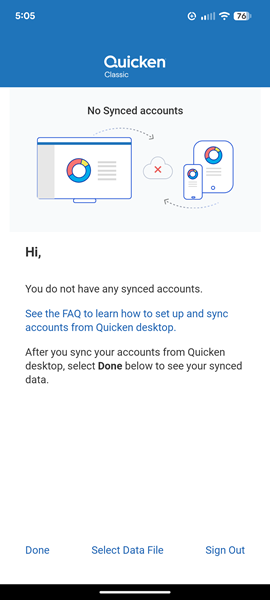
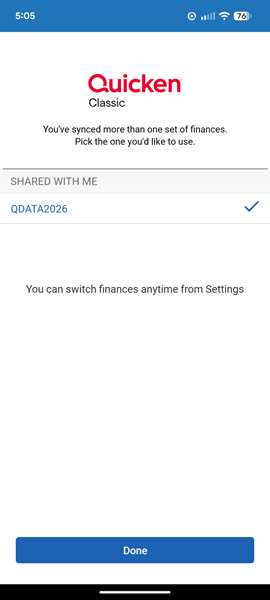
That was working until I messed something up trying to create a new data file for the new year. I created a new file, had some difficulty with my account connections, got them working, and ultimately renamed the cloud account to QDATA2026. In the process I unintentionally removed my wife from access to the cloud account. I sent her a new access invitation which she accepted - but when she logs in to the mobile app it fails to load QDATA2026, saying "You do not have any synced accounts". If she selects a data file to load, QDATA2026 is there but it will not load, and the same error is produced.
I am able to access QDATA2026 from my mobile app with no problem. I am at a loss as to how to restore her access to the data. I have tried to reset the cloud data from the desktop and that does not help.
Does anyone know how to fix this?
Answers
-
Hello @jvankeuls,
Thanks for the detailed explanation—it sounds like the cloud sync itself is fine since you can access QDATA2026 from your mobile app, but your wife’s device is having trouble refreshing the new access permissions.
Before diving into anything more complex, have you had her try these basic steps:
- Uninstall and reinstall the Quicken mobile app – This ensures that any cached information is cleared.
- Restart her phone – This helps the app fully reload after reinstalling and can resolve issues with background sync services or lingering cache.
Let us know how it goes!
-Quicken Anja
Make sure to sign up for the email digest to see a round up of your top posts.0 -
Hello again,
We haven't heard back from you in a while. Do you still need assistance?
Thank you!
-Quicken Anja
Make sure to sign up for the email digest to see a round up of your top posts.0 -
Hello again,
Checking in once more before this thread is closed.
Let us know if you still need assistance.Thank you!
-Quicken Anja
Make sure to sign up for the email digest to see a round up of your top posts.0 -
Hello again,
Due to the lack of response, I went ahead and closed this post.
If you still require assistance, please feel free to start a new post.
Thank you!
-Quicken Anja
Make sure to sign up for the email digest to see a round up of your top posts.0
