How do I find the memo field in Quicken Classic Premier?

Answers
-
Hello @galgolfer63,
Thanks for reaching out!
In Quicken Classic for Windows, the Memo field can be shown or hidden within the register.
To display it, please follow these steps:
- Open the account register where you want to see the Memo field.
- Click the Columns icon in the top-right corner of the register.
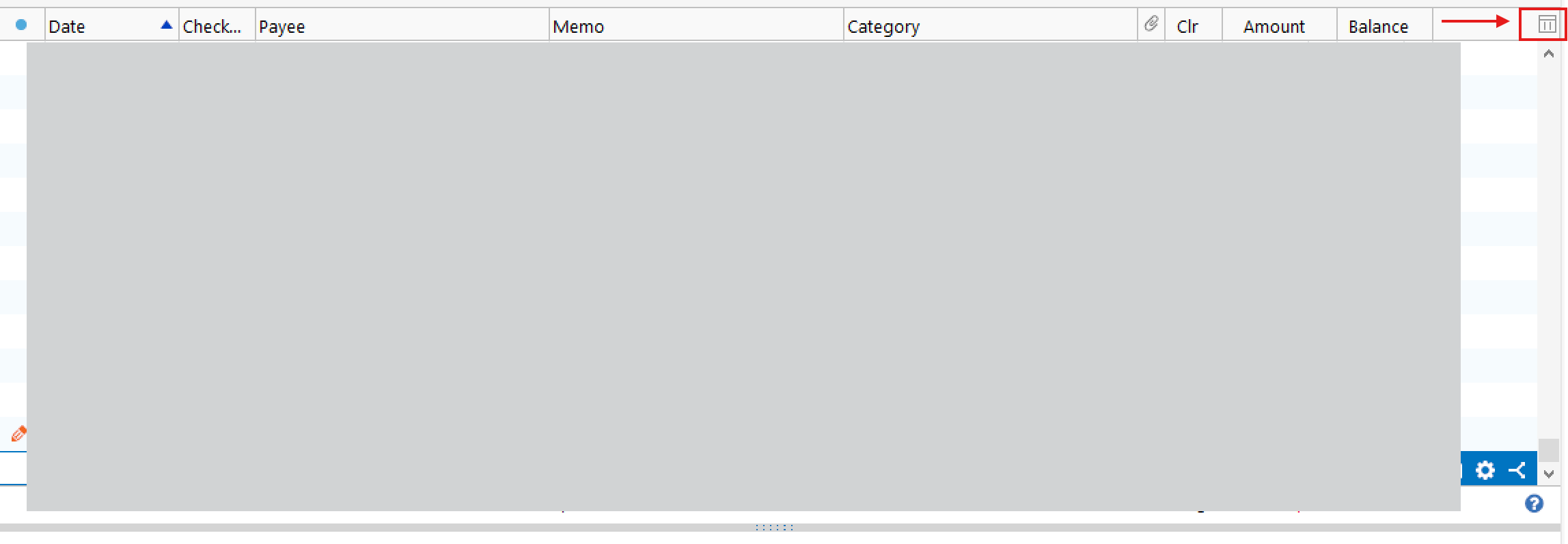
- In the list that appears, make sure Memo is checked.
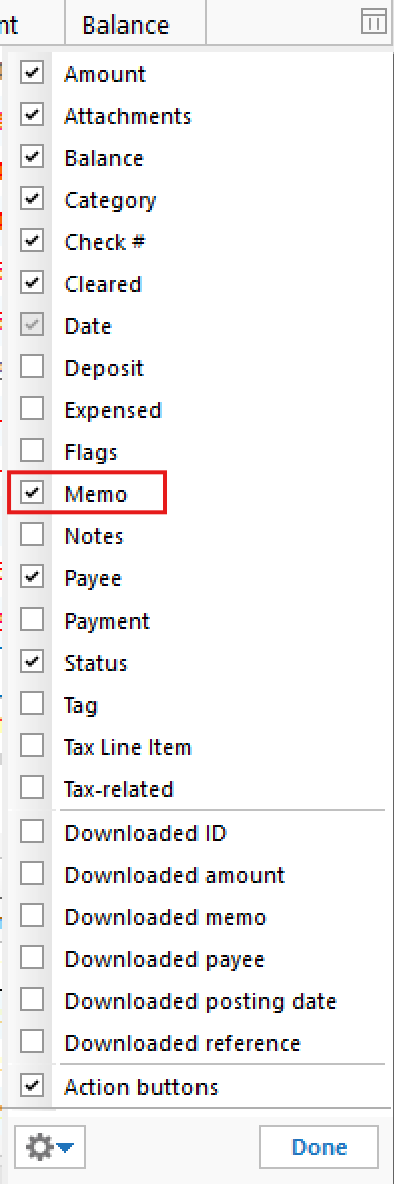
- If it was unchecked, checking it will immediately add the Memo column back to your register.
Once enabled, you’ll be able to view and edit the Memo field directly in the register.
Hope this helps!
-Quicken Anja
Make sure to sign up for the email digest to see a round up of your top posts.0 -
Hello again,
We haven't heard back from you in a while. Do you still need assistance?
Thank you!
-Quicken Anja
Make sure to sign up for the email digest to see a round up of your top posts.0 -
Hello again,
Checking in once more before this thread is closed.
Let us know if you still need assistance.Thank you!
-Quicken Anja
Make sure to sign up for the email digest to see a round up of your top posts.0 -
Hello again,
Due to the lack of response, I went ahead and closed this post.
If you still require assistance, please feel free to start a new post.
Thank you!
-Quicken Anja
Make sure to sign up for the email digest to see a round up of your top posts.0
