Sudden 1 check to print

Suddenly, I have an account which says I have 1 check to print based on an icon that is just before the account name

The check is from an entry 1/13/2016 (year is not a typo). I've never seen this before. I have never used Quicken to write checks.
Why did this happen? How do I delete it?
Answers
-
Hello @acs2,
Thanks for reaching out with your question! This likely happened due to a transaction in your register having had the word "Print" added to the Check # column. Here’s how you can get rid of it:
- In the Account list, look for the icon next to your account name indicating there are checks to print.
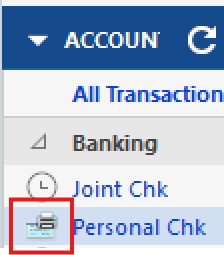
- Click on that icon and select "You have # checks to print" to see the list of pending checks.
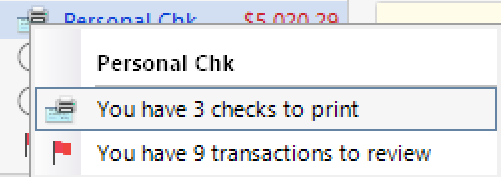
- In the list, right-click the check you want to remove and select "View in the register."
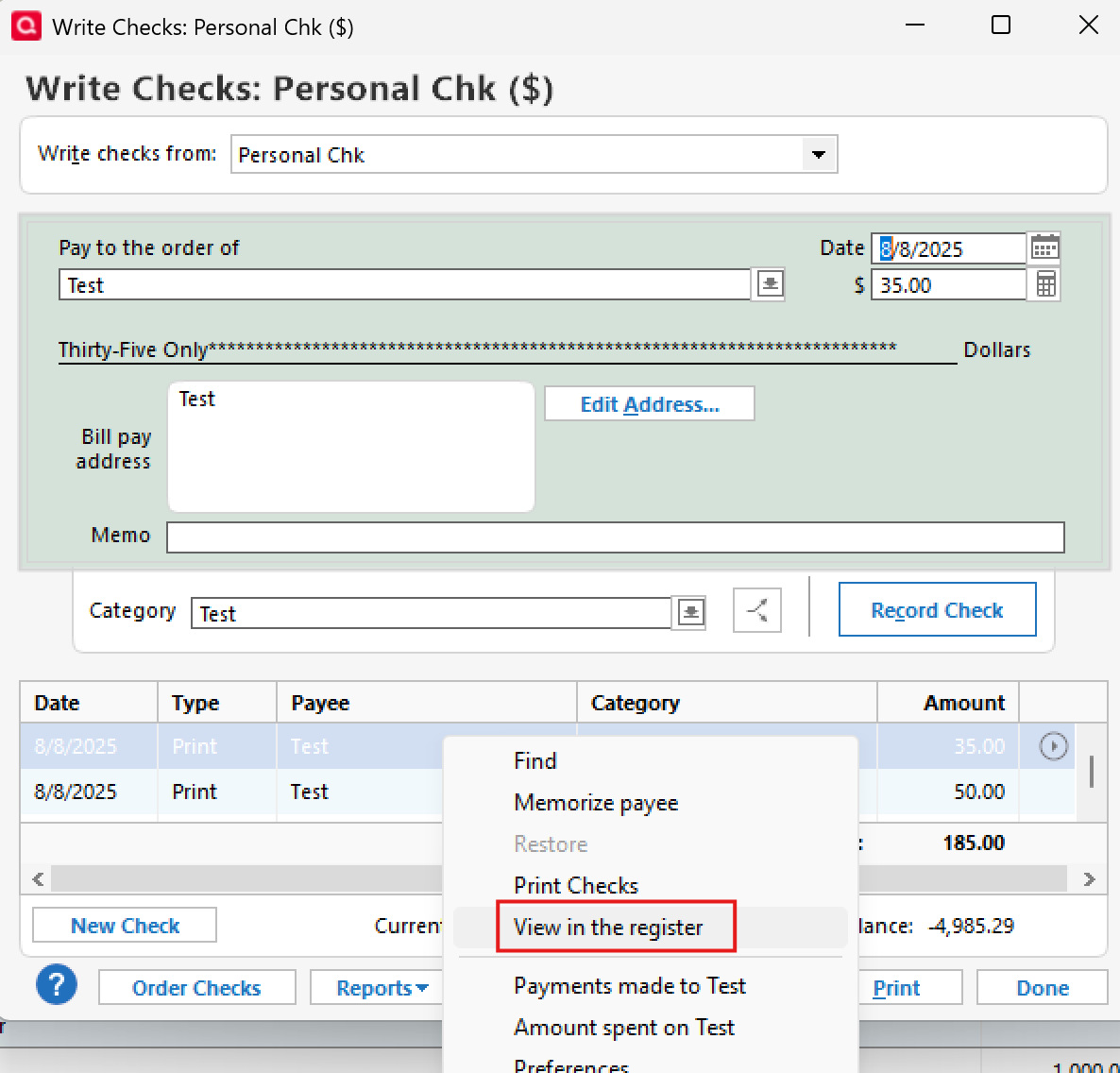
- This will open the transaction in the register.
- If you want to delete the transaction entirely, right-click it and choose Delete.
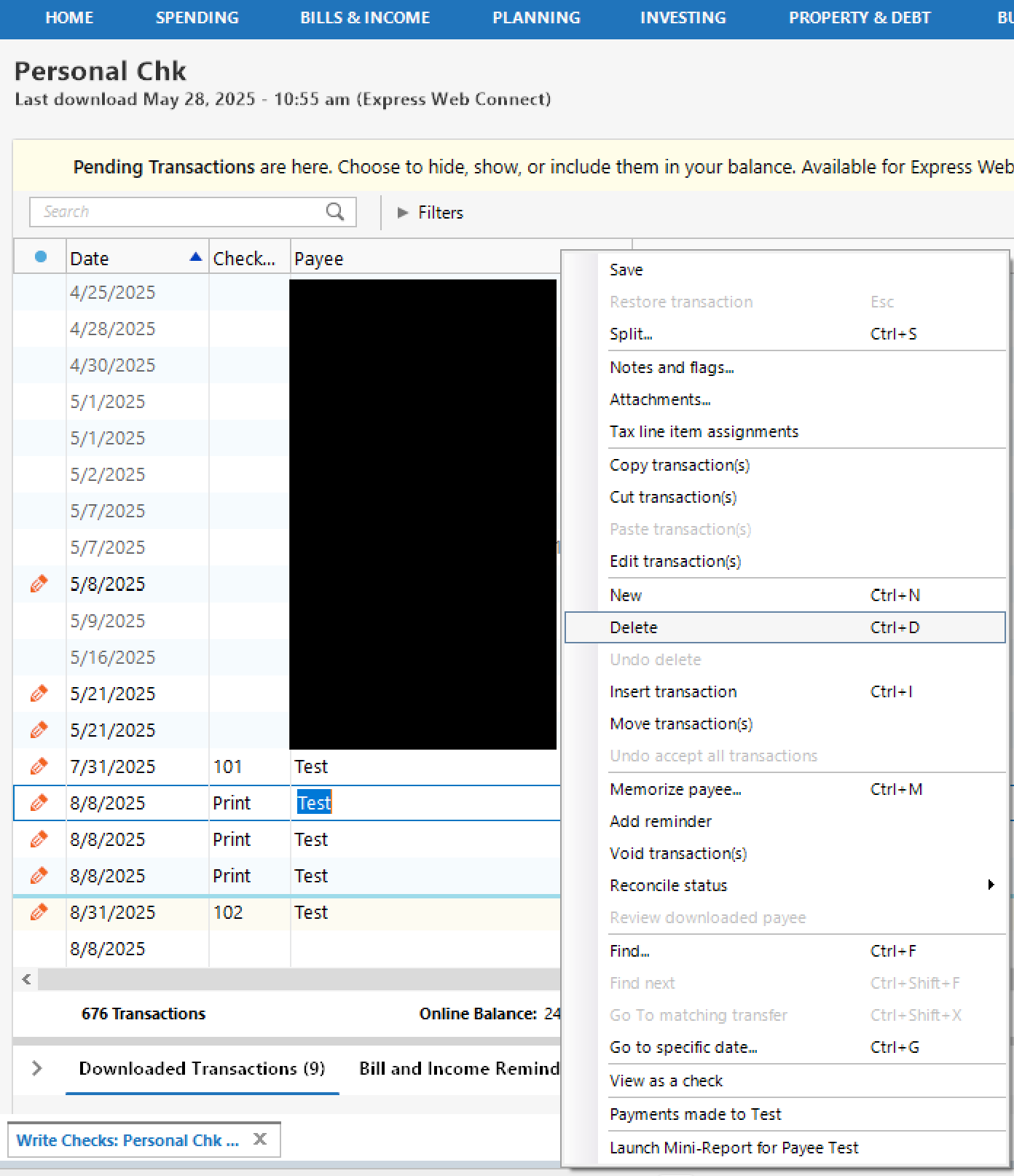
- If you want to keep the transaction but remove it from the print queue only, simply clear the word "Print" from the Check # field and save the change.

- If you want to delete the transaction entirely, right-click it and choose Delete.
Hope this helps!
-Quicken Anja
Make sure to sign up for the email digest to see a round up of your top posts.1 - In the Account list, look for the icon next to your account name indicating there are checks to print.
-
Hello again,
We haven't heard back from you in a while. Do you still need assistance?
Thank you!
-Quicken Anja
Make sure to sign up for the email digest to see a round up of your top posts.0 -
Anja,
You were correct that Print was in the check number field. I removed it and the print icon disappeared. However, here is something odd about this. The transaction where the print icon showed up is from 2016. I had never seen it before. Also, I do not display the Check number column in this account as it is not one where I can write checks. To find the Print option as you suggested I had to display that column and then delete the Print option. I wonder why it suddenly appeared.
Thanks for your help
Arthur
0 -
@acs2 Thanks for the update, and I’m glad removing “Print” resolved the issue.
Since the transaction is from 2016 and nothing else appears to be affected, this was most likely just a one-off data quirk rather than an indication of an ongoing problem. Unfortunately, there isn’t a reliable way to determine exactly what caused that to appear after so long.
For now, the best thing to do is to just keep an eye on it. If you notice it happening again, especially with newer transactions or in multiple accounts, please let us know.
Thank you!
-Quicken Anja
Make sure to sign up for the email digest to see a round up of your top posts.0
