Bill Reminder due dates become out of sync

I have Bill Reminders set up for weekly transactions. When I go to post the transactions, I find that the due date has already been moved up 7 days into the future without them being entered into my register.
E.g. Today is 1/8/2026. I wanted to post my transactions from 1/6/2026 and 1/7/2026. The Bill and Income Reminder screen show them as being due 1/13/2026 and 1/14/2026.

The 1/6 & 1/7 transactions are NOT posted to my register.
Here is how the Reminder is set up:
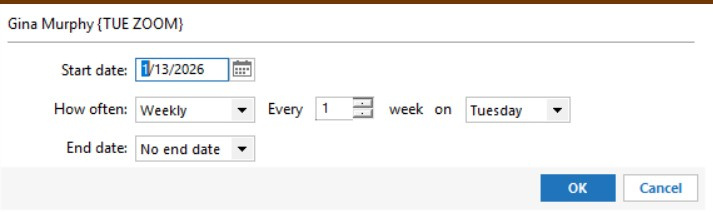
As a work around, I've gone into the Edit Bill Reminder (Edit this instance and all future instances) and change the next date to the actual due date (back one week).
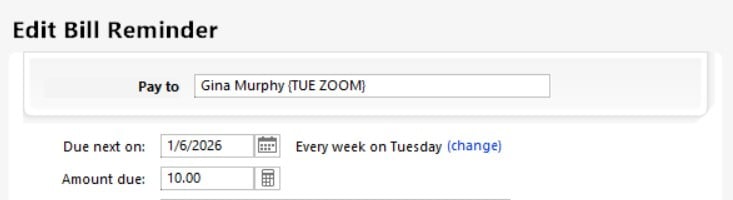
This is what they look like after my change. This is the way they should have looked to begin with.

Why do these transactions not become Overdue? Why does changing the due date back not fix the issue?
Is there a solution?
Comments
-
Hello @DennisDe,
Thank you for sharing your experience and reporting the issues you are having with bill reminders.
What you are describing is not the expected behavior. I have some follow-up questions for you.
- Have you tried deleting these reminders and re-adding them?
- If not, this is a good step to try.
- Where is your data file located?
- You can see this by going to File. The first file listed at the bottom of the menu has your file pathway listed.
- Is your file being backed up/synced by any third-party services like OneDrive, Carbonite, or Dropbox?
- Click on the Bills & Income tab at the top.
-

- Click on Manage Manual Bills and Income in the top right.
- Highlight the bill you'd like to delete by clicking on it once.
- Click on the Delete button at the top.
- You will receive a message, "You are about to delete a bill reminder." Click OK.
- Repeat this process as necessary.
Then add the reminders back and watch to see if this issue persists.
Let us know how it goes!
Quicken Alyssa
Make sure to sign up for the email digest to see a round up of your top posts.
0 - Have you tried deleting these reminders and re-adding them?
-
I have deleted and recreated the reminders already. They worked for a short while then the issue re-occurred.
My data file is in directory C:\Users\{My User Name}\Quicken\
I am not using any syncing software. Backups are done through Quicken's own software each time I exit Quicken using "Copy or Backup File...". The backup file is written to a NAS. Quicken's automatic backups go to a backup directory on the D: drive (external).
0 -
For the reminders in question, what is the number-of-days setting in "Remind me [xx] days in advance"?
Is it 7 or greater? Or zero?
Or have you set the reminder to "Auto enter [xx] days" before with [xx] being 7 or greater?0 -
I'm sorry that it wasn't clear that I post the manually. The reminder is set for 7 days.
0 -
I may be chasing a ghost here, but if "Remind me [7] days before" is set for a 7-days (weekly) reminder, there may be a logic bug causing the skipped intervals to occur …
Try setting "Remind me …" to a number from 1 to 6 and see if that prevents the skipped intervals for the next few weeks.0 -
This situation seems to be happening to other reminders. Today is 1/14. I attempted to enter a VERIZON Bill that occurs monthly. I have it set for 30 on the 11th of the month. The 1/11 reminder advanced to 2/11 without being entered. The 1/11 reminder should have been OVERDUE.

[Edited-Readability]
0 -
Thank you for following up with additional information.
I would like to rule out whether or not this is a file-related issue or not by seeing if this issue exists in a new file. We can do this by copying your current file.
To copy your file:
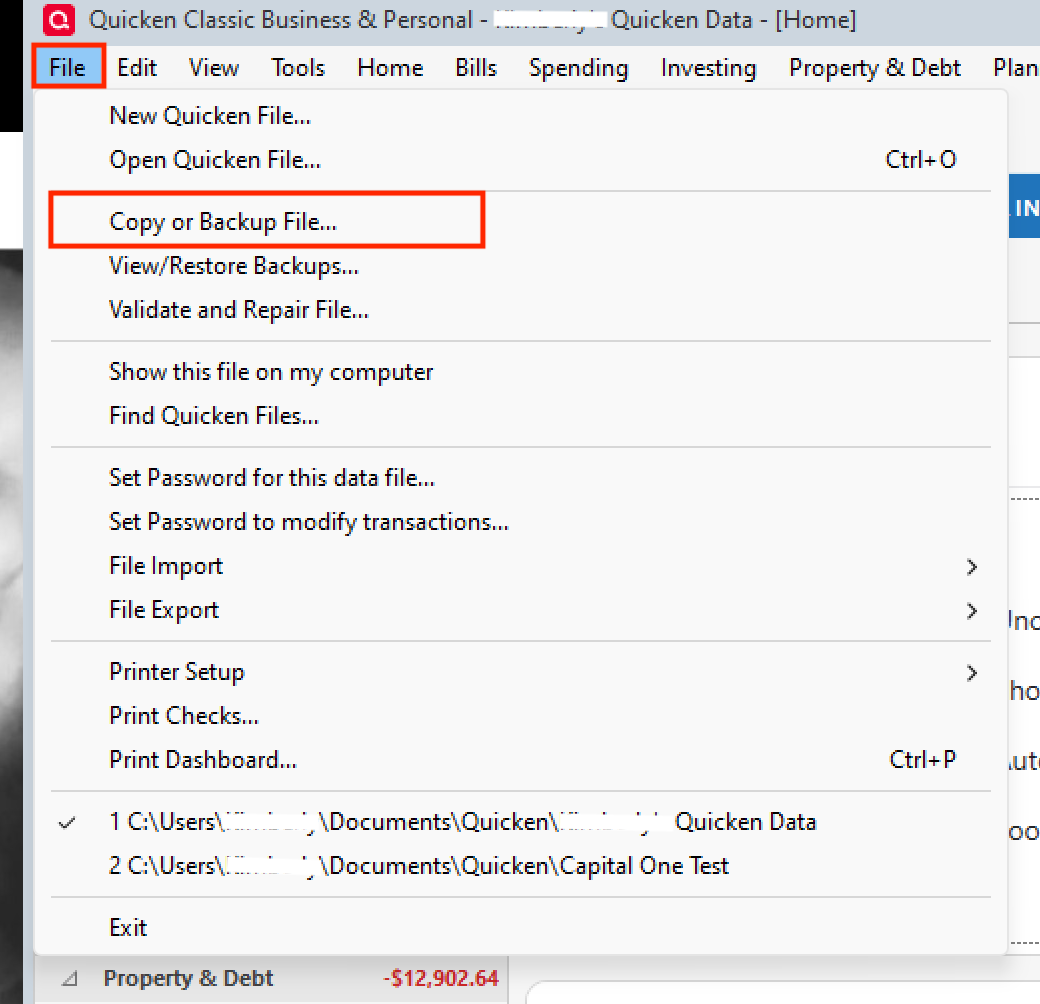
- Go to File > Copy or Backup File.
- In the Backup or Copy File window, under Advanced Options, select Create a copy or template.
- Click Next.
- Choose what you want to include in the copy.
- This is where you can set the Include transactions From and To dates to control which transactions are included.
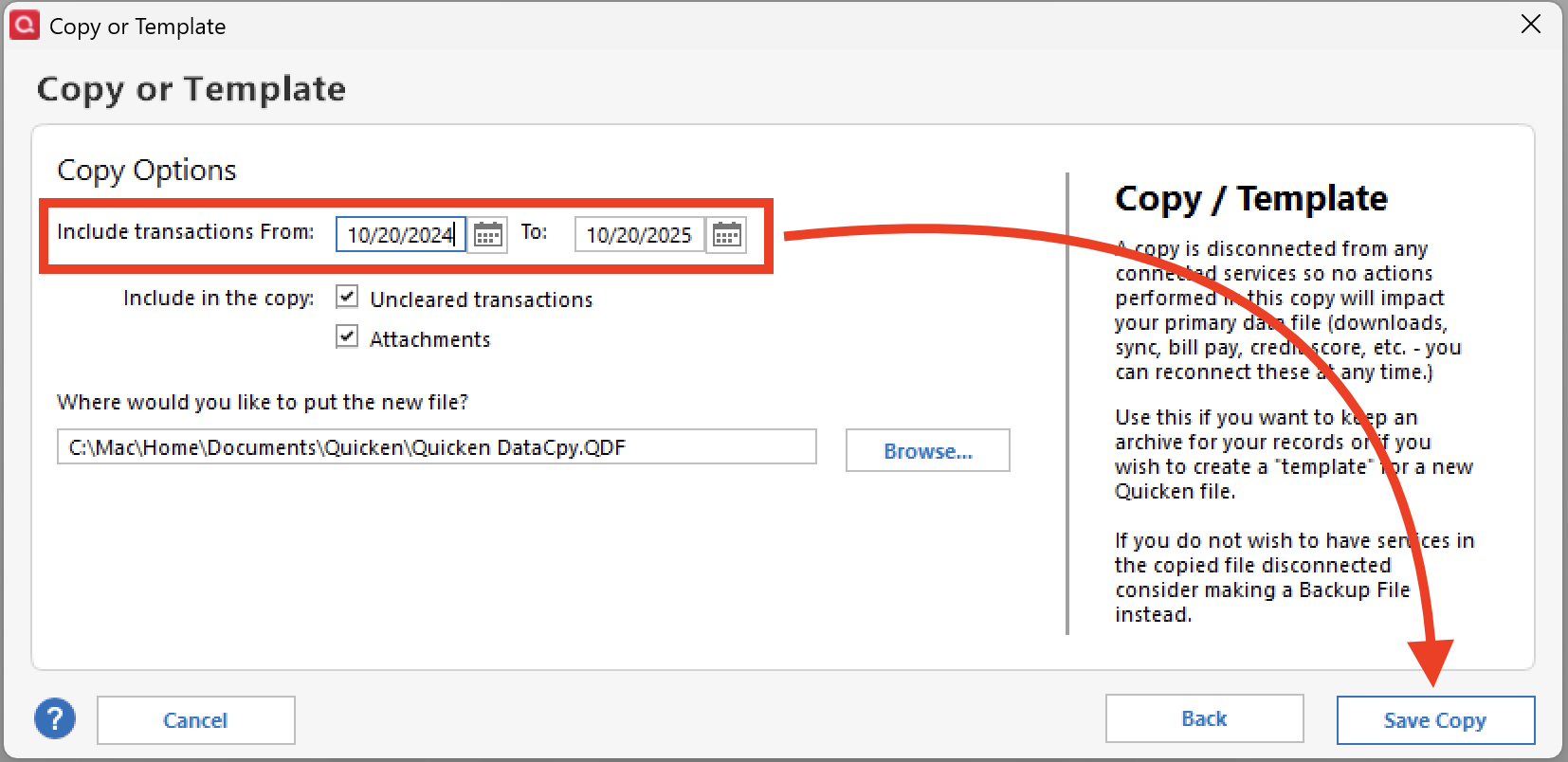
- This is where you can set the Include transactions From and To dates to control which transactions are included.
- Name and Save the copied file.
- When asked which file you would like to open, choose New Copy.
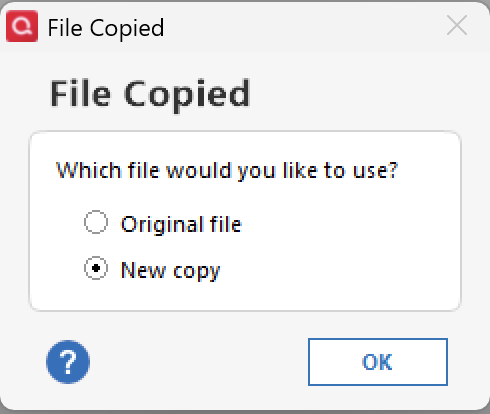
Note: Once you are in the new file, you will need to reconnect all of your accounts. If at any point you want to get back to your original file, you can do so by going to File and selecting the second file listed at the bottom of the menu.
Let us know how it goes and if the issues with reminders continue happening.
Looking forward to your response!
Quicken Alyssa
Make sure to sign up for the email digest to see a round up of your top posts.
0 - Go to File > Copy or Backup File.
-
Just checking in, we haven't heard back from you in a while.
Do you still need assistance?
Thank you!
Quicken Alyssa
Make sure to sign up for the email digest to see a round up of your top posts.
0 -
Hello again,
Checking in once more before this thread is closed.
Let us know if you still need assistance.
Thank you!
Quicken Alyssa
Make sure to sign up for the email digest to see a round up of your top posts.
0 -
Due to the lack of response, I went ahead and closed this post.
If you still require assistance, please feel free to start a new post.
Thank you!
Quicken Alyssa
Make sure to sign up for the email digest to see a round up of your top posts.
0

