Venmo - FDP-102 (QMAC)

Comments
-
I'm on a Mac, and I've been getting an FDP-102/CC-502 error with my Venmo account for the last couple of days, too.
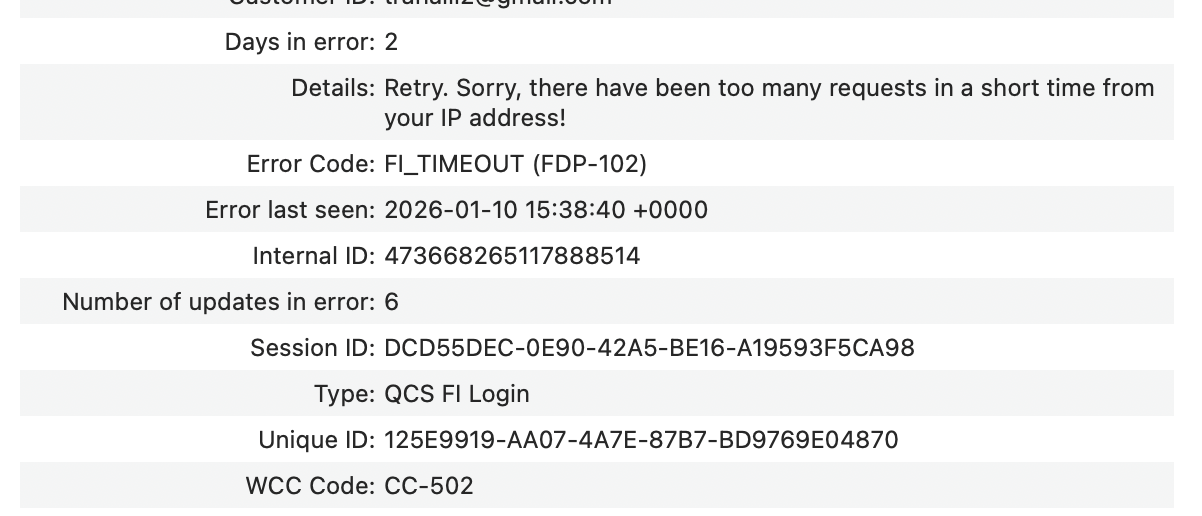
This isn't the first time Venmo has glitched like this. The last time it took a few days to resolve itself.
Edited to add: I went back to search for the previous issues. Different error code. Tagging @Quicken Anja for comment.
1 -
Hello @AZCoder1959,
Thank you for taking the time to report this issue!
First, please take a moment to review this support article regarding error FDP-102.
However, we will be forwarding this issue to the proper channels to have this further investigated. However, we request that you please navigate to Help > Report a problem within your Quicken program and submit a problem report with log files and screenshots attached in order to contribute to the investigation.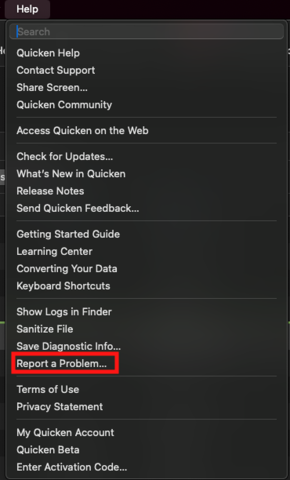
It would also aid the investigation to include a sanitized file when submitting the problem report. A sanitized file is a data file that removes personally identifiable information so you can comfortably share this file with the Quicken team.
While you will not receive a response through this submission, these reports will help our teams in further investigating the issue. The more problem reports we receive, the better.
We apologize for any inconvenience in the meantime! Thank you.
(CBT-999)-Quicken Anja
Make sure to sign up for the email digest to see a round up of your top posts.0 -
@Quicken Anja Thanks for moving my comment to the Mac forum. I think it's interesting/important to note that it's affecting both Mac and Windows users (and it appears to be the same issue), which is why I commented there. Sometimes, issues are platform-specific, but more times than not, they're platform-agnostic.
I'll wait a day or two more before reporting this to Quicken with the hopes of it resolving itself.
0 -
I have also had issues updating Venmo for the last few days. I'm running Quicken for Mac. Here is the error I receive every time I try to update accounts:
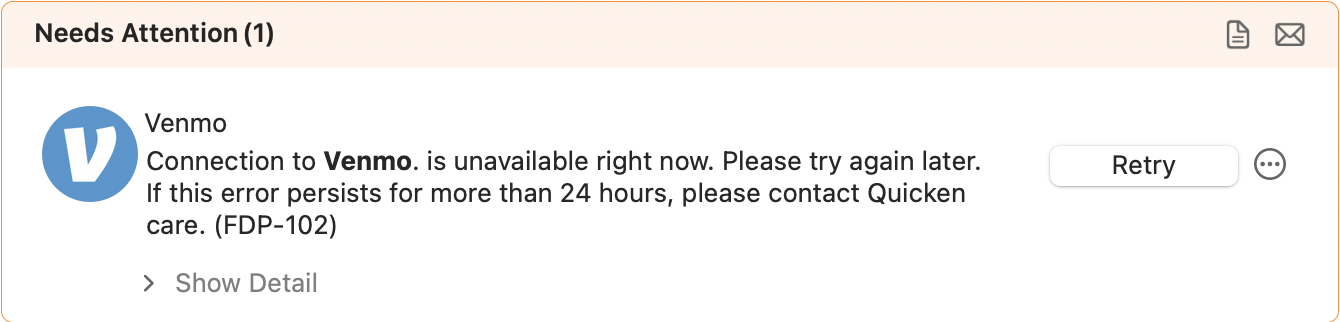
I have submitted logs through the "Report a problem" option.
0 -
@AZCoder1959 You’re absolutely right—this does appear to be the same underlying issue affecting both Mac and Windows users, and it is being reported and tracked internally on both sides. I’ve also been able to reproduce the error on my own systems across both platforms, so we’re confident it’s not platform-specific.
We do still keep Mac and Windows discussions separate in the Community purely for organization and tracking purposes, since troubleshooting steps, logs, and escalation paths can differ slightly between platforms. But the reports from both threads are being funneled into the same investigation internally.
If it doesn’t resolve on its own in the next day or two, we’d definitely appreciate you submitting a problem report so your logs can be added to the ticket—every data point helps move it along.
Thank you!
-Quicken Anja
Make sure to sign up for the email digest to see a round up of your top posts.1 -
Hello @Austin@,
I went ahead and merged your comment with this Mac thread since you're on Mac as well.
Please refer to my earlier comment above to submit your log files and a sanitized data file via Help > Report a problem, as we have forwarded this issue along to the proper channels for further investigation.
Thank you!
-Quicken Anja
Make sure to sign up for the email digest to see a round up of your top posts.0 -
I'll add that I have had the same issue connecting with Venmo for the past few days (today included):
Please try again later.
Care Code: FDP-102
Details:
FI_TIMEOUT
Retry. Sorry, there have been too many requests in a short time from your IP address!I tried to reconnect, disconnect and reconnect, and run ONLY the Venmo update separately … but I am still seeing the same issue I have NO problem connecting to Venmo on my computer through a browser.
I have sent the Feedback/Error to Support for further review.
2 -
I have been seeing the same problem for a few days as well
0 -
Hello All,
Thank you for continuing to report this.
This is now a Known Issue. Our teams are aware of the issue and are working toward a resolution. We currently do not have an ETA.
Please bookmark the linked alert to stay updated on any progress/changes as they occur.
Thank you!
Quicken Alyssa
Make sure to sign up for the email digest to see a round up of your top posts.
1 -
Thank you, @Quicken Alyssa. I've sent my data in this morning. I hope it helps resolve the problem.
0 -
Please keep me updated as I am having the same issue
0 -
@AZCoder1959 Thank you for submitting your logs and data this morning.
@Hoot52 For the latest updates on this Venmo FDP-102 issue, please refer to the Community Alert that @Quicken Alyssa linked above. That alert will be updated as soon as new information becomes available.
Thank you!
-Quicken Anja
Make sure to sign up for the email digest to see a round up of your top posts.0 -
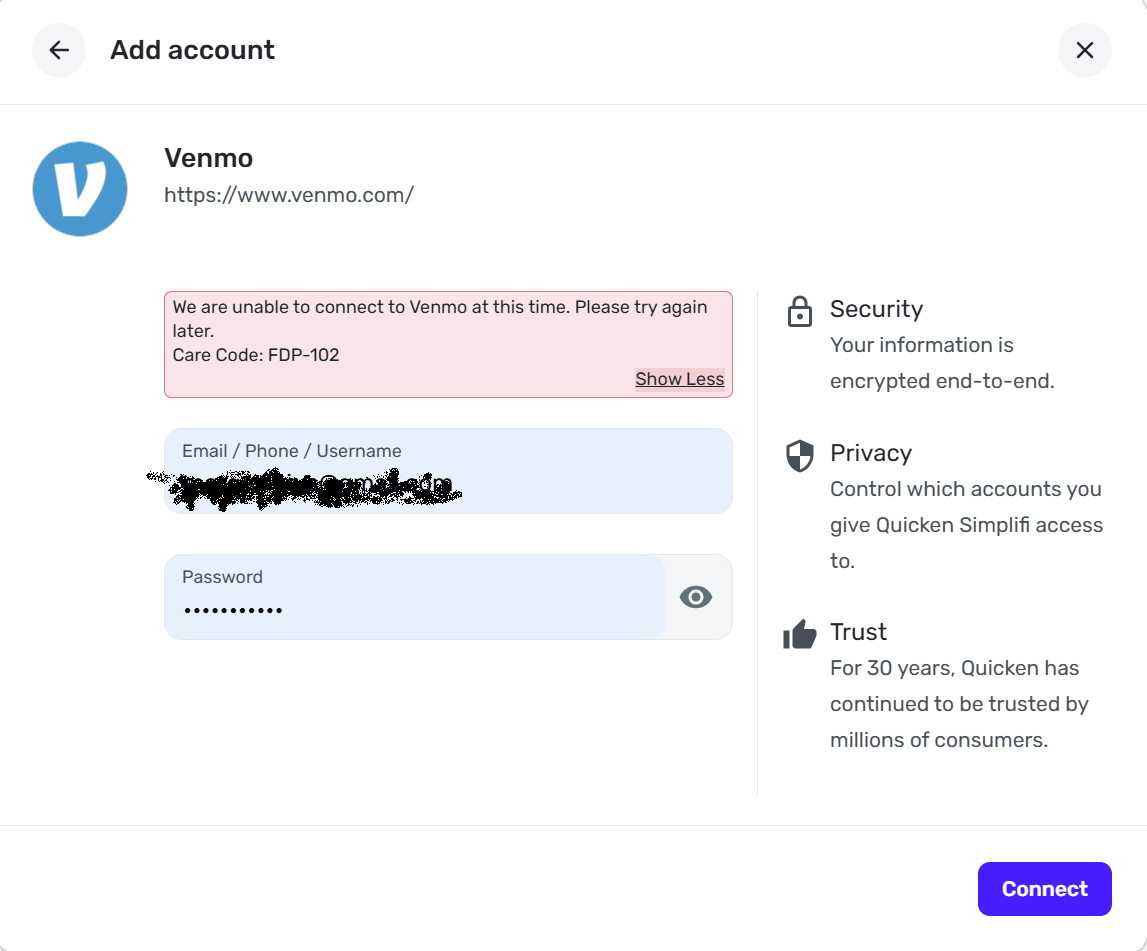
same issue for me, only that I am using simplifi.quicken.com. please fix; the ADHD in me can't handle not being able to connect. thanks.
 0
0 -
Hello @mm18stratos,
Thank you for reaching out to the Quicken Classic Community!
Since you are using Quicken Simplifi, it would be better suited for you to reach out to Simplifi's Community directly. Please click here to be redirected to Simplifi's Community.
Alternatively, Simplifi Support can also be contacted.
Thank you!
-Quicken Anja
Make sure to sign up for the email digest to see a round up of your top posts.0 -
Add another to the FDP-102 issue. On attempting to connect I do get an email response from Venmo about my log in, so it's getting that far, but then returns the error message.
0 -
Same as above and continuing. I see the email from Venmo that I have tried to connect to, then no connection. The DIFFERENCE in recent weeks is that Quicken does NOT ask for a confirmation code, and NO code is sent from Venmo. So where I used to receive a code, enter it, and then it failed to update; Now I receive NO code, and the update fails, but I still receive the email from Venmo.
At this point, Quicken gives me the pink Error notice at the top of the Venmo account saying, "Quicken cannot connect to this account."
2 -
FDP-102 error with VENMO. Corrective actions with deleting the connection and adding did not resolve the issue. Quicken Classic Premier Version 8.4.2
OS System TAHOE 26.2
1 -
Hello All,
Thanks to everyone for continuing to check in and share updates.
This Venmo FDP-102 (CC-502) issue is a known problem and has already been escalated internally. Our teams are actively investigating, but at this time there is no ETA for resolution.
Please refer to the official Community Alert for updates. As soon as new information becomes available, it will be posted there.
For now, no additional troubleshooting is needed on your end, as connection attempts (including deactivate/reactivate or re-adding the account) will not resolve the issue while the bank-side problem is ongoing.
Thank you for your patience!
-Quicken Anja
Make sure to sign up for the email digest to see a round up of your top posts.0 -
Hi Anja, Is there any hope of this being resolved soon? It has been weeks. It is tax season and it's very disruptive for those of us who use Quicken for accurate income tracking. Thanks.
3 -
This has been going on for over a month and there is no sign whatsoever of any progress. I am running out of patience. What real priority has this been given? Why is this "known issue" that has been "escalated" taking so long to resolve?
1 -
Hello everyone,
I completely understand the frustration regarding the timeline on this, especially with tax season now upon us. I know many of you rely on these downloads for accurate income and expense tracking, and having this persist for several weeks is disruptive.
While it may seem like a simple fix on the surface, issues like this typically involve backend changes at the financial institution that require deep coordination and testing between our teams and theirs. This issue has not been deprioritized; it remains under active investigation with our internal teams and our service providers.
Unfortunately, we still do not have a specific ETA for the resolution. However, we will continue to post any and all updates to the Community Alert as soon as they become available.
We truly appreciate your continued patience while our teams work to get this resolved.
Thank you!
-Quicken Anja
Make sure to sign up for the email digest to see a round up of your top posts.0 -
This is incredibly frustrating. It's gotten to the point that its impacting our business. It feels as though Quicken has become so outdated that issues like this keep popping up and the fixes aren't simple because of outdated software. I'm a lifelong Quicken user, sad to have to move on.
1 -
Hello @SkolVikingsGuy,
We completely understand how disruptive this has become.
I do want to clarify that this issue is not related to Quicken being “outdated,” nor is it something that can be resolved through local software changes. This is a bank-side connectivity issue that requires coordination between Venmo, our aggregation partners, and Quicken’s escalation teams.
That said, this issue has not been deprioritized. It remains under active investigation, and progress is dependent on backend changes and validation. As soon as there is a meaningful update or resolution, it will be posted to the Community Alert linked earlier in this thread.
Thank you for your patience!
-Quicken Anja
Make sure to sign up for the email digest to see a round up of your top posts.0 -
I was able to download transactions today. Hopefully, this issue has been permanently resolved.
0 -
@AZCoder1959 Thanks for the update! Glad to hear it is working for you now.
Let us know if anything changes!
-Quicken Anja
Make sure to sign up for the email digest to see a round up of your top posts.1 -
New problem or just a Sunday hiccup (due to server maintenance or something).
"The accounts found at Venmo don’t match the accounts in Quicken. Let’s fix it by reconnecting your account. (FDP-106)."
I was unable to reconnect, though I can log into Venmo without problems. Let's see what tomorrow brings.
0 -
Still getting FDP-102. Anja - can you give us an update?
0 -
Still getting the FD-106. Looks like (at least for me) one problem has been replaced by another.
0 -
Tried to connect again. It looked like everything was working just fine. It even showed the correct Venmo amount on the screen when asked which account to connect to. But after clicking "Finish" - nothing. No update to Quicken.
0 -
After getting the FD-106 three days in a row, I decided to try to reconnect my account again (which hadn't worked when I did it after the first instance of the error). This time, I was able to authenticate my Venmo account and link it. Right now, I'm back in business.
0



