One Step Update is Not Working

I am trying to download credit card transactions and one step update is not working. It wants Citi Cards to authorized accessing my information on their website. When I do so, I get the following error after I choose my credit card accounts:
Please let me know how this is corrected.
Thank You
Comments
-
Hello @Jim Birth,
Thanks for sharing the details and the screenshot.
Since this error is occurring directly on Citi’s website in your browser, it isn’t coming from Quicken itself—Quicken is simply handing off the authorization to Citi, and Citi is returning the error.
I’d suggest trying the following:
- Clear the default browser’s cache/cookies
Sometimes an older or cached session with the bank can break the redirect:
- In Chrome: Settings > Privacy and Security > Clear Browsing Data
(Select Cookies and Cached Images/Files)
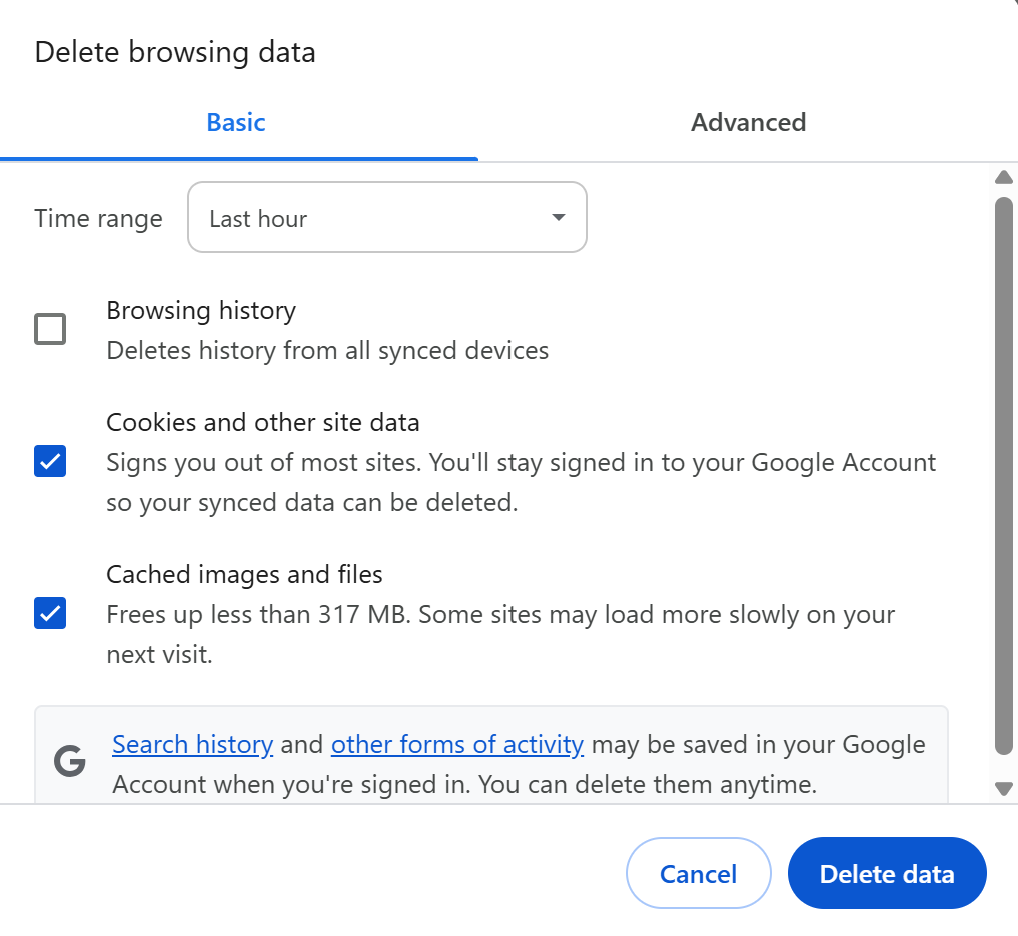
- Then fully close Chrome and try the reauthorization again.
2. Confirm no browser extensions are interfering
Ad blockers, script blockers, privacy extensions, etc., can prevent the redirect from completing.
If you use extensions, try temporarily turning off any security/privacy extensions before retrying.
3. Test the reauthorization using a different default browser temporarily
Even though Chrome is generally the most compatible, switching the default browser just for the reauthorization can help identify whether the issue is tied specifically to Chrome’s handling of the redirect on your system.
If you’re willing, try setting Microsoft Edge or another browser (avoid Brave or DuckDuckGo) as the default browser:
- Windows Settings > Apps > Default Apps > Set Edge as default
Then restart Quicken and attempt the reauthorization again.
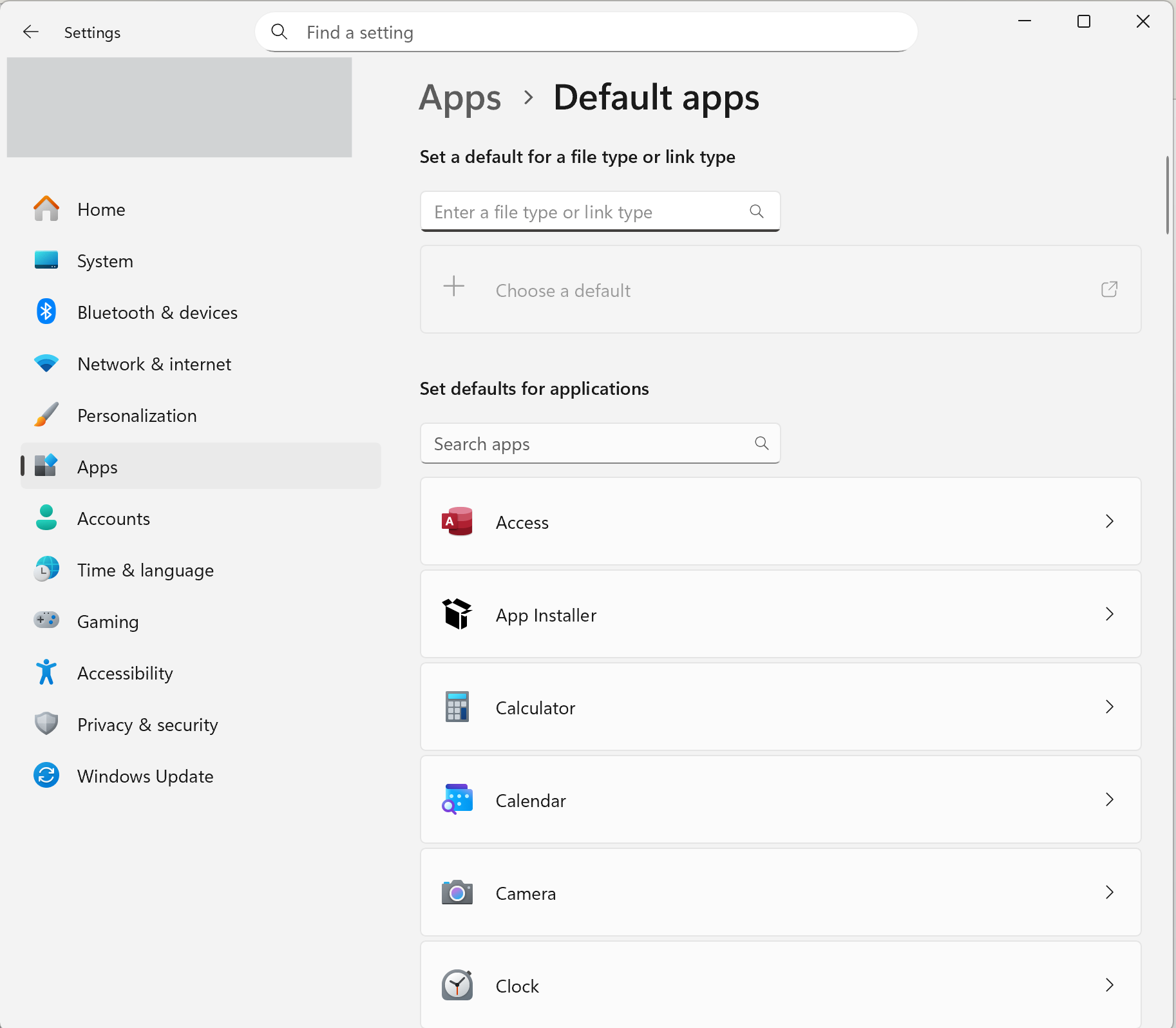
After doing that, go back into Quicken and reattempt the Citi authorization.
If the Citi page continues to throw the same error even in a clean browser session, that points to an issue on Citi’s side with their authorization service, and you may need to wait and retry later or contact Citi support directly.
Hope this helps!
-Quicken Anja
Make sure to sign up for the email digest to see a round up of your top posts.0 - Clear the default browser’s cache/cookies
-
Hello again,
We haven't heard back from you in a while. Do you still need assistance?
Thank you!
-Quicken Anja
Make sure to sign up for the email digest to see a round up of your top posts.0 -
Hello again,
Checking in once more before this thread is closed.
Let us know if you still need assistance.Thank you!
-Quicken Anja
Make sure to sign up for the email digest to see a round up of your top posts.0 -
Hello again,
Due to the lack of response, I went ahead and closed this post.
If you still require assistance, please feel free to start a new post.
Thank you!
-Quicken Anja
Make sure to sign up for the email digest to see a round up of your top posts.0
